你需要安装 RIFTLIBRARY 和 MIXINBOOTER 才能使此模组正常运行。
本模组最初为基岩版设计,Prehistoric Rift 旨在成为 Minecraft Java Edition 中终极的恐龙生存模组。不再只是为公园建筑而复活恐龙,你将发现各种史前生物在你的世界中生成,并且你必须驯服它们。
如果你发现任何错误或有任何建议,可以在 GitHub 上的 问题追踪器 中发布。请先浏览相关区域,以免重复提交。你也可以随时加入 Discord 服务器,在那里你可以随意聊天或获取更新信息。
顺便说一句,如果你真的很喜欢这个模组,可以通过 Ko-Fi 向我捐赠。捐赠并非强制,但这至少会激励我继续开发此模组以及未来可能制作的其他模组。
如何开始
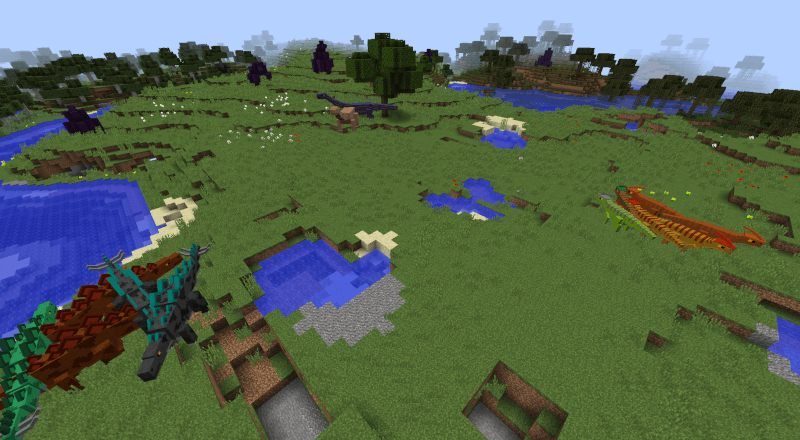
一旦你在野外发现某种生物,请靠近它。它将在你的日志中被标记为“已发现”,你可以在其中阅读关于驯服它所需的食物信息。按 "J" 键并进入“Journal(日志)”标签页即可查看。
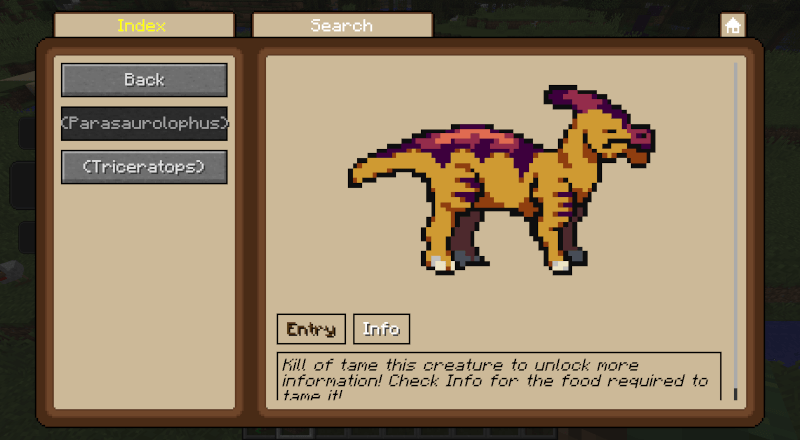
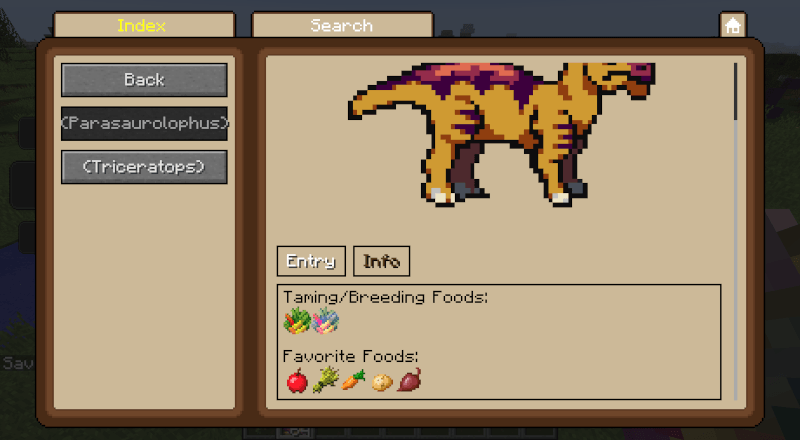
一旦你驯服了该生物,你最终可以阅读其条目,包括它喜欢的食物(用于治疗)以及它可以用作工作台的方块。
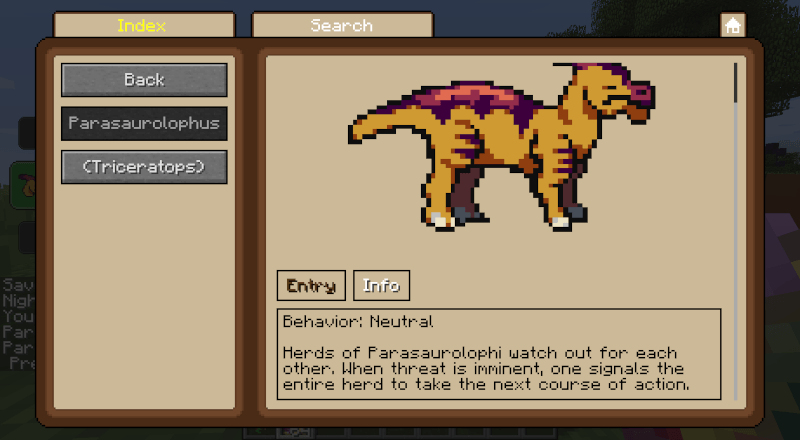
在队伍屏幕中(驯服后通常会显示在这里),你可以解散或召唤生物,或者在它卡住或离你太远时将其传送到你身边。
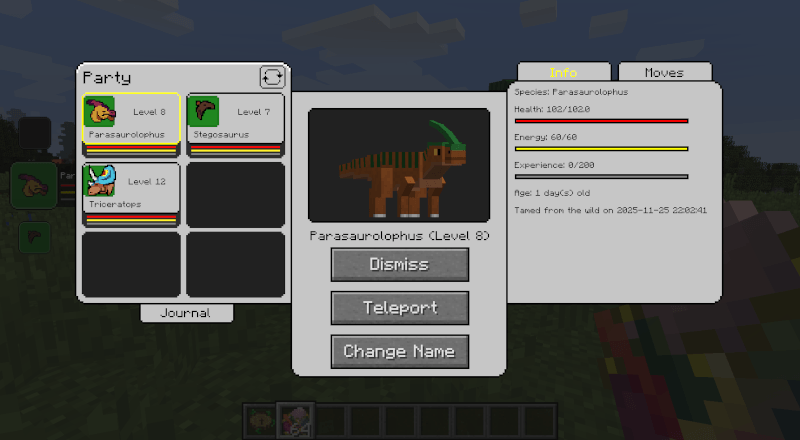
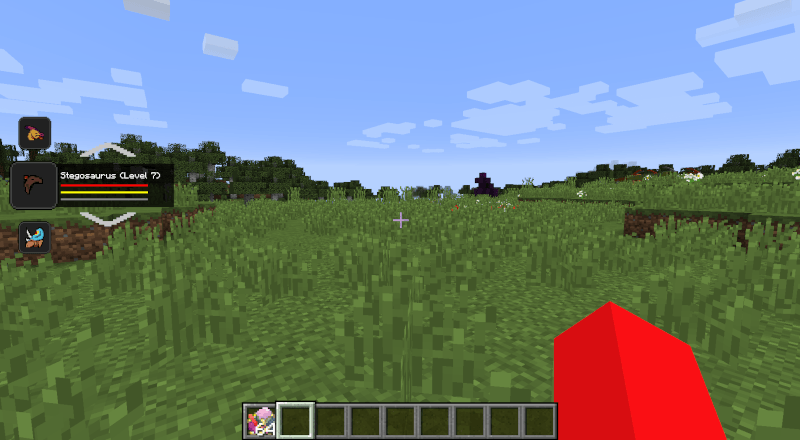
为了方便起见,还有一个侧边栏,你可以从中快速召唤队伍中的生物。使用上下键可以在它们之间切换,按 K 键可以召唤或解散当前选中的生物。
控制生物
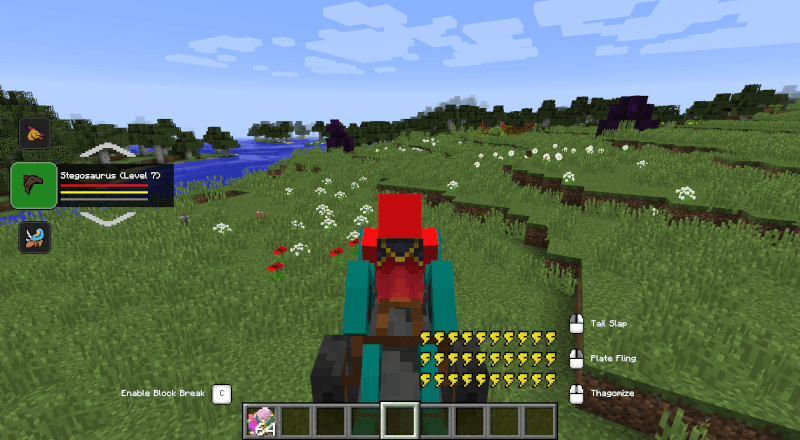 几乎所有生物都可以装备鞍并被骑乘。一旦你在其物品栏的鞍槽中放入鞍,你就可以随心所欲地骑着它们在世界上漫游。此外,你可以命令坐骑执行动作,这些动作显示在右下角。你还可以使用 C 键切换在使用动作时是否破坏方块。
水生生物有一些额外的控制选项,空格键让它们上浮,X 键让它们下潜。
最后,如果你对此有所顾虑,所有生物(除了纯水生生物)都可以轻松离开水域到达最近的岸边,当在水中时,你只需要游向最近的固体方块即可。
生物箱
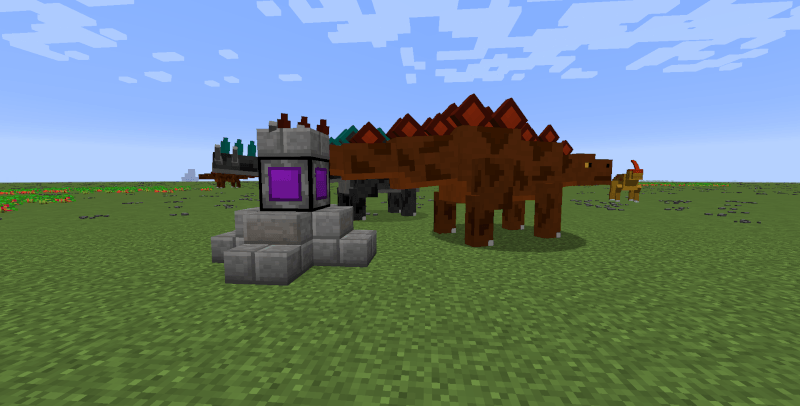
 当你的队伍已满时,此后驯服的所有生物都会被送入你的箱子中。要查看它们,并在队伍生物和箱子生物之间互换,你需要按照如下方式制作一个生物箱:
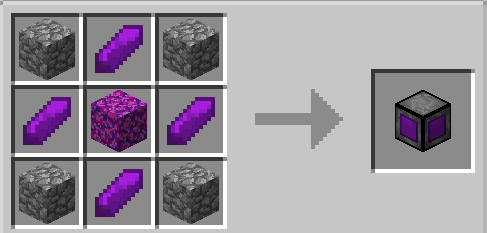
通过生物箱,你可以更改生物的名称,或者释放任何不需要的生物。你还可以部署它们,使它们在生物箱内半径 16 格范围内徘徊。
当从生物箱中部署某些生物时,你可以执行以下操作:
- 将它们设置为炮塔模式(适用于远程攻击者)
- 设置它们采集特定方块
- 为它们设置工作台以进行工作
工作台
Pyrotech 中的部分方块可以被某些生物用作工作台,例如副栉龙用来加热水暖设备和炼钢炉,或者甲龙用铁砧敲打熔块。
安装 Mystical Mechanics 会解锁一些新方块,这些方块需要来自该模组的机械动力、生物的交互,或两者兼有。其中许多具有 Crafttweaker 集成支持(在此 wiki 部分查看)。
配置
Prehistoric Rift 具有一些相当广泛的配置选项。在配置文件夹中应该有一个名为 "prift" 的文件夹,你可以在其中找到通用配置(用于非常通用的配置选项)以及所有生物的配置 json 文件。
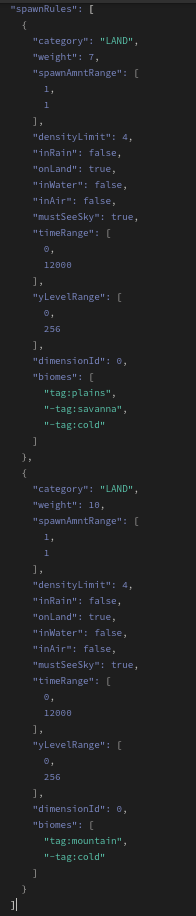
你不仅可以编辑各种生物的属性以及其他相关特性,还能通过一个非常灵活的自定义生成系统来调整它们的生成率!以下是霸王龙的示例(文档即将推出):
YOU NEED RIFTLIBRARY AND MIXINBOOTER FOR THIS MOD TO WORK
Originally for Bedrock edition, Prehistoric Rift aims to be the definitive dinosaur survival mod for Minecraft Java Edition. No more dinosaur revival for park building, you will find various prehistoric creatures spawning in your world, which you will have to tame.
If you spot any bugs or if you have suggestions you can post them in the bugtracker on GitHub. Just make sure to browse the area first. You may also feel free to join the discord server where you can casually hang out or receive updates.
If you really like this mod btw, you can donate to me on Ko-Fi. You're not obligated to donate, but it at least motivates me to continue working on this mod and any others that I may make.
How to Start
Once you find a creature in the wild, go near it. It will be marked as "discovered" in your journal, where you can read about what foods you need to tame it. Press "J" and go to the "Journal" tab to see it.
Once you tame said creature, you will finally be able to read its entry, as well as what foods it likes (for healing) and what blocks it can use as workstations.
In the party screen, where it will most likely appear in upon taming, you can dismiss it or summon it, or teleport it to you when it's stuck or far away from you.
For convenience, there's also a sidebar, from which you can quickly summon a creature from your party. The up and down keys let you switch between them, and presing K lets you summon/dismiss the currently selected creature.
Controlling Creatures
Almost all creatures can be saddled and ridden. Once you put a saddle in its saddle slot in its inventory, you can ride them around the world as much as you please. In addition, you can command your mounts to use a move, which are shown on the bottom right. You can also toggle between block breaking upon using a move by using C.
Aquatic creatures have some additional controls, where spacebar lets them swim up and x lets them swim down.
Finally, in case you have any reservations about this, all creatures (except purely aquatic ones) can easily get out of water to the closest shore, you just need to swim towards the nearest solid block when in water.
Creature Box
When your party is full, all creatures that you tame by this point onward get sent to your box. To see them, as well as change party creatures with box creatures and vice versa, you will need to craft a creature box as shown:
From a creature box, you can change your creature's name, or release any unwanted creatures. You can also deploy them to have them wander around the creature box within a 16 block radius.
When certain creatures are deployed from a creature box, you can do the following:
- Set them to turret mode (for ranged attackers)
- Set them to harvest certain blocks
- Set a workstation for them to work on
Workstations
Some of the blocks in Pyrotech can be used as workstations by certain creatures, such as Parasaurolophuses stoking the heating devices and bloomeries or Ankylosauruses smashing blooms on anvils.
Installing Mystical Mechanics unlocks some new blocks that require mechanical power from said mod, interaction from creatures, or even both. Many of which have Crafttweaker integration (check them out on this section of the wiki)
Configuring
Prehistoric Rift has some pretty extensive config options. In the config folder should be a folder known as "prift", where you can find the general config (for very general config options) and json configs for all creatures.
Not only you can edit various stats of the creatures and other traits pertaining to them, you can even edit their spawn rates with a pretty flexible custom spawning system! Here's a sample from the tyrannosaurus (documentation coming soon)


 模组

 模组
 模组
 模组

 模组
 模组

评论 0
登录后参与评分
还没有评论,来抢沙发吧