
关于
受够了有人偷你箱子里的东西?未经同意就在你的基地里和村民交易?担心有人破坏你的建筑?这些问题都有解决方案:
Privit(取自 Private IT 的缩写)是一款领地保护模组。它允许你创建带有玩家自定义规则的区域,从而限制恶意破坏和其他不需要的交互行为!
该模组既适合用于你将与朋友共享的单人世界,也适用于完整的专用服务器安装。
✨ 主要特性
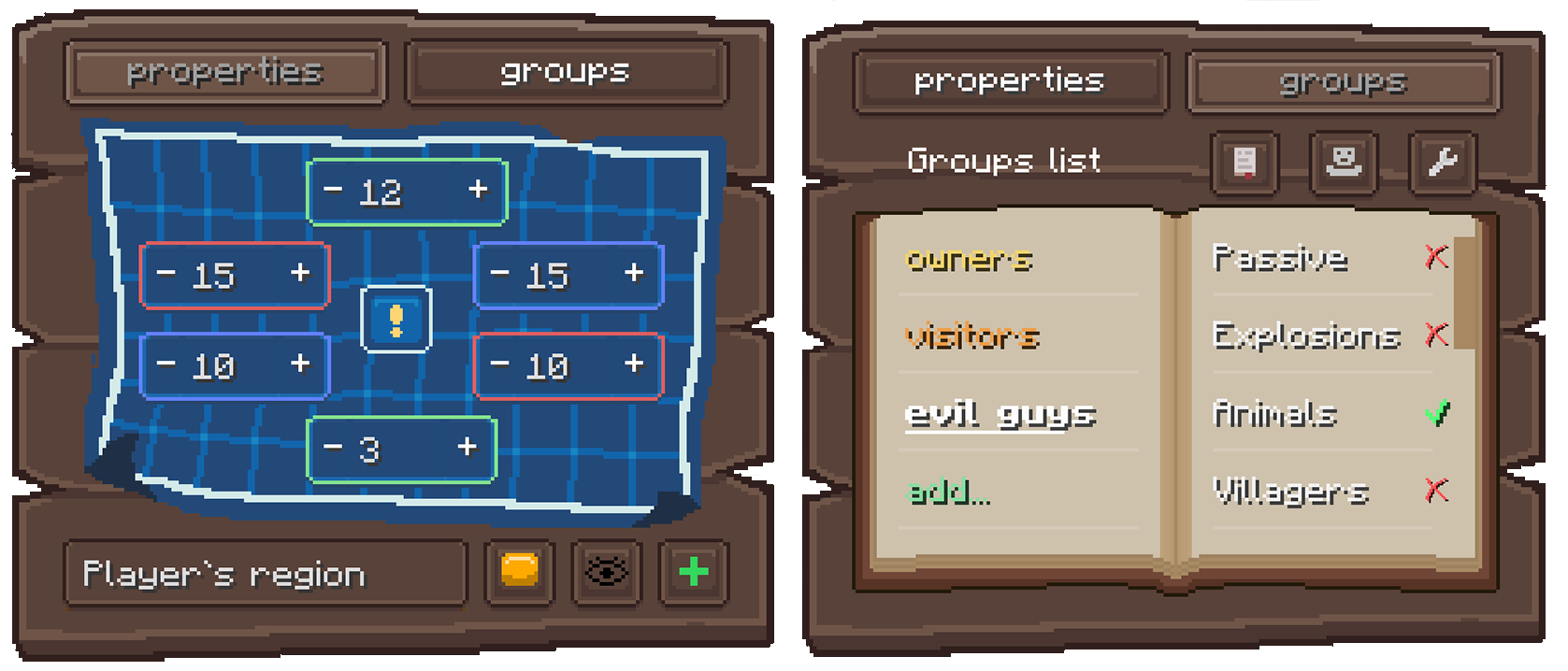
- 便捷管理: 使用区域表方块和美观直观的图形用户界面(GUI)来创建和编辑区域。无需记忆复杂的命令即可创建受保护的区域!
- 深度自定义: 通过规则掌控一切。精确决定谁可以建造、战斗、打开箱子等等。
- 灵活的权限系统: 为你的好友创建自定义群组,并为每个群组分配特定的权限。
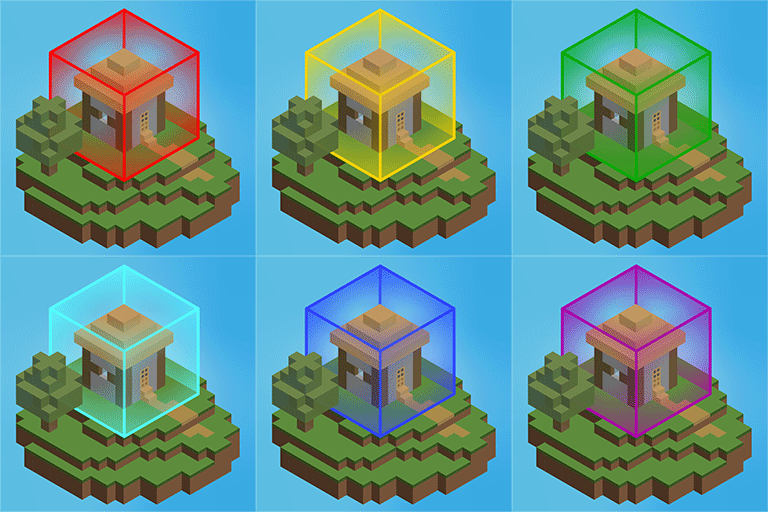
- 视觉辅助: 通过可定制的视觉网格清晰看到区域的边界。屏幕角落的小地图(HUD)会随时告知你是否处于某个特定区域内。
- 管理员控制: 服务器管理员可以设置全局限制、禁用不必要的规则,并通过命令管理区域。
工作原理
无需输入命令,只需手持区域表,将其放置并打开 GUI 即可。在这里你可以:
- 使用可视化坐标设置区域边界
- 创建具有自定义权限的玩家群组
- 启用或禁用特定规则(如建造、PvP、箱子访问权限)
- 前往维基上的辅助指南学习如何使用区域表。
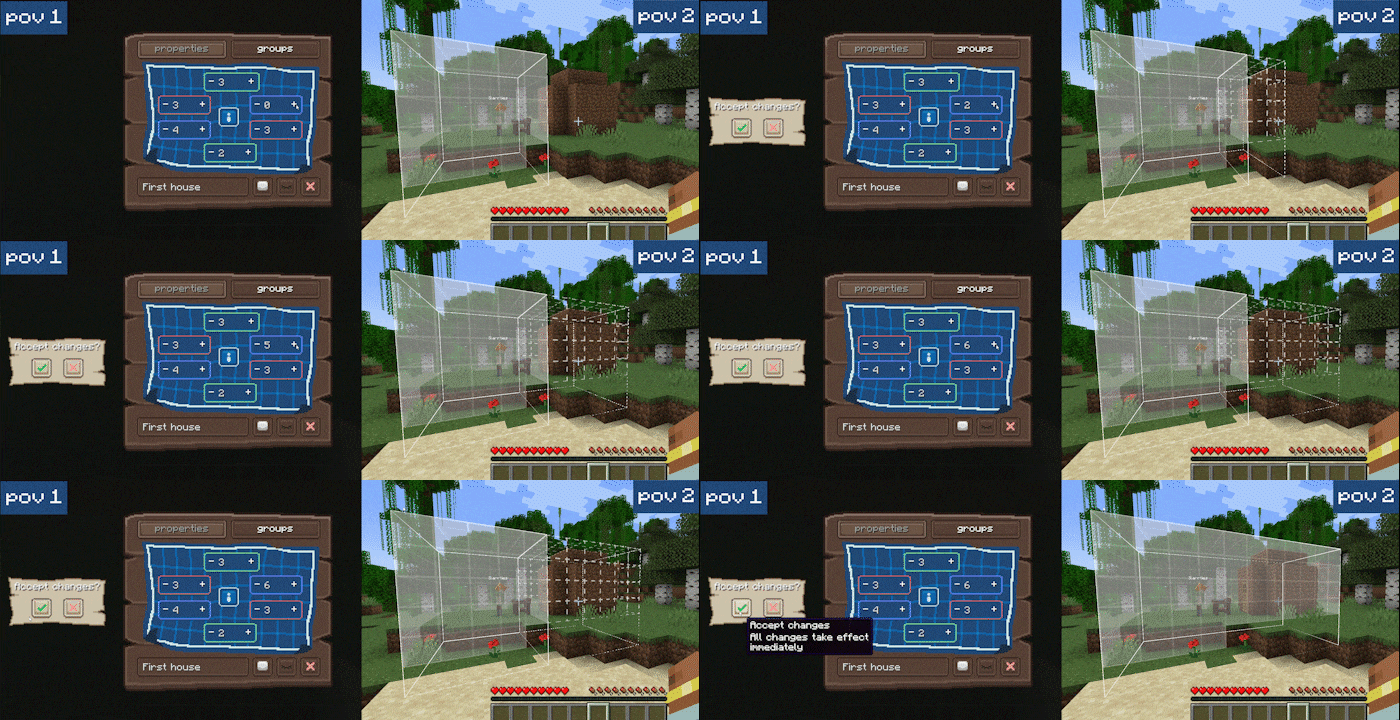
GUI 支持实时完全同步:如果多名玩家同时打开它,他们会即时看到彼此的更改。
要求
- Minecraft: 1.20.1, 1.21.1, 26.1.2
- 加载器: Fabric
- 依赖项: Fabric API
- (可选但推荐) Mod Menu & Cloth Config 用于轻松进行游戏内配置。
Privit 正在积极开发中!并非所有计划中的功能都已实现,某些错误可能仍会出现。非常欢迎在 GitHub Issues 页面提交错误报告和清晰的反馈。
❓ 常见问题
问:我可以将此模组添加到现有世界中吗?
答:可以。它不会损坏你的世界数据。玩家行为追踪仅在模组安装后开始,因此在此之前开始的延迟效果可能无法被归因,可以忽略不计。
问:我可以移除模组并继续游玩吗?
答:完全可以。模组数据存储在世界目录内的独立文件夹中,不会影响原版存档。如果稍后重新安装该模组,其功能和数据将会恢复。
问:如果我破坏了区域内的区域表,区域会被删除吗?
答:不会!区域表仅是进入 GUI 的入口。你可以放置和破坏任意数量的表格。
问:我的区域不见了!我该如何找到它?
答:使用 /privit regions 命令查看你是所有者的区域列表。每个区域的信息输出行中都包含该区域的坐标。
问:Forge/NeoForge 版本?
答:没有。至少在可预见的未来不会有。
About
Tired of someone stealing items from your chest? Trading with villagers on your base without permission? Worried that someone will destroy your buildings? There’s a solution for all these problems:
Privit (short for Private IT) is a territory protection mod. It lets you create regions with per-player rules, so you can limit griefing and other unwanted interactions!
This mod is suitable both for a single‑player world that you will share with your friends or installation on full‑fledged dedicated server.
✨ Key Features
- Convenient Management: Create and edit regions using the Region Table block and a beautiful, intuitive GUI. No need to memorize complex commands to create protected area!
- Deep Customization: Control everything with rules. Decide exactly who can build, fight, open chests and much more.
- Flexible Permission System: Create custom groups for your friends and assign specific permissions to each.
- Visual helpers: See exactly where your region ends with customizable visual grids. The HUD in the corner of the screen will always tell you when you’re in a particular region.
- Admin Controls: Server admins can set global limits, disable unnecessary rules, and manage regions via commands.
How It Works
Instead of typing commands, you simply take a Region Table, place it down, and open the GUI. Here you can:
- Set region borders using visual coordinates
- Create player groups with custom permissions
- Enable or disable specific rules (like building, PvP, chest access)
- Visit the auxiliary guide on the wiki to learn how to work with Region Table.
The GUI is fully synced in real-time: if multiple players have it open, they see each other's changes instantly.
Requirements
- Minecraft: 1.20.1, 1.21.1, 26.1.2
- Loader: Fabric
- Dependencies: Fabric API
- (Optional but recommended) Mod Menu & Cloth Config for easy in-game configuration.
Privit is actively developed! Not all planned features are implemented yet, and some bugs may still appear. Bug reports and clear feedback are very welcome on our GitHub Issues page.
❓ Frequently Asked Questions
Q: Can I add this mod to an existing world?
A: Yes. It will not corrupt your world data. Player-action tracking only starts after the mod is installed, so delayed effects that began before that may not be attributed and can be ignored.
Q: Can I remove the mod and keep playing?
A: Absolutely. Mod data is stored in a separate folder inside the world directory and does not touch vanilla saves. If you reinstall the mod later, its features and data come back.
Q: If I break the Region Table inside a region, is the region deleted?
A: No! The table is only an entry point to the GUI. You can place and break as many tables as you want.
Q: I lost my region! How can I find it?
A: Use the /privit regions command to see a list of all regions where you are an owner. The information output line for each region includes the region’s coordinates.
Q: Forge/NeoForge?
A: No. Not in the foreseeable future.
下载 Privit
下载 Privit
下载 Privit
下载 Privit
下载 Privit
下载 Privit
下载 Privit
下载 Privit
下载 Privit
下载 Privit
从 1.21.1 移植到 26.1.2。
警告:
此版本尚未经过全面测试。它可能不稳定,包含错误和缺陷。启动前请备份你的世界。
修复
- 修复了加载包含幽匿催化剂的区块时导致游戏崩溃的问题。
关于这个资源的讨论、问题反馈与使用心得
还没有讨论,来发第一帖吧
你是这个资源的作者?登录后可认领此资源。
相似资源
 模组

显示你正在注视的方块的信息。(适用于 Minecraft 1.16+ 的 Hwyla/Waila 分支)
 模组

查看物品与配方
 模组
在游戏画面角落显示附近世界地形、玩家、生物和实体的地图。可创建路径点,帮助你找到标记过的位置。
 模组
使用 JavaScript 编辑配方、添加自定义物品、编写世界事件!
 模组
添加区块认领和玩家组队功能,并与 Xaero's Minimap 和 World Map 集成
 模组
添加全屏世界地图,显示你在世界中已探索的区域。与 Xaero's Minimap 搭配使用效果极佳。
评论 0
登录后参与评分
还没有评论,来抢沙发吧