
Quest Enhance
Quest Enhance 是一款面向 FTB Quests 的客户端增强模组,专为整合包作者和任务书创作者设计。
它为 FTB Quests 增加了剪贴板图片粘贴、自动调整图片大小、章节画布文本、实体模型图标、动态 GIF、引导点、装饰线条、多节点复制、画布撤销/重做、可选的 KubeJS 点击事件以及打包视频支持等功能,使任务书的创建更加直观、灵活且具有视觉表现力。
Quest Enhance 为 FTB Quests 添加了多项强大的增强功能:
从框选排除图片
标记画布图片以将其排除在拖拽框选之外,从而更容易选择、移动和管理任务节点,而不会意外选中装饰性图片。
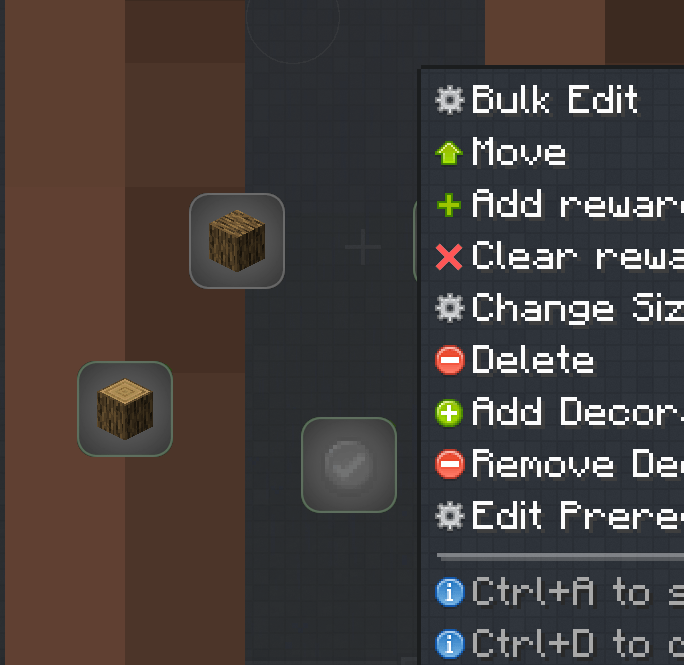
批量编辑任务节点
选择多个任务节点并一次性编辑其共享属性,使大规模的任务管理变得更加快速便捷。
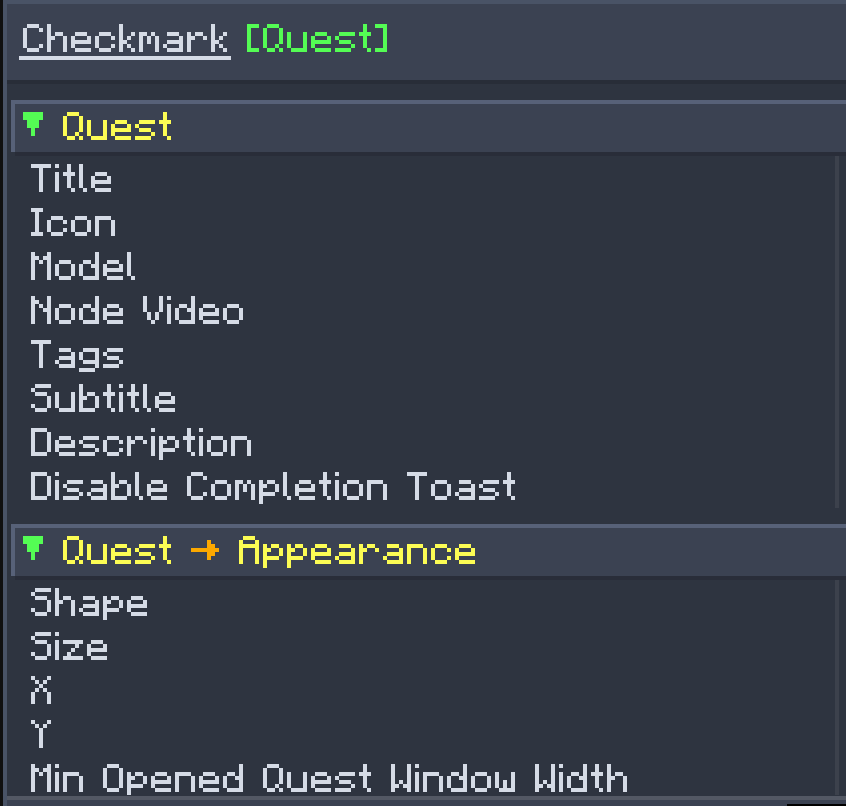
任务描述中的玩家持久化数据
直接在 FTB Quests 描述中显示来自玩家持久化数据的值,支持本地化翻译以及可选的 KubeJS 持久化数据集成。
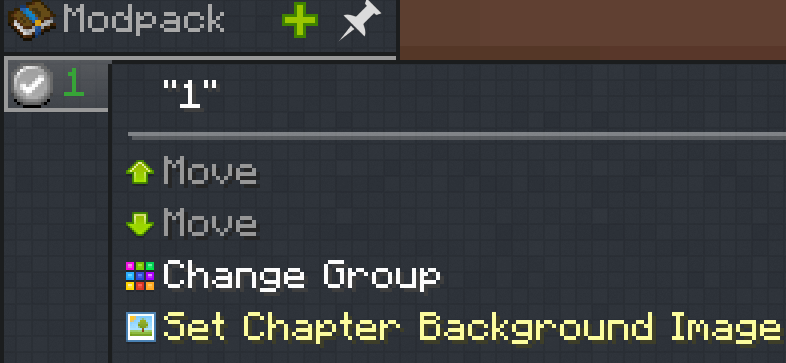
自定义章节背景
编辑并为任意任务章节分配背景图片,允许每个章节拥有独特的视觉风格。
使用 KubeJS 动态创建任务
支持通过 KubeJS 动态创建和修改任务节点,使得构建灵活且交互式的任务系统变得更加容易。
WIKI:
章节描述支持标题。
编辑前置连线
在任务书编辑模式下,右键单击任务节点并选择“编辑前置连线”。此功能列出与当前任务相关的所有前置关系,便于单独管理每条连线的显示状态。
←:当前任务依赖于该任务。
→:该任务依赖于当前任务。
您可以隐藏选定的前置连线,以保持任务书画布的整洁。
您还可以启用“在非编辑模式下悬停节点时显示前置连线”。这可以在正常使用期间保持画布整洁,同时允许您在检查任务时快速查看相关连线。
画布上的动态 GIF
添加位于 assets/quest_enhance/textures/*_/_.gif 的 GIF。GIF 支持循环播放、原始宽高比、旋转、着色、透明度和图层设置。
画布撤销/重做
支持 Ctrl+Z 和 Ctrl+Y,每章最多支持 64 步历史记录。支持节点移动、属性编辑、图片、引导点和装饰线条。
视频组件
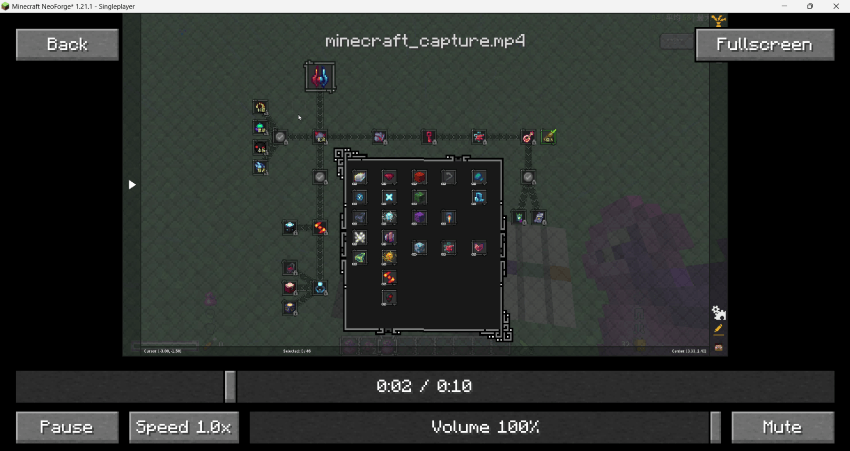
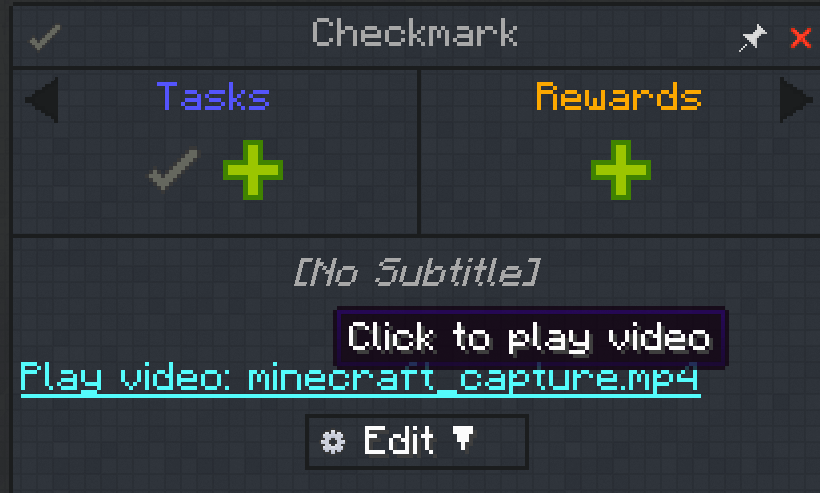
现在可以直接将本地视频插入到任务描述中。
需要 WATERMeDIA: Multimedia API 模组作为前置依赖
内置视频播放器支持:
- 播放和暂停
- 重播
- 自定义视频封面
将视频文件放置在:
config/quest_enhance/assets/quest_enhance/videos/ftb/
视频也可以打包在模组资源包的 assets/quest_enhance/videos 下
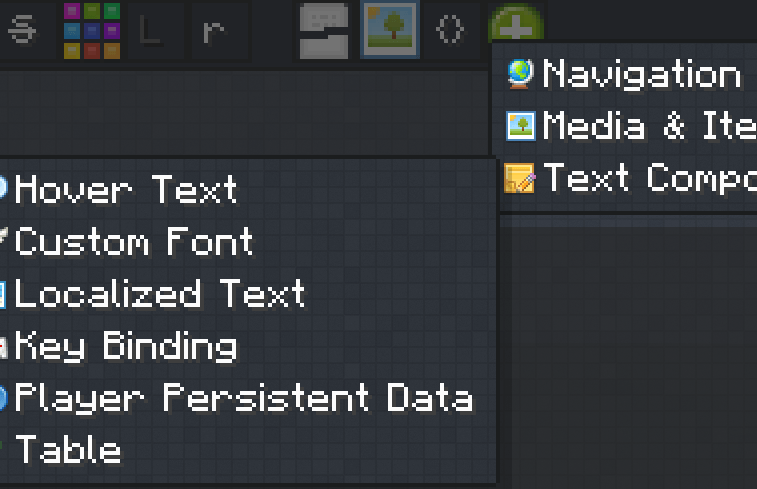
插入组件菜单
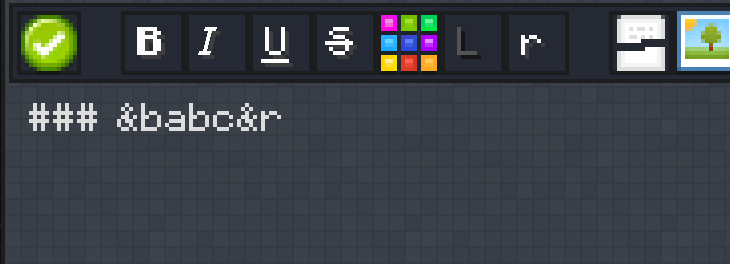
任务描述编辑器现在包含一个可视化的组件菜单,用于快速插入和配置以下组件:
- 网页链接
- 点击复制文本
- 开发者指令
- 指向特定任务页面的链接
- 网络图片
- 物品图标
- 物品提示框
- 视频
- 悬停文本
- 自定义字体
- 本地化文本
- 按键绑定
- 混淆文本
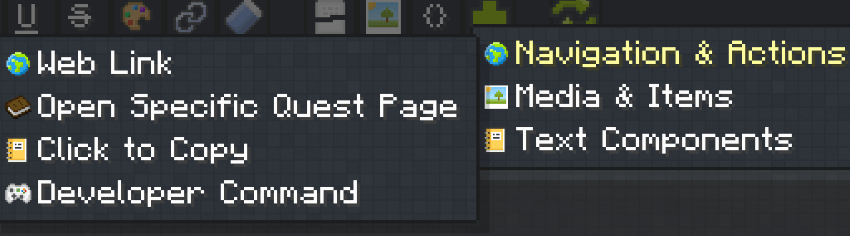
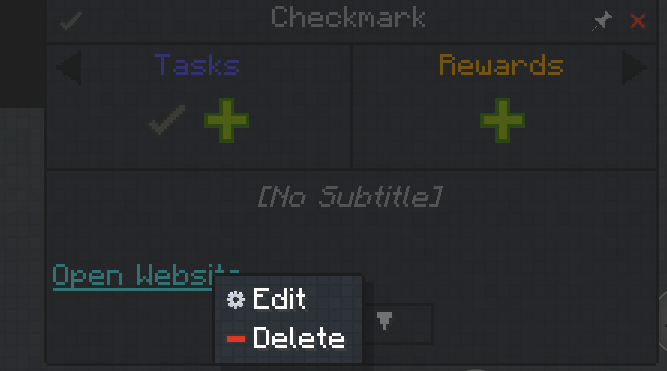
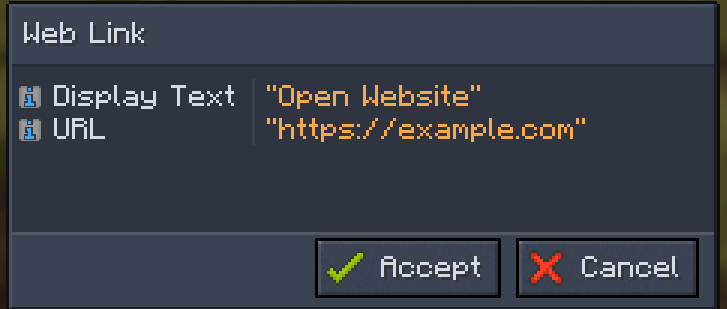
使用 Quest Enhance 创建的组件在编辑时将自动重新打开到对应的可视化配置界面。
您不再需要手动编辑组件 JSON。
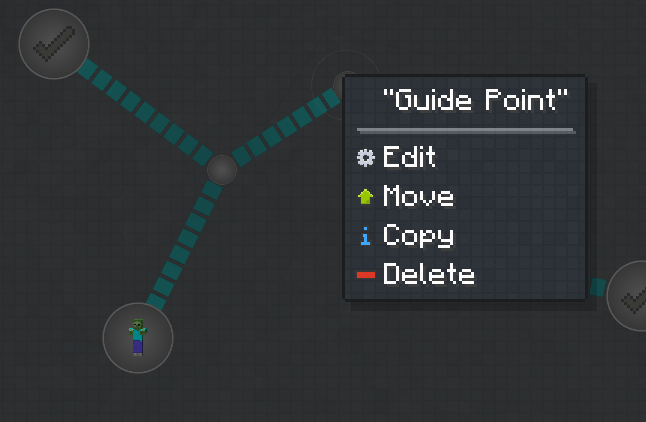
装饰线条
使用可定制的装饰线条连接选定的任务节点和引导点。
用于显示节点之间的关系,不影响玩家解锁这些节点。
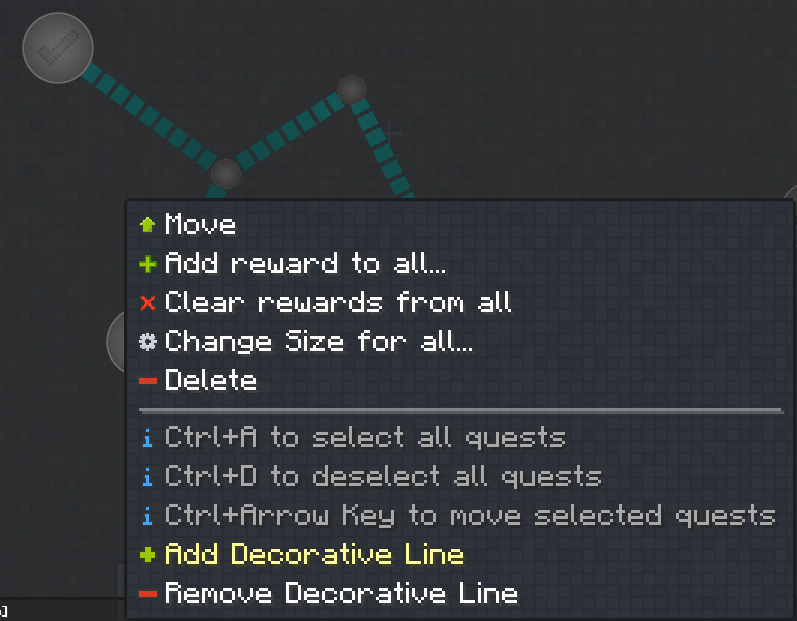
复制多个任务
您可以一次性复制多个任务节点和图像。(仅安装 FTB Quests 模组时可能会引发错误。)
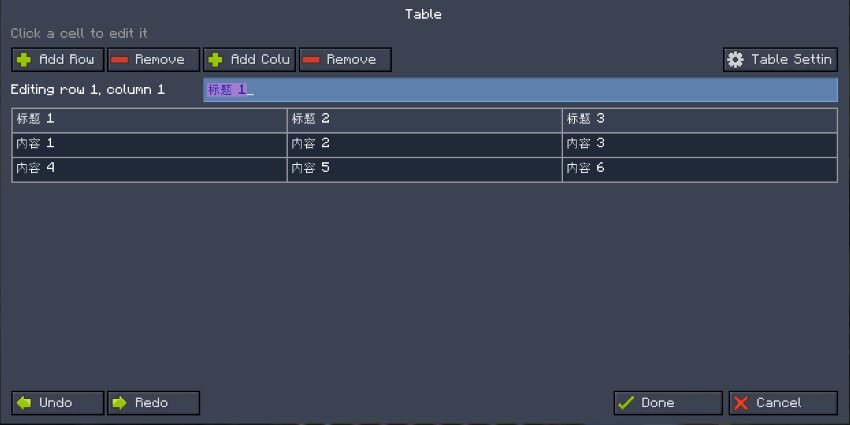
表格组件
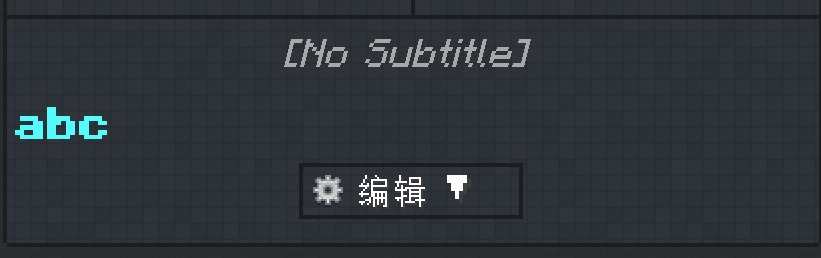
任务描述现在支持可视化表格。
表格编辑器仍略显粗糙,但它提供了一种可视化的方式,允许直接在任务描述中创建和编辑表格内容。
从剪贴板粘贴图像
在任务描述编辑器中按 Ctrl+V,即可直接从剪贴板粘贴图像。
无需手动将图像放入 assets 文件夹,也无需按 F3+T 重载资源。粘贴的图像会立即显示。
自动调整图像大小
通过原生 FTB Quests 图像选择器添加图像时,Quest Enhance 会读取其原始尺寸,并根据任务描述可用宽度自动计算合适的高度。
这减少了手动调整大小的操作,并防止图像被拉伸或变形。
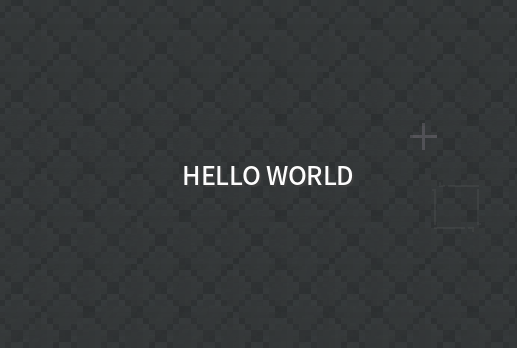
章节画布文本
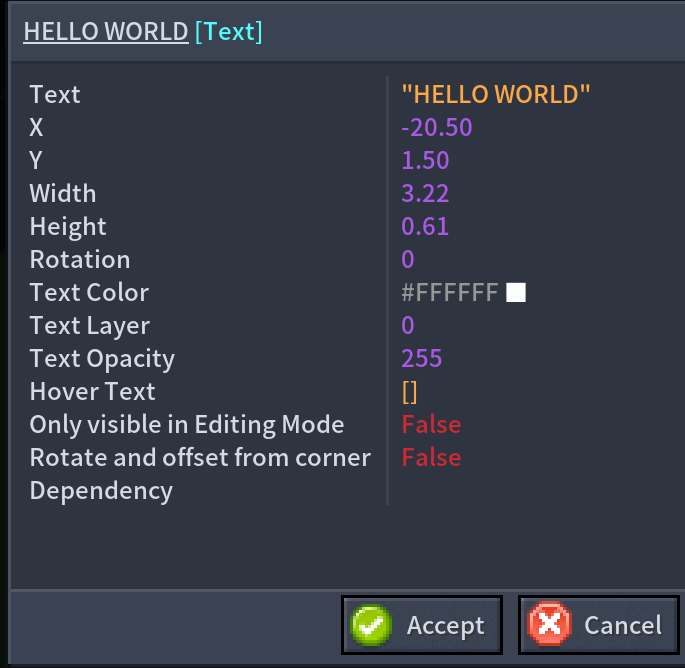
在章节编辑画布上打开上下文菜单,以添加独立的文本元素。
文本元素支持以下功能:
- 自定义文本
- 文本颜色
- 显示层级
- 不透明度
文本元素可以像其他章节画布元素一样进行定位和编辑,适用于章节标题、区域描述、分类标签以及装饰性文字。
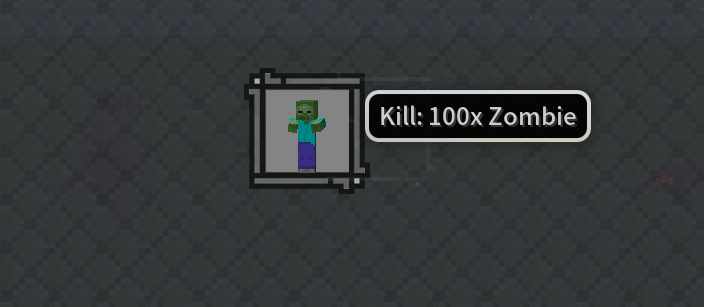
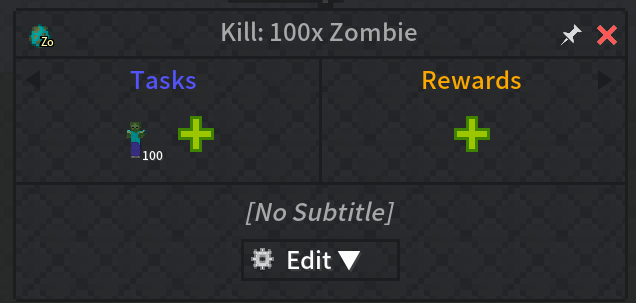
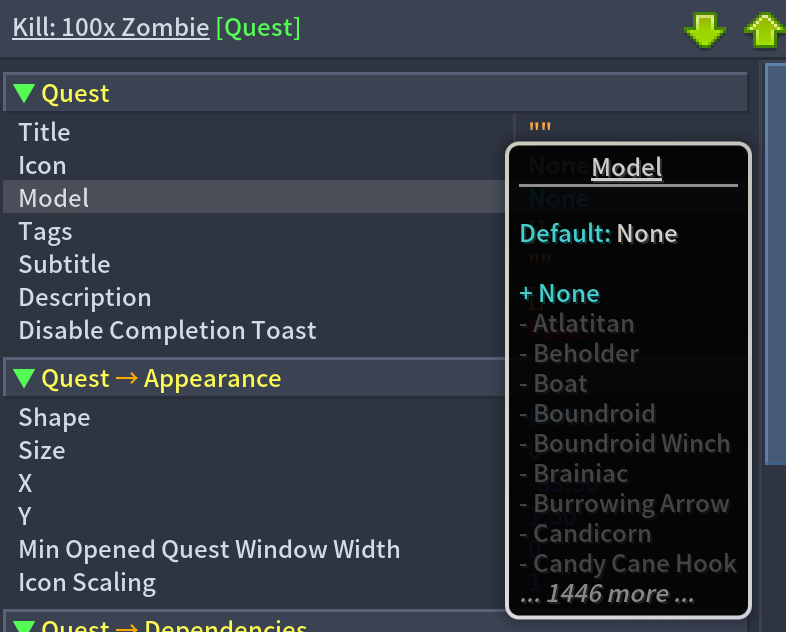
实体模型图标
Quest Enhance 可以将普通的物品或刷怪蛋图标替换为三维实体模型,使任务目标更易于识别。
图像存储与清理
从剪贴板粘贴的图像保存在以下路径:
config/quest_enhance/assets/quest_enhance/textures/ftb/
使用以下命令移除不再被任何 FTB Quests 文件引用的剪贴板图像:
/questenhance cleanup
Quest Enhance
Quest Enhance is a client-side enhancement mod for FTB Quests, designed for modpack authors and quest book creators.
It adds clipboard image pasting, automatic image sizing, chapter canvas text, entity model icons, animated GIFs, guide points, decorative lines, multi-node copying, canvas undo/redo, optional KubeJS click events, and bundled video support to FTB Quests, making quest book creation more intuitive, flexible, and visually expressive.
Quest Enhance adds several powerful enhancements to FTB Quests:
Exclude Images from Box Selection
Mark canvas images to exclude them from drag-box selection, making it easier to select, move, and manage quest nodes without accidentally selecting decorative images.
Bulk Edit Quest Nodes
Select multiple quest nodes and edit their shared properties at once, making large-scale quest management faster and more convenient.
Player Persistent Data in Quest Descriptions
Display values from player persistent data directly in FTB Quest descriptions, with support for localized translations and optional KubeJS persistent data integration.
Custom Chapter Backgrounds
Edit and assign background images to any quest chapter, allowing each chapter to have its own visual style.
Dynamic Quest Creation with KubeJS
Support dynamically creating and modifying quest nodes through KubeJS, making it easier to build flexible and interactive quest systems.
WIKI:
Chapter descriptions support headings.
Edit Prerequisite Lines
In Quest Book edit mode, right-click a quest node and select “Edit Prerequisite Lines.” This feature lists all prerequisite relationships connected to the current quest, making it easy to manage the display state of each line individually.
←: The current quest depends on this quest.
→: This quest depends on the current quest.
You can hide selected prerequisite lines to keep the quest book canvas clear.
You can also enable “Show Prerequisite Lines When Hovering a Node Outside Edit Mode.” This keeps the canvas clean during normal use while still allowing you to quickly view related lines when inspecting a quest.
Animated GIFs on the Canvas
Add GIFs from assets/quest_enhance/textures/*_/_.gif. GIFs support looping playback, original aspect ratio, rotation, tint, opacity, and layer settings.
Canvas Undo/Redo
Ctrl+Z and Ctrl+Y with up to 64 history steps per chapter. Supports node movement, property edits, images, guide points, and decorative lines.
Video Component
Local videos can now be inserted directly into quest descriptions.
Requires the WATERMeDIA: Multimedia API mod as a prerequisite
The built-in video player supports:
- Play and pause
- Replay
- Custom video covers
Place video files in:
config/quest_enhance/assets/quest_enhance/videos/ftb/
Videos also can be packaged inside the mod resource pack under assets/quest_enhance/videos
Insert Component Menu
The quest description editor now includes a visual component menu for quickly inserting and configuring the following components:
- Web links
- Click-to-copy text
- Developer commands
- Links to specific quest pages
- Network images
- Item icons
- Item tooltips
- Videos
- Hover text
- Custom fonts
- Localized text
- Key bindings
- Obfuscated text
Components created with Quest Enhance will automatically reopen in their corresponding visual configuration screen when edited.
You no longer need to edit the component JSON manually.
Decorative Lines
Connect selected task nodes and guide points with customizable decorative lines.
Used to display the relationships between nodes, without affecting players' unlocking of these nodes.
Copy Multiple Tasks
You can copy multiple task nodes and images at once. (This may cause an error when only the FTB Quests mod is installed.)
Table Component
Quest descriptions now support visual tables.
The table editor is still a little rough around the edges, but it provides a visual way to create and edit table content directly inside quest descriptions.
Paste Images from the Clipboard
Press Ctrl+V in the quest description editor to paste an image directly from your clipboard.
There is no need to manually place the image in an assets folder or press F3+T to reload resources. The pasted image appears immediately.
Automatic Image Sizing
When adding an image through the native FTB Quests image selector, Quest Enhance reads its original dimensions and automatically calculates the appropriate height based on the available width of the quest description.
This reduces manual resizing and prevents images from being stretched or distorted.
Chapter Canvas Text
Open the context menu on the chapter editing canvas to add an independent text element.
Text elements support:
- Custom text
- Text color
- Display layer
- Opacity
Text elements can be positioned and edited like other chapter canvas elements, making them useful for chapter titles, area descriptions, category labels, and decorative text.
Entity Model Icons
Quest Enhance can replace regular item or spawn egg icons with three-dimensional entity models, making quest targets easier to recognize.
Image Storage and Cleanup
Images pasted from the clipboard are saved in:
config/quest_enhance/assets/quest_enhance/textures/ftb/
Use the following command to remove clipboard images that are no longer referenced by any FTB Quests files:
/questenhance cleanup
下载 FTB Quest Enhance
需要联机服务器吗?
稳定流畅、一键部署,几分钟即可和朋友联机开服
最低仅需 8 元/月 即可畅快联机
下载 FTB Quest Enhance
需要联机服务器吗?
稳定流畅、一键部署,几分钟即可和朋友联机开服
最低仅需 8 元/月 即可畅快联机
下载 FTB Quest Enhance
需要联机服务器吗?
稳定流畅、一键部署,几分钟即可和朋友联机开服
最低仅需 8 元/月 即可畅快联机
下载 FTB Quest Enhance
需要联机服务器吗?
稳定流畅、一键部署,几分钟即可和朋友联机开服
最低仅需 8 元/月 即可畅快联机
下载 FTB Quest Enhance
需要联机服务器吗?
稳定流畅、一键部署,几分钟即可和朋友联机开服
最低仅需 8 元/月 即可畅快联机
下载 FTB Quest Enhance
需要联机服务器吗?
稳定流畅、一键部署,几分钟即可和朋友联机开服
最低仅需 8 元/月 即可畅快联机
下载 FTB Quest Enhance
需要联机服务器吗?
稳定流畅、一键部署,几分钟即可和朋友联机开服
最低仅需 8 元/月 即可畅快联机
下载 FTB Quest Enhance
需要联机服务器吗?
稳定流畅、一键部署,几分钟即可和朋友联机开服
最低仅需 8 元/月 即可畅快联机
下载 FTB Quest Enhance
需要联机服务器吗?
稳定流畅、一键部署,几分钟即可和朋友联机开服
最低仅需 8 元/月 即可畅快联机
下载 FTB Quest Enhance
需要联机服务器吗?
稳定流畅、一键部署,几分钟即可和朋友联机开服
最低仅需 8 元/月 即可畅快联机
修复
- 修复了在打开 FTB Quests
2101.1.39及更高版本的任务书界面时,因 Mixin 导致的崩溃(QuestScreen上的InvalidInjectionException)。 - 更新了
QuestScreen#selectAllQuestsInBox中的框选图片排除钩子,使其不再依赖编译器生成的 lambda 方法索引,从而同时兼容 FTB Quests2101.1.36+ 和2101.1.39+。
修复
- 修复搭配 FTB Quests
2101.1.39及以上版本时,打开任务书界面(QuestScreen)因 Mixin 注入目标偏移导致的崩溃(InvalidInjectionException)。 - 调整
QuestScreen#selectAllQuestsInBox的画板图片排除框选注入逻辑,不再依赖编译器生成的合成 lambda 序号,同时兼容 FTB Quests2101.1.36+ 与最新的2101.1.39+。
关于这个资源的讨论、问题反馈与使用心得
还没有讨论,来发第一帖吧
你是这个资源的作者?登录后可认领此资源。
相似资源
 模组
缓冲的原始输入和线程化的事件轮询
 模组

可定制的鞘翅模组,支持装饰纹饰、旗帜图案等更多功能!
 模组

一个用于收集生物掉落物的多区块模组。
 模组

显示你正在注视的方块的信息。(适用于 Minecraft 1.16+ 的 Hwyla/Waila 分支)
 模组

原版世界生成优化模组
 模组
使用 JavaScript 编辑配方、添加自定义物品、编写世界事件!
评论 0
登录后参与评分
还没有评论,来抢沙发吧