
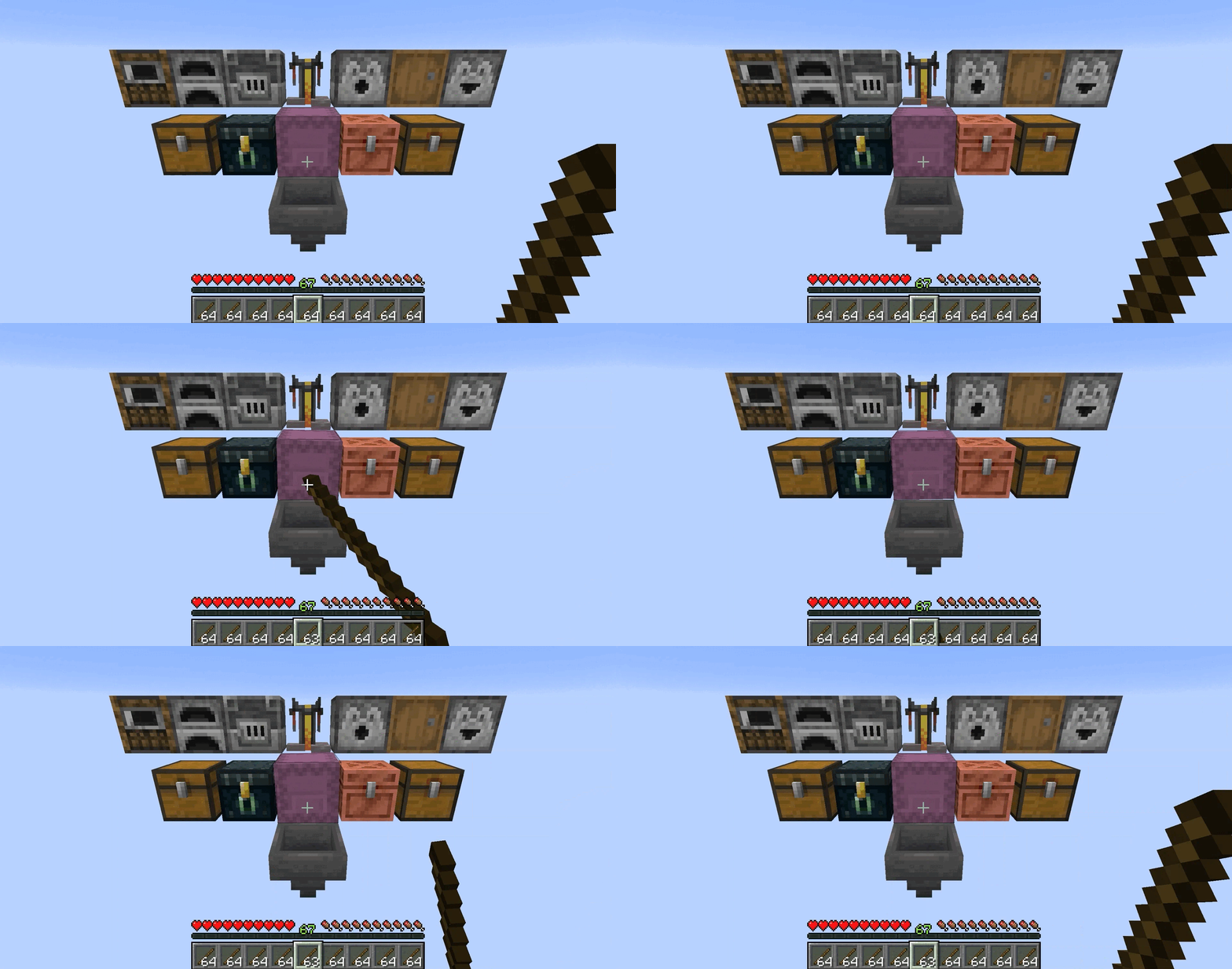
功能特性
| 直接插入 | 手持物品并与支持的容器交互,即可直接将一个物品存入,完全绕过 GUI 界面 |
| 支持的容器 |  桶,  高炉,  酿造台,   箱子,   铜质箱子,  发射器,  投掷器,  末影箱,  熔炉,  漏斗,  潜影盒,  烟熏炉,   陷阱箱,  带箱子的船/筏,   带箱子/漏斗的矿车 |
| 连续传输 | 按住交互键可配置速度地逐个连续传输物品 |
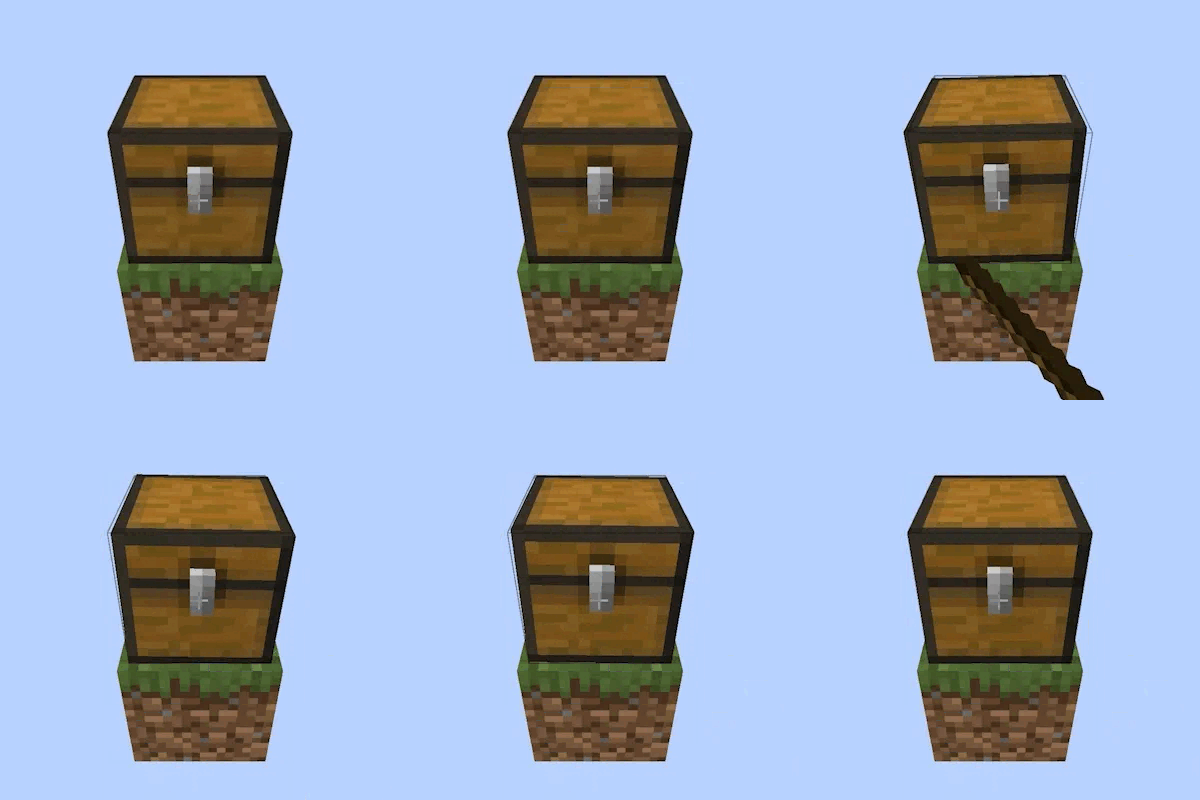
| 装饰陶罐动画 | 容器在插入物品时会播放与装饰陶罐完全相同的摇晃动画 |
| 装饰陶罐音效 | 根据容器的填充程度播放装饰陶罐的音效,与陶罐完全一致 |
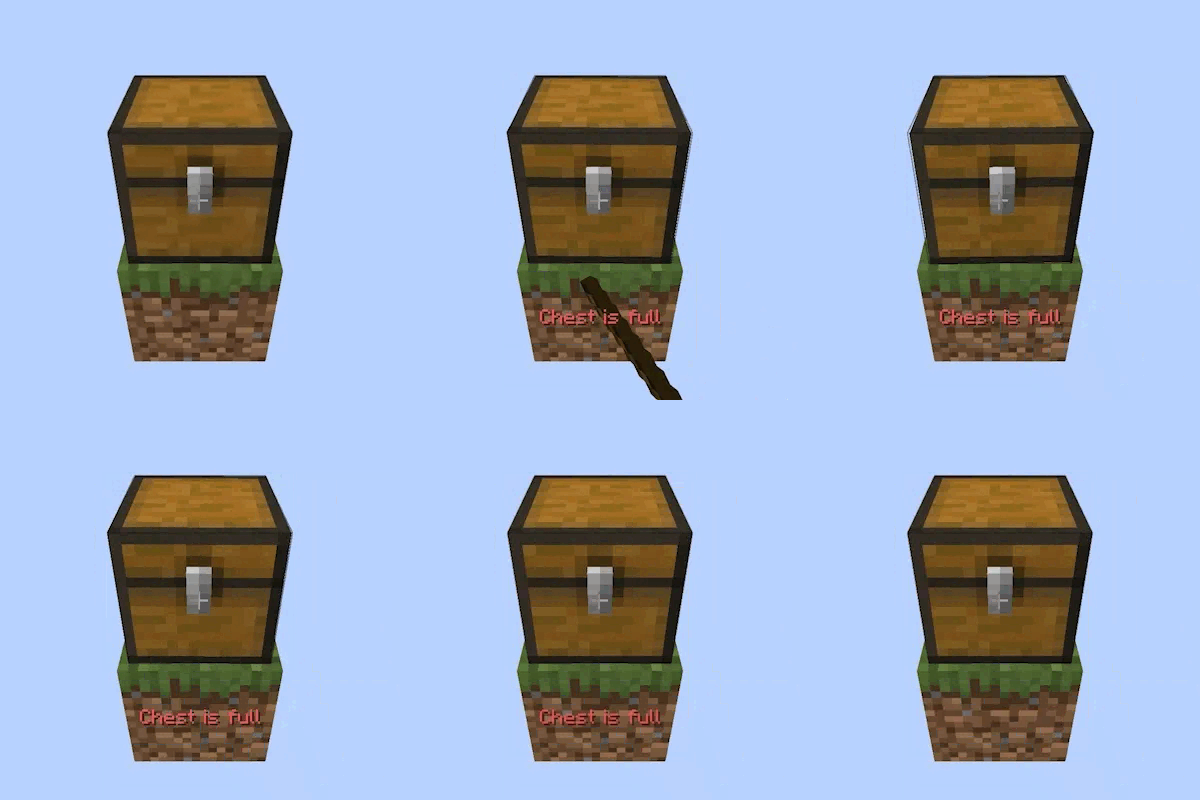
| “容器已满”提示 | 当容器没有空间时,你的快捷栏上方会浮现一条红色消息,指明具体是哪个容器已满 |
| “物品不允许”提示 | 如果物品根本无法放入容器(例如将煤炭放入酿造台),会有消息告知你,且不会消耗物品 |
| 智能插槽路由 | 熔炉会将燃料路由至燃料槽,其他物品路由至输入槽 |
| 酿造台会将烈焰粉路由至燃料槽,药水瓶路由至瓶槽,基础/效果原料路由至原料槽 |
使用方法
 主手持有物品时,对支持的容器进行操作。
- 第一次点击会立即插入一个物品。
- 保持按住以等待初始延迟结束,之后物品将以配置的传输速度连续传输。
- 如果容器已满或物品不被接受,快捷栏上方会出现提示信息并播放失败动画。
配置选项
如果你安装了 Mod Menu,你可以自定义体验:
| 方块动画 | 切换在插入物品时容器是否显示装饰陶罐的摇晃动画 |
| 传输速度(刻) | 按住 Ctrl + 右键点击时,每次传输物品之间的延迟时间 |
| 初始延迟(刻) | 必须在按住 Ctrl + 右键点击多长时间后,才开始连续的快速传输 |
需求
| Minecraft 版本 | Fabric 加载器 | 配置库 | Fabric API | Mod Menu |
| 1.21.x | 0.18.6+ | Cloth Config API | 视 Minecraft 版本而定 | |
| 26.1 - 26.2 | YetAnotherConfigLib | |||
| 26.3 | 0.19.5+ | |||
客户端与服务器
部分功能同时存在于客户端和服务器端,需要在这两端都安装该模组。
免费且公开源码
这是一个完全免费的项目。我不接受捐赠或“请我喝咖啡”式的资助。如果你喜欢这个模组,最好的支持方式是:
- 留下评分/评论
- 分享给朋友
- 报告你发现的任何错误
截图
成功/失败
FEATURES
| Insert Directly | Hold an item and interact with a supported container to deposit one item directly, bypassing the GUI entirely |
| Supported Containers | Barrel, Blast Furnace, Brewing Stand, Chest, Copper Chest, Dispenser, Dropper, Ender Chest, Furnace, Hopper, Shulker Box, Smoker, Trapped Chest, Boat/Raft with Chest, Minecart with Chest/Hopper |
| Continuous Transfer | Keep holding the interaction keys to continuously transfer items one by one at a configurable speed |
| Decorated Pot Animations | Containers play the exact wobble animations from the Decorated Pot |
| Decorated Pot Sounds | Plays the Decorated Pot sounds based on container fill level, matching the pot exactly |
| "Container Full" Tooltip | When a container has no room, a red message fades in above your hotbar naming the specific container |
| "Item Not Allowed" Tooltip | If an item cannot go into a container at all (e.g. coal into a Brewing Stand), a message tells you and no items are consumed |
| Smart Slot Routing | Furnaces route fuel to the fuel slot and other items to the input slot |
| Brewing Stands route Blaze Powder to the fuel slot, bottles to bottle slots, and base/effect ingredients to the ingredient slot |
HOW TO USE
- a supported container while holding an item in your main hand.
- One item is inserted immediately on the first click.
- Keep holding to wait out the Initial Delay, after which items transfer continuously at the Transfer Speed.
- If the container is full or the item is not accepted, a message appears above your hotbar and the fail animation plays.
CONFIGURATION
If you have Mod Menu installed, you can customize your experience:
| Block Animation | Toggles the decorated pot wobble animation on containers when inserting items |
| Transfer Speed (ticks) | Delay between each item transfer while holding Ctrl + Right-Click |
| Initial Delay (ticks) | How long you must hold Ctrl + Right-Click before continuous rapid transfer begins |
REQUIREMENTS
| Minecraft Version | Fabric Loader | Configuration Library | Fabric API | Mod Menu |
| 1.21.x | 0.18.6+ | Cloth Config API | Varies by Minecraft version | |
| 26.1 - 26.2 | YetAnotherConfigLib | |||
| 26.3 | 0.19.5+ | |||
CLIENT & SERVER
Some functionality exists on both the client and server, requiring the mod to be installed on both sides.
FREE & PUBLIC SOURCE
This is a completely free project. I'm not asking for donations or "buy me a coffee" contributions. If you enjoy the mod, the best way to support it is by:
- Leaving a rating/review
- Sharing it with friends
- Reporting any bugs you find
GALLERY
Success/Failure

下载 Quick Container Insert
下载 Quick Container Insert
下载 Quick Container Insert
下载 Quick Container Insert
下载 Quick Container Insert
下载 Quick Container Insert
需要联机服务器吗?
稳定流畅、一键部署,几分钟即可和朋友联机开服
最低仅需 8 元/月 即可畅快联机
下载 Quick Container Insert
下载 Quick Container Insert
下载 Quick Container Insert
- 新增对 Minecraft 26.3 的支持
- 更新 Fabric Loader 至 0.19.5(26.3 所需)
- 添加了对 Minecraft 26.2 的支持
关于这个资源的讨论、问题反馈与使用心得
还没有讨论,来发第一帖吧
你是这个资源的作者?登录后可认领此资源。
相似资源
 模组

显示你正在注视的方块的信息。(适用于 Minecraft 1.16+ 的 Hwyla/Waila 分支)
 模组

查看物品与配方
 模组
在游戏画面角落显示附近世界地形、玩家、生物和实体的地图。可创建路径点,帮助你找到标记过的位置。
 模组
使用 JavaScript 编辑配方、添加自定义物品、编写世界事件!
 模组
添加区块认领和玩家组队功能,并与 Xaero's Minimap 和 World Map 集成
 模组
添加全屏世界地图,显示你在世界中已探索的区域。与 Xaero's Minimap 搭配使用效果极佳。
评论 0
登录后参与评分
还没有评论,来抢沙发吧