
适用于 NeoForge 1.21.1 的模组,用于实现服务器权威判定、具有持久化定义和可配置 HUD 的快速反应事件(QTE),对地图制作人和整合包创作者非常有用。(开发中)
命令
/qte create 1 hold space 2.5 "say @s succeed" "say @s failed" true true
/qte create test input_sequence "w,a,s,d" 6 "say @s succeed" "say @s failed" true false qte_engine:textures/gui/rune.png
/qte play 1
/qte play test @a
/qte settings chase tracking_speed 0.35
/qte settings target aim_position -0.5 0.25
create、edit、remove 和 play 需要至少为 2 级的操作员权限。持续时间以秒为单位,必须在 0.1 到 300 之间。
包含空格的命令必须用引号括起来。结果命令中的前导 / 是可选的。@s 和 %player% 都指向执行 QTE 的玩家。
exclusive_input: 在 QTE 激活期间阻止正常的键盘和鼠标处理。默认值:false。hide_hud: 暂时隐藏原版 HUD,同时保持 QTE 可见。默认值:false。texture: 可选的 40×40 QTE 图像的资源位置。该参数之前必须提供两个布尔参数。
示例
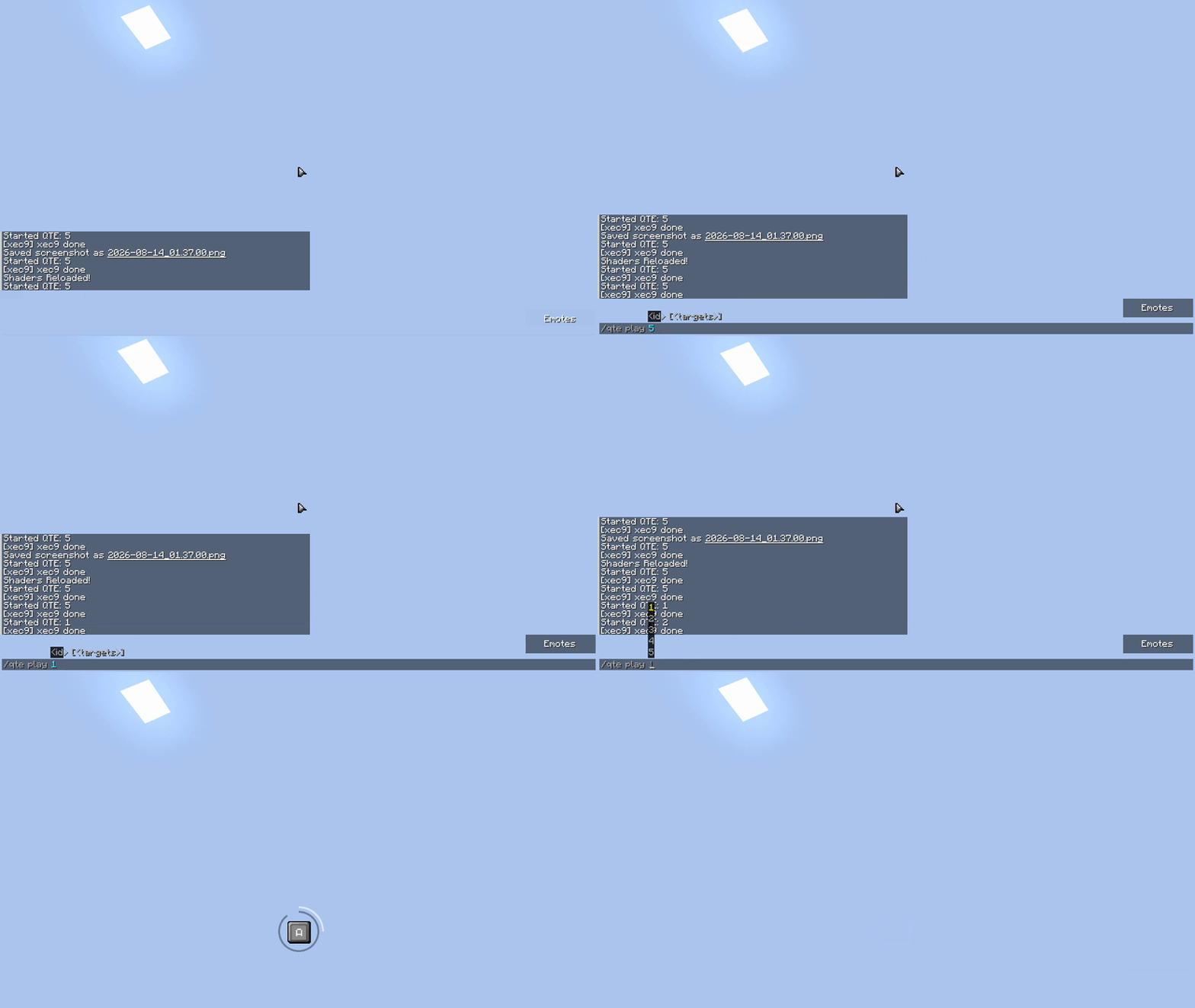
来自版本 0.4.22 的画面
/qte create 1 hold space 2.5 "say @s succeed" "say @s failed" true true
/qte create test input_sequence "w,a,s,d" 6 "say @s succeed" "say @s failed" true false qte_engine:textures/gui/rune.png
/qte play 1 @s
输入支持简短名称,如 space、w 和 left_shift,或完整的 Minecraft 标识符,如 key.keyboard.space 和 key.mouse.left。鼠标别名包括 m1、m2、m3、mouse1、mouse2 和 mouse3。
使用逗号分隔多个输入。input_sequence、reaction_choice、memory 和 rhythm 类型至少需要两个输入;其他所有类型恰好需要一个输入。单字母输入遵循玩家的键盘布局。
QTE 类型
observation: 在时间耗尽前按下预期的输入。reaction_choice: 从显示的选项中选择第一个输入。(开发中!)hold: 按住配置的输入达持续时间的 60%。mash: 反复按下直到达到目标次数。input_sequence: 按顺序输入每一个按键。balance: 当移动标记到达中心时按下。aim: 将光标移动到固定目标内,然后按下配置的输入。(开发中)(新功能:你可以使用 qte settings [id] 配置标记出现在屏幕上的位置)tracking: 在跟随移动目标的同时按住配置的输入。(开发中)
成功、失败和超时结果的验证与执行均由服务器完成。
UI 纹理
每个 QTE 都会展示一个平滑的径向倒计时,从 12 点钟方向开始,并随帧插值顺时针缩小。简单的 QTE 使用紧凑的 32×32 键帽;hold 和 mash 类型会添加内部进度环;balance 使用圆形技能检查表盘;aim 和 tracking 使用圆形的全屏目标区域。
键帽精灵可以通过普通的 Minecraft 资源包进行替换:
qte_key.png: 松开状态的键帽。qte_key_pressed.png: 按下状态的键帽。qte_mouse_left.png、qte_mouse_right.png 和 qte_mouse_mb3.png: 分别对应 M1、M2 和 M3 的提示图标。qte_mouse_base.png: 中性状态的 32×32 鼠标模板。鼠标提示会在其“中性”和“高亮”纹理之间缓慢交叉淡入淡出;按下请求的按钮会使高亮部分完全显示。examples/qte-engine-ui-template 目录下提供了一个可供编辑的模板。键标签使用可替换的 qte_engine:textures/font/ascii.png 位图图集:尺寸为 128×128 像素,排列为 16×16 个单元格,每个单元格大小为 8×8 像素。资源包可以替换 assets/qte_engine/textures/font/ascii.png 和 assets/qte_engine/font/qte_key_compact.json 以支持其他字符集。长键名仍会被缩放以适应键帽大小。Aim 和 tracking 类型会在每一帧鼠标移动时更新视觉指针,同时样本数据仍由服务器验证。
自定义 QTE 图像需使用完整的资源位置,例如 my_pack:textures/gui/rune.png。
A NeoForge 1.21.1 mod for server-authoritative quick-time events with persistent definitions and a configurable HUD, useful for map and modpacks creators. (WIP)
Commands
/qte create 1 hold space 2.5 "say @s succeed" "say @s failed" true true
/qte create test input_sequence "w,a,s,d" 6 "say @s succeed" "say @s failed" true false qte_engine:textures/gui/rune.png
/qte play 1
/qte play test @a
/qte settings chase tracking_speed 0.35
/qte settings target aim_position -0.5 0.25
create, edit, and remove, play require operator permission level 2. Duration is expressed in seconds and must be between 0.1 and 300.
Commands containing spaces must be quoted. A leading / is optional inside result commands. Both @s and %player% target the player running the QTE.
exclusive_input: blocks normal keyboard and mouse handling while the QTE is active. Default: false.hide_hud: temporarily hides the vanilla HUD while keeping the QTE visible. Default: false.texture: optional resource location for a 40×40 QTE image. Both boolean arguments must be provided before it.
Examples
Visual from 0.4.22
/qte create 1 hold space 2.5 "say @s succeed" "say @s failed" true true
/qte create test input_sequence "w,a,s,d" 6 "say @s succeed" "say @s failed" true false qte_engine:textures/gui/rune.png
/qte play 1 @s
Inputs accept short names such as space, w, and left_shift, or complete Minecraft identifiers such as key.keyboard.space and key.mouse.left. Mouse aliases include m1, m2, m3, mouse1, mouse2, and mouse3.
Separate multiple inputs with commas. input_sequence, reaction_choice, memory, and rhythm require at least two inputs; every other type accepts exactly one. Single-letter inputs follow the player's keyboard layout.
QTE types
observation: press the expected input before time expires.reaction_choice: select the first input from the displayed choices. (WIP!)hold: hold the configured input for 60% of the duration.mash: press repeatedly until the target is reached.input_sequence: enter every input in order.balance: press when the moving marker reaches the center.aim: move the cursor into the fixed target, then press the configured input. (WIP) (New : u can configure where the marker will appear on the screen with qte settings [id])tracking: hold the configured input while following the moving target. (WIP)
Success, failure, and timeout results are validated and executed by the server.
UI textures
Every QTE exposes a smooth radial countdown that starts at 12 o'clock and shrinks clockwise with frame interpolation. Simple QTEs use a compact 32×32 keycap; hold and mash add an inner progress ring; balance uses a circular skill-check dial; aim and tracking use circular full-screen targets.
The keycap sprites can be replaced through a normal Minecraft resource pack:
qte_key.png: released keycap.qte_key_pressed.png: pressed keycap.qte_mouse_left.png, qte_mouse_right.png, and qte_mouse_mb3.png: dedicated M1, M2, and M3 prompts.qte_mouse_base.png: neutral 32×32 mouse template. A mouse prompt slowly crossfades between its neutral and highlighted textures; pressing the requested button makes its highlight fully visible. A ready-to-edit template is available in examples/qte-engine-ui-template. Key labels use the replaceable qte_engine:textures/font/ascii.png bitmap atlas: 128×128 pixels, arranged as 16×16 cells of 8×8 pixels. A resource pack can replace both assets/qte_engine/textures/font/ascii.png and assets/qte_engine/font/qte_key_compact.json to support another character set. Long key names are still scaled to remain inside the keycap. Aim and tracking update their visual pointer on every mouse frame while bounded samples remain server-validated.
Custom QTE images use full resource locations such as my_pack:textures/gui/rune.png..


 模组
 模组

 模组

 模组

 模组

 模组

评论 0
登录后参与评分
还没有评论,来抢沙发吧