

将每种箭矢都收纳进同一个物品栏格子中。使用快捷键切换选中的箭矢类型。
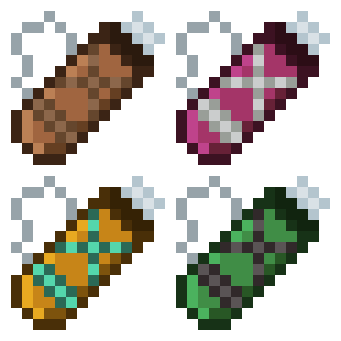
四个等级:皮革、铁、钻石和下界合金。每个等级的箭袋比前一个能容纳更多的箭矢。
鼠标悬停在箭袋上会显示其内容。它兼容任何箭矢,无论是原版还是模组添加的。
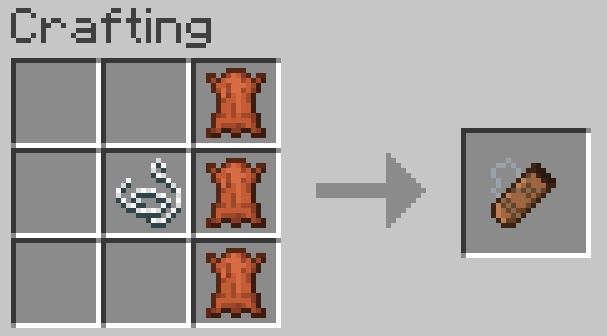
合成
在垂直的一列放置 3 个皮革,并在中间那个皮革的左侧放置一根线。
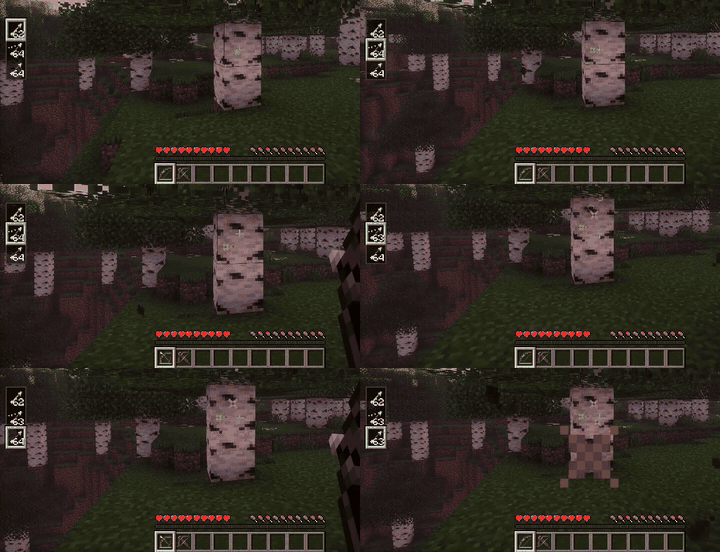
切换箭矢
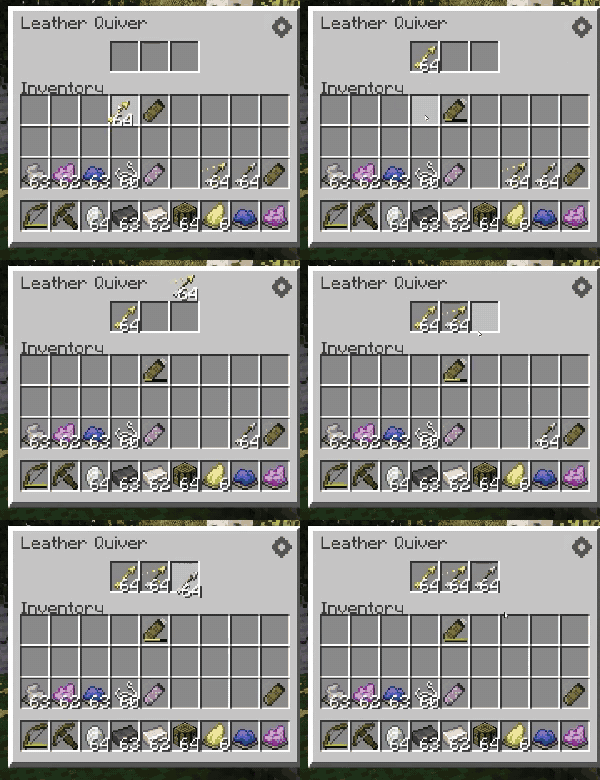
手持弓或弩时,按住 Alt + 滚轮以选择当前激活的箭矢类型。(您可以在按键绑定设置中重新绑定。)
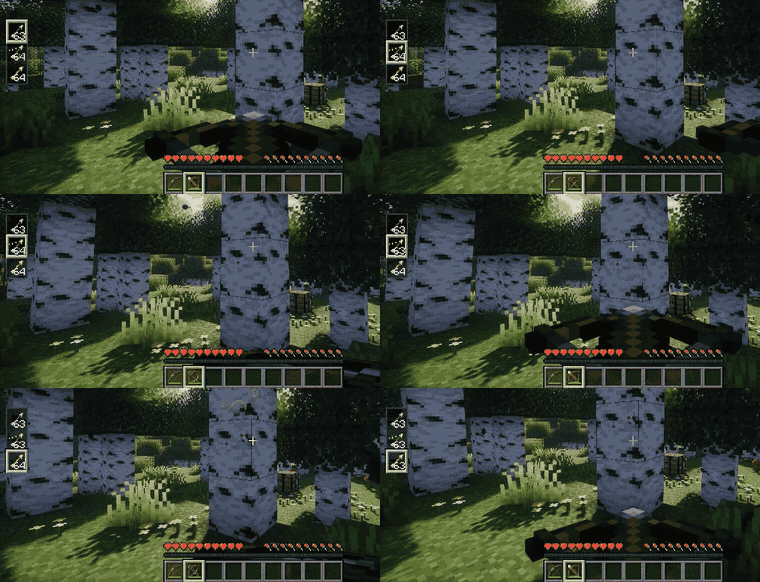
存储箭矢
从地上拾取的箭矢会自动直接进入箭袋(可在设置中关闭此功能)。
您也可以将箭矢丢到箭袋上,或将箭袋丢到箭矢上,或者打开箭袋界面手动拖入箭矢。
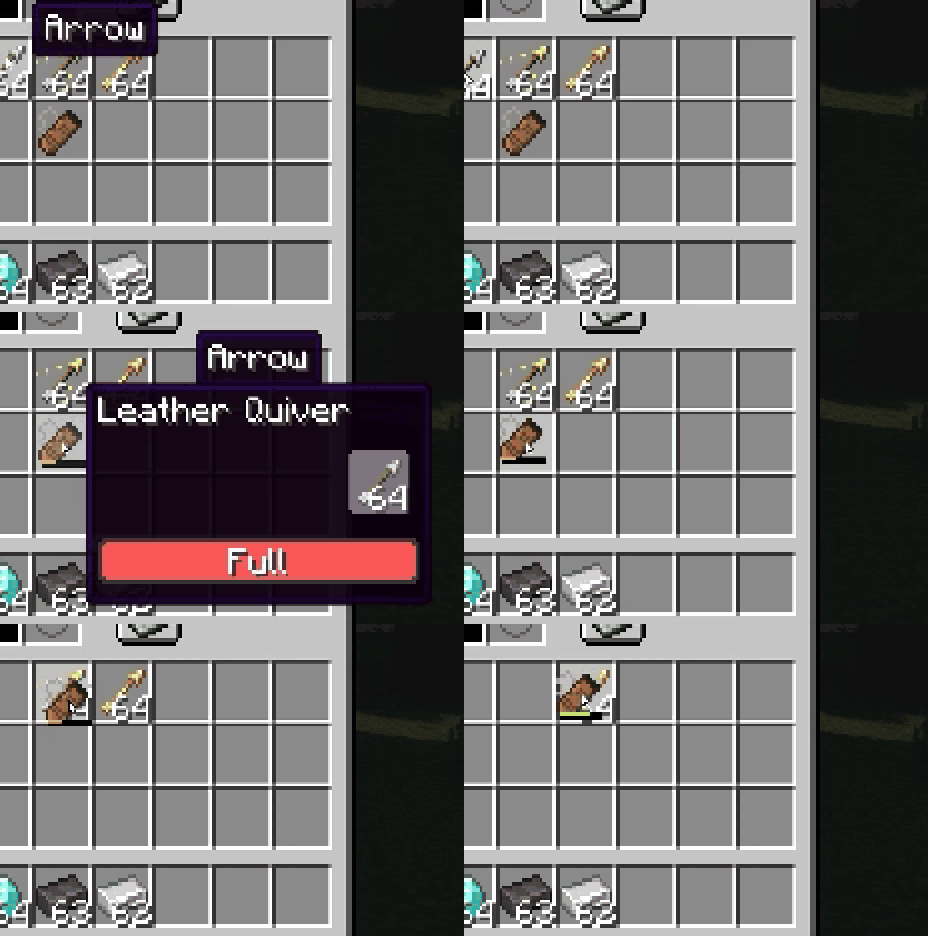
升级
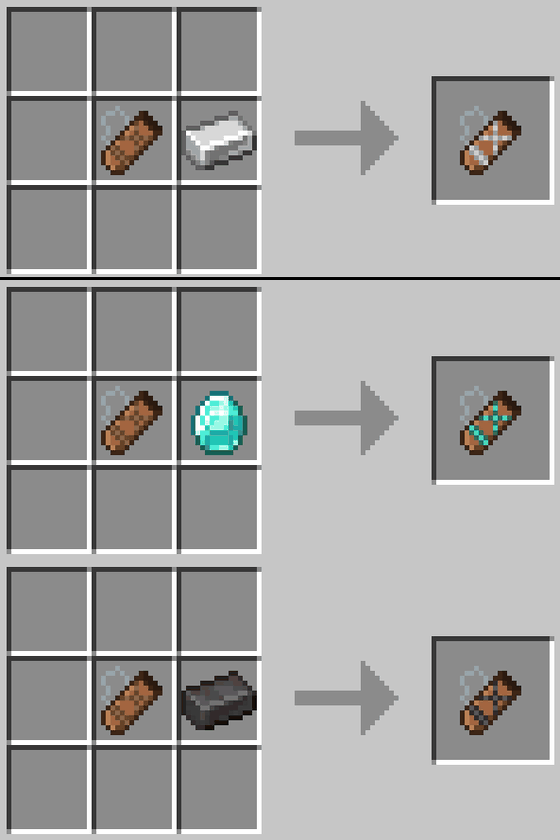
将任意箭袋与 1 种材料(铁锭、钻石或下界合金锭)组合即可升级,无论其当前等级如何。
皮革 → 3 格容量,铁 → 4 格容量,钻石 → 6 格容量,下界合金 → 8 格容量。
染色
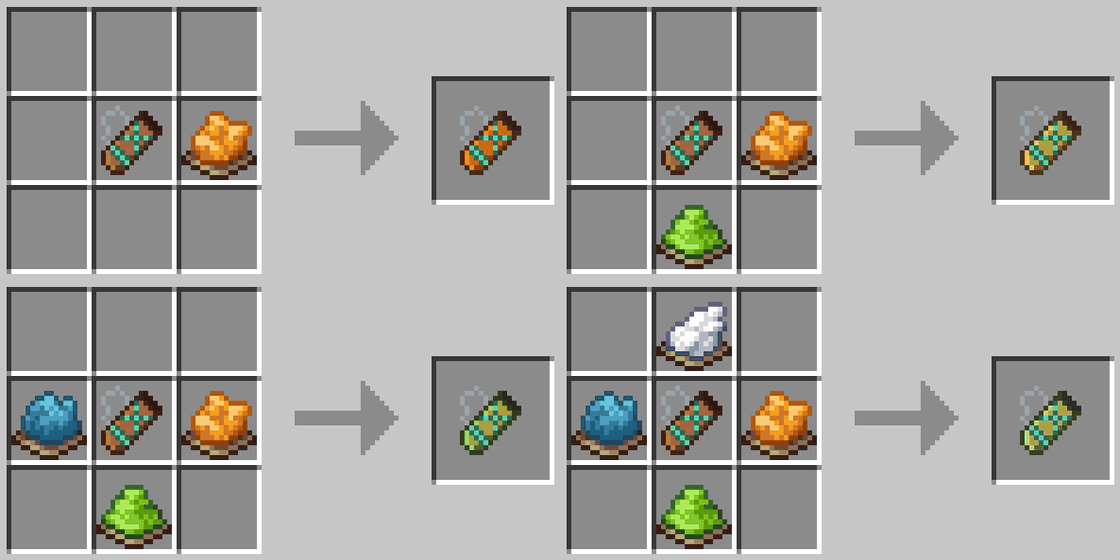
箭袋遵循与皮革盔甲相同的染色规则:混合染料以自定义颜色,并在锅中洗掉颜色。
箭袋槽位
通过 Curios (NeoForge) 或 Trinkets Updated (Fabric) 在专用的箭袋槽位中佩戴箭袋。两者均为可选。您的弓会优先从佩戴的箭袋中取箭。


背在身后
对于附近的每位玩家,您的箭袋都会显示在您的背后,位于拉弓手的肩膀上方,并显示为其自身的颜色。 (您可以在设置中隐藏自己的箭袋给其他人看,或者隐藏其他人的箭袋给您自己看。)


设置
可以通过箭袋窗口右上角的按钮来自定义模组。(按键绑定,如切换箭矢的快捷键,是在游戏自带的控制设置中设定的。)


Carry every arrow type in a single inventory slot. Switch selected arrow with shotcuts.
Four tiers: Leather, Iron, Diamond and Netherite. Each holding more arrows than the last.
Hovering over the quiver shows its contents. It works with any arrow, vanilla or modded.
Crafting
3 leather in a vertical line, with a string to the left of the middle leather.
Switching arrows
Hold a bow or crossbow and use Alt + Scroll to pick the active arrow type. (You can rebind in the keybind settings.)
Storing arrows
Arrows picked up from the ground go straight into the quiver automatically (can be turned off in the settings).
You can also drop arrows onto the quiver, drop the quiver onto arrows, or open its window and drag them in by hand.
Upgrading
Combine any quiver with 1 material (Iron Ingot, Diamond, or Netherite Ingot) to upgrade it, regardless of its current tier.
Leather → 3 slots, Iron → 4 slots, Diamond → 6 slots, and Netherite → 8 slots.
Dyeing
The quiver follows the same dyeing rules as leather armor: mix dyes for a custom color, and wash it off in a cauldron.
Quiver slot
Wear the quiver in its own Quiver slot with Curios (NeoForge) or Trinkets Updated (Fabric). Both are optional. Your bow draws from the worn quiver first.
On your back
Your quiver shows on your back for every player nearby, in its own color, over the shoulder of your draw hand. (You can hide yours from others, or hide everyone else's from yourself in the settings.)
Settings
Customize the mod from the button in the top-right corner of the Quiver window. (Keybinds, like the arrow-switching shortcut, are set in the game's own Controls settings.)
下载 Quivers
下载 Quivers
下载 Quivers
需要联机服务器吗?
稳定流畅、一键部署,几分钟即可和朋友联机开服
最低仅需 8 元/月 即可畅快联机
下载 Quivers
下载 Quivers
下载 Quivers
下载 Quivers
下载 Quivers
下载 Quivers
下载 Quivers
1.1.0
新增内容
- 箭袋槽位:可通过 Curios (NeoForge) 或 Trinkets Updated (Fabric) 在专属槽位中佩戴箭袋。两者均为可选安装。拉弓时优先使用已佩戴的箭袋中的箭矢。
- 你的箭袋现在会以自身颜色显示在你拉弓手肩膀的后方,供周围所有玩家查看。你可以在设置中选择隐藏自己的箭袋,或隐藏其他玩家的箭袋。
- 在物品栏中,箭袋的使用方式类似收纳袋:悬停在其上方可选择箭矢类型,右键点击可取出该类型的箭堆,或右键点击空槽位将其放下。
- 提示框样式现已与收纳袋一致,顶部显示当前选定的箭矢名称,下方有一条进度条显示箭袋的剩余容量。
- 箭矢列表每种箭型仅显示一行及其总数,切换操作即时完成,效果如同快捷栏一般。
- 新增“打开箭袋”按键绑定(默认未绑定)。此快捷键也可用于打开已佩戴的箭袋。
- Fabric 端模组列表中也增加了配置按钮,前提是安装了 Mod Menu。
- 支持 Minecraft 26.3。
修复内容
- 修正了在同一时刻重复拉弓会额外获得一支箭的问题。
- 修正了手持箭矢时的使用优先级,使其符合原版逻辑:优先使用手中的箭,再使用箭袋中的箭。
- 当箭矢列表设置为“仅在切换时显示”时,加入世界后不再出现闪烁现象。
- 修正了拾取打开状态的箭袋窗口会自动关闭的问题。
注意事项
请同时更新服务器端和所有客户端上的模组版本。在 NeoForge 和 Forge 环境下,1.0.x 版本的客户端无法连接到 1.1.0 版本的服务器。
- 修复错误
关于这个资源的讨论、问题反馈与使用心得
还没有讨论,来发第一帖吧
你是这个资源的作者?登录后可认领此资源。
相似资源
 模组

显示你正在注视的方块的信息。(适用于 Minecraft 1.16+ 的 Hwyla/Waila 分支)
 模组

可定制的鞘翅模组,支持装饰纹饰、旗帜图案等更多功能!
 模组
使用 JavaScript 编辑配方、添加自定义物品、编写世界事件!
 模组

查看物品与配方
 模组
在游戏画面角落显示附近世界地形、玩家、生物和实体的地图。可创建路径点,帮助你找到标记过的位置。
 模组
AE2:一款流行的自动化与存储模组
评论 0
登录后参与评分
还没有评论,来抢沙发吧