
RAISED
移动你的 HUD 元素并修复损坏的热键栏选择指示器!
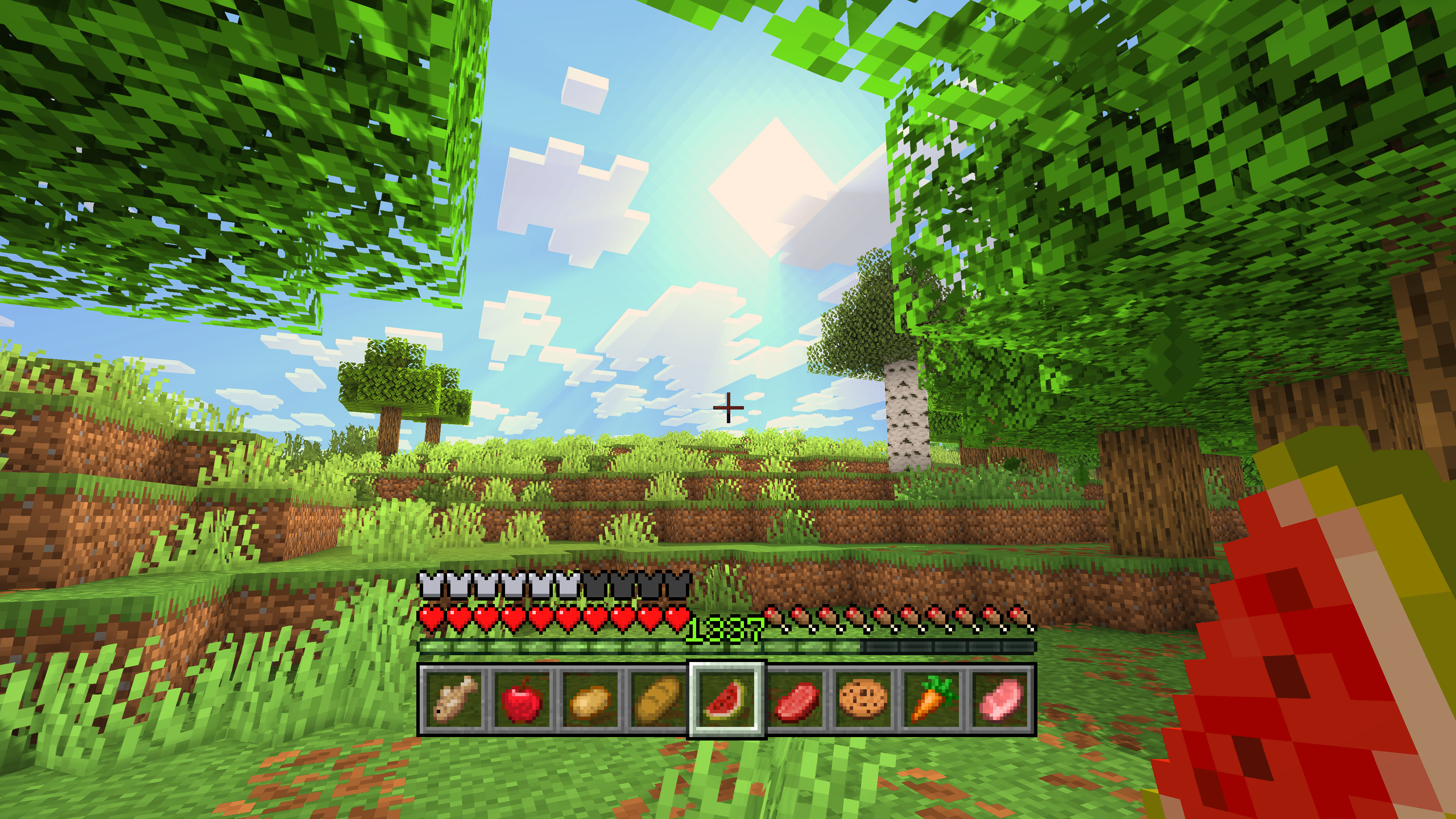
恢复选择指示器!
自古以来,热键栏的选择指示器就一直存在显示问题。使用原版纹理时你可能没注意到,但在某些资源包下它会变得非常明显。Raised 旨在修复这个问题。
修复方式取决于你的游戏版本:
- (1.16 - 1.20.1): Raised 只需在代码中调整指示器的高度以显示完整的纹理,而不是底部被裁剪掉 2px。这样,全部 24px 的高度都能绘制在屏幕上!
- (1.20.2+): 当 Mojang 将 GUI 图集拆分为单独的精灵时,他们“修复”了选择指示器,但实际纹理却只有 23px!因为 Java 版的热键栏被挤到了屏幕最底部(不像基岩版),所以看起来是修好了……直到你想用 Raised 移动 GUI 元素时才发现问题!在这些版本中,你有几种选项来恢复指示器...
- 在 Raised 的命名空间下用一个自定义的正方形 24px 纹理替换选择纹理。
- 通过将顶部像素垂直镜像绘制到其下方来修补原版指示器。即使没有明确支持的资源包,你仍然可以模拟出修复后的指示器。
- 根据是否加载了支持 Raised 的资源包,自动替换或修补指示器。
- 什么都不做,享受那个损坏的热键栏选择指示器吧!
为了展示你修复后的热键栏选择指示器,Raised 会将热键栏堆栈稍微从屏幕底部移开一点,就像在基岩版中一样!但你并不局限于此...
移动 HUD 元素!
Raised 赋予了你移动原版和模组化 HUD 图层的能力!
只需创建一个组并设置其 X 轴和 Y 轴的偏移量。向该组中添加任意数量的图层,它们都会移动相同的距离!你可以单独为每个图层设置位置,以决定图层在屏幕上的移动方向!
与模组协作!
Raised 允许模组为其自己的 HUD 覆盖层注册图层条目。图层可以手动注册,但许多图层无需模组做任何操作即可自动注册!
这是如何实现的?任何注册了 (Neo)Forge 覆盖层的模组都会被自动捕获并添加到 Raised 的图层注册表中,并放入你的配置文件中!
如果模组仅通过 (Neo)Forge 渲染事件来渲染覆盖层,它就不会自动注册 Raised 图层。不过,它会随着它所渲染的原版图层一起移动。
Fabric 领域不幸的是 HUD 系统的“蛮荒之地”,因为它缺乏任何类型的注册表,并且整个 HUD 只有一个全局渲染事件。更多信息请参阅维基。
随心所欲地设置!
你可以直接从配置文件、一组命令或选项屏幕(可通过按键绑定或 (Neo)Forge 模组屏幕上的按钮打开)编辑组和图层。
请注意,使用选项屏幕会限制图层的偏移量,以适应滑块控件的使用(它们需要最小/最大值)。如果你想绕过这一必要限制,请使用命令或直接编辑配置文件!
获取资源!
你可以在 Modrinth 和 CurseForge 上找到 Raised 的发布版本,也可以访问 GitHub 上的开发构建版本!
Raised 支持 Fabric 1.16+、Forge 1.16+ 和 NeoForge 1.20.2+。
了解一切!
你可以深入 [维基] 查看详细信息,或者如果遇到问题,请提交 [错误报告]!
还需要其他帮助吗?前往 [讨论区] 论坛寻求支持、阅读公告或讨论关于模组的一切!
RAISED
Move around your HUD and fix the broken hotbar selection indicator!
Restore the selection indicator!
Since time immemorial, the hotbar selection indicator has been broken. With vanilla textures, you may not have noticed it, but it becomes clearly visible with certain resource packs. Raised seeks to fix this.
How it is fixed depends on your game version:
- (1.16 - 1.20.1): Raised simply adjusts the height of the indicator in the code to show the entire texture, instead of it being cut off short on the bottom by 2px. Thus, all 24px of height are drawn on the screen!
- (1.20.2+): When Mojang broke up the GUI atlases into individual sprites, they "fixed" the selection indicator, but made the actual texture only 23px! Because Java Edition has the hotbar shoved all the way down to the bottom of the screen (unlike Bedrock), it looks fixed... that is, until you want to move around the GUI with Raised! In these versions, you have several options to restore the indicator...
- Replace the selection texture with a custom one under Raised's namespace that is a square 24px.
- Patch the vanilla indicator by drawing the topmost pixels below it, vertically mirrored. Without explicit resource pack support, you can still emulate a fixed indicator.
- Automatically replace or patch, depending on if you have a loaded resource pack that supports Raised.
- Do nothing and enjoy a broken hotbar selection indicator!
To show off your fixed hotbar selection indicator, Raised positions the hotbar stack slightly off the bottom of the screen, just like in Bedrock! But you are not limited to only that...
Move around the HUD!
Raised gives you the power to move around both vanilla and modded HUD layers!
Simply create a group and set its x-axis and y-axis offsets. Add as many layers to the group as you like, and they will all move the same amount! Set the position for each layer individually to choose which way the layer will move across the screen!
Working with mods!
Raised allows mods to register layer entries for their own HUD overlays. Layers can be manually registered, but many are automatically registered without mods having to do anything at all!
How does this work? Any mod that registers a (Neo)Forge overlay is automatically captured and added to Raised's layer registry and placed in your config!
If a mod renders an overlay solely via a (Neo)Forge render event, it will not have a Raised layer automatically registered. However, it will move along with the vanilla layer that it renders with.
Fabric is unfortunately the wild west of HUDs, as it lacks any sort of registry and only has one global render event for the entire HUD. For more information, see the wiki.
Set it up however you like!
You can edit the groups and layers directly from the config, from a suite of commands, or from the options screen (openable via keybind or from a button on the (Neo)Forge mods screen).
Please note that using the options screen limits the amount that a layer may be offset to accommodate the use of slider controls (they need min/max values). Use commands or directly edit the config if you want to override this necessary limitation!
Get the goods!
You can find releases of Raised on both Modrinth and CurseForge and also access development builds on GitHub!
Raised supports Fabric 1.16+, Forge 1.16+, and NeoForge 1.20.2+.
Figure it all out!
You can delve into the wiki for details or submit a bug report if something isn't quite right!
Still need something? Head on over to the discussions forum for support, to read announcements, or discuss anything about the mod!

下载 Raised
需要联机服务器吗?
稳定流畅、一键部署,几分钟即可和朋友联机开服
最低仅需 8 元/月 即可畅快联机
下载 Raised
需要联机服务器吗?
稳定流畅、一键部署,几分钟即可和朋友联机开服
最低仅需 8 元/月 即可畅快联机
下载 Raised
需要联机服务器吗?
稳定流畅、一键部署,几分钟即可和朋友联机开服
最低仅需 8 元/月 即可畅快联机
下载 Raised
需要联机服务器吗?
稳定流畅、一键部署,几分钟即可和朋友联机开服
最低仅需 8 元/月 即可畅快联机
下载 Raised
需要联机服务器吗?
稳定流畅、一键部署,几分钟即可和朋友联机开服
最低仅需 8 元/月 即可畅快联机
下载 Raised
需要联机服务器吗?
稳定流畅、一键部署,几分钟即可和朋友联机开服
最低仅需 8 元/月 即可畅快联机
下载 Raised
需要联机服务器吗?
稳定流畅、一键部署,几分钟即可和朋友联机开服
最低仅需 8 元/月 即可畅快联机
下载 Raised
下载 Raised
需要联机服务器吗?
稳定流畅、一键部署,几分钟即可和朋友联机开服
最低仅需 8 元/月 即可畅快联机
下载 Raised
更新内容:
- 新增
zh_cn语言支持(感谢 FEIying-dream)。
关于这个资源的讨论、问题反馈与使用心得
还没有讨论,来发第一帖吧
你是这个资源的作者?登录后可认领此资源。
相似资源
 模组

显示你正在注视的方块的信息。(适用于 Minecraft 1.16+ 的 Hwyla/Waila 分支)
 模组

查看物品与配方
 模组
在游戏画面角落显示附近世界地形、玩家、生物和实体的地图。可创建路径点,帮助你找到标记过的位置。
 模组
使用 JavaScript 编辑配方、添加自定义物品、编写世界事件!
 模组
添加区块认领和玩家组队功能,并与 Xaero's Minimap 和 World Map 集成
 模组
添加全屏世界地图,显示你在世界中已探索的区域。与 Xaero's Minimap 搭配使用效果极佳。
评论 0
登录后参与评分
还没有评论,来抢沙发吧