
一款客户端模组,让你完全掌控 Minecraft 的字幕。调整大小、移动到屏幕任意位置,并调节不透明度——智能自动对齐功能可确保无论缩放比例或分辨率如何,字幕都能整齐地保持在合适的位置。
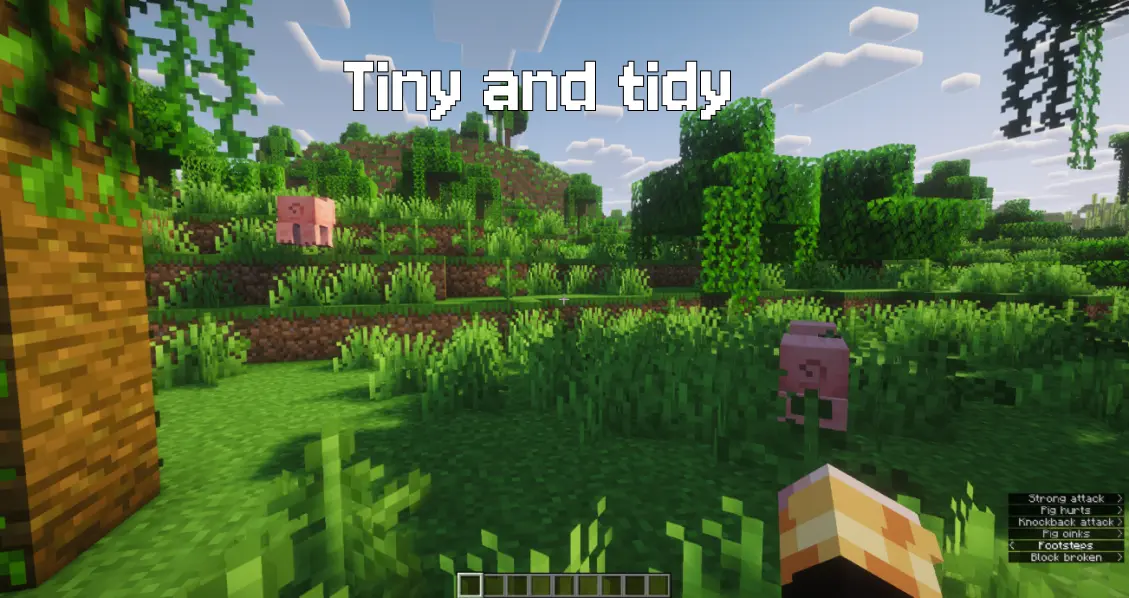
仅适用于客户端(无需服务器安装)。完全兼容单人游戏和多人游戏。
依赖项: Fabric 和 NeoForge 需要 Architectury API(在 Fabric 上还需要 Mod Menu 以提供模组列表设置按钮)。Forge 无需额外依赖。
免费用于任何整合包——无论是公开还是私密,均无需征得许可。
功能介绍
- 缩放 — 将字幕大小从
50%调整至300%。 - 不透明度 — 可在
20%到100%之间调节。 - 自动对齐 — 将字幕固定在右、中或左边缘,防止放大后的字幕被屏幕裁剪(也可关闭此功能以实现完全手动放置)。
- 自由定位 — 通过水平和垂直偏移量将字幕放置在任意位置。
- 行布局 — 分离模式(默认)按缩放后的行高堆叠各行,以防止在高缩放比例下重叠;紧凑模式保持原版固定的 10px 行间距。
- 行间距 — 为缩放后行高的 100%–200%(仅分离模式有效;紧凑模式下忽略此项)。
- 实时预览 — 提供三行、准确缩放的预览,让你在调整时直观看到字幕的实际效果。
配置说明
可通过模组列表配置按钮、/resizeablesubtitles 命令或可绑定的热键打开设置界面(Fabric、Forge 和 NeoForge 均支持)。在 Fabric 上,模组列表按钮需要 Mod Menu;但即使没有 Mod Menu,命令和按键绑定仍可正常工作。
旧版 1.0.0 配置文件若缺少新字段,加载时会自动迁移至“分离”模式 + 100% 行间距。如果配置文件无法读取,则会被备份为 resizeablesubtitles.json.bak,而不会被覆盖。
详细信息
- 仅适用于客户端——在任何原版或模组服务器上均可安全使用(Forge 使用
displayTest=IGNORE_SERVER_VERSION)。 - 所有设置均本地存储在
config/resizeablesubtitles.json文件中。 - 需要在 Minecraft 的辅助功能设置中启用字幕(显示字幕)。
- 已完整翻译为 10 种语言:英语、俄语、简体中文、西班牙语、法语、德语、日语、巴西葡萄牙语、韩语和意大利语。
- 不提供 Minecraft 26.1 / 26.1.2 的构建版本——如需使用这些版本,请停留在之前的发布版本,或升级至 26.2。
反馈与建议
请在 Discord 上报告任何错误、问题或功能建议:
Nikrecs 的其他模组: ElytraHUD · CropGrowthHUD
我个人推荐的其他模组。
A client-side mod that gives you full control over Minecraft's subtitles. Resize them, move them anywhere on screen, and adjust their opacity — with smart auto-alignment that keeps them neatly placed no matter the scale or your resolution.
Client-side only (no server installation required). Fully compatible with singleplayer and multiplayer.
Dependencies: Fabric & NeoForge require Architectury API (and Mod Menu on Fabric for the mod-list settings button). Forge requires no additional dependencies.
Free to use in any modpack — public or private, no permission needed.
What it does
- Scale — resize subtitles from
50%to300%. - Opacity — adjust from
20%to100%. - Auto-Align — pin them to the right, center, or left edge so enlarged subtitles never clip off the screen (or switch it off for fully manual placement).
- Free Position — place them anywhere with horizontal and vertical offsets.
- Line Layout — Separated (default) steps stacked lines by the scaled line box so they don't overlap at higher scales; Compact keeps vanilla's fixed 10px step.
- Line Spacing — 100%–200% of the scaled line box (Separated only; ignored in Compact).
- Live Preview — a three-line, scale-accurate preview shows exactly how your subtitles will look while you tweak them.
Configuration
Open the settings from the mod-list config button, the /resizeablesubtitles command, or a bindable hotkey (registered on Fabric, Forge, and NeoForge). On Fabric the mod-list button needs Mod Menu; command and key bind still work without it.
Old 1.0.0 configs without the new fields migrate to Separated + 100% line spacing on load. An unreadable config is moved to resizeablesubtitles.json.bak instead of overwritten.
Details
- Client-side only — safe on any vanilla or modded server (Forge uses
displayTest=IGNORE_SERVER_VERSION). - All settings are stored locally in
config/resizeablesubtitles.json. - Requires subtitles to be enabled in Minecraft's accessibility settings (Show Subtitles).
- Fully translated into 10 languages: English, Russian, Simplified Chinese, Spanish, French, German, Japanese, Brazilian Portuguese, Korean, and Italian.
- No builds for Minecraft 26.1 / 26.1.2 — stay on a previous release for those, or move to 26.2.
Feedback
Please report any bugs, errors, or feature suggestions on Discord:
More mods by Nikrecs: ElytraHUD · CropGrowthHUD
My other mods that I recommend.

下载 ResizeableSubtitles
下载 ResizeableSubtitles
下载 ResizeableSubtitles
下载 ResizeableSubtitles
下载 ResizeableSubtitles
下载 ResizeableSubtitles
下载 ResizeableSubtitles
下载 ResizeableSubtitles
下载 ResizeableSubtitles
下载 ResizeableSubtitles
ResizeableSubtitles 1.1.1
修复
- 在 config/resizeablesubtitles.json 中手动输入的 NaN 类型值(例如 "scale": NaN)不再会在你从设置界面保存时导致字幕失效或游戏崩溃。该值将回退至默认值。
- Minecraft 1.21.11 on Forge and NeoForge: 加载世界时日志不再显示 "Couldn't load mod/resizeablesubtitles pack metadata"。
变更
- 最低加载器版本现已匹配模组实际所需。大多数要求有所降低,例如在 1.20.1 上:Fabric API 0.83.0 而非 0.92.7,Fabric Loader 0.14.21 而非 0.16.10。
- Fabric 26.2 现在要求 Fabric Loader 0.19.3(Architectury API 21.0.7 本身就不接受更旧的版本)。
- Forge 现在从每个版本的第一个推荐构建开始(43.1.0, 47.1.0, 52.1.0, 61.1.0),而非早期的测试版构建。
- Fabric 26.1.2 现在要求 Fabric Loader 0.19.5 或更高版本:Architectury API 20.1.14 在较旧的加载器上启动时会崩溃。
未更改
- 与 1.1.0 相同的 Minecraft 版本和加载器。字幕的外观和行为保持不变。
兼容性
- 仅客户端需要,服务器端无需任何操作。
- Fabric 需要 Fabric API 和 Architectury API。NeoForge 需要 Architectury API。Forge 不需要其他依赖。
| Minecraft | Fabric Loader | Fabric API | Architectury API | Forge | NeoForge |
|---|---|---|---|---|---|
| 1.19.2 | 0.14.9+ | 0.66.0+ | 6.6.92+ | 43.1.0+ | - |
| 1.20.1 | 0.14.21+ | 0.83.0+ | 9.2.14+ | 47.1.0+ | - |
| 1.21.1 | 0.15.11+ | 0.102.0+ | 13.0.11+ | 52.1.0+ | 21.1.1+ |
| 1.21.11 | 0.17.3+ | 0.139.4+ | 19.0.1+ | 61.1.0+ | 21.11.0-beta+ |
| 26.1.2 | 0.19.5+ | 0.154.0+ | 20.1.14+ | - | 26.1.2.99+ |
| 26.2 | 0.19.3+ | 0.154.0+ | 21.0.7+ | - | 26.2.0.40-beta+ |
| 26.3 | 0.19.5+ | 0.160.5+ | 22.0.1+ | - | 26.3.0.0-beta+ |
没有移除任何版本。
关于这个资源的讨论、问题反馈与使用心得
还没有讨论,来发第一帖吧
你是这个资源的作者?登录后可认领此资源。
相似资源
 模组

可定制的鞘翅模组,支持装饰纹饰、旗帜图案等更多功能!
 模组

显示你正在注视的方块的信息。(适用于 Minecraft 1.16+ 的 Hwyla/Waila 分支)
 模组
在游戏画面角落显示附近世界地形、玩家、生物和实体的地图。可创建路径点,帮助你找到标记过的位置。
 模组

查看物品与配方
 模组
使用 JavaScript 编辑配方、添加自定义物品、编写世界事件!
 模组
AE2:一款流行的自动化与存储模组
评论 0
登录后参与评分
还没有评论,来抢沙发吧