
RGBBlocks
RGBBlocks 是一款结构化的 RGB 建筑调色板模组。
该模组添加了超过 16,600 种精心生成的建筑颜色,注重平滑渐变、柔和色调、中性材质以及建筑实用性。
每种颜色都包含三种方块变体:
- 普通
- 发光
- 玻璃
RGBBlocks 将其调色板保持为静态完整方块,而非动态着色的实体方块。独立的 RGB 光照层提供彩色照明,同时保持兼容性、稳定性、光影行为以及与模组的交互能力。
功能特性
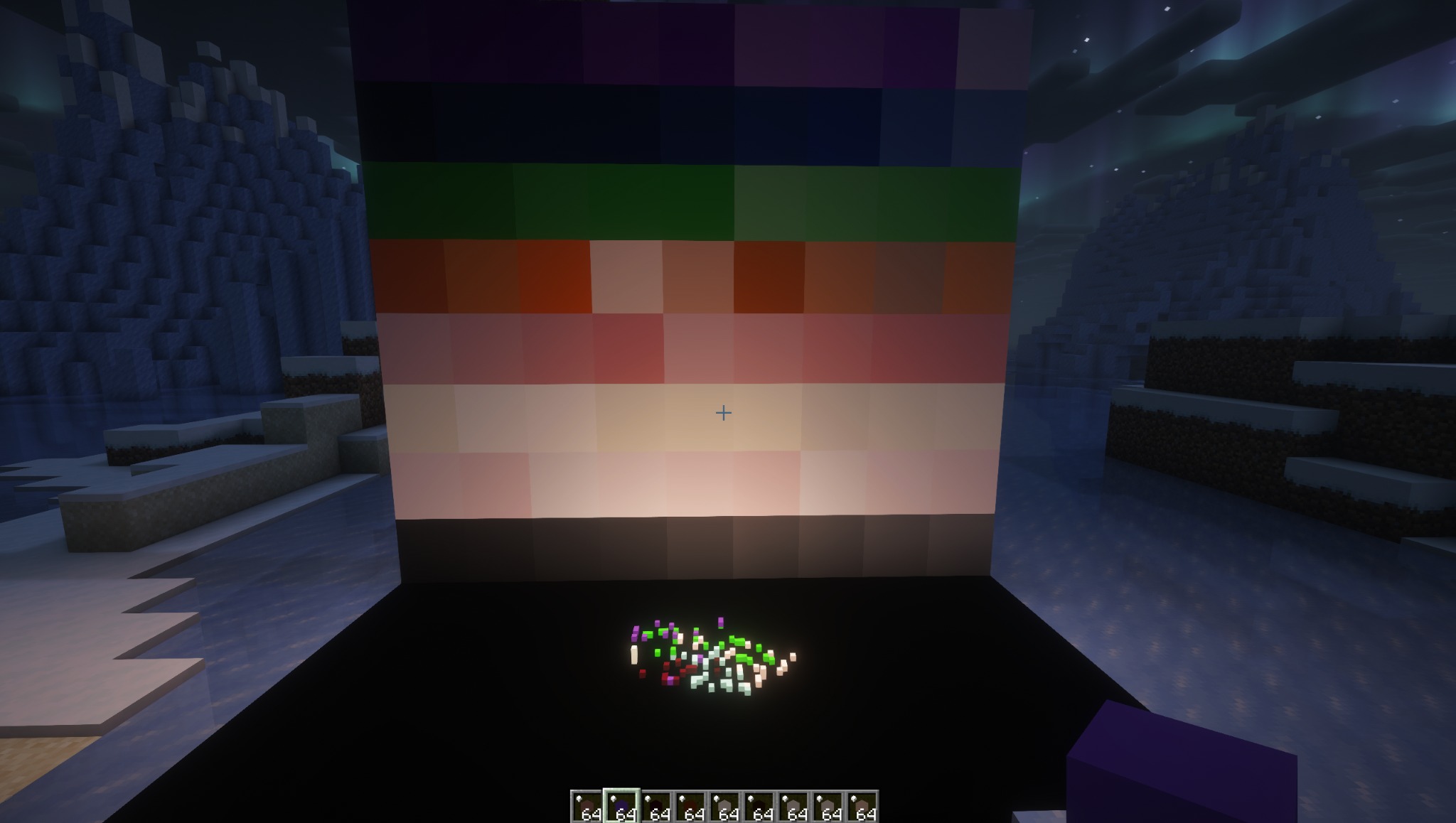
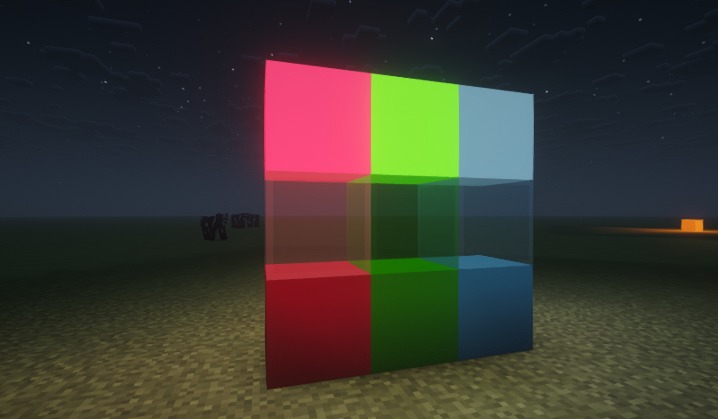
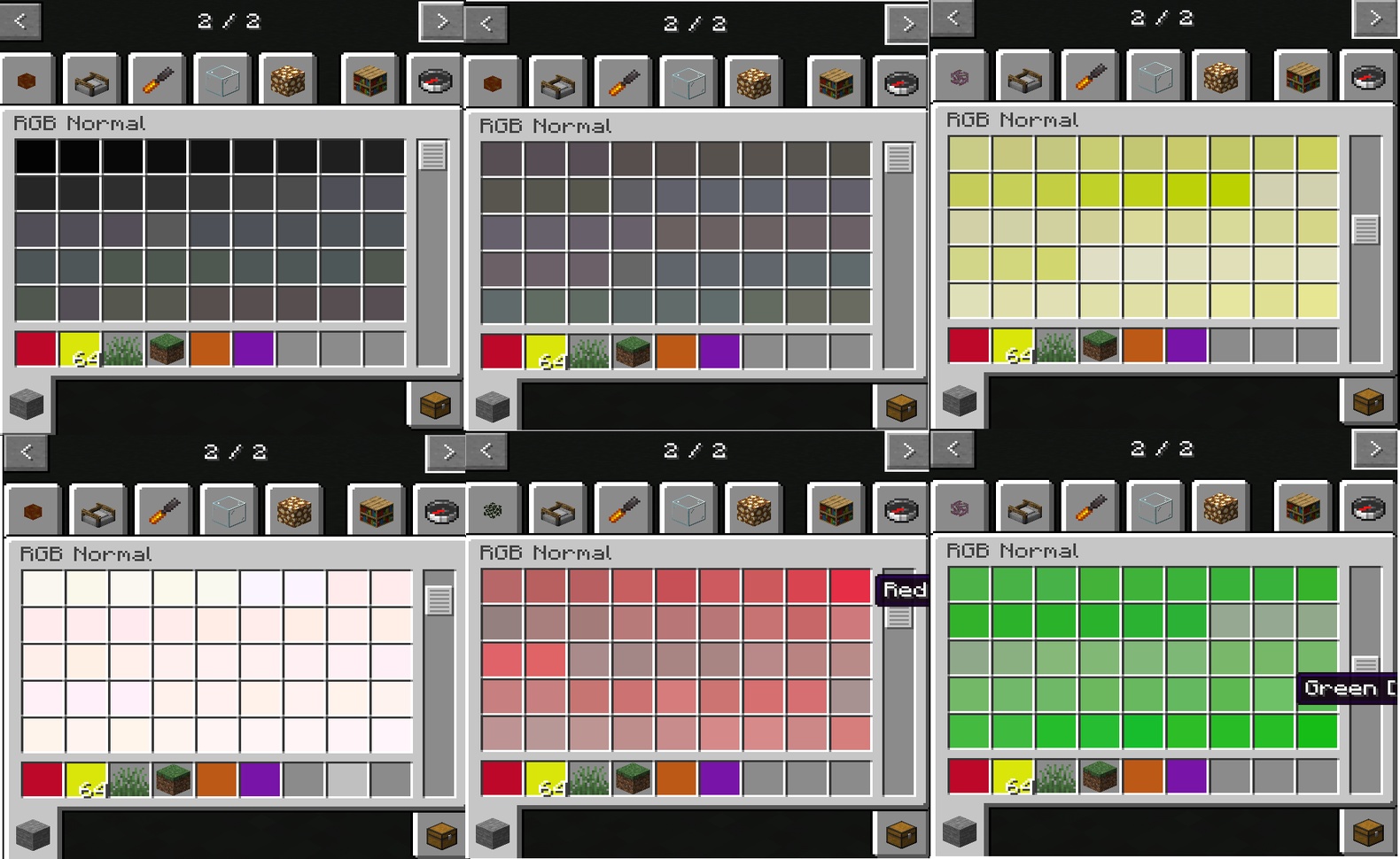
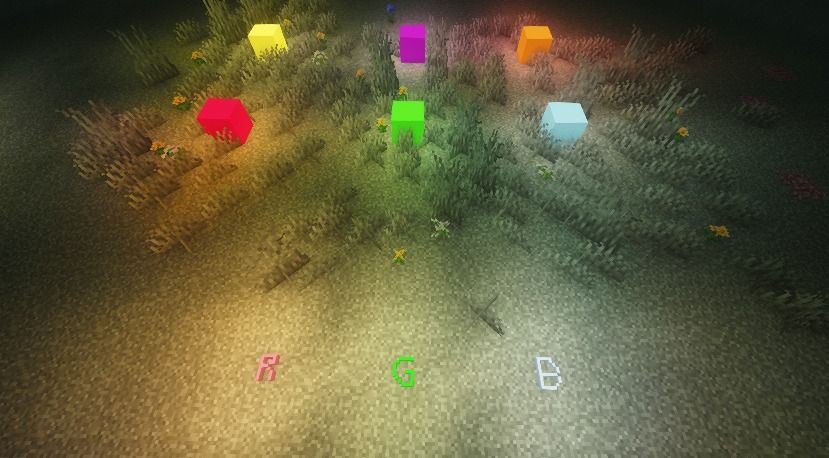
- 超过 16,600 种结构化建筑颜色
- 针对柔和色调与中性色调优化的调色板生成
- 以平滑渐变为核心的颜色组织
- 普通、发光和玻璃变体
- 微妙的 RGB 彩色光照(发光变体)
- 轻量级静态方块架构
- 专为高兼容性设计
- 兼容 Chisels & Bits
RGB 光照模式
RGBBlocks 支持两种 RGB 光照更新模式:
MANUAL(手动)模式 适用于大型或光照密集型的建筑,减少建造过程中持续的 RGB 光照重新计算,允许创作者在选定时间应用累积的更改。
- AUTO(自动)模式 当放置、更改或删除 RGB 发光方块或 Chisels & Bits 发光位块时,自动更新 RGB 光照。
- MANUAL(手动)模式 记录已更改的 RGB 光源位置,而不立即重建 RGB 光场。执行烘焙(Bake)时更新光照。
- 默认模式为 AUTO。
- 默认烘焙半径为 32 个方块。
- 烘焙半径可配置为玩家周围 4 到 256 个方块。
- ALL(全部) 烘焙处理当前维度中所有记录的脏数据位置。它不会扫描世界中的每个方块。
- 在烘焙运行期间进行的更改将保留待处理,以便在下一次烘焙时处理,而不是延长当前操作。
- 未加载区块中的脏数据位置会被记录,并在这些区块加载后进行处理。
命令
命令需要操作员或游戏管理员权限。
/rgb auto- 启用自动 RGB 光照更新。/rgb manual- 启用手动 RGB 光照更新。/rgb bake- 使用当前选定的范围烘焙 RGB 光照。/rgb setbake <4-256>- 设置以玩家为中心的烘焙半径。/rgb setbake all- 选择当前维度中所有记录的脏数据位置。/rgb get- 显示当前的 RGB 模式、烘焙范围和世界 ID。/rgb bake get- 显示相同的 RGB 运行时状态。
RGB 工具
一个新的 RGB Tools(RGB 工具) 创造模式标签页包含:
- RGB Light Switch(RGB 光源开关) - 右键点击在 AUTO 和 MANUAL 模式之间切换。
- RGB Light Baker(RGB 光源烘焙器) - 右键点击使用当前选定的范围执行烘焙。
光照持久化
所选的 RGB 模式和烘焙范围随世界保存并同步给连接的玩家。
RGB 光照区块、完整方块 RGB 光源位置、Chisels & Bits RGB 源数据以及未烘焙的脏数据位置按世界和维度存储在客户端。这使得已烘焙的 RGB 光照和待处理的手动更改能够存活于区块卸载、重新连接和服务器重启之后。
兼容性
RGBBlocks 基于标准完整方块行为设计,旨在最大化与光影、建筑工具和其他模组的兼容性。
该模组已在单人及多人环境中经过测试。
推荐用法
RGBBlocks 特别适用于:
- 建筑作品
- 渐变细节装饰
- 现代风格与柔和色调建筑
- Chisels & Bits 创作
- 像素艺术
- 需要精确色彩表达的建筑
测试环境
RGBBlocks 已在以下环境中经过测试。
NeoForge (Minecraft 26.1.2)
- NeoForge 26.1.2.41-beta
- Chisels & Bits 26.1.2.33
- Iris 1.10.9
- Sodium 0.8.11
Fabric (Minecraft 26.1.2)
- Fabric Loader (Minecraft 26.1.2)
- Fabric API 0.155.2+26.1.2
- Chisels & Bits 26.1.2.33
- Iris 1.10.9+26.1.1
- Sodium 0.8.12+26.1.2
NeoForge (Minecraft 1.21.1)
- NeoForge 21.1.265
- Chisels & Bits 21.1.32
- Iris 1.8.12
- Sodium 0.6.13
Forge (Minecraft 1.20.1)
- Forge 47.4.28
- Chisels & Bits 20.1.20
- Oculus 1.8.0
- Embeddium 0.3.31
通用组件
- Complementary Shaders
- 单人游戏
- 多人游戏
设计理念
RGBBlocks 专注于稳定性、简单性和大规模色彩可用性。调色板仍基于可预测的静态完整方块,而 RGB 照明由独立的光照层处理,支持自动和手动烘焙工作流程。
该模组有意避免使用动态着色实体方块和每方块的自定义颜色渲染。这保留了对光影、建筑工具、Chisels & Bits 以及 Minecraft 模组生态系统的广泛兼容性。
适用于 Minecraft NeoForge/Fabric/Forge。
已知问题
- 如果使用 Chisels & Bits 时更新 RGB 方块后出现“Lost Connection(连接丢失)”错误,请删除以下目录内的剪贴板 .dat 文件:
.minecraft/chiselsandbits
RGBBlocks
RGBBlocks is a structured RGB building palette mod for Minecraft
The mod adds over 16,600 carefully generated building colors with a focus on smooth gradients, pastel tones, neutral materials, and architectural usability.
Each color includes three block variants:
- Normal
- Glow
- Glass
RGBBlocks keeps its color palette as static full blocks rather than dynamically colored block entities. A separate RGB lighting layer provides colored illumination while preserving compatibility, stability, shader behavior, and mod interaction.
Features
- Over 16,600 structured building colors
- Pastel and neutral optimized palette generation
- Smooth gradient-focused color organization
- Normal, Glow, and Glass variants
- Subtle RGB colored lighting(Glow variant)
- Lightweight static block architecture
- Designed for high compatibility
- Chisels & Bits friendly
RGB Lighting Modes
RGBBlocks supports two RGB lighting update modes:
MANUAL Mode is intended for large or lighting-intensive builds, reducing continuous RGB lighting recalculation during construction and allowing creators to apply accumulated changes at a chosen time.
- AUTO Mode updates RGB lighting automatically when RGB Glow blocks or Chisels & Bits Glow bits are placed, changed, or removed.
- MANUAL Mode records changed RGB light source positions without immediately rebuilding the RGB light field. Lighting is updated when a Bake is executed.
- The default mode is AUTO.
- The default Bake radius is 32 blocks.
- Bake radius can be configured from 4 to 256 blocks around the player.
- ALL Bake processes every recorded dirty position in the current dimension. It does not scan every block in the world.
- Changes made while a Bake is already running remain pending for the next Bake instead of extending the current operation.
- Dirty positions in unloaded chunks remain recorded and can be processed after those chunks are loaded.
Commands
Commands require operator or gamemaster permission.
/rgb auto- Enables automatic RGB lighting updates./rgb manual- Enables manual RGB lighting updates./rgb bake- Bakes RGB lighting using the currently selected scope./rgb setbake <4-256>- Sets a player-centered Bake radius./rgb setbake all- Selects all recorded dirty positions in the current dimension./rgb get- Displays the current RGB mode, Bake scope, and world ID./rgb bake get- Displays the same RGB runtime status.
RGB Tools
A new RGB Tools creative tab contains:
- RGB Light Switch - Right-click to toggle between AUTO and MANUAL modes.
- RGB Light Baker - Right-click to execute a Bake using the currently selected scope.
Lighting Persistence
The selected RGB mode and Bake scope are saved with the world and synchronized to connected players.
RGB light sections, full-block RGB source positions, Chisels & Bits RGB source data, and unbaked dirty positions are stored per world and dimension on the client. This allows baked RGB lighting and pending Manual changes to survive chunk unloading, reconnecting, and server restarts.
Compatibility
RGBBlocks is designed around standard full-block behavior to maximize compatibility with shaders, building tools, and other mods.
The mod has been tested in both singleplayer and multiplayer environments.
Recommended Usage
RGBBlocks works especially well for:
- Architectural builds
- Gradient detailing
- Modern and pastel builds
- Chisels & Bits creations
- Pixel art
- Builds requiring precise color expression
Tested Environment
RGBBlocks has been tested in the following environments.
NeoForge (Minecraft 26.1.2)
- NeoForge 26.1.2.41-beta
- Chisels & Bits 26.1.2.33
- Iris 1.10.9
- Sodium 0.8.11
Fabric (Minecraft 26.1.2)
- Fabric Loader (Minecraft 26.1.2)
- Fabric API 0.155.2+26.1.2
- Chisels & Bits 26.1.2.33
- Iris 1.10.9+26.1.1
- Sodium 0.8.12+26.1.2
NeoForge (Minecraft 1.21.1)
- NeoForge 21.1.265
- Chisels & Bits 21.1.32
- Iris 1.8.12
- Sodium 0.6.13
Forge (Minecraft 1.20.1)
- Forge 47.4.28
- Chisels & Bits 20.1.20
- Oculus 1.8.0
- Embeddium 0.3.31
Common
- Complementary Shaders
- Singleplayer
- Multiplayer
Design Philosophy
RGBBlocks focuses on stability, simplicity, and large-scale color availability. The palette remains based on predictable static full blocks, while RGB illumination is handled by a separate lighting layer with both automatic and manual-bake workflows.
The mod intentionally avoids dynamically colored block entities and per-block custom color rendering. This preserves broad compatibility with shaders, building tools, Chisels & Bits, and the Minecraft modding ecosystem.
Built for Minecraft NeoForge/Fabric/Forge.
Known Issue
-If a “Lost Connection” error occurs after updating RGB blocks while using Chisels & Bits, delete the clipboard .dat files inside:
.minecraft/chiselsandbits

下载 RGB blocks
下载 RGB blocks
下载 RGB blocks
下载 RGB blocks
下载 RGB blocks
下载 RGB blocks
下载 RGB blocks
下载 RGB blocks
下载 RGB blocks
下载 RGB blocks
新增对 Minecraft 1.20.1(Forge)的原生支持
- 添加了 Fabric 支持。
关于这个资源的讨论、问题反馈与使用心得
还没有讨论,来发第一帖吧
你是这个资源的作者?登录后可认领此资源。
相似资源
 模组

可定制的鞘翅模组,支持装饰纹饰、旗帜图案等更多功能!
 模组

显示你正在注视的方块的信息。(适用于 Minecraft 1.16+ 的 Hwyla/Waila 分支)
 模组
在游戏画面角落显示附近世界地形、玩家、生物和实体的地图。可创建路径点,帮助你找到标记过的位置。
 模组

查看物品与配方
 模组
使用 JavaScript 编辑配方、添加自定义物品、编写世界事件!
 模组
AE2:一款流行的自动化与存储模组
评论 0
登录后参与评分
还没有评论,来抢沙发吧