角色扮演聊天
[!WARNING]
下面描述的大多数功能(RP 身份系统、名牌可见性、介绍系统)需要 2.0 或更高版本 以及 Minecraft 1.21.6。早期版本仅包含邻近聊天系统。
一款用于角色扮演服务器的 Minecraft Fabric 模组(1.21.6)。它用基于邻近范围的聊天系统替换了原版聊天,为每位玩家分配一个匿名的十六进制代码身份,并赋予他们仅在向彼此介绍后才可见的 RP 名称。
邻近聊天
每条聊天消息仅发送给配置范围内的玩家。范围取决于消息类型,由前缀字符或斜杠命令触发。
| 类型 |
颜色 |
范围 |
前缀 |
命令 |
| 耳语 |
? 紫罗兰色 #CC33CC |
4 格 |
« 或 " |
/whisper <message> |
| 动作 |
? 绿色 #33CC33 |
25 格 |
* |
/action <message> |
| 投掷 |
? 绿色 #33CC33 |
25 格 |
— |
/roll [notation] |
| 说话 |
⬜ 白色 #FFFFFF |
30 格 |
(默认) |
/speak <message> |
| OOC |
? 灰色 #AEC1D5 |
60 格 |
( |
/ooc <message> |
| 呼喊 |
? 红色 #CC3300 |
80 格 |
! |
/shout <message> |
| 全局 OOC |
? 灰色 #AEC1D5 |
无限制 |
[ |
/globalOoc <message> |
| 支持 |
? 粉色 #FF99CC |
无限制 |
? |
/support <message> |
支持 消息仅对服务器操作员(权限等级 ≥ 2)和发送者可见。
颜色、范围和前缀字符均可配置——参见 配置。
随距离渐变的颜色
当接收者远离发送者时,消息颜色会逐渐变黑,在最大范围处变为纯黑色。超出范围的玩家将收不到任何消息。
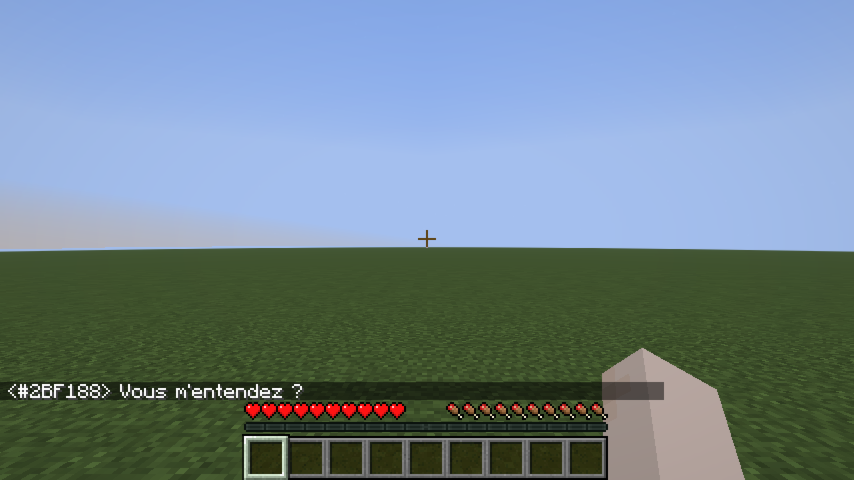
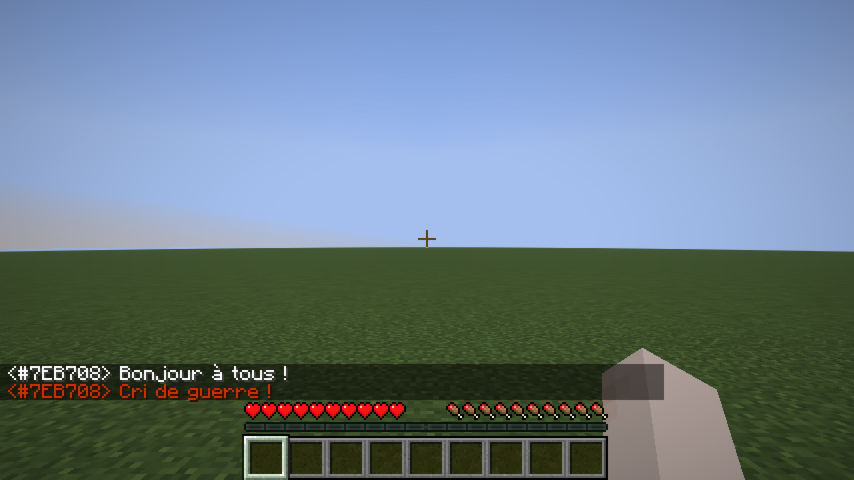
聊天消息示例
骰子投掷
/roll 向附近的玩家广播骰子结果(与“动作”相同的范围,默认为 25 格)。
语法: /roll [NdF[±bonus]]
| 示例 |
含义 |
/roll |
投掷 1d20(默认) |
/roll d6 |
投掷 1d6 |
/roll 1d20+3 |
投掷 1d20,加 3 |
/roll d8-1 |
投掷 1d8,减 1 |
* Alice [1d20+3] → 17  (14+3)
* Bob [1d6] → 4  (大失败)
投出最大值会显示 (大成功) 粗体字;投出 1 会显示 (大失败) 粗体字。
RP 身份系统
匿名十六进制代码
每位玩家在首次连接时都会被分配一个唯一的 6 位十六进制代码(例如 #15AACF)。此代码:
- 显示在其名牌上(灰色斜体,位于其 RP 名称下方)。
- 在拥有 RP 名称之前,会在聊天中替代其 Minecraft 用户名。
- 在拥有 RP 名称后,作为聊天中其名称的悬停提示显示。
- 可作为所有原版命令的目标(
/kick、/ban、/op、/tp、/give、/kill、/damage 等)——输入 # 后自动补全将建议代码。
RP 名称
在首次连接时,玩家会看到一个屏幕来选择其 RP 名称:
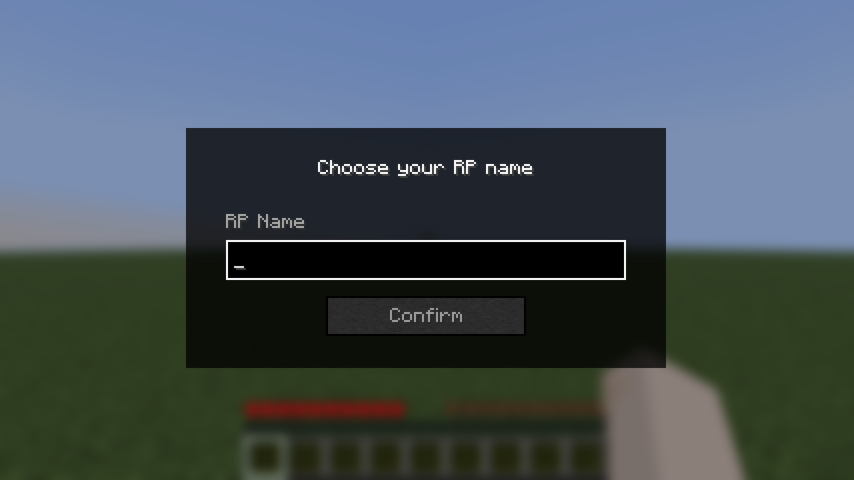
名称输入 |
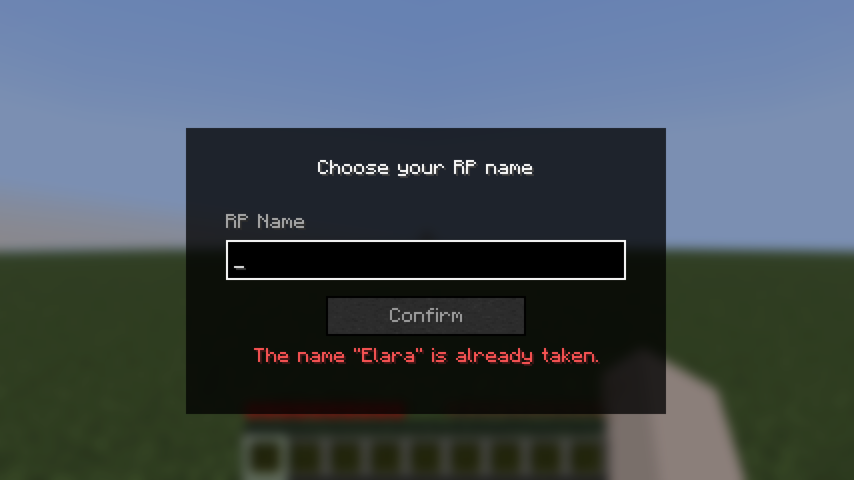
验证错误 |
该屏幕无法通过按 Escape 键绕过——按 Escape 会打开暂停菜单,当玩家返回游戏时,该屏幕会重新出现。
规则:
- 必须非空。
- 必须不超过 32 个字符。
- 必须是唯一的(不区分大小写)。
设置后,可以随时使用 /rpname <name> 更改 RP 名称。
RP 名称聊天示例
一旦玩家拥有了 RP 名称,它就会在聊天中替代其十六进制代码显示:
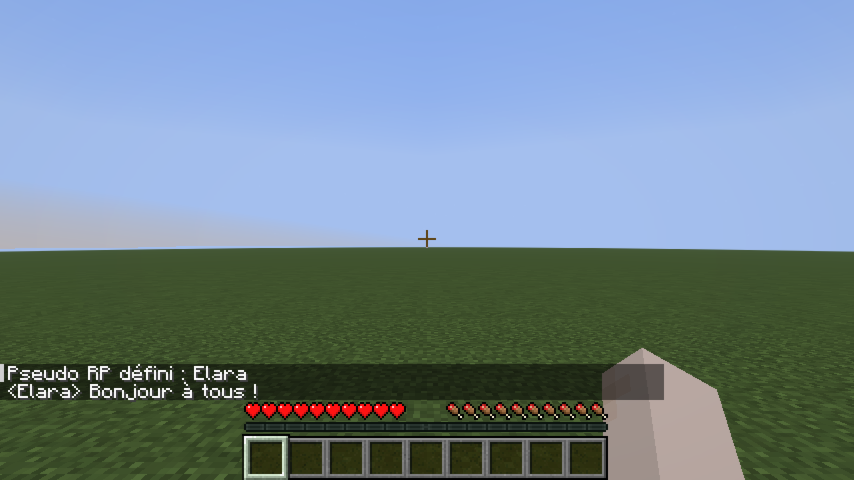
名牌可见性
介绍系统
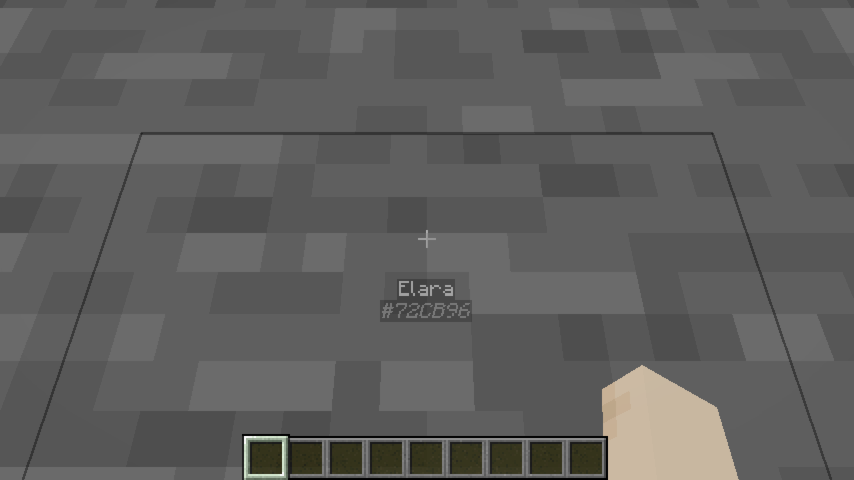
默认情况下,其他玩家的 RP 名称是隐藏的——他们的名牌显示为 ?。要向特定玩家揭示你的身份:
/rp present #15AACF
这会向该玩家发送通知并永久记录此次介绍。重新连接后,介绍会自动恢复。
名牌状态
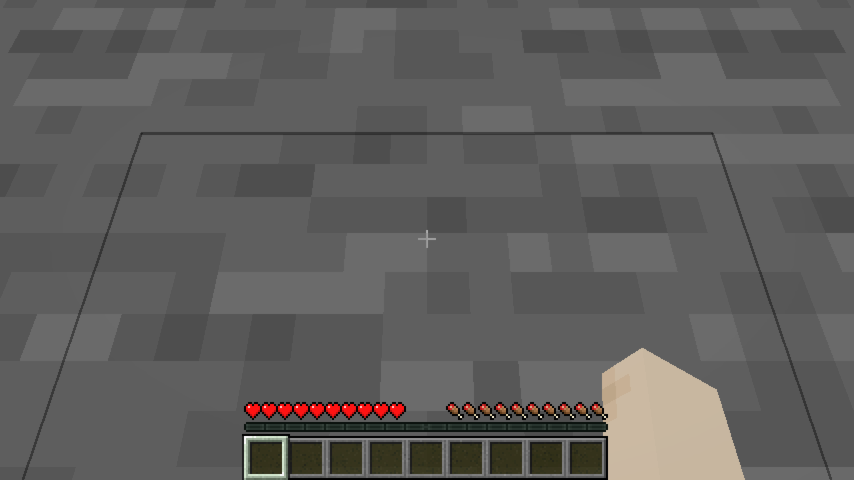
视线遮挡
角色扮演名称无法透过墙壁看到。如果摄像头与另一名玩家之间存在实心方块,其整个名牌都会消失——即使他们已经向你介绍过自己。创造模式可以绕过此检查。
隐藏身份的头部装备
佩戴标记为 roleplay-chat:conceals_identity 的头盔槽物品的玩家,对所有人来说都显示为 ?——包括已经向他们介绍过自己的玩家。他们的十六进制代码仍然可见,以便工作人员仍能识别他们。
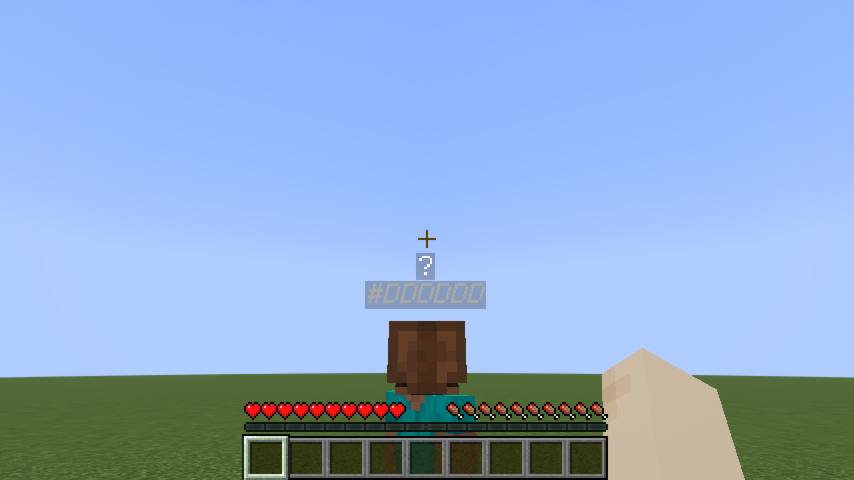
佩戴了隐藏头盔 |
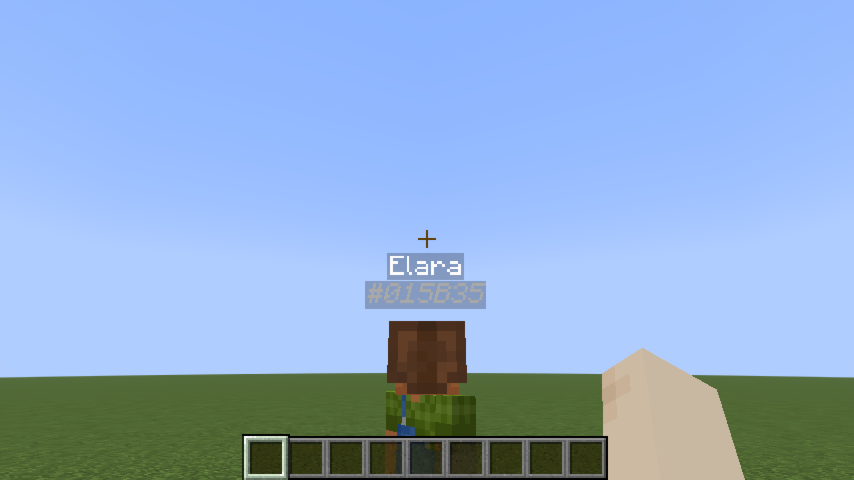
创造模式 — 忽略隐藏效果 |
该模组默认将 minecraft:leather_helmet 包含在此标签中。若要添加更多物品,请创建数据包文件:
data/roleplay-chat/tags/items/conceals_identity.json
{
  "replace": false,
  "values": [
    "minecraft:leather_helmet",
    "yourmod:hood",
    "yourmod:balaclava"
  ]
}
"replace": false 会将你的列表与模组的默认设置合并,而不是替换它们。
配置(服务器管理员)
设置位于 config/roleplay-chat.json(在你的服务器目录或 .minecraft 文件夹旁边)。首次运行时会自动生成带有默认值的文件。以 UTF-8 编码编辑该文件以保留特殊前缀字符(例如 «)。
每种消息类型都有三个字段:
| 字段 |
含义 |
radius |
范围(以方块为单位)。0 = 无限制(发送给所有在线玩家)。 |
color |
作为十进制整数(16777215)或十六进制字符串("#FFFFFF")的 RGB 颜色。 |
characters |
触发此类型的前缀字符串。speak 使用 [](无前缀)。 |
无需重启重载: /roleplaychat reload(操作员等级 4)会在服务器运行时重新读取文件。如果文件格式无效,则保留当前设置并记录错误日志。
支持的键: speak、whisper、shout、action、ooc、globalOoc、support、roll。
示例(节选):
{
  "speak": {
    "radius": 30,
    "color": 16777215,
    "characters": []
  },
  "whisper": {
    "radius": 4,
    "color": "#CC33CC",
    "characters": ["«", "\""]
  },
  "shout": {
    "radius": 80,
    "color": 13369344,
    "characters": ["!"]
  }
}
Roleplay Chat
[!WARNING]
Most features described below (RP identity system, nametag visibility, introduction system) require version 2.0 or later and Minecraft 1.21.6. Earlier versions only include the proximity chat system.
A Minecraft Fabric mod (1.21.6) for roleplay servers. It replaces the vanilla chat with a proximity-based system, assigns each player an anonymous hex code identity, and gives them an RP name visible only to players they've been introduced to.
Proximity Chat
Every chat message is delivered only to players within a configured range. The range depends on the type of message, triggered by a prefix character or a slash command.
| Type |
Color |
Range |
Prefix |
Command |
| Whisper |
? Violet #CC33CC |
4 blocks |
« or " |
/whisper <message> |
| Action |
? Green #33CC33 |
25 blocks |
* |
/action <message> |
| Roll |
? Green #33CC33 |
25 blocks |
— |
/roll [notation] |
| Speak |
⬜ White #FFFFFF |
30 blocks |
(default) |
/speak <message> |
| OOC |
? Gray #AEC1D5 |
60 blocks |
( |
/ooc <message> |
| Shout |
? Red #CC3300 |
80 blocks |
! |
/shout <message> |
| Global OOC |
? Gray #AEC1D5 |
Unlimited |
[ |
/globalOoc <message> |
| Support |
? Pink #FF99CC |
Unlimited |
? |
/support <message> |
Support messages are only visible to server operators (permission level ≥ 2) and the sender.
Colors, ranges, and prefix characters are all configurable — see Configuration.
Color fade with distance
Messages fade toward black as the receiver moves away from the sender, reaching full black at maximum range. Players outside range receive nothing.
Chat message examples
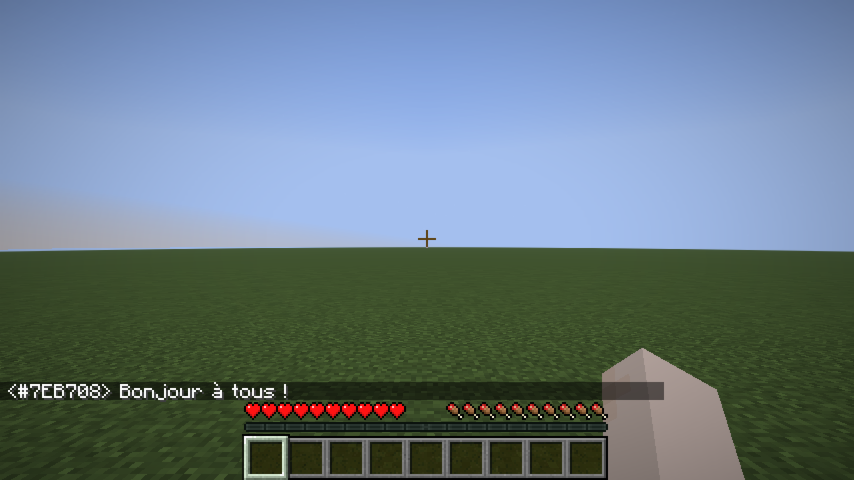
Speak |
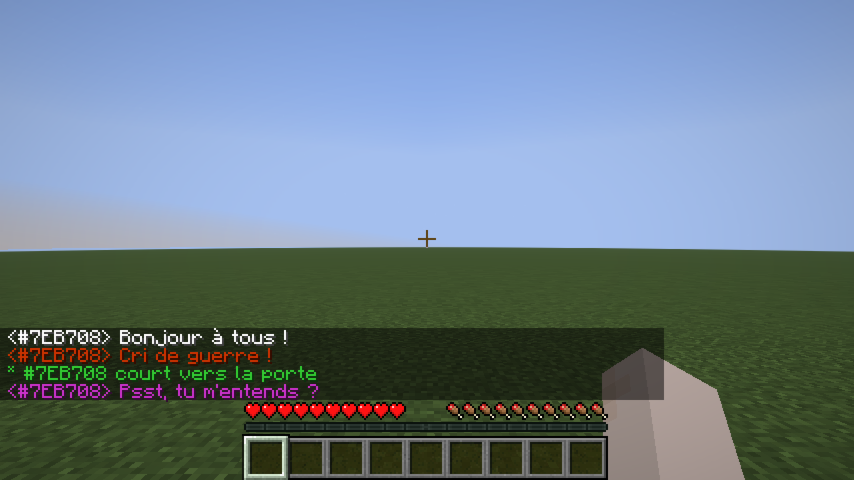
Whisper |
Shout |
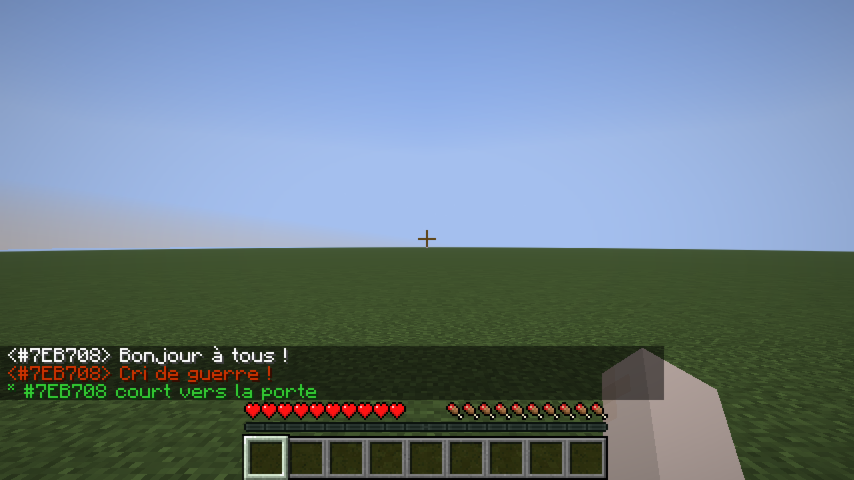
Action |
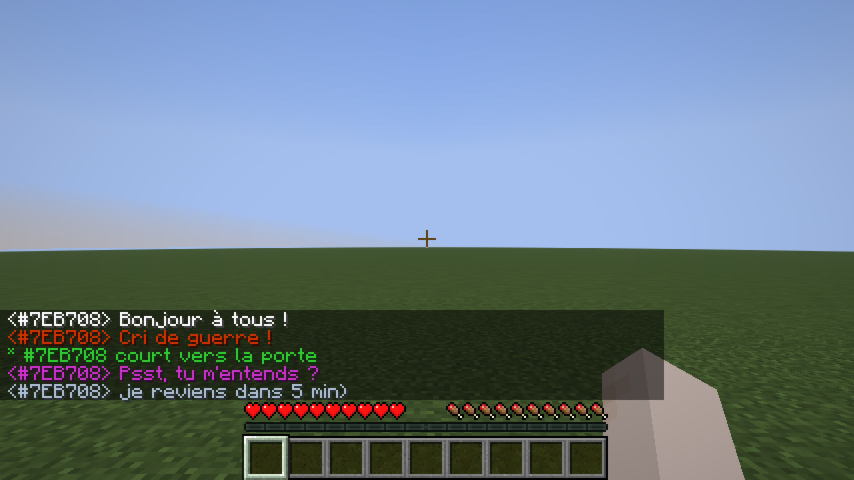
OOC |
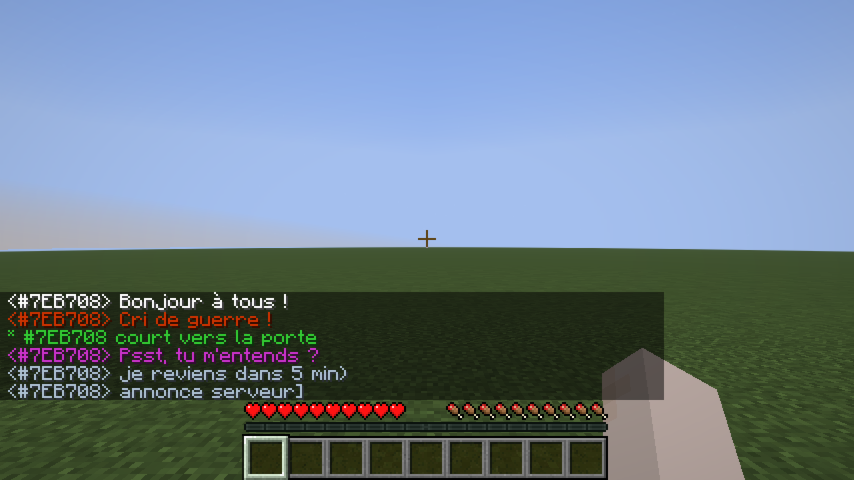
Global OOC |
Dice Roll
/roll broadcasts a dice result to nearby players (same range as Action, 25 blocks by default).
Syntax: /roll [NdF[±bonus]]
| Example |
Meaning |
/roll |
Rolls 1d20 (default) |
/roll d6 |
Rolls 1d6 |
/roll 1d20+3 |
Rolls 1d20, adds 3 |
/roll d8-1 |
Rolls 1d8, subtracts 1 |
* Alice [1d20+3] → 17  (14+3)
* Bob [1d6] → 4  (Critical Failure)
Rolling the maximum value shows (Critical Success) in bold; rolling 1 shows (Critical Failure) in bold.
RP Identity System
Anonymous hex code
Every player is assigned a unique 6-digit hex code at their first connection (e.g. #15AACF). This code:
- Appears on their nametag (gray italic, below their RP name).
- Replaces their Minecraft username in chat until they have an RP name.
- Shows as a hover tooltip on their name in chat once they have an RP name.
- Works as a target in all vanilla commands (
/kick, /ban, /op, /tp, /give, /kill, /damage, …) — type # and autocomplete will suggest codes.
RP name
On first connection, players are shown a screen to choose their RP name:
Name input |
Validation error |
The screen cannot be bypassed with Escape — pressing Escape opens the pause menu, and the screen reappears when the player returns to the game.
Rules:
- Must be non-empty.
- Must be 32 characters or fewer.
- Must be unique (case-insensitive).
Once set, the RP name can be changed at any time with /rpname <name>.
RP name chat example
Once a player has an RP name, it appears in chat instead of their hex code:
Nametag Visibility
Introduction system
By default, other players' RP names are hidden — their nametag shows ?. To reveal your identity to a specific player:
/rp present #15AACF
This sends a notification to that player and permanently records the introduction. After a reconnect, introductions are restored automatically.
Nametag states
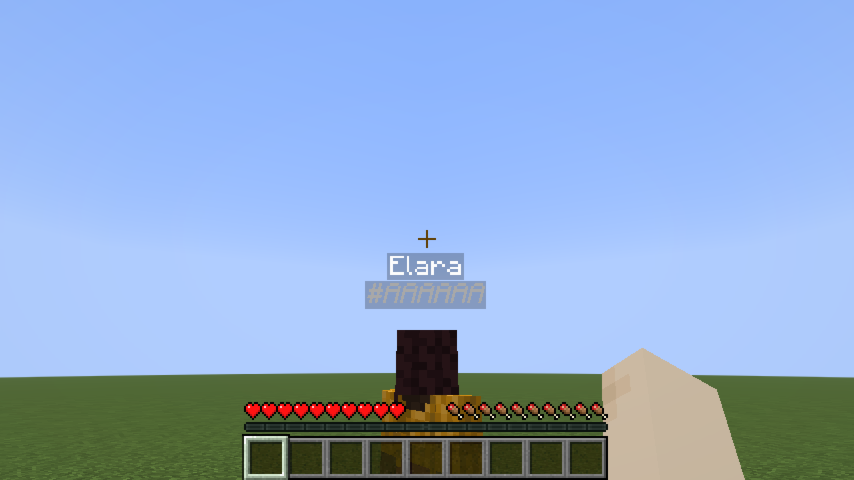
Known player |
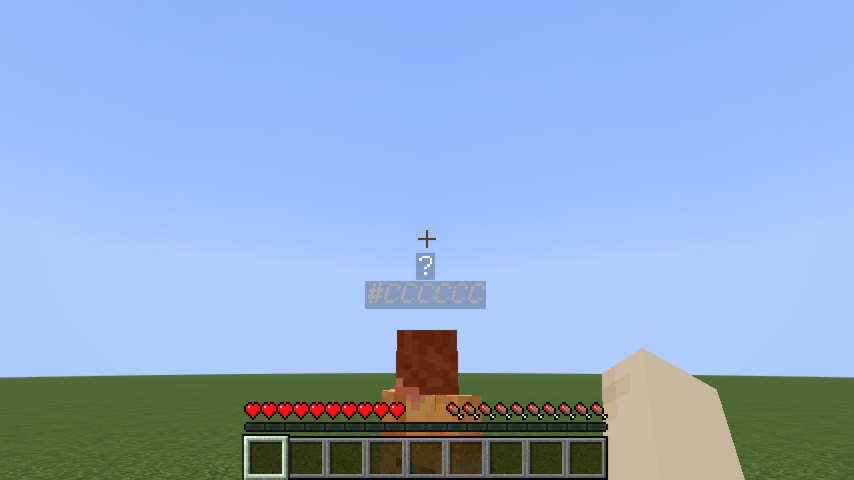
Not yet introduced |
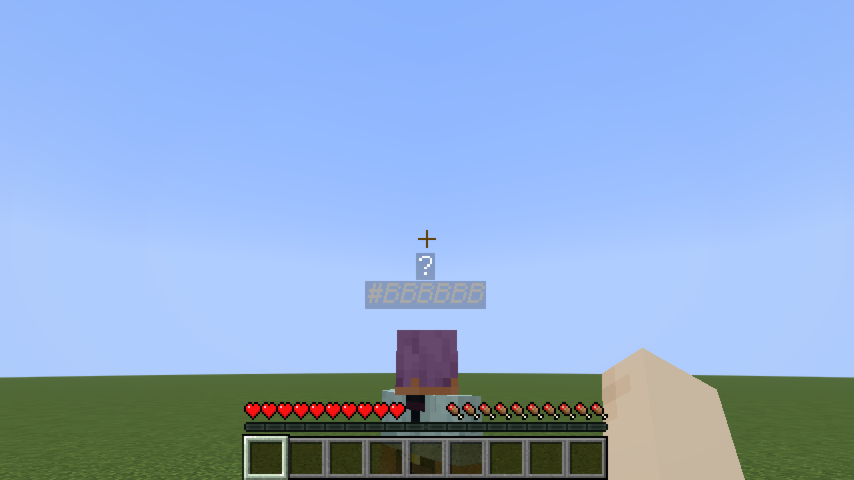
No RP name yet |
Line-of-sight occlusion
RP names are not visible through walls. If a solid block stands between your camera and another player, their entire nametag disappears — even if they have introduced themselves to you. Creative mode bypasses this check.
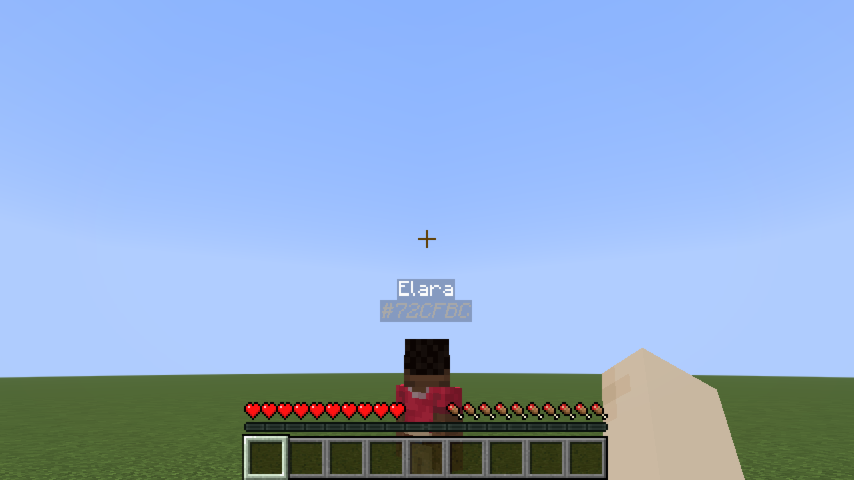
Clear line of sight |
Wall between players |
Creative mode — wall ignored |
Identity-concealing headgear
A player wearing an item tagged roleplay-chat:conceals_identity in the helmet slot appears as ? to everyone — even players they've introduced themselves to. Their hex code remains visible so staff can still identify them.
Concealing helmet worn |
Creative mode — concealment ignored |
The mod ships with minecraft:leather_helmet in this tag by default. To add more items, create a datapack file:
data/roleplay-chat/tags/items/conceals_identity.json
{
  "replace": false,
  "values": [
    "minecraft:leather_helmet",
    "yourmod:hood",
    "yourmod:balaclava"
  ]
}
"replace": false merges your list with the mod's defaults instead of replacing them.
Configuration (server admins)
Settings live in config/roleplay-chat.json (next to your server or .minecraft folder). The file is created with defaults on first run. Edit it as UTF-8 to preserve special prefix characters (e.g. «).
Each message type has three fields:
| Field |
Meaning |
radius |
Range in blocks. 0 = unlimited (delivered to all online players). |
color |
RGB color as a decimal integer (16777215) or hex string ("#FFFFFF"). |
characters |
Prefix strings that trigger this type. speak uses [] (no prefix). |
Reload without restart: /roleplaychat reload (operator level 4) re-reads the file while the server is running. If the file is invalid, the current settings are kept and an error is logged.
Supported keys: speak, whisper, shout, action, ooc, globalOoc, support, roll.
Example (excerpt):
{
  "speak": {
    "radius": 30,
    "color": 16777215,
    "characters": []
  },
  "whisper": {
    "radius": 4,
    "color": "#CC33CC",
    "characters": ["«", "\""]
  },
  "shout": {
    "radius": 80,
    "color": 13369344,
    "characters": ["!"]
  }
}


 模组
 模组

 模组
 模组

 模组

 模组

评论 0
登录后参与评分
还没有评论,来抢沙发吧