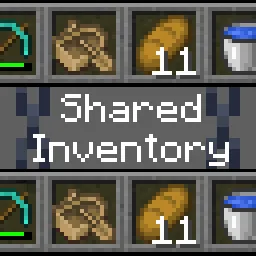
真正的物品栏同步
服务器上的玩家可以共享相同的物品栏、快捷栏、盔甲和副手槽
当前功能
- 真正同步的物品栏
- 无缝加入/离开,保持与物品栏同步
- 分组,每个分组拥有独立的共享物品栏
如何使用?
只需在 Fabric 服务器上安装此模组,然后使用你选择的客户端加入即可 (无需客户端模组)
帮助
更新警告!!!
如果你之前安装了旧版模组(从 1.1.2 升级到 1.2.0),数据不会自动迁移。你可能需要删除 sharedinv.nbt 文件。
常见问题
| 问题 |
回答 |
| 是否支持局域网/Essential? |
是的,但稳定性较差:请预期可能会有 bug。只有主机玩家需要安装此模组即可。 |
|安装模组后我的物品消失了|你已加入默认的共享库存,你的物品并未丢失。离开群组或清除默认设置:
/sharedinv default clear|
|/sharedinv 命令不存在|/sharedinv 命令仅限管理员使用。|
|如何创建物品栏分组?|新的物品栏分组通过 /sharedinv group add <name> 创建,可以使用 /sharedinv join <group> <player(s)> 将玩家添加到该分组中。|
| default 组是如何工作的? | 安装模组后,会自动创建一个默认组。该默认组具有特殊性:当尚未被分配到任何组的玩家登录时,他们会自动加入此默认组。你可以使用命令 /sharedinv default set <group> 来更改默认组,此后每当有新玩家登录时,他们都会加入该指定组。 |
如果您有任何问题,请通过以下方式联系我们:Discord
True inventory syncing
Players on the server can share the same inventory, hotbar, armour and offhand slot
Current features
- True synced inventories
- Seamless joining/leaving up to date with inventory
- Groups, each with their own shared inventories
How to use?
Simply install this mod on your fabric server, and join with the client of your choice (no client side mods needed)
Help
Update Warning!!!
If you had the previous version of the mod installed (1.1.2->1.2.0), the data will not transfer over. You may have to remove sharedinv.nbt.
Common Questions
| Question |
Answer |
| Is there support for LAN/Essential? |
Yes, but tenuously: expect bugs. Only the hosting player is required to have the mod |
| My items disappeared after installing the mod |
You have joined the default shared inventory, your inventory is not lost. Leave the group or clear the default:
/sharedinv default clear |
/sharedinv command does not exist |
The /sharedinv command is restricted to operators only. |
| How do I make inventory groups? |
New inventory groups are created with /sharedinv group add <name>, players can be added to that group with /sharedinv join <group> <player(s)>. |
How does the default group work? |
When you install the mod, a default group will be created. The default group is special in that when a player not already assigned to a group logs on, they will automatically join that group. You may change the default group with /sharedinv default set <group>, and whenever a new player logs on, they will join that group. |
If you have any questions please contact us on: Discord
评论 0
登录后参与评分
还没有评论,来抢沙发吧



