
这个模组是关于什么的?
这款客户端模组邀请您进入一个图像的世界,适用于单人游戏和多人游戏。它开箱即用,将为您展现一个全新的奇妙世界!
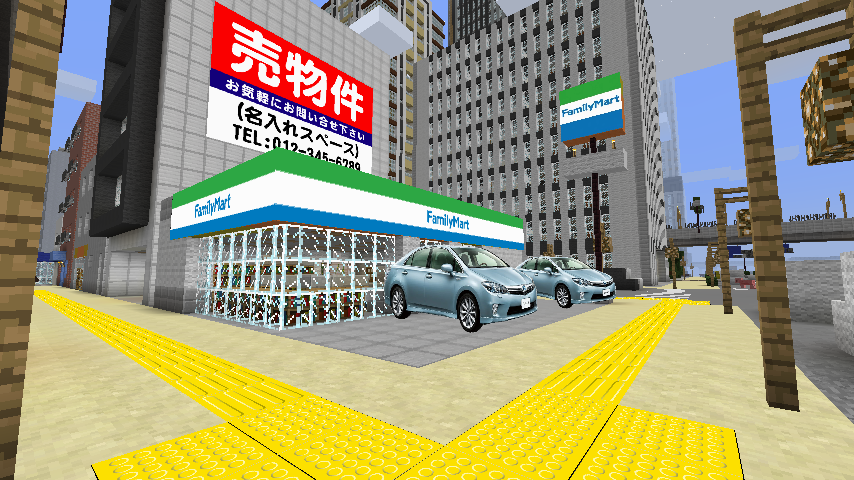
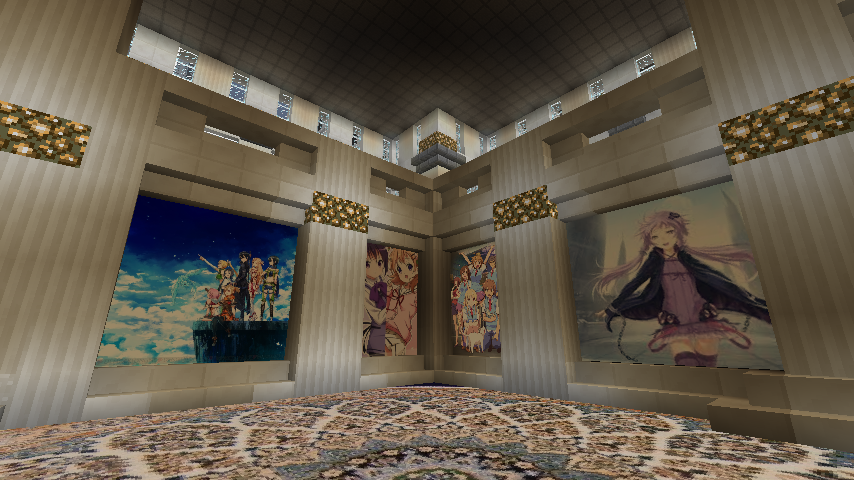
- 它以特定格式在告示牌上显示图片。
- 它提供了一个图形用户界面(GUI),方便制作图片告示牌。
- 它是一个纯客户端模组,无需放置在服务器中,所有安装了该模组的玩家看到的显示效果相同。
文档
安装模组
1. 确保已安装 Forge
2. 将 .jar 文件放入 mods 文件夹
3. 运行游戏!
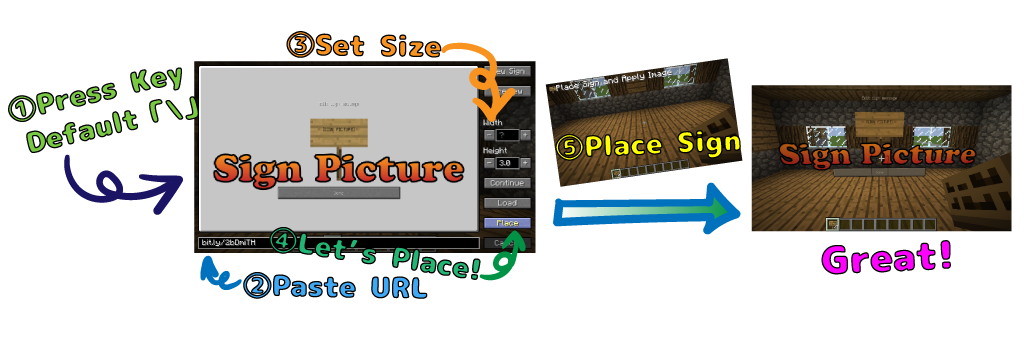

2. 粘贴 URL 以及 部分设置
3. 按下 "Place" 按钮
- “Size” 是图片尺寸。(W=宽度,H=高度)
- “Offset” 是图片偏移量。(X=左&右,Y=下&上,Z=后&前)
- “Rotation” 是图片旋转角度。
点击 "X" 按钮可切换 X、Y 或 Z 轴。
数字表示角度(8=360°)。
"↑" 或 "↓" 改变旋转顺序。
- "+" 和 "-" 按钮默认每次增减 1,按住 Shift 组合使用时每次增减 0.1,按住 Ctrl 组合使用时每次增减 0.01。
- 文本框可通过右键点击删除。
- 如果尺寸留空("?"),它将按图片的宽高比显示。
- "View Sign" 用于显示原始文本告示牌。
- "Preview" 用于设置预览位置。您可以使用预览功能进行更直观的设定。
- "Continue" 模式可以与其他功能结合使用,实现连续操作。
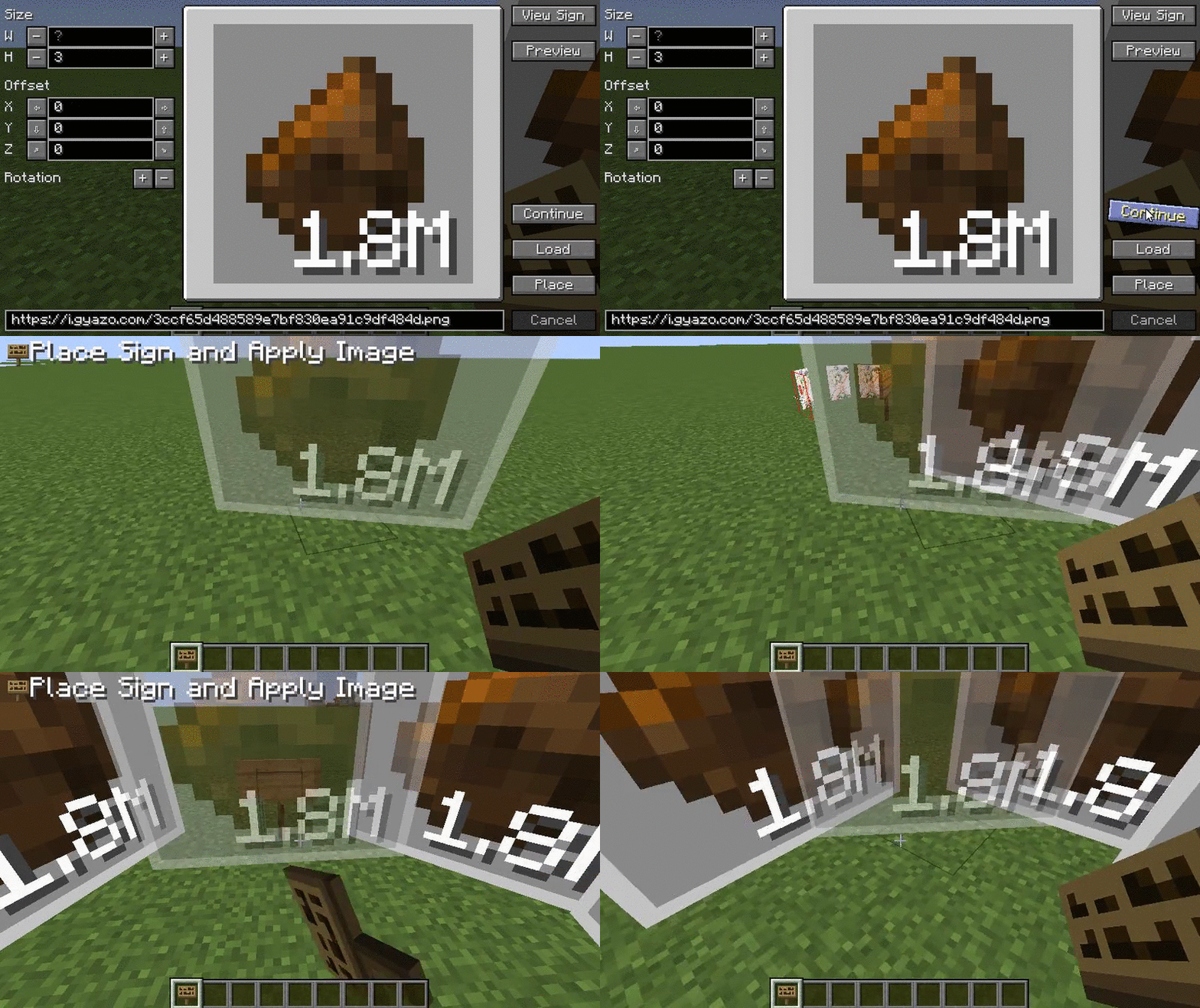
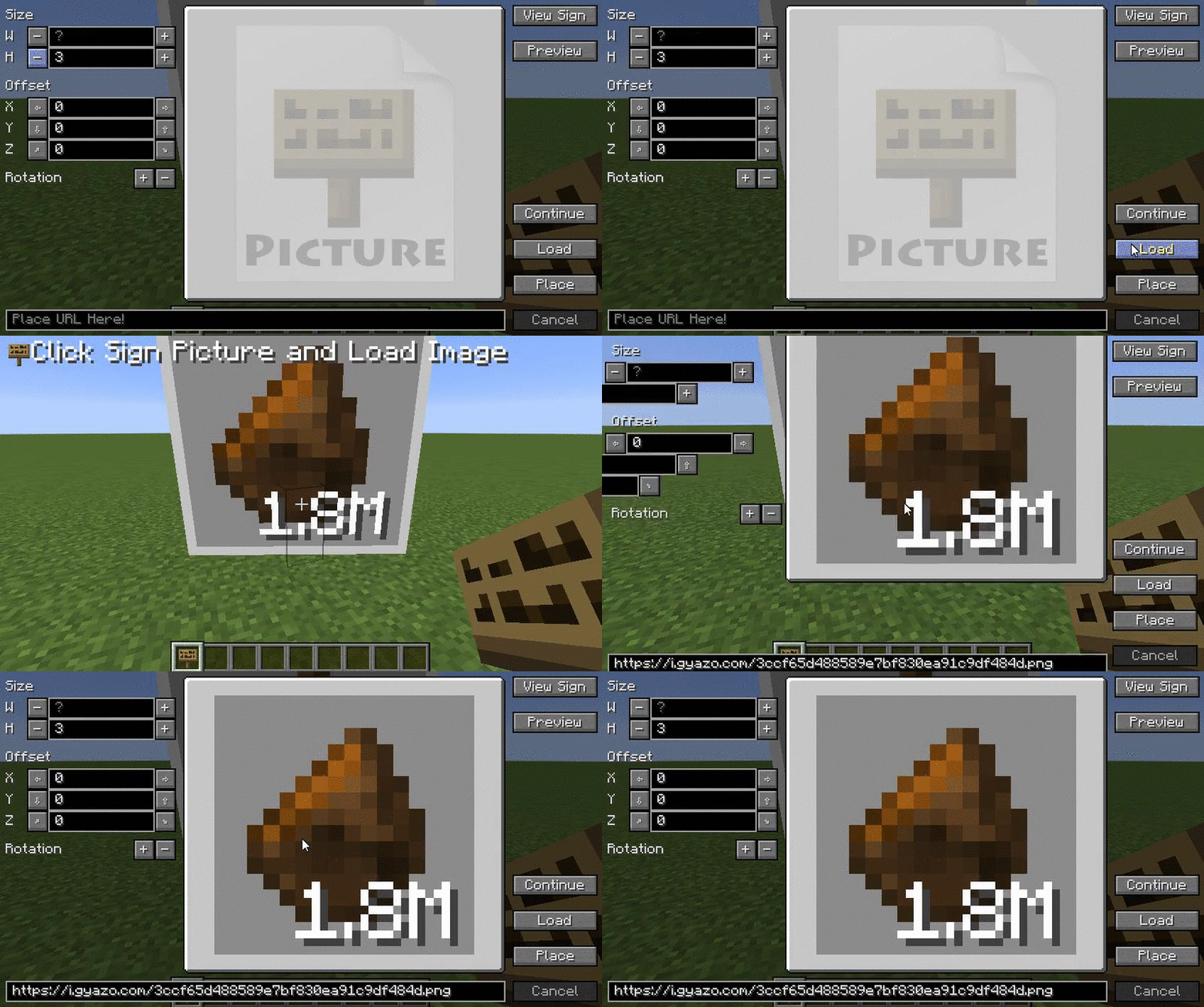
- "Load" 模式可以通过加载功能加载您在世界中已安装的图片。
- "Place" 模式用于在世界中放置告示牌!
- "Cancel" 模式用于取消任务。
兼容性 Sign Picture 几乎与任何模组兼容。主要冲突的模组是那些重写告示牌渲染方式的模组。
常见问题解答 (FAQ)
我要报告 bug / 提出建议!
如果您发现错误或有任何改进此模组的想法,请贡献到 问题列表!
我想在我的整合包中加入 SignPicture!
Sign Picture 采用 LGPLv3 许可证。欢迎自由重新分发!我唯一的要求是提供指向本帖或模组网站的链接。
我想做出贡献!
如果您想进行修改,本模组的源代码在此免费提供。欢迎通过添加新功能或修复错误来改进它!
我想帮忙翻译!
欢迎翻译。请在这里提交拉取请求。
本页内容也将被保存并从我所在的日本论坛翻译成英文。
- 感谢 Kamesuta 创建此模组,
- 感谢 Notch 创造 Minecraft,
- 感谢 Lex 为 MinecraftForge 做出的贡献,
- 所有 贡献者,
- 当然,还要感谢每一位花时间报告 bug 和/或留下支持评论的 Minecraft 玩家!
What's this mod about?
This client-sided mod invites you into a world of image, in both singleplayer and multiplayer. It works out of the box, and will show you a new wonderful world!
- It displays a sign along a particular format as an image.
- It provides a GUI to make the sign of the image easily.
- It is a pure client-sided mod, no need to place it in a server, it appears in the same way to all players who have this mod on.
Documentation
Installing the mod
1. Make sure Forge is installed
2. Put the .jar in your mods folder
3. Run the game!
2. Paste URL and some of the settings
3. Press "Place" Button
- "Size" is image size. (W=Width, H=Height)
- "Offset" is image offset. (X=Left&Right, Y=Down&Up, Z=Back&Front)
- "Rotation" is image rotation.
Click "X" button to switch X, Y or X axis.
number is angle (8=360°).
"↑" or "↓" change order of rotation.
- "+" And "-" button is by usually = 1, one by Shift combination = 0.1, it can be adjusted by Ctrl combination = 0.01.
- Text box can be deleted by right-clicking.
- If the size is left blank ( "?"), It will be displayed with the aspect ratio of the image.
- "View Sign" to show raw text signs.
- "Preview" to set preview location. You can set more visually by using the preview function.
- "Continue" mode can be carried out continuously by using in combination with other functions.
- "Load" mode can load an image you have already installed in the world in the load function.
- "Place" mode to place sign in the world!
- "Cancel" mode to cancel task.
Compatibility Sign Picture works with almost any mod. The main conflicting mod are those that rewrite the rendering of the sign.
FAQ
I have a bug to report/suggestion to make!
If you find a bug or have an idea to improve this mod, contribute to the issue list!
I want SignPicture in my modpack!
Sign Picture is under the LGPLv3. Feel free to redistribute it! My only request is to provide a link to either this thread or the mod's website.
I would like to contribute!
If you feel like doing some modifications, the source code of this mod is freely available here. Feel free to improve it by adding new features or fixing bugs!
I want to help translating!
Translation are welcome. Please pull a request here.
This page also will be saved and me translated into English from Japanese forum.
- to Kamesuta for creating this mod,
- to Notch for Minecraft,
- Lex for MinecraftForge,
- all contributors,
- And of course, to every minecrafter who took their own time to report bugs and/or leave supporting comments!

下载 SignPicture
需要联机服务器吗?
稳定流畅、一键部署,几分钟即可和朋友联机开服
最低仅需 8 元/月 即可畅快联机
下载 SignPicture
下载 SignPicture
下载 SignPicture
下载 SignPicture
下载 SignPicture
下载 SignPicture
下载 SignPicture
下载 SignPicture
下载 SignPicture
已发布兼容 Minecraft 1.12.1 的版本。
关于这个资源的讨论、问题反馈与使用心得
还没有讨论,来发第一帖吧
你是这个资源的作者?登录后可认领此资源。
相似资源
 模组

可定制的鞘翅模组,支持装饰纹饰、旗帜图案等更多功能!
 模组

显示你正在注视的方块的信息。(适用于 Minecraft 1.16+ 的 Hwyla/Waila 分支)
 模组
在游戏画面角落显示附近世界地形、玩家、生物和实体的地图。可创建路径点,帮助你找到标记过的位置。
 模组

查看物品与配方
 模组
使用 JavaScript 编辑配方、添加自定义物品、编写世界事件!
 模组
AE2:一款流行的自动化与存储模组
评论 0
登录后参与评分
还没有评论,来抢沙发吧