本模组允许自定义 NeoForge 的早期加载屏幕。
此外,还有一个针对 Forge 1.20.1, 1.20.2, 1.20.4, 1.20.6 的相当“hacky”(非标准)版本。
由于技术原因,我不计划继续支持任何其他 Forge 版本。
对于较新版本,请使用 NeoForge。
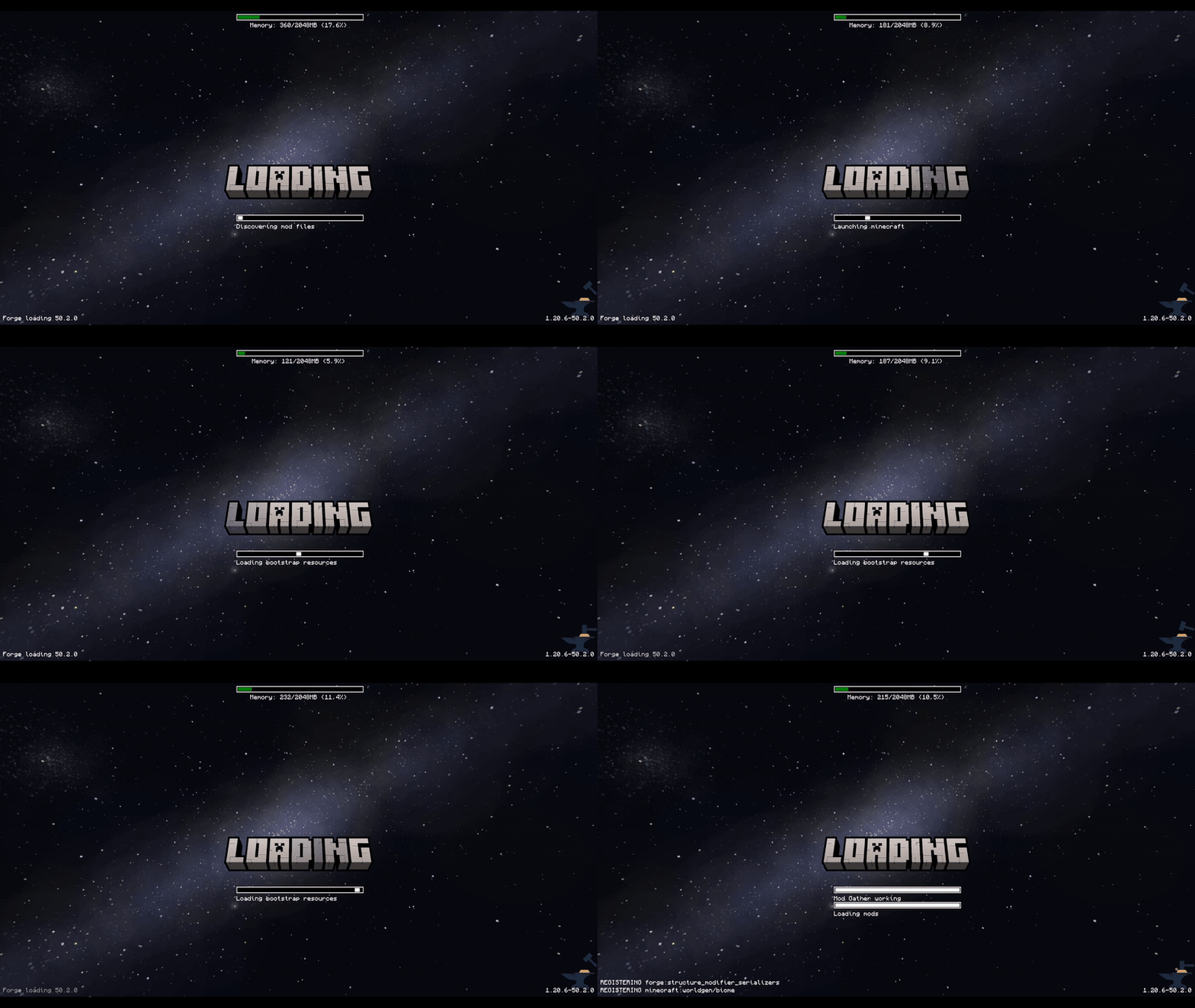
目前,当窗口调整大小时,窗口无法动态更改其分辨率。
我不会允许移除 Mojang 的标志。
功能:
- 添加和定位自定义图片(参见支持的图像格式)
- 切换并更改进度条的位置
- 切换性能指示器
- 切换 NeoForge 的小狐狸
- 切换左下角日志
- 切换 NeoForge 的版本号(右下角)
安装 - NeoForge:
- 将 jar 文件放入 mods 文件夹
- 修改
config/fml.toml 文件
# Early window provider
earlyWindowProvider = "SimpleCustomEarlyLoading"
# ... Other options ...
# Optionally set the window to be maximized
earlyWindowMaximized = true
安装 - Forge:
- 将 jar 文件放入 mods 文件夹
- Forge 版本需要默认的
config/fml.toml 值
#Early window provider
earlyWindowProvider = "fmlearlywindow"
- 可选:更新
options.txt:darkMojangStudiosBackground:true
不幸的是,覆盖应用得比较晚,这可能导致在启动游戏时原始红色的早期加载界面(或白屏)出现“闪烁”。对此我无能为力。
不过,可以使用 options.txt 中的 darkMojangStudiosBackground:true 来改变原始加载界面的红色。
支持的图像格式:
动画图像:
- APNG - 必须在不检测未更改像素的情况下创建(每帧从头渲染)。
动画将尊重图像的时序和重复次数。
静态图像:
- JPEG 基线 & 渐进式(不支持 12 bpc/算术编码,与原版 IJG 库相同)
- PNG 1/2/4/8/16 位/通道
- TGA(不确定具体子集,如果有的话)
- BMP 非 1bpp,非 RLE
- PSD(仅合成视图,无额外通道,8/16 位/通道)
- GIF(仅渲染单个静态帧,建议使用 APNG 代替)
- HDR(radiance rgbE 格式)
- PIC(Softimage PIC)
- PNM(仅限 PPM 和 PGM 二进制格式)
配置 / 源代码
有关配置说明和源代码,请查看 GitHub repository。
This mod allows the customization of Neoforge's early loading screen.
There is also a quite "hacky" version for Forge 1.20.1, 1.20.2, 1.20.4, 1.20.6.
I do not plan to continue supporting any other Forge versions due to technical reasons.
For newer versions, please use the NeoForge.

Currently, the window is not able to dynamically change its resolution when the window is resized.
I won't allow removing the Mojang logo.
Features:
- add and position custom images (see supported image formats)
- toggle and change the position of the progress bar
- toggle performance bar
- toggle NeoForge's fox
- toggle bottom left log
- toggle NeoForge's version (bottom right)
Installation - NeoForge:
- place the jar in the mods folder
- modify the
config/fml.toml file
# Early window provider
earlyWindowProvider = "SimpleCustomEarlyLoading"
# ... Other options ...
# Optionally set the window to be maximized
earlyWindowMaximized = true
Installation - Forge:
- place the jar in the mods folder
- forge version requires default
config/fml.toml value
#Early window provider
earlyWindowProvider = "fmlearlywindow"
3 - Optional: update options.txt: darkMojangStudiosBackground:true
Unfortunately, the override is applied quite late, which may result in the original red early loading (or a white screen) to "flash" on the very game start. I can't do anything about that.
However, the red color of the original loading can be changed using darkMojangStudiosBackground:true in options.txt.
Supported image formats:
Animated images:
- APNG - must be created without unchanged pixels detection (each frame is rendered from scratch).
The animation will respect the image timing and repeat count.
Static images:
- JPEG baseline & progressive (12 bpc/arithmetic not supported, same as stock IJG lib
- PNG 1/2/4/8/16-bit-per-channel
- TGA (not sure what subset, if a subset)
- BMP non-1bpp, non-RLE
- PSD (composited view only, no extra channels, 8/16 bit-per-channel)
- GIF (renders only single static frame, use APNG instead)
- HDR (radiance rgbE format)
- PIC (Softimage PIC)
- PNM (PPM and PGM binary only)
Configuration / Source code
For configuration instructions and the source code check the GitHub repository.
评论 0
登录后参与评分
还没有评论,来抢沙发吧
