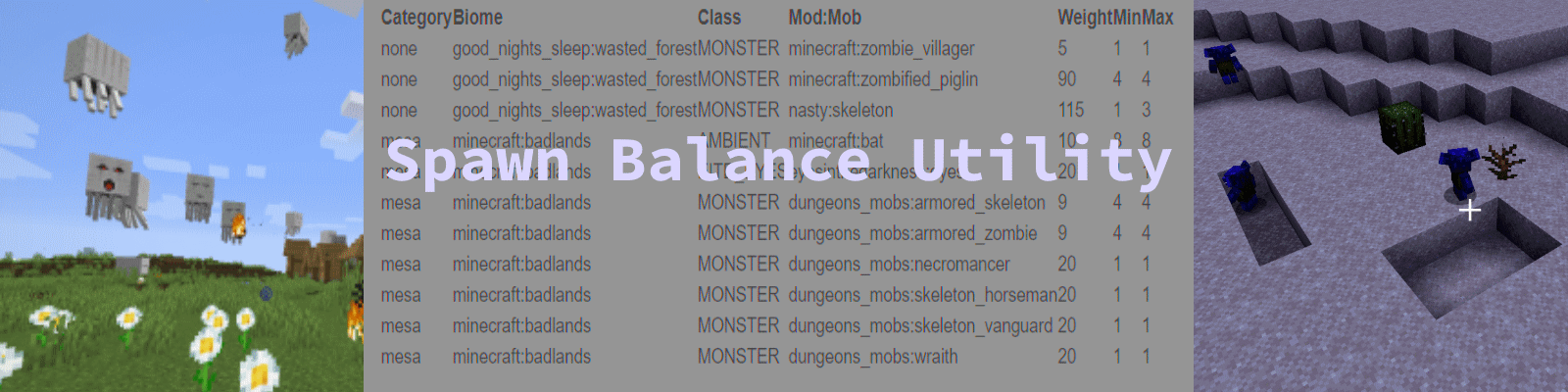
1. Spawn Balance Utility (SBU)
本模组目前支持 Forge 和 Fabric。 NeoForge 目前更多是一种愿景而非既定计划。
Forge 版本已同步更新。
Fabric 版本将在 1.21.8 之前陆续完成适配。
现已支持 *有限* 的 Fabric 环境,适用于 1.20.X 版本(详见下方说明)
概述
我们在整合包中遇到了所有生物生成权重难以平衡的问题,因此编写了这个实用工具模组。
Spawn Balance Utility(简称“SBU”)将帮助整合包设计师、服务器管理员、在个人游戏中运行多个生物模组的普通玩家以及模组开发者识别并调整生成平衡问题。SBU 将为您省去无数次的尝试——修改数值、观察效果、然后重启游戏重新测试——这种繁琐循环。您将能够更明智地编辑模组中的生成权重和群集大小。
使用 SBU,您可以按生物群系单独控制模组生物和原版生物的生成权重。
您可以将整合包中的任何生物添加到任何生物群系中。(当然,该生物仍需满足其内部的生成条件!)
五种常见用途
情况 1:新模组导致现有生物过于稀有。鳕鱼在温水海洋中的默认权重为 5,而 ImaginaryWaterCreatures 模组添加了“HappyFish”,权重为 20。结果海里满是 HappyFish,鳕鱼消失了。Spawn Balance Utility 将帮助您识别并修复此问题。
情况 2:添加了一个新模组,但您从未见过其中的生物。SBU 将帮助您了解原因,并允许您调整生成率以使新怪物更常见。
情况 3:您正在编写一个新模组,并希望获得合理的默认生成权重。Spawn Balance Utility 将帮助您更轻松地为生物选择合适的生成权重。
情况 4:您只想修复那些极端情况,即生成权重过高或过低的问题。例如,您只想直接放入并快速解决怪物从不出现或出现频率过高的最严重问题。默认情况下,它会将生成权重的下限和上限分别设置为 5 和 80。
情况 5:您希望没有任何生物生成。每个生物群系必须至少有一种生物。建议使用蝙蝠。删除除蝙蝠之外的所有行即可。
其他一些功能
SBU 现在提供选项,可将现有的生成权重提升至可配置的最小权重。
如果下界生物群系中缺少僵尸猪灵和恶魂,SBU 可以将它们添加进去。如今有些生物群系几乎空空如也,此举有助于将危险程度恢复至正常水平。
易于使用
作为普通用户,您可以将 SBU 作为一个即插即用模组使用。只需将其放入并使用默认值,即可修复最严重的问题。原版生物不会消失,部分模组生物会变得稍多,而其他模组生物则会变得稍少。您无需进行任何其他操作。
它会在 /spawnbiomeutility 文件夹中创建一些文件,供您查看当前的生成率。例如,在我们的案例中,Mutant Beasts 的值为 45,但它们存在于许多其他拥有更高生成率的模组生物所在的生物群系中。结果我们从未见过它们。我们将此值提高到 100,它们就变得过于常见了。然后我们将它们降低到 80,出现频率就“刚刚好”了。
但是……
如果您深入挖掘,它将赋予您完全的控制权。
作为服务器所有者或整合包设计师,您可以使用 SBU 完全掌控生成权重,使生物变多或变少,甚至将它们添加到当前未出现的生物群系中。这可以通过文本编辑器完成,但使用电子表格会更容易。
2. 文档
配置文件
注意:请使用 Wordpad、Notepad++ 或 Textpad 来编辑 Forge 配置文件,否则它们看起来会像一行长字符串且难以阅读。不要使用记事本(Notepad)。
配置文件(版本 3, 1.36.0.3)摘要
["Spawn Balance UtilityControl Values"]
#Fix min, max values and add nether creatures
fixSpawnValues = true
#minimum Spawn Weight #Range: 1 ~ 1000
minSpawnWeight = 5
#maximum Spawn Weight #Range: 1 ~ 1000
maxSpawnWeight = 80
#fixEmptyNether
fixEmptyNether = true
#generateReport
generateReport = true
#Use the BiomeMobWeight.CSV file to balance Biome spawn values
balanceBiomeSpawnValues = true
#Use the StructMobWeight.CSV file to balance structure spawn values
balanceStructureSpawnValues = true
debugLevel = 0
配置字段文档
#Fix min, max values and add nether creatures
fixSpawnValues = true
如果此项为 true,Spawn Balance Utility (SBU) 会将生成权重提升至最小值,并将过高的生成权重降至最大值。
当 Minecraft 默认将生成权重(spawnweight)设置为非常低的值(如 "1",因为该生物群系中只有一种生物)时,此功能会有所帮助。随后,当模组添加了具有更高生成权重的新怪物时,原版 Minecraft 的生物就会变得极为罕见。
#最小生成权重 #范围: 1 ~ 1000
minSpawnWeight = 5
如果原版 Minecraft 的生成权重为 '1'(例如鳕鱼),那么除非其他模组也使用 '1' 的生成权重,否则任何新增模组都会导致鳕鱼变得罕见。
#最大生成权重 #范围: 1 ~ 1000
maxSpawnWeight = 80
某些模组的默认生成权重非常高。超过 50 的值可能是不必要的。默认值将最大生成值限制为 80。因此,如果一个生物的权重为 100,它将被调整为 80。结合 minSpawnWeight,最终生成的权重将在 5 到 80 之间。
#修复空虚的下界 (fixEmptyNeth)er
fixEmptyNether = true
一些新的下界生物群系没有传统的下界生物,如僵尸猪灵和恶魂。这导致下界变得非常空旷无聊。当将此选项设为 true 时,SBU 会使用 minSpawnWeight 值在下界的所有生物群系中添加僵尸猪灵和恶魂。请注意,在没有任何 5x5 开放地面的生物群系中,恶魂仍然很难生成。另外,每个区块最多只能成功生成一只恶魂。它们的群体大小为 4,因此它们会在放弃前尝试生成 4 次。
#生成报告
generateReport = true
这会生成两个 SBU 报告文件(BiomeMobWeight.txt, StructureMobWeight.txt),它们是 CSV 格式的文件,用于配置。注意:结构生成文件目前仅作为信息参考。利用它向结构中增添怪物和生物的功能即将推出。例如: Mansion( mansion 通常不生成灾厄村民,而是在世界构建时生成它们)。完成该功能后,你可以让 Mansion 生成灾厄村民,破损的下界传送门生成疣猪兽,沉船生成模组中的水生生物,如我们 HostileWaterMobs 模组中的河守卫或滑腻咬人怪。
#使用 CSV 文件平衡生成值
balanceSpawnValues = true
当此选项为 true 时,如果存在 BiomeSpawnUtility.csv 文件,SBU 将使用该文件来修改生成值。SBU 仅在 world 启动时执行*一次*。它不会再次运行,也不会产生持续的服务器负载。
#抑制原版 Minecraft 生物的报告记录
suppressMinecraftMobReporting = false
如果你只想从 .txt 报告中移除 Minecraft 生物,请将此项设置为 "true"。
#要报告的模组名称列表,以分号分隔。
includedReportModsSet = ";"
输入以分号 ";" 分隔的模组列表,以便在报告中包含它们。当为空(默认)时,它将报告所有模组。示例:"undergarden;greekfantasy;dreamlands"。当你添加新模组并只想查看其添加的生物以便将它们添加到 .csv 平衡文件中时使用。
#调试级别: 0 = 关闭, 1 = 日志, 2 = 聊天+日志 #范围: 0 ~ 2
debugLevel = 0
debugLevel 决定了日志记录的详细程度。
级别 1 会将重要的错误输出到日志中,并以 "SpawnBiomeUtility Error" 行标记。
级别 2 会输出警告和*大量*的信息消息(但仅在每次服务器/世界启动时各输出一次)。
#Mod:MobName,DefaultSpawnweight 列表; #Mod:MobName,DefaultSpawnweight 列表;
defaultSpawnWeightList = "minecraft:enderman,5;modname:mobname,6;"
输入 "modname:mobname",一个逗号,然后是一个整数。这将覆盖默认的最低和最高生成权重值。它不会将生物添加到生物群系中。
["生成位置修复"]["生成位置修复"] #将那些在空中生成并坠落的生物加入此列表。
defaultSpawnWeightList = "minecraft:piglin_brute;goblinanddungeon:gob;goblinanddungeon:Hobgob;"
这解决了由于未注册生成位置而导致生物自然在空中生成的问题。(版本 13 及更高版本)
3. 完全控制:BiomeMobWeight 文件。
更改所有生成值后,Spawn Balance Utility ("SBU") 会在 /config/spawnbiomeutility 文件夹中输出一个名为BiomeMobWeight.txt 的文件,其中包含所有生成权重值。
你可以将此文件重命名为 BiomeMobWeight.CSV,SBU 便会将其用作配置文件。
你可以使用电子表格编辑此文件,逐行或同时多行地更改生物的生成权重和群体大小。例如,你可以使用电子表格按生物名称(minecraft:skeleton)排序,将所有生物群系中的骷髅变得更罕见,然后将森林生物群系中的骷髅变得更常见。选中这些行并使用查找和替换功能将生成权重从 80 更改为 50... 然后将森林类别骷髅的生成权重更改为 90。
示例:BiomeMobWeight(添加了示例标题行以帮助你理解)
行号, 生物群系类别, 生物群系, 分类, 模组:生物名称, 生成权重, 最小群体数量, 最大群体数量
1, 针叶林, byg:snowy_blue_taiga_hills, MONSTER, minecraft:spider, 80, 4, 4
2, 针叶林, byg:snowy_blue_taiga_hills, MONSTER, minecraft:zombie, 80, 4, 4
3, 针叶林, byg:snowy_blue_taiga_hills, MONSTER, minecraft:zombie_villager, 10, 1, 1
4, 针叶林, byg:snowy_blue_taiga_hills, MONSTER, minecraft:skeleton, 80, 4, 4
5, 针叶林, byg:snowy_blue_taiga_hills, MONSTER, minecraft:creeper, 80, 4, 4
6, 针叶林, byg:snowy_blue_taiga_hills, MONSTER, minecraft:slime, 80, 4, 4
友好型生物
如果 SBU 遇到错误行,它会输出一条包含错误行内容以及出错字段的消息。
然后它继续处理下一行。 坏数据会被处理。 它不会崩溃。 因此请检查你的日志以查找这些错误消息。
向结构添加生物
你也可以使用 SBU 向结构中添加生物。 目前这仅适用于 Minecraft 原版结构。 SBU 确实会尝试将它们添加到模组结构中,但 Forge 以某种不同的方式处理它们的生成。
我曾用它向沉船添加敌对和平和鱼类。 并向水下神庙添加一些和平鱼类。
相同的流程适用。 第一次运行时,SBU 会创建一个 StructureMobWeight TXT 报告文件。 你将其复制为 StructureMobWeight CSV,然后编辑其中的数值。
示例:原始的 StructureMobWeight csv 文件。
1, minecraft:swamp_hut, HEADING, header:ignore, 0, 0, 0
2, minecraft:swamp_hut, MONSTER, minecraft:witch, 10, 1, 1
4, minecraft:swamp_hut, CREATURE, minecraft:cat, 13, 1, 1
6, minecraft:pillager_outpost, HEADING, header:ignore, 0, 0, 0
7, minecraft:pillager_outpost, MONSTER, minecraft:pillager, 41, 1, 1
9, minecraft:monument, HEADING, header:ignore, 0, 0, 0
10, minecraft:monument, MONSTER, minecraft:guardian, 70, 2, 4
12, minecraft:monument, CREATURE, minecraft:cod, 13, 2, 4
14, minecraft:fortress, HEADING, header:ignore, 0, 0, 0
15, minecraft:fortress, MONSTER, minecraft:blaze, 11, 2, 3
17, minecraft:fortress, MONSTER, minecraft:zombified_piglin, 53, 4, 4
19, minecraft:fortress, MONSTER, minecraft:wither_skeleton, 79, 5, 5
21, minecraft:fortress, MONSTER, minecraft:skeleton, 19, 5, 5
23, minecraft:fortress, MONSTER, minecraft:magma_cube, 33, 4, 4
25, minecraft:mineshaft, HEADING, header:ignore, 0, 0, 0
26, minecraft:mansion, HEADING, header:ignore, 0, 0, 0
27, minecraft:jungle_pyramid, HEADING, header:ignore, 0, 0, 0
28, minecraft:desert_pyramid, HEADING, header:ignore, 0, 0, 0
29, minecraft:igloo, HEADING, header:ignore, 0, 0, 0
30, minecraft:ruined_portal, HEADING, header:ignore, 0, 0, 0
31, minecraft:shipwreck, HEADING, header:ignore, 0, 0, 0
32, minecraft:stronghold, HEADING, header:ignore, 0, 0, 0
33, minecraft:ocean_ruin, HEADING, header:ignore, 0, 0, 0
34, minecraft:endcity, HEADING, header:ignore, 0, 0, 0
35, minecraft:buried_treasure, HEADING, header:ignore, 0, 0, 0
36, minecraft:village, HEADING, header:ignore, 0, 0, 0
37, minecraft:nether_fossil, HEADING, header:ignore, 0, 0, 0
38, minecraft:bastion_remnant, HEADING, header:ignore, 0, 0, 0
轻松向所有生物群系添加生物
SBU 读取 "MassAdditionMobs.CSV" 的内容,并根据四个选项之一(All、Overworld、Nether、End)将文件中列出的任何生物添加到生物群系中。
SBU 会在 config 文件夹内的 spawnbalanceutility 子文件夹中为你创建一个名为 "MassAdditionMobs.TXT" 的模板。 它看起来像这样:
示例生物批量添加文件。按以下模式添加生物并将文件重命名为 MassAdditionMobs.csv
行号, 类别*, 类型**, Namespace:生物ID, 权重, 最小群居数量 , 最大群居数量
1, A, MONSTER, minecraft:phantom, 10, 1, 4
* A, O, N, E 分别代表 All (所有维度), Overworld (主世界), Nether (下界), The End (末地)
** MONSTER (怪物), CREATURE (生物), AMBIENT (环境生物)
此文件会将 minecraft:phantom 添加到所有维度的每个生物群系中。 它还将为文本行打印一些非致命错误消息。
一个正确的文件可能如下所示:
1, A, MONSTER, minecraft:phantom, 10, 1, 4
1, N, AMBIENT, minecraft:bat, 15, 1, 4
1, E, CREATURE, abynormalcraft:twistedbunny, 10, 1, 4
1, O, MONSTER, minecraft:silverfish, 5, 3, 6
此文件将执行以下操作:
* 在游戏的所有生物群系中将幻翼作为稀有怪物添加(你可能每晚看到 1 只)。
* 将蝙蝠作为环境生物添加到所有生物群系中(它们仍会根据 BatEntity 规则限制在黑暗的低矮区域生成)。
* 从(虚构的)abynormalcraft 模组中,将扭曲兔子作为生物(如绵羊...牛...)添加到每个末地生物群系中。
* 在所有主世界生物群系中将 Minecraft 原版蠹虫作为极罕见的生成生物添加(但忽略其他维度)。
4. 出生点平衡工具工作流程
安装 Spawn Balance Utility
运行 Minecraft。
使用默认值时,它会将任何低于 5 的生成权重提升至 5,并将任何高于 80 的生成权重降低至 80。
如果你想进一步自定义,方法如下:
创建一个世界。
退出游戏。
浏览至 /config 文件夹并查看 /spawnbalanceutility 文件夹。
你会看到两个报告文件
- BiomeMobWeight.txt
- StructMobWeight.txt
将 BiomeMobWeight.txt 重命名为 BiomeMobWeight.csv
使用任何文本编辑器、文字处理器或电子表格软件编辑 BiomeMobWeight.csv 文件。确保将更改保存为带有 ".csv" 后缀的 *txt* 或 *csv* txt 文件。
操作说明
* 在生物群系部分为新怪物添加/插入一行。
* 将生成权重(spawnweight)调整为更高或更低的值,以增加或减少其出现频率。
* 将生成权重设置为 0 或负数以移除某种生物。
* 将最小群组大小调整为更高或更低的值。
* 将最大群组大小调整为更高或更低的值。
* 删除该行以从某个生物群系中移除一种生物(但每个生物群系至少需要保留一行,否则 SBU 会使该生物群系保持默认值)。
* 如果你删除了某个生物群系中的*所有*行,那么它将保留默认值,而不是移除怪物(最终必须始终存在至少一种生物)!
高级操作
* 在电子表格中按“怪物”列对文件进行排序,使所有蜘蛛聚集在一起。 复制该数据块并粘贴。将所有的 minecraft:spider 替换为 Mod:creature。
* 请注意,“行号”并非“键”字段,你编辑后的文件中可以存在重复的行号。它仅用于帮助你整理文件以及排查错误。
* 将分类(生成池)更改为另一个合法分类(monster、creature、ambient,或合法的扩展分类,如下例中的 EIBTY)。
如果你在某一行的配置上犯了错——这没什么大不了的! 该行对应的怪物/生物将不会被加入生成表,你会收到此错误提示。
"SpawnBalanceUtility Error reading field "+errorField+" on 394th line of BiomeMobWeight.csv."
执行顺序
* 首先,如果已启用,则应用 BiomeMobWeight.csv 文件(以及结构体权重文件 StructureMobWeight,待实现后),以调整生成权重数值。
* 其次,如果已启用,则应用 FixSpawnWeight 和 FixEmptyNether 的修正。
* 最后,生成包含最终数值的 BiomeMobWeight.txt 文件。
通常情况下,一旦你设置好 BiomeMobWeight.csv 文件,就可以关闭其他功能。但*保留开启状态也没问题*。最坏的情况可能是:你在 CSV 文件中设置了 100 的生成权重,随后被降低至 80。
示例
BiomeMobWeight 文件内容示例
行号, 生物群系类别, 生物群系, 分类, Mod:怪物, 生成权重, 最小群组数量, 最大群组数量
1, taiga, byg:snowy_blue_taiga_hills, MONSTER, minecraft:spider, 80, 4, 4
2, taiga, byg:snowy_blue_taiga_hills, MONSTER, minecraft:zombie, 80, 4, 4
3, taiga, byg:snowy_blue_taiga_hills, MONSTER, minecraft:zombie_villager, 10, 1, 1
4, taiga, byg:snowy_blue_taiga_hills, MONSTER, minecraft:skeleton, 80, 4, 4
5, taiga, byg:snowy_blue_taiga_hills, MONSTER, minecraft:creeper, 80, 4, 4
6, taiga, byg:snowy_blue_taiga_hills, MONSTER, minecraft:slime, 80, 4, 4
7, taiga, byg:snowy_blue_taiga_hills, MONSTER, minecraft:enderman, 10, 1, 4
8, taiga, byg:snowy_blue_taiga_hills, MONSTER, minecraft:witch, 10, 1, 1
9, taiga, byg:snowy_blue_taiga_hills, MONSTER, minecraft:stray, 80, 4, 4
10, taiga, byg:snowy_blue_taiga_hills, MONSTER, earthmobsmod:lobber_zombie, 10, 2, 4
11, taiga, byg:snowy_blue_taiga_hills, MONSTER, dungeonsmod:notehead, 10, 1, 1
12, taiga, byg:snowy_blue_taiga_hills, MONSTER, nasty:skeleton, 80, 1, 3
13, taiga, byg:snowy_blue_taiga_hills, MONSTER, greekfantasy:shade, 10, 1, 1
14, taiga, byg:snowy_blue_taiga_hills, MONSTER, quark:toretoise, 80, 1, 1
15, taiga, byg:snowy_blue_taiga_hills, MONSTER, quark:stoneling, 80, 1, 1
16, taiga, byg:snowy_blue_taiga_hills, MONSTER, hostilewatermobs:slipperybiter, 15, 1, 2
17, taiga, byg:snowy_blue_taiga_hills, MONSTER, hostilewatermobs:river_guardian, 10, 1, 1
18, taiga, byg:snowy_blue_taiga_hills, MONSTER, hostilewatermobs:gurty, 15, 1, 1
19, taiga, byg:snowy_blue_taiga_hills, CREATURE, minecraft:sheep, 12, 4, 4
20, taiga, byg:snowy_blue_taiga_hills, CREATURE, minecraft:pig, 10, 4, 4
21, taiga, byg:snowy_blue_taiga_hills, CREATURE, minecraft:chicken, 10, 4, 4
22, taiga, byg:snowy_blue_taiga_hills, CREATURE, minecraft:cow, 10, 4, 4
23, taiga, byg:snowy_blue_taiga_hills, CREATURE, minecraft:wolf, 10, 4, 4
24, taiga, byg:snowy_blue_taiga_hills, CREATURE, minecraft:rabbit, 10, 2, 3
25, taiga, byg:snowy_blue_taiga_hills, CREATURE, minecraft:fox, 10, 2, 4
26, taiga, byg:snowy_blue_taiga_hills, CREATURE, greekfantasy:cyprian, 15, 1, 3
27, taiga, byg:snowy_blue_taiga_hills, CREATURE, greekfantasy:dryad, 24, 1, 3
28, taiga, byg:snowy_blue_taiga_hills, EIBTY, classy:creepygiggle, 22, 2, 5
29, taiga, byg:snowy_blue_taiga_hills, AMBIENT, minecraft:bat, 10, 8, 8
5. 常见问题解答
1) SBU 是否会绕过生成上限?
不会。它仅修改生成权重。请注意,许多人形生物会在洞穴中生成,因此如果你移除了它们而只保留大型生物,这些大型生物在地表的出现频率将会变得非常高!
2) SBU 是否更改任何硬编码的生物限制?
不会。夜间生物仍不会在白天生成。具有每区块数量限制的生物仍然受该限制约束。生物的分类池限制依然适用。
3) 生成权重文件中的行号重要吗?
不重要——行号可以重复。它的存在是为了帮助你在电子表格(如 Libreoffice Calc 或 Excel)中编辑时整理配置数据。例如,你可以按 mod:mob 进行排序,利用这一功能快速为新 mod:mob 建立配置:复制所有包含 "minecraft:skeleton" 的行,然后将复制行中的 mod:mob 替换为你想要添加的新生物名称,从而在所有原本生成骷髅的地方以相同的权重和群组大小生成新生物。
4) 这是否意味着我可以让某种生物在黑森林或模组生物群系中常见,而在平原中完全不生成?
是的,没错!完全正确!
5) 这是否意味着我可以让豹在沙漠中生成?
只有当那片沙漠中存在树叶或草方块时才行。具有硬编码生成方块要求的生物仍然需要其指定的生成方块。如果你在其他敌对生物群系中添加带有这些生成方块的建筑,它们就会在这些建筑处生成。
5) 生成权重(SpawnWeights)是如何工作的?
假设你有三种生物,它们的生成权重分别为 10、30 和 50。Minecraft 会将它们相加得到 90,然后掷一个 90 面的骰子。接着,它会尝试生成掷出的那个模组生物:mod:mob。当 Mojang 的程序员知道某个生物群系只有一种生物时,他们可能会使用生成权重 1。这意味着生成表总和为 1,Minecraft 会掷一个 1 面的骰子。基本上,在这种情况下,1 与 10 或 100 是等价的。但是,当你添加一个包含新生物且生成权重为 10 的模组时,现在总和变为 1+10=11,Minecraft 会掷一个 11 面的骰子。默认生物的出现概率就从原来的 100% 降到了 1/11(约 9%)。不过等等……这也可能导致一种情况:所有生成上限槽位都被其他生物占满,那么直到那些不常见的生物死亡或消失之前,它们都不会出现。
接下来是什么? 发布计划
除非收到新的功能请求,否则目前已完成全部功能开发。
我希望在这之后能推出我的第一个 Fabric 模组。此前我曾两次尝试将其移植到 Fabric,但都失败了。但我认为第三次尝试(在秋季之前)将会成功。我一直在制作一些小型 Fabric 模组以积累经验。
Patron 支持者
Spawn Balance Utility 目前尚无支持者。它在 Curseforge 和 GitHub 上免费提供。我们的许多模组现已获得支持,这使得它们可以兼容任何替代加载器。
你可以通过下方的链接加入我们的 Discord 服务器。
1. Spawn Balance Utility (SBU)
This mod is on Forge and Fabric currently. Neoforge is more of a wish than a plan at this point.
Forge is caught up.
Fabric will be worked on soon through 1.21.8.
Now with *limited* fabric support for version 1.20.X (see more notes below)
Overview
We were having issues balancing all the mob spawn weights in our modpack so I wrote this utility mod.
Spawn balance utility ("SBU") will help Modpack Designers, Server Operators, Ordinary people running a personal game with multiple mob mods, and Mod Developers to indentify and adjust spawn balance issues. SBU will save you endless iterations of trying a value- seeing how it works- and then restarting again. You'll be able to make better informed choices when editing spawn weights and group sizes in mods.
With SBU, you be able to control spawnweights for modded and normal mobs on an individual biome by biome basis.
You'll be able to add any mob in the pack to any biome in the pack. (The mob still has to pass it's internal spawning requirements tho!)
Five Common Uses
Case 1: A new mod makes existing creatures too rare. Cod have a default weight of 5 in lukewarm oceans and the ImaginaryWaterCreatures mod adds "HappyFish" with a weight of 20. And now the ocean is full of happy fish and the Cod are gone. Spawn Balance Utility will help you identify and fix this.
Case 2: A new mod is added but you never see the creatures from it. SBU will help you see why and let you adjust spawn rates to make the new monster more common.
Case 3: You are writing a new mod and you want some good default spawn weights. The Spawn Balance Utility will help you to choose better spawnweights easier.
Case 4: You just want to fix the most extreme cases where spawn weights are easy too high or low. Say you just want to drop it in and quickly fix the worst problems of mobs never showing up or showing up way too much. By default, it sets a floor and cieling spawn weights of 5 and 80.
Case5: You want no mobs to spawn. Each biome must have at least one mob. I suggest using bats. Remove all lines except bats.
Some Other Features
SBU now has the option to increase existing spawn weights to a configurable minimum weight.
SBU can add Zombified Piglin and Ghasts to nether biomes if they are missing. Some biomes are basically empty now so this helps increase the danger back to normal.
Easy to Use
As a typical user, you may use SBU as a plug and play mod. Simply drop it in with default values and it will fix the worst problems. Minecraft creatures won't disappear, some modded creatures will become a little more common while other modded creatures will become a little less common. You don't need to do anything else.
It will create a some files in a folder /spawnbiomeutility that you can use to see what the current spawn rates are. For example, in our case Mutant Beasts had a value of 45 but they were in biomes with a lot of other modded creatures which had higher spawn rates. As a result we never saw them. We raised this to 100 and they were too common. Then we lowered them to 80 an it was "just right" how often they showed up.
However...
Powerful with total control if you dig a little deeper.
As a server owner or modpack designer, you can use SBU to gain total control over spawn weights, make mobs more or less common, even add them to biomes they don't currently appear in. This can be done with a text editor but a spreadsheet makes it easiest.
2. Documentation
Configuration File
Note: Please Use Wordpad, Notepad++, Textpad to edit Forge config files or they will look like one long line and be hard to read. Don't use Notepad.
Configuration File(version 3, 1.36.0.3) Summary
["Spawn Balance UtilityControl Values"]
#Fix min, max values and add nether creatures
fixSpawnValues = true
#minimum Spawn Weight #Range: 1 ~ 1000
minSpawnWeight = 5
#maximum Spawn Weight #Range: 1 ~ 1000
maxSpawnWeight = 80
#fixEmptyNether
fixEmptyNether = true
#generateReport
generateReport = true
#Use the BiomeMobWeight.CSV file to balance Biome spawn values
balanceBiomeSpawnValues = true
#Use the StructMobWeight.CSV file to balance structure spawn values
balanceStructureSpawnValues = true
debugLevel = 0
Configuration Field Documentation
#Fix min, max values and add nether creatures
fixSpawnValues = true
If this is true, Spawn Balance Utility (SBU) will raise spawnweights to the minimum values and lower spawnweights to the maximum values.
This helps when minecraft defaults to very low spawnweight values like "1" because it only had one mob in the biome. Then when mods added new monsters with higher spawnweights, normal minecraft creatures became very rare.
#minimum Spawn Weight #Range: 1 ~ 1000
minSpawnWeight = 5
If the default minecraft spawnweight is '1' (like for Cod) then any new mods will make Cod become rare unless those mods also use a spawn weight of '1'.
#maximum Spawn Weight #Range: 1 ~ 1000
maxSpawnWeight = 80
Some mods default to very high spawn weights. Anything over 50 is probably unnecessary. The default value limits maximum spawn values to 80. So if a mob had a weight of 100, it would become 80. In combination with minSpawnWeight, you end up with spawnweights between 5 and 80.
#fixEmptyNether
fixEmptyNether = true
Some new minecraft nether biomes don't have traditional nether mobs like zombified piglin and ghasts. This results in a very boring empty nether. When you set this to true, SBU adds zombified Piglin and Ghasts to all nether biomes using the minSpawnWeight value. Please note that Ghasts still have a hard time spawning in biomes with no 5x5 sections of open ground. Also note that Ghasts are limited to 1 successful spawn per chunk. They have a group size of 4 so they will try to spawn 4 times before giving up.
#generateReport
generateReport = true
this generates the two SBU reports (BiomeMobWeight.txt, StructureMobWeight.txt) which are csv format files to be used for configuration. NOTE: The structure spawn file is informational at this point. Using it to add monsters and creatures to structures is coming. For example: Mansion's don't spawn illagers- they generate them at world build time. When complete, you could make Mansions spawn Illagers, Broken Nether Portals spawn Hoglins, and Shipwrecks spawn modded water creatures like River Guardians or Slippery Biters from our HostileWaterMobs mod.
#Use the CSV file to balance spawn values
balanceSpawnValues = true
When this is true, SBU will use the BiomeSpawnUtility.csv file if it exists to modify the spawn values. SBU does this *once* when the world starts. It never runs again. It creates no ongoing server load.
#suppressMinecraftMobReporting
suppressMinecraftMobReporting = false
Set this to "true" if you just want to remove minecraft mobs from the .txt report.
#Mod Name set separated by SemiColons of mods to report.
includedReportModsSet = ";"
Type a list of mods separated by semi-colons ";" to include on the report. When blank (default) , it will report all mods. Example: "undergarden;greekfantasy;dreamlands". Used when you are adding a new mod and you just want to see the mobs it is adding so you can add them to the .csv balancing file.
#Debug Level: 0 = Off, 1 = Log, 2 = Chat+Log #Range: 0 ~ 2
debugLevel = 0
The debugLevel determines how verbose the logging is.
Level 1 outputs important errors to the log noted by a "SpawnBiomeUtility Error" line.
Level 2 outputs warnings and a *lot* of informational messages (but only once each time the server/world is started).
#list of Mod:MobName,DefaultSpawnweight; #list of Mod:MobName,DefaultSpawnweight;
defaultSpawnWeightList = "minecraft:enderman,5;modname:mobname,6;"
Put the "modname:mobname", a comma, and then an integer. This will override default minimum and maximum spawnweight values. It won't add a mob to a biome.
["Spawn Placement Fixes"]["Spawn Placement Fixes"] #Add mobs spawning in the air and falling to this list .
defaultSpawnWeightList = "minecraft:piglin_brute;goblinanddungeon:gob;goblinanddungeon:Hobgob;"
This fixes the problem of mobs naturally spawning in the air because they have no registered spawn placements. (Version 13 and later)
3. Total Control: BiomeMobWeight file.
After changing all spawn values, Spawn Balance Utility ("SBU") outputs a file with all spawnweight values titled BiomeMobWeight.txt in the folder /config/spawnbiomeutility.
You can rename this file to BiomeMobWeight.CSV and SBU will use it as a configuration file.
You can edit this file with a spreadsheet and change spawn weights and group size for mobs line by line or multiple lines at a time. For example, you could change skeletons to be less common in every biome and then make them more common in forest biomes by using a spreadsheet to sort by the mob name (minecraft:skeleton).. select those lines and use find and replace to change the spawnweights from 80 to 50... and then change the forest category skeleton spawn weights to 90.
Example: BiomeMobWeight (with example header row added to help you understand)
Line#, Biome Category, Biome, Classification, Mod:Monster, Spawnweight, MinGroup#, MaxGroup#
1, taiga, byg:snowy_blue_taiga_hills, MONSTER, minecraft:spider, 80, 4, 4
2, taiga, byg:snowy_blue_taiga_hills, MONSTER, minecraft:zombie, 80, 4, 4
3, taiga, byg:snowy_blue_taiga_hills, MONSTER, minecraft:zombie_villager, 10, 1, 1
4, taiga, byg:snowy_blue_taiga_hills, MONSTER, minecraft:skeleton, 80, 4, 4
5, taiga, byg:snowy_blue_taiga_hills, MONSTER, minecraft:creeper, 80, 4, 4
6, taiga, byg:snowy_blue_taiga_hills, MONSTER, minecraft:slime, 80, 4, 4
Friendly
If SBU encounters a bad line- it issues an error message with the bad line and the field where it had the error.
Then it continues with the next line. Bad data is handled. It doesn't crash. So check your logs for these error messages.
Adding Mobs to Structures
You can also use SBU to add mobs to structures. Currently this only works for minecraft structures. SBU does add them to modded structures but Forge is handling their spawns differently somehow.
I used it to add hostile and peaceful fish to shipwrecks. And to add some peaceful fish to Underwater Monuments.
The same sequence applies. The first run, SBU creates a StructureMobWeight TXT report file. You copy it to StructureMobWeight CSV and then edit the values.
Example: raw StructureMobWeight csv file.
1, minecraft:swamp_hut, HEADING, header:ignore, 0, 0, 0
2, minecraft:swamp_hut, MONSTER, minecraft:witch, 10, 1, 1
4, minecraft:swamp_hut, CREATURE, minecraft:cat, 13, 1, 1
6, minecraft:pillager_outpost, HEADING, header:ignore, 0, 0, 0
7, minecraft:pillager_outpost, MONSTER, minecraft:pillager, 41, 1, 1
9, minecraft:monument, HEADING, header:ignore, 0, 0, 0
10, minecraft:monument, MONSTER, minecraft:guardian, 70, 2, 4
12, minecraft:monument, CREATURE, minecraft:cod, 13, 2, 4
14, minecraft:fortress, HEADING, header:ignore, 0, 0, 0
15, minecraft:fortress, MONSTER, minecraft:blaze, 11, 2, 3
17, minecraft:fortress, MONSTER, minecraft:zombified_piglin, 53, 4, 4
19, minecraft:fortress, MONSTER, minecraft:wither_skeleton, 79, 5, 5
21, minecraft:fortress, MONSTER, minecraft:skeleton, 19, 5, 5
23, minecraft:fortress, MONSTER, minecraft:magma_cube, 33, 4, 4
25, minecraft:mineshaft, HEADING, header:ignore, 0, 0, 0
26, minecraft:mansion, HEADING, header:ignore, 0, 0, 0
27, minecraft:jungle_pyramid, HEADING, header:ignore, 0, 0, 0
28, minecraft:desert_pyramid, HEADING, header:ignore, 0, 0, 0
29, minecraft:igloo, HEADING, header:ignore, 0, 0, 0
30, minecraft:ruined_portal, HEADING, header:ignore, 0, 0, 0
31, minecraft:shipwreck, HEADING, header:ignore, 0, 0, 0
32, minecraft:stronghold, HEADING, header:ignore, 0, 0, 0
33, minecraft:ocean_ruin, HEADING, header:ignore, 0, 0, 0
34, minecraft:endcity, HEADING, header:ignore, 0, 0, 0
35, minecraft:buried_treasure, HEADING, header:ignore, 0, 0, 0
36, minecraft:village, HEADING, header:ignore, 0, 0, 0
37, minecraft:nether_fossil, HEADING, header:ignore, 0, 0, 0
38, minecraft:bastion_remnant, HEADING, header:ignore, 0, 0, 0
Adding Mobs to every Biome Easily
SBU reads the contents of "MassAdditionMobs.CSV" and adds any mobs in the file to biomes based on one of four options (All, Overworld, Nether,End).
SBU will create a template for you to use named "MassAdditionMobs.TXT" in the spawnbalanceutility sub-folder inside the config folder. It looks like this:
Example mob mass addition file. Add mobs with the pattern below and rename file to MassAdditionMobs.csv
Line, Category*, Class**, Namespace:Mob, Weight, Mingroup , Maxgroup
1, A, MONSTER, minecraft:phantom, 10, 1, 4
* A, O, N, E for All, Overworld, Nether, The End
** MONSTER,CREATURE,AMBIENT
This file would add minecraft:phantom to every biome in all dimensions. It would also print some non-fatal error messages for the text lines.
A proper file might look like this:
1, A, MONSTER, minecraft:phantom, 10, 1, 4
1, N, AMBIENT, minecraft:bat, 15, 1, 4
1, E, CREATURE, abynormalcraft:twistedbunny, 10, 1, 4
1, O, MONSTER, minecraft:silverfish, 5, 3, 6
This file would
* add phantoms as a rare monster (you might see 1 per night) in every biome in the game.
* add bats as ambient mobs too every biome (they would still be restricted to dark low area by the BatEntity rules).
* add twisted bunnies from the (made up) abynormalcraft mod as creatures (like sheep... cows...) to every End biome.
* Add minecraft silverfish as a very rare spawn in all overworld biomes (but ignore other dimensions).
4. Spawn Balance Utility Workflow
Install Spawn Balance Utility
Run Minecraft.
With the default values, it will raise any spawnweights below 5 up to 5 and lower any spawnweights above 80 down to 80.
If you want to customize further- here is how:
Create a world.
Exit.
Browse to the /config folder and look in the /spawnbalanceutility folder.
You will see two reports
- BiomeMobWeight.txt
- StructMobWeight.txt
Rename BiomeMobWeight.txt to BiomeMobWeight.csv
Edit the BiomeMobWeight.csv file with any text editor, word processor, or spreadsheet. Make sure you save your changes as a *txt* or *csv* txt file with a ".csv" suffix.
Actions
* Add/Insert a line for a new monster in a biome section.
* Change the spawnweight to a higher or lower value to make it more or less common.
* Change the spawnweight to 0 or negative to remove a creature.
* Change the minimum group size to a higher or lower value.
* Change the maximum group size to a higher or lower value.
* Delete the line to remove a creature from a biome (but each Biome needs at least one line or SBU will leave the Biome with default values).
* If you delete *all* the lines in a biome, then it keeps the default values instead of removing monsters (in the end, there must always be one)!
Advanced Actions
* Sort the file in a spreadsheet by the monster column so all spiders are together. Copy the block and paste it. Change all minecraft:spiders to the Mod:creature.
* Note the Line Number is not a "key" field and your edited file can have duplicated line numbers. It's only there to help you sort the file and to help you fix errors.
* Change the classification (spawn pool) to another legal classification (monster, creature, ambient, or a legal extended classification (like EIBTY in example below)
If you make a mistake on a line- it is no big deal! The monster/creature on that line won't be put in the spawn tables and you'll get this error message.
"SpawnBalanceUtility Error reading field "+errorField+" on 394th line of BiomeMobWeight.csv."
Sequence of Operation
* First, if turned on apply the BiomeMobWeight.csv file (and StructureMobWeight when implemented) to spawnweight values.
* Second, if turned on apply the FixSpawnWeight and FixEmptyNether changes
* Third, Produce the BiomeMobWeight.txt file with the final values
Normally, once you have your BiomeMobWeight.csv file set up, you can turn off the other features. But it's *okay* to leave them on. The worst that can happen is you might put in a spawn weight of 100 in the CSV file and then it is lowered to 80.
Examples
BiomeMobWeight File Contents Example
Line#, Biome Category, Biome, Classification, Mod:Monster, Spawnweight, MinGroup#, MaxGroup#
1, taiga, byg:snowy_blue_taiga_hills, MONSTER, minecraft:spider, 80, 4, 4
2, taiga, byg:snowy_blue_taiga_hills, MONSTER, minecraft:zombie, 80, 4, 4
3, taiga, byg:snowy_blue_taiga_hills, MONSTER, minecraft:zombie_villager, 10, 1, 1
4, taiga, byg:snowy_blue_taiga_hills, MONSTER, minecraft:skeleton, 80, 4, 4
5, taiga, byg:snowy_blue_taiga_hills, MONSTER, minecraft:creeper, 80, 4, 4
6, taiga, byg:snowy_blue_taiga_hills, MONSTER, minecraft:slime, 80, 4, 4
7, taiga, byg:snowy_blue_taiga_hills, MONSTER, minecraft:enderman, 10, 1, 4
8, taiga, byg:snowy_blue_taiga_hills, MONSTER, minecraft:witch, 10, 1, 1
9, taiga, byg:snowy_blue_taiga_hills, MONSTER, minecraft:stray, 80, 4, 4
10, taiga, byg:snowy_blue_taiga_hills, MONSTER, earthmobsmod:lobber_zombie, 10, 2, 4
11, taiga, byg:snowy_blue_taiga_hills, MONSTER, dungeonsmod:notehead, 10, 1, 1
12, taiga, byg:snowy_blue_taiga_hills, MONSTER, nasty:skeleton, 80, 1, 3
13, taiga, byg:snowy_blue_taiga_hills, MONSTER, greekfantasy:shade, 10, 1, 1
14, taiga, byg:snowy_blue_taiga_hills, MONSTER, quark:toretoise, 80, 1, 1
15, taiga, byg:snowy_blue_taiga_hills, MONSTER, quark:stoneling, 80, 1, 1
16, taiga, byg:snowy_blue_taiga_hills, MONSTER, hostilewatermobs:slipperybiter, 15, 1, 2
17, taiga, byg:snowy_blue_taiga_hills, MONSTER, hostilewatermobs:river_guardian, 10, 1, 1
18, taiga, byg:snowy_blue_taiga_hills, MONSTER, hostilewatermobs:gurty, 15, 1, 1
19, taiga, byg:snowy_blue_taiga_hills, CREATURE, minecraft:sheep, 12, 4, 4
20, taiga, byg:snowy_blue_taiga_hills, CREATURE, minecraft:pig, 10, 4, 4
21, taiga, byg:snowy_blue_taiga_hills, CREATURE, minecraft:chicken, 10, 4, 4
22, taiga, byg:snowy_blue_taiga_hills, CREATURE, minecraft:cow, 10, 4, 4
23, taiga, byg:snowy_blue_taiga_hills, CREATURE, minecraft:wolf, 10, 4, 4
24, taiga, byg:snowy_blue_taiga_hills, CREATURE, minecraft:rabbit, 10, 2, 3
25, taiga, byg:snowy_blue_taiga_hills, CREATURE, minecraft:fox, 10, 2, 4
26, taiga, byg:snowy_blue_taiga_hills, CREATURE, greekfantasy:cyprian, 15, 1, 3
27, taiga, byg:snowy_blue_taiga_hills, CREATURE, greekfantasy:dryad, 24, 1, 3
28, taiga, byg:snowy_blue_taiga_hills, EIBTY, classy:creepygiggle, 22, 2, 5
29, taiga, byg:snowy_blue_taiga_hills, AMBIENT, minecraft:bat, 10, 8, 8
5. Frequently Asked Questions
1) Does SBU bypass the spawn cap?
No. It only changes spawn weights. Keep in mind that a lot of humanoid mobs spawn in caves so if you remove them and only have big mobs, they will become very common on the surface!
2) Does SBU change any hard coded mob limits?
No. Night Time mobs still won't spawn during the day. Mobs with a limited number per chunk are still limited that way. The classification pool limits for mobs still apply.
3) Does the line number in the SpawnWeight file matter?
No- it can be duplicated. It's there to help you sort the configuration data when you are editing it in a spreadsheet (such as Libreoffice Calc or Excel). For example, you could sort on mod:mob, use that to quickly set up a new mod:mob by copying all the "minecraft:skeleton" lines and then changing the mod:mob in the copied lines to the new mob you want to add everywhere skeletons are now with the same weight and group size as skeletons have now.
4) Does this mean I can make a mob common in Dark Forests or in a modded Biome and not spawn at all in Plains?
Yes yes yes! Absolutely!
5) Does this mean I can make Ocelots spawn in the Desert?
Only if that desert has some leaves or grass blocks. Mobs with hard coded spawn block requirements still require their spawn blocks. If you add structures with their spawn blocks to otherwise hostile biomes, they'll spawn at those structures.
5) How do SpawnWeights work?
Say you had 3 mobs with spawnweights of 10,30, and 50. Minecraft sums them and gets 90. It rolls a 90 sided dice. It then tries to spawn the mod:mob that it rolled. When Mojang programmers knows a biome only has one kind of mob, they may use a spawnweight of 1. This means, the spawn table total is 1, and minecraft rolls a 1 sided dice. Basically, 1 is the same as 10 or 100 in this case. But when you add a Mod with a new mob and a spawn weight of 10, now you get 1+10 = 11 and minecraft rolls an 11 sided dice. And the default mob just went from occurring 100% of the time to occurring 1/11th (about 9%) of the time. But wait... this can also result in a case where all the spawn cap slots are taken up by other mobs and then until they die or despawn none of the uncommon mobs will occur.
What's Next? Release Plan
It's now feature complete unless I get new feature requests.
I hope this will be my first Fabric mod after that. The first and second attempts to make this a fabric mod failed. But I think a third attempt (before fall) will succeed. I've been doing smaller fabric mods to get my feet wet.
Patron Supporters
Spawn Balance Utility currently has no supporters. It's available for free on Curseforge and via Github. Many of our mods are now supported which opens them up to any alternative mod loaders.
You can join us on our Discord Server at the link below.


 模组

 模组
 模组

 模组
 模组

 模组

评论 0
登录后参与评分
还没有评论,来抢沙发吧