
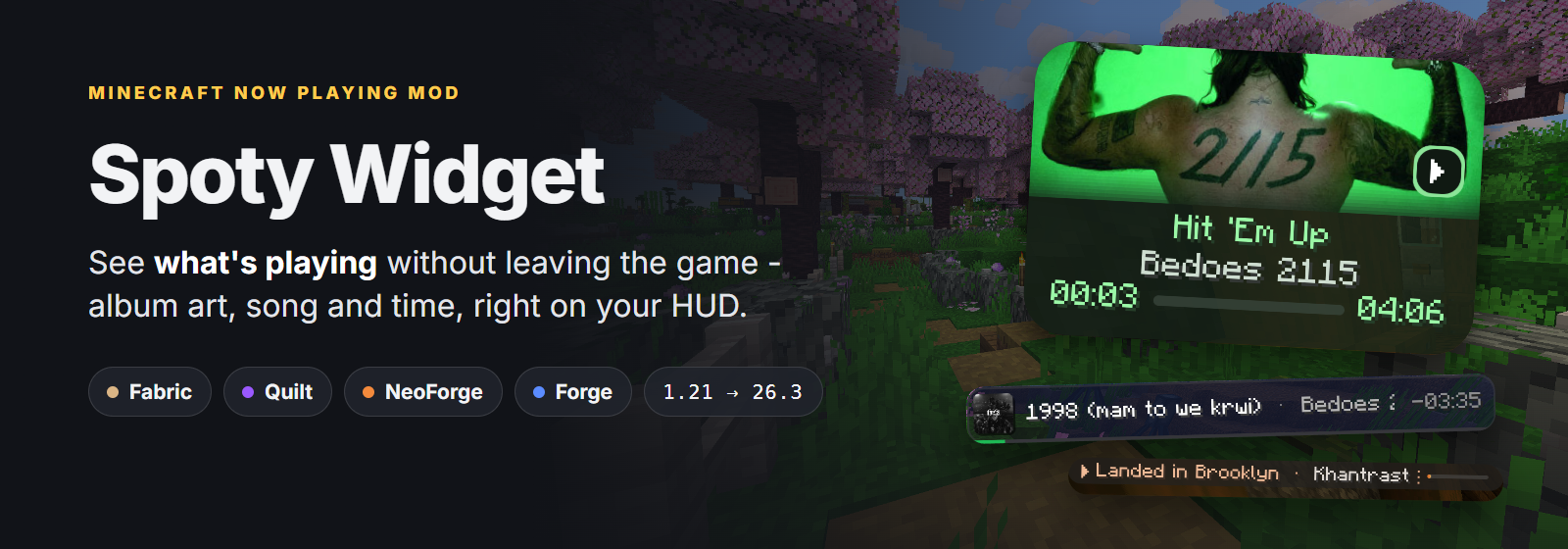
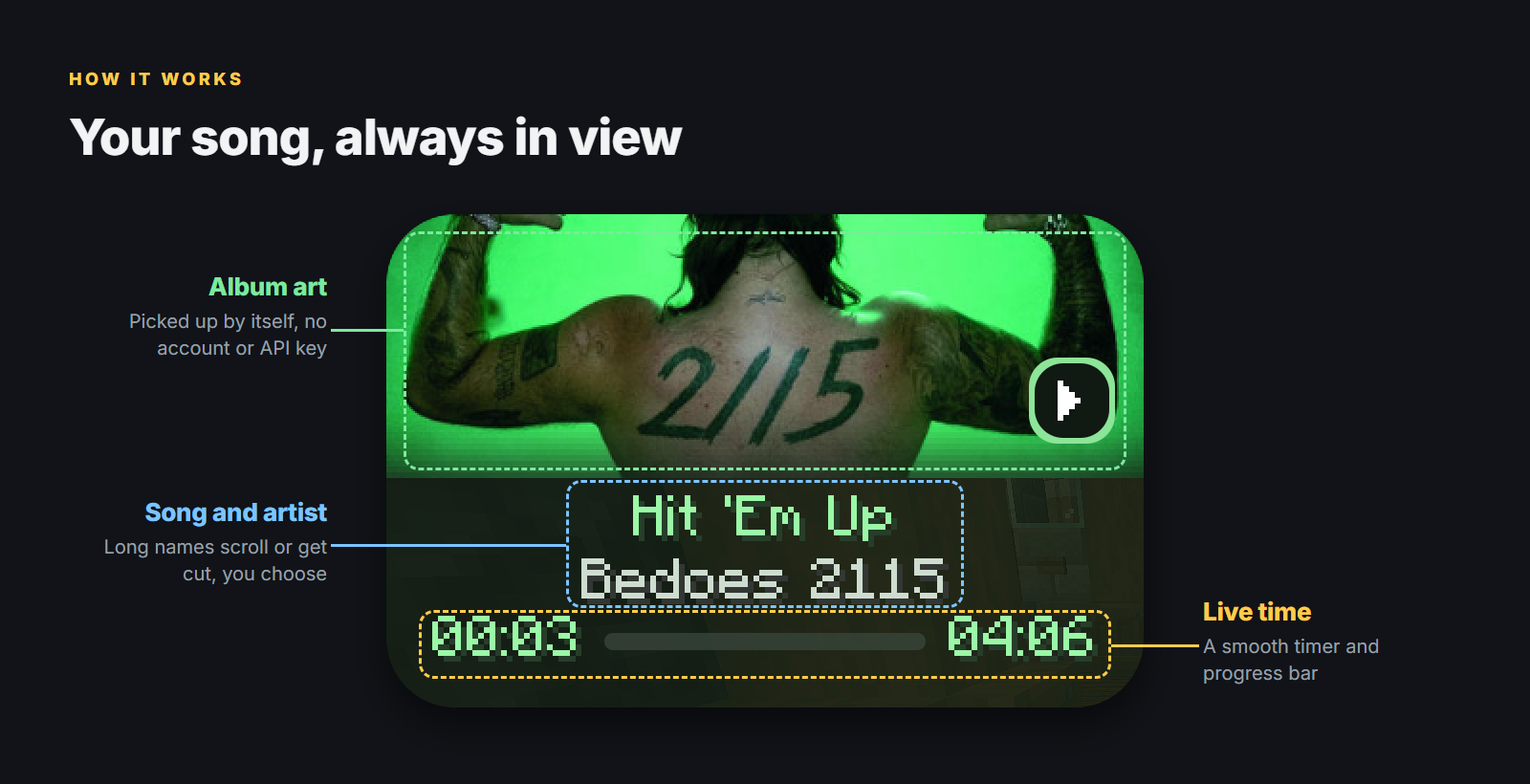
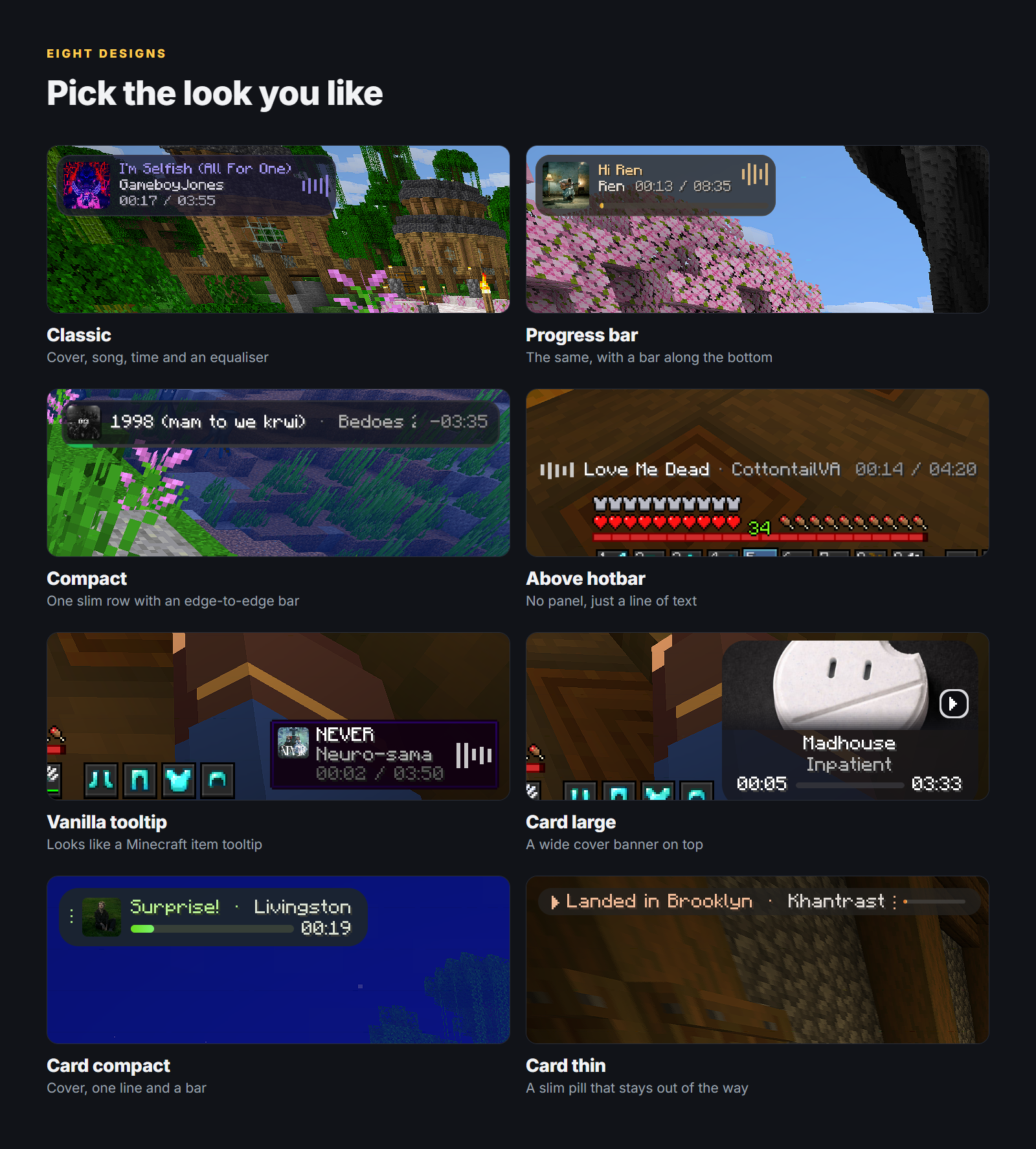
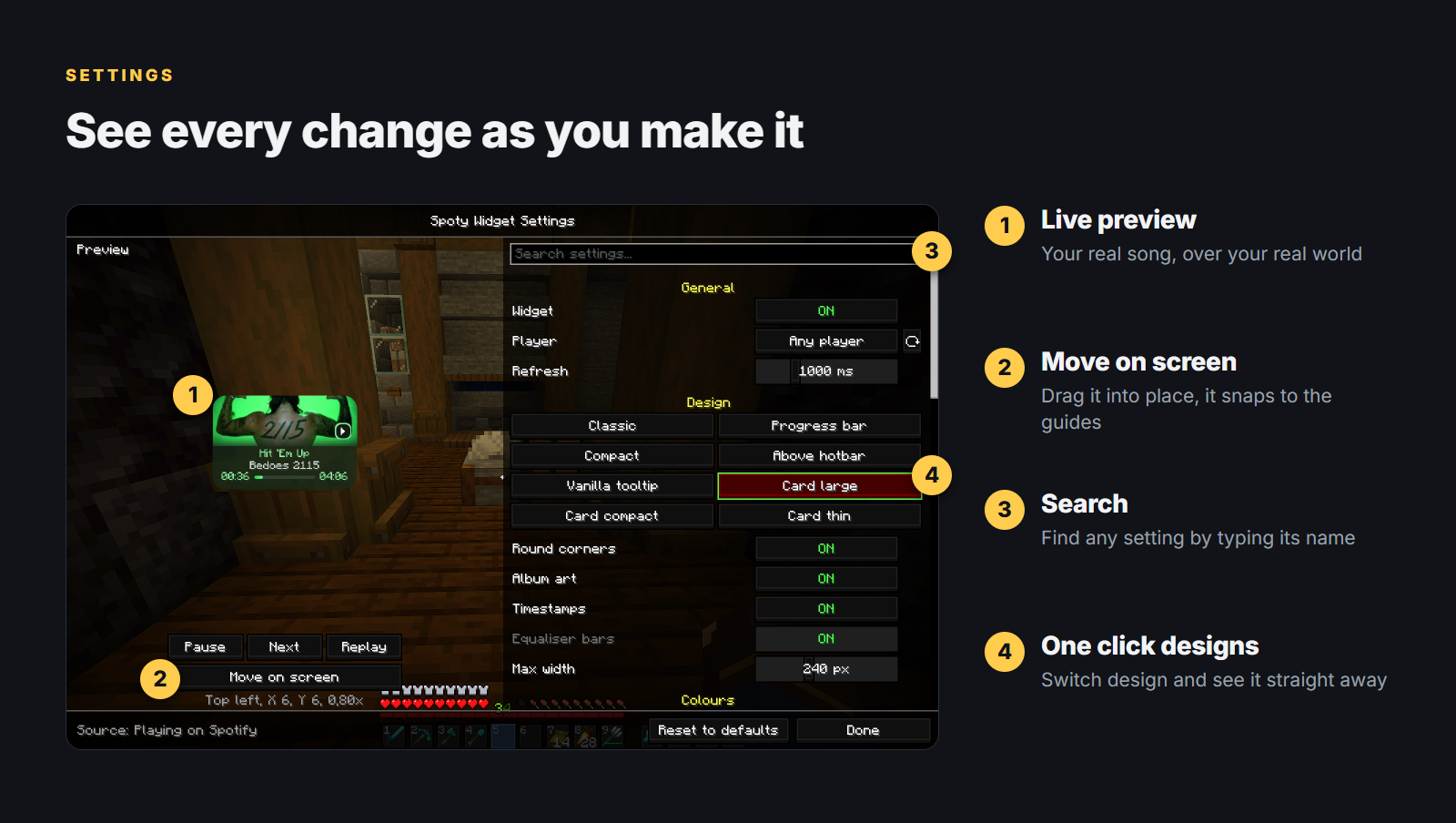
无需退出游戏即可了解当前播放内容。 Spoty Widget 将歌曲信息(专辑封面、标题、艺术家和播放时间)以八种设计之一显示在屏幕角落。
无需 Spotify 账号。无需 API 密钥。无需登录。 它读取 Spotify 桌面应用程序已告知系统的信息。


安装设置
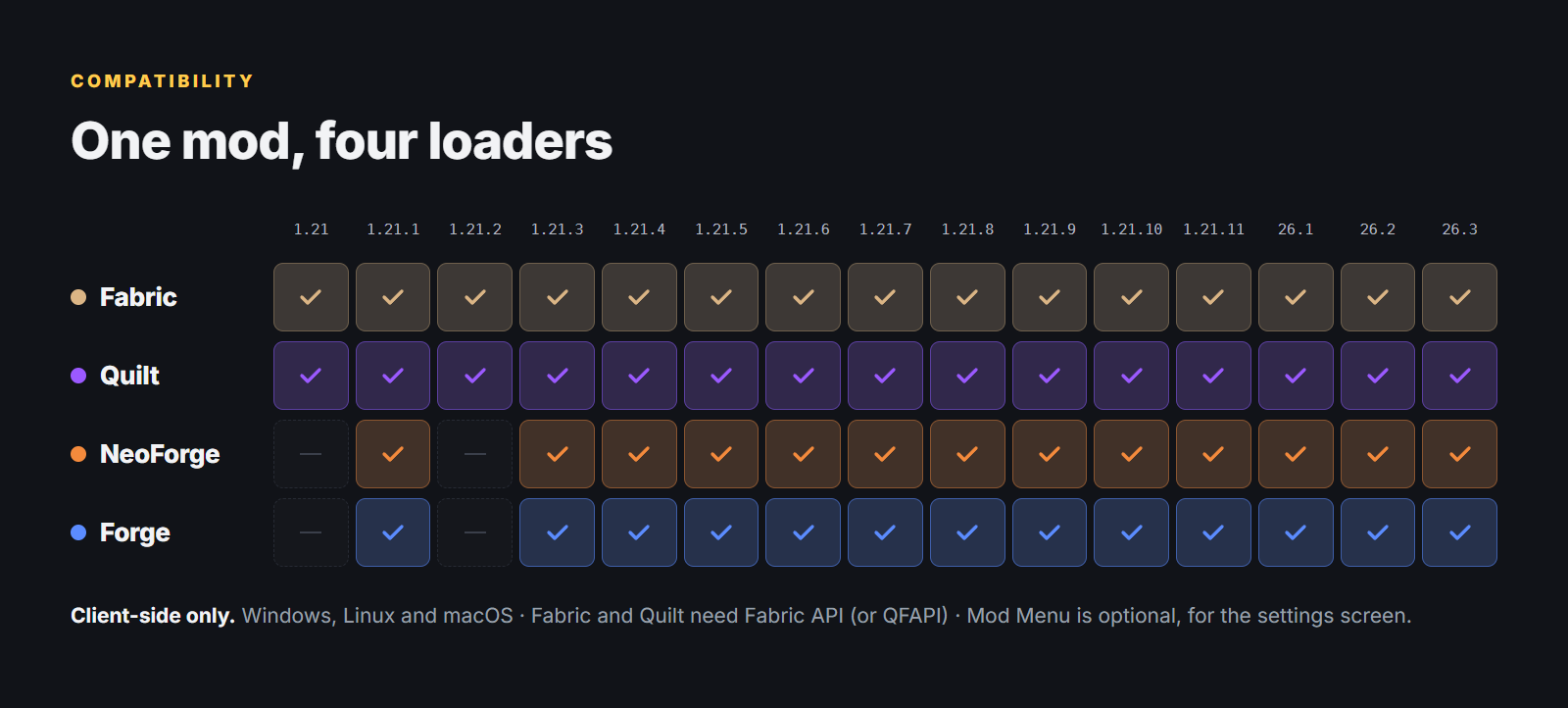
- Fabric / Quilt - 需要 Fabric API(Quilt 需使用 QFAPI);通过 Mod Menu 进行设置(可选)
- NeoForge / Forge - 通过 Mods → Spoty Widget → Config 进入设置
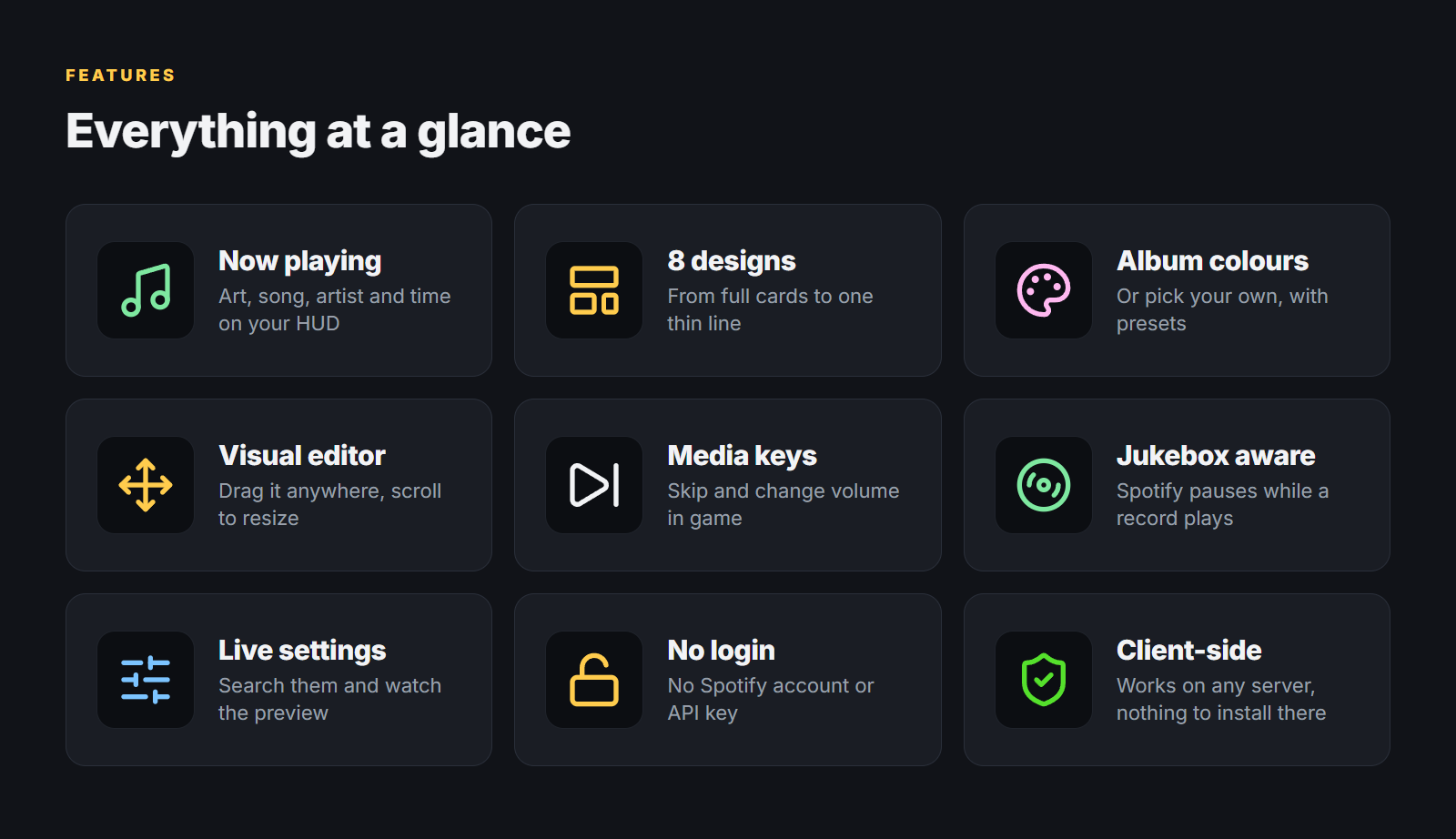
- 移动位置:在设置中拖动小部件,滚动调整大小,使用方向键微调
- 游戏内方向键:切换上一首/下一首曲目,调节音量;可在 Options → Controls → Spoty Widget 中更改按键绑定
- 仅客户端模组 - 可加入任何服务器
注意事项
- 支持 Windows、Linux 和 macOS。 在 macOS 上,当被询问时请允许 Minecraft 控制 Spotify(System Settings → Privacy & Security → Automation)。
- 必须运行 Spotify 桌面应用程序。将 Player 设置为 Any player 还可显示浏览器、VLC 等播放器。
- 专辑封面通过 Deezer 或 iTunes 根据艺术家和标题查找。在 Linux 和 macOS 上,Spotify 会直接提供封面图片。
Jar 后缀: +1.21.1 +1.21.3 +1.21.4 +1.21.5 +1.21.8 +1.21.10 +1.21.11 +26.1.2 +26.2 +26.3
也可在 CurseForge 获取。源代码托管于 GitHub。
创作者
See what's playing without leaving the game. Spoty Widget puts your song in a corner of the screen: album art, title, artist and time, in one of eight designs.
No Spotify account. No API key. No login. It reads what the Spotify desktop app already tells your system.
Setup
- Fabric / Quilt - needs Fabric API (QFAPI on Quilt); settings via Mod Menu (optional)
- NeoForge / Forge - settings via Mods → Spoty Widget → Config
- Move on screen in the settings - drag the widget, scroll to resize, arrow keys to nudge
- Arrow keys in game - next and previous track, volume up and down; change them in Options → Controls → Spoty Widget
- Client-side only - join any server
Good to know
- Windows, Linux and macOS. On macOS, allow Minecraft to control Spotify when asked (System Settings → Privacy & Security → Automation).
- The Spotify desktop app must be running. Set Player to Any player to also show browsers, VLC and more.
- Album art is looked up by artist and title on Deezer or iTunes. On Linux and macOS, Spotify provides the cover directly.
Jar suffix: +1.21.1 +1.21.3 +1.21.4 +1.21.5 +1.21.8 +1.21.10 +1.21.11 +26.1.2 +26.2 +26.3
Also available on CurseForge. Source code on GitHub.
Suggestions or problems? Open an issue or visit my links.
Creator

下载 Spoty Widget
下载 Spoty Widget
下载 Spoty Widget
下载 Spoty Widget
下载 Spoty Widget
下载 Spoty Widget
需要联机服务器吗?
稳定流畅、一键部署,几分钟即可和朋友联机开服
最低仅需 8 元/月 即可畅快联机
下载 Spoty Widget
需要联机服务器吗?
稳定流畅、一键部署,几分钟即可和朋友联机开服
最低仅需 8 元/月 即可畅快联机
下载 Spoty Widget
下载 Spoty Widget
需要联机服务器吗?
稳定流畅、一键部署,几分钟即可和朋友联机开服
最低仅需 8 元/月 即可畅快联机
下载 Spoty Widget
需要联机服务器吗?
稳定流畅、一键部署,几分钟即可和朋友联机开服
最低仅需 8 元/月 即可畅快联机
- 版本更新至 1.2.4
- 当 PowerShell 被阻止时,回退到原生 WinRT
- 将版本更新为 1.2.3
- 当 Windows 阻止时,停止重新启动 PowerShell(#4)
- 修复在 26.3 版本中拖动小部件的问题,移除大型卡片按钮
- 添加宣传艺术图并重写模组页面
- 将版本提升至 1.1.1
- 重构代码结构,以提高可读性和可维护性
关于这个资源的讨论、问题反馈与使用心得
还没有讨论,来发第一帖吧
你是这个资源的作者?登录后可认领此资源。
相似资源
 模组

可定制的鞘翅模组,支持装饰纹饰、旗帜图案等更多功能!
 模组

显示你正在注视的方块的信息。(适用于 Minecraft 1.16+ 的 Hwyla/Waila 分支)
 模组
使用 JavaScript 编辑配方、添加自定义物品、编写世界事件!
 模组

查看物品与配方
 模组
在游戏画面角落显示附近世界地形、玩家、生物和实体的地图。可创建路径点,帮助你找到标记过的位置。
 模组
AE2:一款流行的自动化与存储模组
评论 0
登录后参与评分
还没有评论,来抢沙发吧