Super Pickaxe Mod - 构建与安装说明
模组功能
本模组为 Minecraft 添加了 Super Pickaxe,其特性包括:
- 以 3x3x3 区域进行挖掘,而非仅挖掘单个方块
- 拥有与 钻石镐 相同的耐久度和挖掘等级
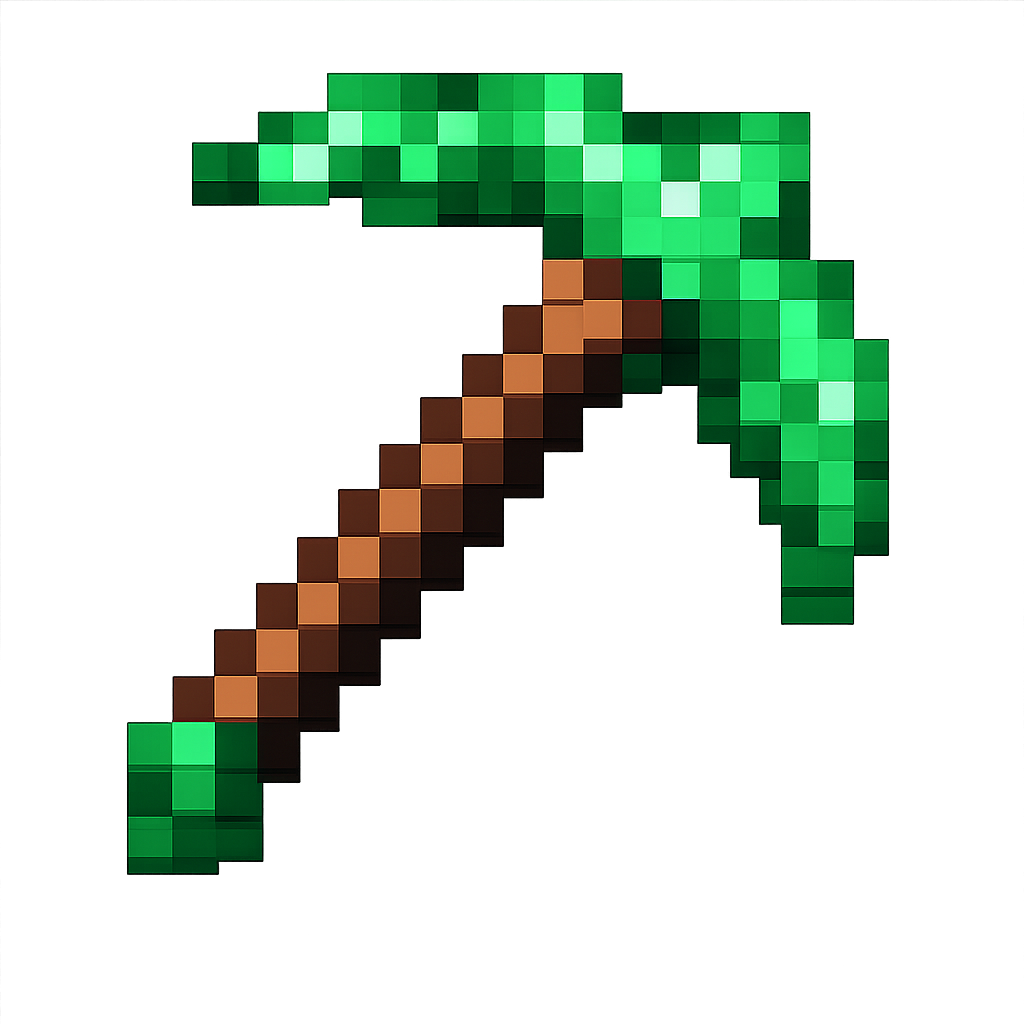
- 采用 亮绿色纹理
- 拥有自定义合成配方(顶部放置 1 圆石、1 石头、1 平滑石头,下方放置 2 根木棍)
- 在挖掘过程中自动给予火把(每挖掘 18 个方块获得 1 个火把)
下载
下载 superpickaxe-1.0.jar
前置条件
你需要在 Mac 上安装 Java 17。可通过以下命令检查:
java -version
如果你尚未安装 Java 17,请从以下地址下载:
如何编译模组
-
打开终端并导航至模组目录:
cd /Users/<user>/Desktop/Projects/minecraft/super-pickaxe
-
使用 Gradle 构建模组:
./gradlew build
首次运行时会因下载依赖项而耗时数分钟。
-
构建完成后,你的模组 JAR 文件将位于:
build/libs/superpickaxe-1.0.jar
如何安装模组
步骤 1:安装 Minecraft Forge
- 访问
- 下载 Forge 1.20.1(版本 47.2.0 或更高)
- 运行安装程序并选择“Install client”(安装客户端)
- 启动 Minecraft 并选择“forge”配置文件
步骤 2:安装模组
-
找到你的 Minecraft 模组文件夹:
- Mac 路径:
~/Library/Application Support/minecraft/mods
-
如果 mods 文件夹不存在,请创建它:
mkdir -p ~/Library/Application\ Support/minecraft/mods
-
将你编译好的模组复制到 mods 文件夹中:
cp build/libs/superpickaxe-1.0.jar ~/Library/Application\ Support/minecraft/mods/
步骤 3:启用并使用模组
- 启动 Minecraft
- 在启动器中选择 “forge” 配置文件
- 点击“Play”(开始游戏)
- 进入游戏后,模组已自动启用!
Super Pickaxe 的合成方法
打开工作台并按如下方式排列物品:
[Cobblestone] [Stone] [Smooth Stone]
[Stick]
[Stick]
这需要圆石、石头和平滑石头,随着材料升级成本逐渐增加,但考虑到其 3x3x3 的挖掘能力,绝对物超所值!
使用 Super Pickaxe
- 装备亮绿色的 Super Pickaxe
- 挖掘任何钻石镐可挖掘的方块
- 它将自动挖掘你当前所挖方块周围的 3x3x3 区域(共 27 个方块)
- 每挖掘 18 个方块,你将自动获得一个火把
故障排除
构建失败?
- 确保已安装 Java 17
- 尝试执行:
./gradlew clean build
模组在游戏中未出现?
- 确认你使用的是 Forge 1.20.1
- 验证 JAR 文件是否放置在正确的 mods 文件夹中
- 查看日志文件:
~/Library/Application Support/minecraft/logs/latest.log
Super Pickaxe 缺少纹理?
- 纹理应为亮绿色
- 如果显示为紫色/黑色,请重新编译模组:
./gradlew clean build
开发指南
如需修改模组:
- 编辑
src/main/java/com/example/superpickaxe/ 中的源文件
- 重新构建:
./gradlew build
- 将新的 JAR 文件复制到 mods 文件夹
- 重启 Minecraft
关键文件:
SuperPickaxeItem.java - 包含镐子逻辑及 3x3x3 挖掘功能
src/main/resources/data/superpickaxe/recipes/ - 合成配方
src/main/resources/assets/superpickaxe/textures/item/ - 亮绿色纹理
享受你的全新 3x3x3 挖掘镐吧! ?⛏️
Super Pickaxe Mod - Build & Installation Instructions
What This Mod Does
This mod adds a Super Pickaxe to Minecraft that:
- Mines in a 3x3x3 area instead of just one block
- Has the same durability and mining level as a diamond pickaxe
- Features a bright green texture
- Has a custom crafting recipe (1 cobblestone, 1 stone, 1 smooth stone on top, 2 sticks below)
- Gives you torches as you mine (1 torch per 18 blocks mined)
Download
Download superpickaxe-1.0.jar
Prerequisites
You need Java 17 installed on your Mac. Check with:
java -version
If you don't have Java 17, download it from:
How to Compile the Mod
-
Open Terminal and navigate to the mod directory:
cd /Users/<user>/Desktop/Projects/minecraft/super-pickaxe
-
Build the mod using Gradle:
./gradlew build
This will take several minutes the first time as it downloads dependencies.
-
Once complete, your mod JAR file will be located at:
build/libs/superpickaxe-1.0.jar
How to Install the Mod
Step 1: Install Minecraft Forge
- Go to
- Download Forge 1.20.1 (version 47.2.0 or higher)
- Run the installer and select "Install client"
- Launch Minecraft and select the "forge" profile
Step 2: Install Your Mod
-
Locate your Minecraft mods folder:
- On Mac:
~/Library/Application Support/minecraft/mods
-
If the mods folder doesn't exist, create it:
mkdir -p ~/Library/Application\ Support/minecraft/mods
-
Copy your compiled mod to the mods folder:
cp build/libs/superpickaxe-1.0.jar ~/Library/Application\ Support/minecraft/mods/
Step 3: Enable and Use the Mod
- Launch Minecraft
- Select the "forge" profile from the launcher
- Click "Play"
- Once in-game, the mod is automatically enabled!
How to Craft the Super Pickaxe
Open a crafting table and arrange:
[Cobblestone] [Stone] [Smooth Stone]
[Stick]
[Stick]
This requires cobblestone, stone, and smooth stone, making it progressively more expensive but worth the 3x3x3 mining power!
Using the Super Pickaxe
- Equip the bright green Super Pickaxe
- Mine any block that a diamond pickaxe can mine
- It will automatically mine a 3x3x3 area (27 blocks total) around the block you mine
- Every 18 blocks you mine, you'll receive a torch automatically
Troubleshooting
Build fails?
- Ensure Java 17 is installed
- Try:
./gradlew clean build
Mod doesn't appear in game?
- Check you're using Forge 1.20.1
- Verify the JAR is in the correct mods folder
- Check logs at:
~/Library/Application Support/minecraft/logs/latest.log
Super Pickaxe has missing texture?
- The texture should be bright green
- If it appears purple/black, rebuild the mod:
./gradlew clean build
Development
To modify the mod:
- Edit the source files in
src/main/java/com/example/superpickaxe/
- Rebuild:
./gradlew build
- Copy the new JAR to the mods folder
- Restart Minecraft
Key files:
SuperPickaxeItem.java - The pickaxe logic and 3x3x3 mining
src/main/resources/data/superpickaxe/recipes/ - Crafting recipe
src/main/resources/assets/superpickaxe/textures/item/ - Bright green texture
Enjoy your new 3x3x3 mining pickaxe! ?⛏️
评论 0
登录后参与评分
还没有评论,来抢沙发吧