?Titlebar Changer
个性化你的 Minecraft 窗口标题栏 —— 在 Windows 上调整颜色、文本、圆角和边框。
- ? 在 Windows 11 上,该模组解锁了全套自定义功能,例如自定义颜色、圆角
以及边框样式。
- ? 在 Windows 10 上,支持受操作系统限制:你只能在亮色和暗色模式之间切换标题栏。
✅ 要求
- Windows 10 或 Windows 11(不支持其他操作系统)
- Forge 或 Fabric/Quilt 之一
- (可选,用于游戏内设置):Cloth Config API
- (可选,Fabric/Quilt 配置界面):Mod Menu
? 示例
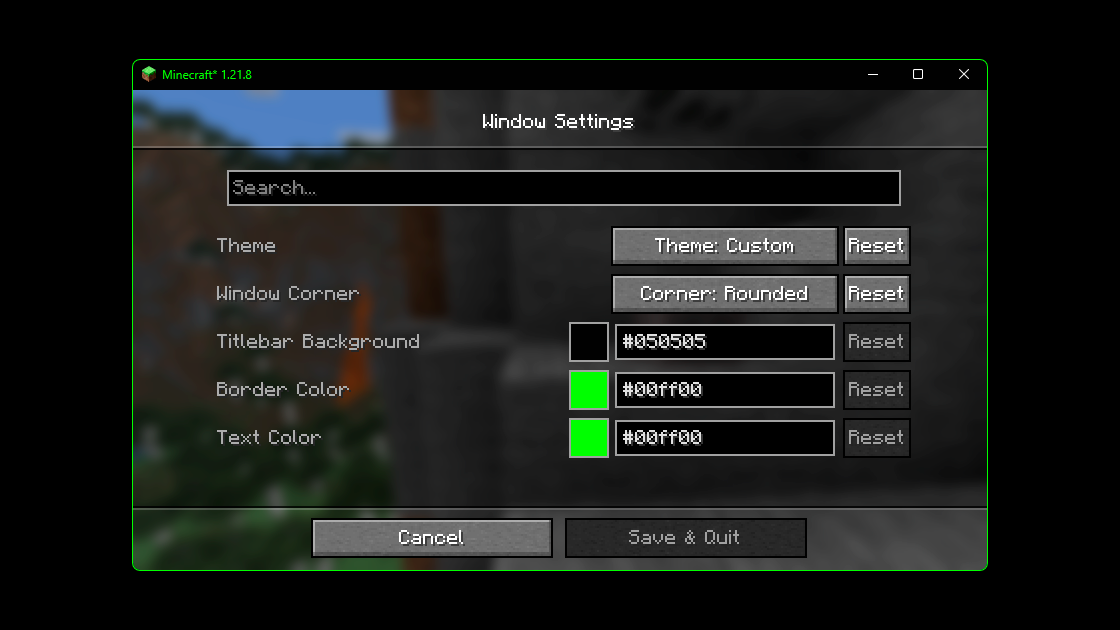
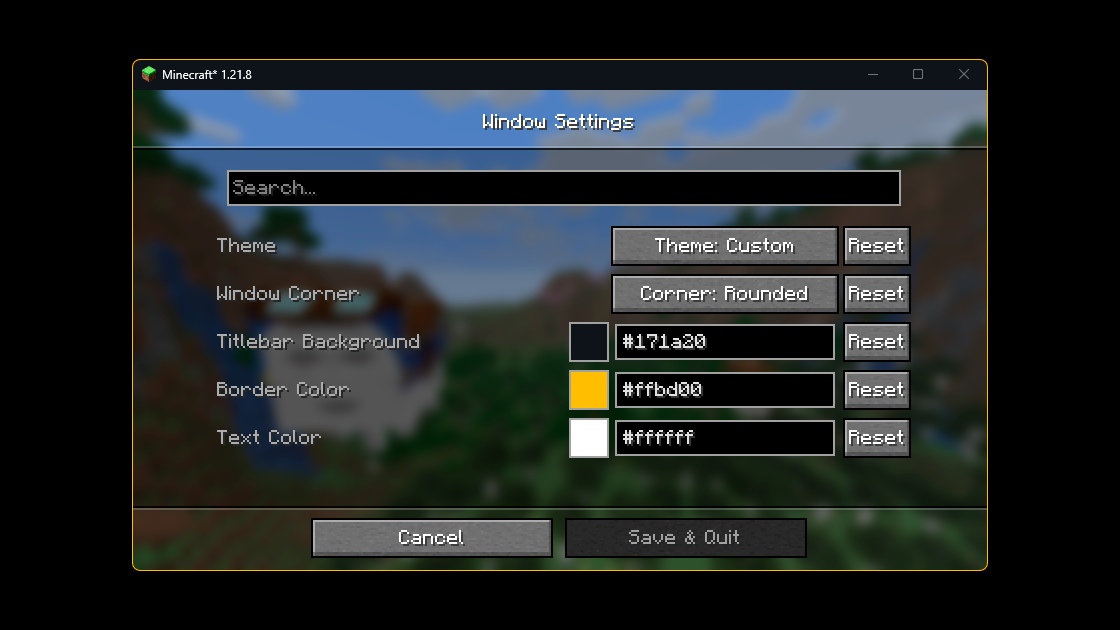
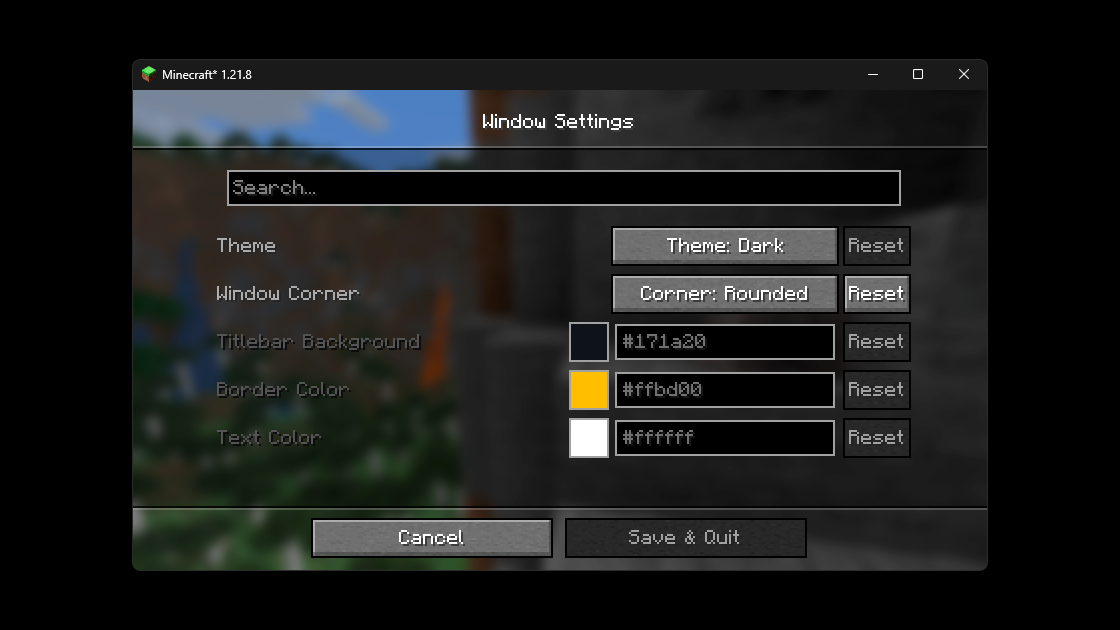
以下是自定义标题栏颜色的示例(Windows 11):
? 趣味示例
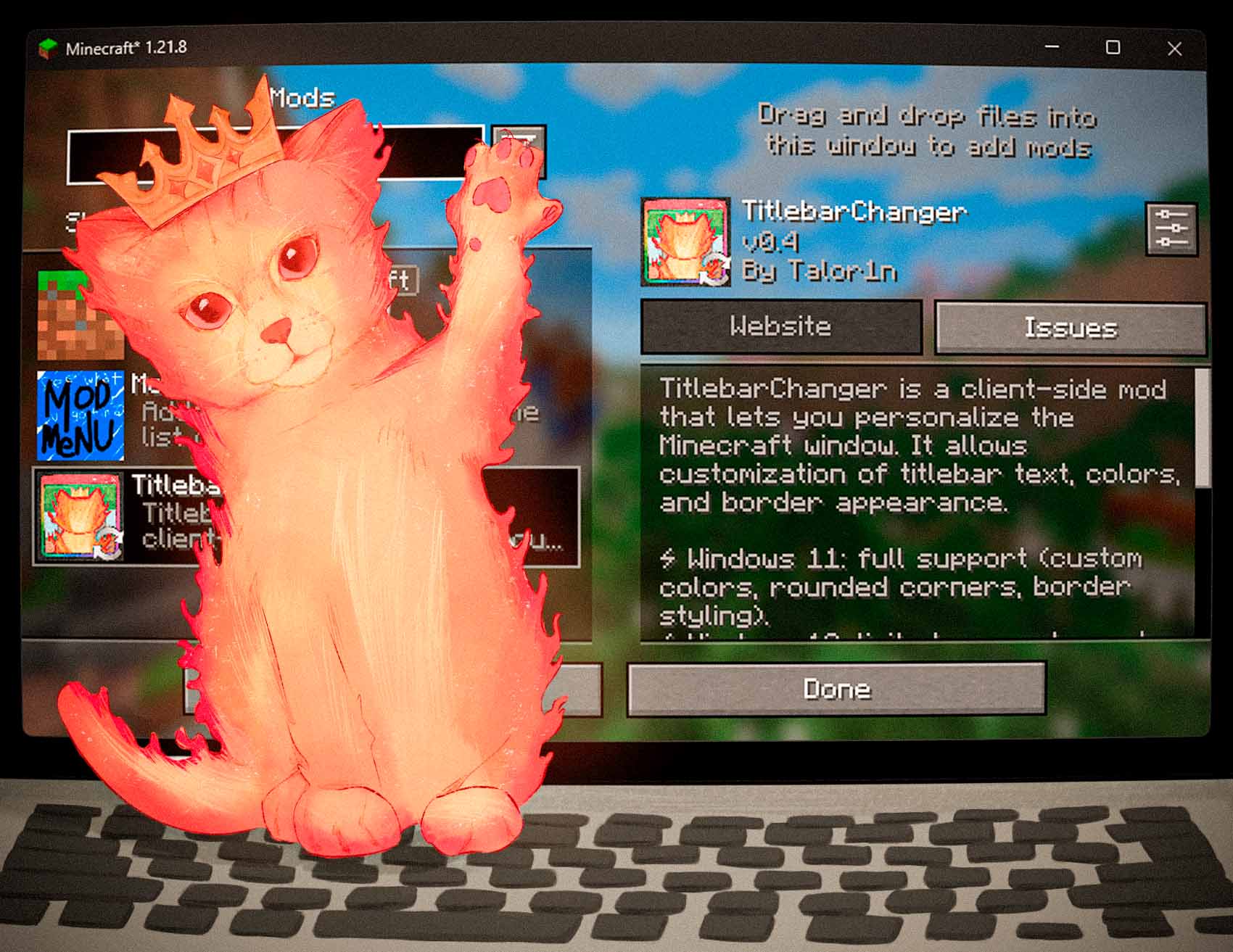
这里还有一个额外内容——戴着皇冠的我的猫 ? 搭配 Titlebar Changer
? 源代码
该模组的源代码可在 GitHub 获取。如果你遇到任何问题或有改进建议,请随时在 GitHub 的 Issues 部分留言。
⚙️ 配置
你可以通过游戏内(推荐)或编辑 JSON 文件来配置该模组。
游戏内配置
- Forge: 主菜单 → Mods → Titlebar Changer → Config
- Fabric/Quilt: 安装 Mod Menu + Cloth Config,然后主菜单 → Mods → Titlebar Changer
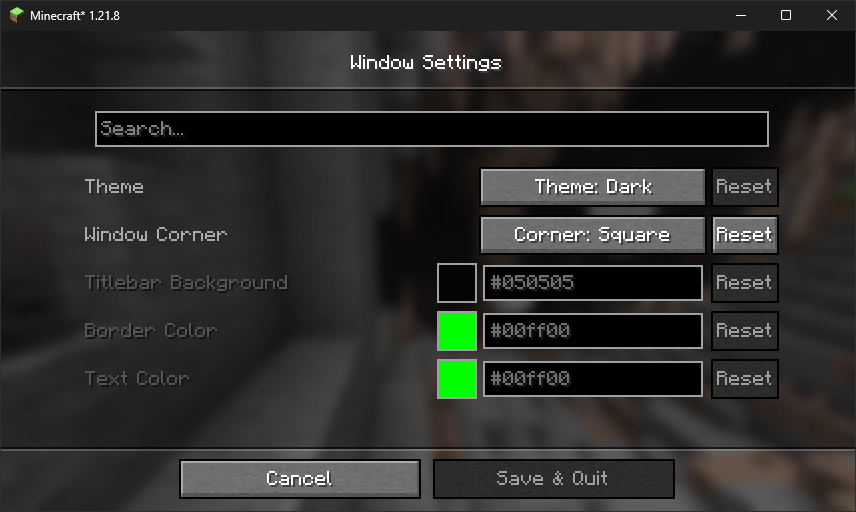
配置文件
文件位于:config/titlebar_settings.json
{
// 窗口主题:LIGHT (0), DARK (1), CUSTOM (2)
// 控制标题栏的整体外观
// 限制:Custom 仅在 Windows 11+ 上有效
"theme": "1",
// 窗口圆角:SYSTEM_DEFAULT (0), NO_ROUNDING (1), ROUNDED (2), ROUNDED_SMALL (3)
// 控制窗口圆角的渲染方式
// 限制:仅在 Windows 11+ 上有效
"corner": "0",
// 标题(标题栏)背景颜色
// 格式:#RRGGBB
// 限制:仅当 theme 为 CUSTOM (2) 时有效
"captionColor": "#FF0505",
// 窗口边框颜色
// 格式:#RRGGBB
// 限制:仅当 theme 为 CUSTOM (2) 时有效
"borderColor": "#FF00FF",
// 标题文本和按钮颜色
// 格式:#RRGGBB
// 限制:仅当 theme 为 CUSTOM (2) 时有效
"textColor": "#FF00FF"
}
选项参考
| Option |
Values / Format |
Notes |
theme |
0 = Light • 1 = Dark • 2 = Custom |
在 Windows 10 上仅支持 0/1。完全自定义 (2) 仅在 Windows 11 上有效。 |
corner |
0 = System default • 1 = No rounding • 2 = Rounded • 3 = Rounded small |
仅在 Windows 11 上可用。 |
captionColor |
#RRGGBB |
仅在 theme = 2 (Custom) 时使用。 |
borderColor |
#RRGGBB |
仅在 theme = 2 (Custom) 时使用。 |
textColor |
#RRGGBB |
仅在 theme = 2 (Custom) 时使用。 |
提示:手动编辑后请重启游戏。
❓ 常见问题
它在 Linux 或 macOS 上能用吗?
该模组使用 Windows API。在非 Windows 系统上,它将以休眠模式加载(不活跃,不应用任何更改)。
它在全屏模式下能用吗?
标题栏是窗口化 UI 的一部分。隐藏窗口框架的全屏模式也会隐藏标题栏。
我可以使用带 Alpha 通道的十六进制颜色 (#AARRGGBB) 吗?
不可以——请使用 #RRGGBB。
?Titlebar Changer
Personalize the look of your Minecraft window titlebar — tweak colors, text, corners, and borders on Windows.
- ? On Windows 11, the mod unlocks the full range of customization features, such as custom colors, rounded corners,
and border styling.
- ? On Windows 10, support is limited by the operating system: you can only switch the titlebar between light and
dark modes.
✅ Requirements
- Windows 10 or Windows 11 (other OS are not supported)
- One of: Forge or Fabric/Quilt
- (Optional, for in‑game settings): Cloth Config API
- (Optional, Fabric/Quilt config UI): Mod Menu
? Examples
Below are examples of custom titlebar colors (Windows 11):


? Fun Example
And here’s an extra — the Titlebar Changer with my cat wearing a crown ?

? Source Code
The source code for the mod is available on GitHub. If you encounter any issues or have suggestions for improvements, please feel free to leave them in the Issues section on GitHub.
⚙️ Configuration
You can configure the mod either in‑game (recommended) or by editing the JSON file.
In‑game config
- Forge: Main Menu → Mods → Titlebar Changer → Config
- Fabric/Quilt: Install Mod Menu + Cloth Config, then Main Menu → Mods → Titlebar Changer

Config file
The file lives at: config/titlebar_settings.json
{
// Window Theme: LIGHT (0), DARK (1), CUSTOM (2)
// Controls the overall appearance of the titlebar
// Restriction: Custom only works on Windows 11+
"theme": "1",
// Window Corners: SYSTEM_DEFAULT (0), NO_ROUNDING (1), ROUNDED (2), ROUNDED_SMALL (3)
// Controls how window corners are rendered
// Restriction: Only works on Windows 11+
"corner": "0",
// Caption (titlebar) background color
// Format: #RRGGBB
// Restriction: Only works when theme is CUSTOM (2)
"captionColor": "#FF0505",
// Window border color
// Format: #RRGGBB
// Restriction: Only works when theme is CUSTOM (2)
"borderColor": "#FF00FF",
// Title text and button color
// Format: #RRGGBB
// Restriction: Only works when theme is CUSTOM (2)
"textColor": "#FF00FF"
}
Option reference
| Option |
Values / Format |
Notes |
theme |
0 = Light • 1 = Dark • 2 = Custom |
On Windows 10 only 0/1 are supported. Full customization (2) works only on Windows 11. |
corner |
0 = System default • 1 = No rounding • 2 = Rounded • 3 = Rounded small |
Available only on Windows 11. |
captionColor |
#RRGGBB |
Used only with theme = 2 (Custom). |
borderColor |
#RRGGBB |
Used only with theme = 2 (Custom). |
textColor |
#RRGGBB |
Used only with theme = 2 (Custom). |
Tip: restart the game after manual edits.
❓ FAQ
Does it work on Linux or macOS?
The mod uses Windows APIs. On non‑Windows systems it will load in dormant mode (inactive, no changes applied).
Does it work in fullscreen?
The titlebar is part of the windowed UI. Fullscreen modes that hide the window frame will also hide the titlebar.
Can I use hex colors with alpha (#AARRGGBB)?
No — use #RRGGBB.
评论 0
登录后参与评分
还没有评论,来抢沙发吧
