TotemHelper
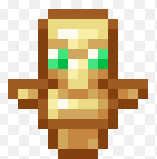
一款客户端便利模组,将你选定的栏位始终保留不死图腾。
你告诉 TotemHelper 你的不死图腾存放在哪个快捷栏栏位。从此以后,它会确保图腾最终出现在那里——以及你的副手栏中——而不是每次拾取新图腾时都要手动拖来拖去。
功能说明
-
离开容器时保持图腾在手。每当你打开物品栏、箱子或其他任何容器时,快捷栏选择器会移动到你存放图腾的栏位。如果图腾在你配置的栏位中,选择器就跳到那里;如果图腾在快捷栏的其他位置,选择器则跟随它。关闭界面后,图腾就会在你的手中。
-
悬停时自动放置图腾。当容器界面打开时,将鼠标悬停在不死图腾上,模组会自动为你移动它:
如果你的副手没有持有图腾,它会先被移到副手。这是真正触发死亡保护效果的栏位,因此拥有最高优先级。
否则,如果你配置的快捷栏栏位没有持有图腾,它会被移到该栏位。
如果两者都已经持有图腾,则不会发生任何操作。
每次悬停只移动一个图腾,因此从箱子中拾取一整组图腾时,会先填满副手,然后在下一个图腾填充快捷栏栏位。
- 不打扰你的操作。当你光标上拿着物品时,模组不执行任何操作;当模组被关闭时,不执行任何操作;在容器界面之外,也不执行任何操作。
工作原理(通俗解释)
TotemHelper 不添加任何物品、方块或配方,也不更改任何游戏规则。它执行的是普通的库存点击操作——与你按下 F 键对某个栏位执行的交换动作完全相同——并发送与原版客户端相同的网络数据包。所有操作都在你的本地机器上完成。
控制方式
操作 结果
按 Ü 键 打开设置界面
点击槽位按钮 1–9 选择存放图腾的快捷栏栏位
打开任意容器 快捷栏选择器移动到你的图腾
在已打开的容器中悬停图腾 图腾移至副手或你选择的栏位
Ü 键是一个标准的 Minecraft 按键绑定。它在“选项 → 控制 → 按键绑定”的 TotemHelper 类别下显示,并且可以重新绑定到你喜欢的任何按键。默认值是德语键盘布局上标有 Ü 的物理按键;在其他键盘布局上,该物理按键对应的是 [.
设置界面
开/关切换 —— 在不卸载模组的情况下关闭整个模组
槽位选择器 1–9,带有每个快捷栏栏位当前内容的实时预览,让你清楚看到你的图腾实际在哪里
状态行 —— 显示你的副手和你选择的栏位是否持有图腾,以及你的物品栏中还剩多少个备用图腾
配置
设置会在你更改它们后立即保存到 config/totemhelper.json:
{
"enabled": true,
"hotbarSlot": 4
}
hotbarSlot 是从零开始的索引 —— 4 对应设置界面中标记为 5 的栏位。
要求
Minecraft 1.21.11
加载器 Fabric
依赖项 Fabric API(必需)
Java 21
服务器 无需安装 —— 这是一款仅客户端模组
安装步骤
为 1.21.11 安装 Fabric Loader
将 Fabric API 放入你的 mods 文件夹
将 totemhelper-1.0.0.jar 放在旁边
启动游戏
安装前须知
移动图腾是交换,不是复制。如果你的副手持有其他物品——例如盾牌——该物品会被交换到图腾原本所在的物品栏栏位中。没有任何物品丢失,但盾牌确实离开了你的副手。
此模组自动化了库存操作。它替你点击。某些服务器,尤其是 PvP 和无政府状态服务器,认为这种自动化不公平,尽管它仅使用原版数据包。请查阅服务器的规则,如有不确定请咨询管理人员。在不允许使用该模组的服务器上游玩时,请使用开/关切换功能。
它仅对不死图腾做出反应。不会触碰任何其他物品。
源代码和许可证
采用 MIT 许可证授权。TotemHelper © lakicore。
TotemHelper
A client-side quality-of-life mod that keeps a totem of undying in the slot you chose.
You tell TotemHelper which hotbar slot your totem belongs in. From then on it makes sure a totem actually ends up there — and in your offhand — instead of you dragging it around by hand every time you pick a new one up.
What it does
-
It keeps the totem in your hand when you leave a container. Whenever you open your inventory, a chest, or any other container, the hotbar selector moves to the slot holding your totem. If the totem is in the slot you configured, it goes there; if it is somewhere else in the hotbar, the selector follows it. Close the screen and the totem is in your hand.
-
It puts totems in place when you hover over them. While a container screen is open, move the mouse over a totem of undying and the mod moves it for you:
If your offhand does not hold a totem, it goes there first. That is the slot that actually triggers on death, so it takes priority.
Otherwise, if your configured hotbar slot does not hold a totem, it goes there.
If both already hold a totem, nothing happens.
One totem moves per hover, so picking up a stack of totems from a chest fills the offhand first and the hotbar slot on the next one.
- It stays out of your way. The mod does nothing while you are carrying an item on the cursor, does nothing when it is switched off, and does nothing outside of container screens.
How it works, in plain terms
TotemHelper does not add items, blocks, or recipes, and it does not change any game rule. It performs ordinary inventory clicks — the exact same swap action you would perform by pressing F over a slot — and sends the same packets the vanilla client sends. Everything happens on your machine.
Controls
Action Result
Press Ü Open the settings screen
Click a slot button 1–9 Choose the hotbar slot for your totem
Open any container Hotbar selector moves to your totem
Hover a totem in an open container Totem moves to offhand or your chosen slot
The Ü key is a normal Minecraft key binding. It shows up under Options → Controls → Key Binds in the category TotemHelper and can be rebound to anything you like. The default is the physical key that carries Ü on a German keyboard layout; on other layouts the same physical key is [.
The settings screen
On/off toggle — turn the whole mod off without uninstalling it
Slot picker 1–9 with a live preview of what each hotbar slot currently holds, so you can see where your totem actually is
Status lines — whether your offhand and your chosen slot hold a totem, and how many spare totems are left in your inventory
Configuration
Settings are saved to config/totemhelper.json as soon as you change them:
{
"enabled": true,
"hotbarSlot": 4
}
hotbarSlot is zero-based — 4 is the slot labelled 5 in the settings screen.
Requirements
Minecraft 1.21.11
Mod loader Fabric
Dependency Fabric API (required)
Java 21
Server nothing to install — this is a client-side mod
Installation
Install Fabric Loader for 1.21.11
Put Fabric API into your mods folder
Put totemhelper-1.0.0.jar next to it
Launch the game
Things you should know before installing
Moving a totem is a swap, not a copy. If your offhand holds something else — a shield, for example — that item is swapped into the inventory slot the totem came from. Nothing is lost, but the shield does leave your offhand.
This mod automates inventory actions. It clicks for you. Some servers, especially PvP and anarchy servers, consider that unfair automation regardless of the fact that it only uses vanilla packets. Check your server's rules, and ask staff if you are unsure. Use the on/off toggle when you play somewhere it is not allowed.
It only reacts to totems of undying. No other item is touched.
Source and licence
MIT licensed. TotemHelper © lakicore.

 模组

 模组

 模组
 模组

 模组
 模组
评论 0
登录后参与评分
还没有评论,来抢沙发吧