
概览
Totem Doll 允许你将不死图腾的外观替换为可选的 Minecraft 风格玩偶及其他自定义模型。内置样式、自定义皮肤、动态纹理和骨骼动画均可使用,且无需改变不死图腾原有的生存效果。
手持待机动画
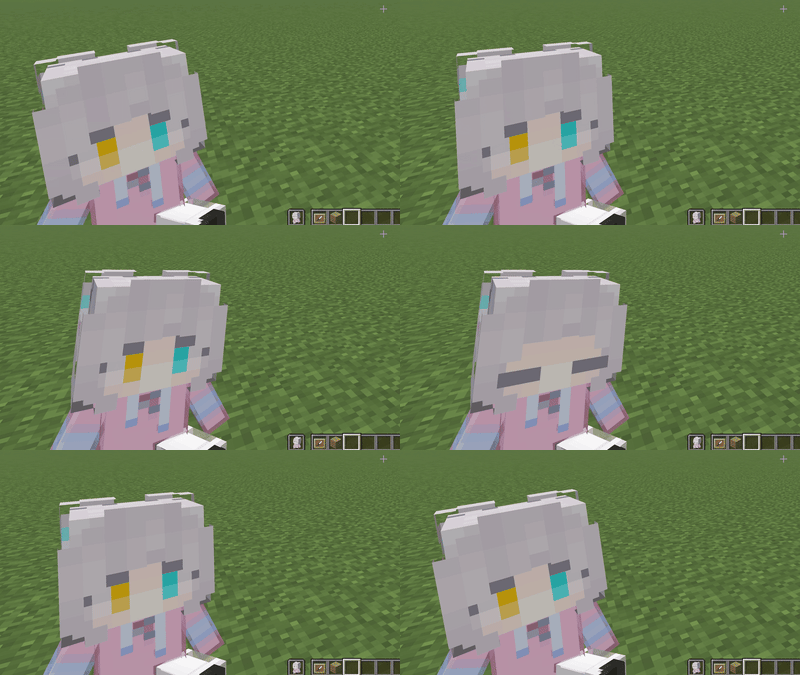
当玩家手持该玩偶时,它可以播放待机动画。
图腾激活动画
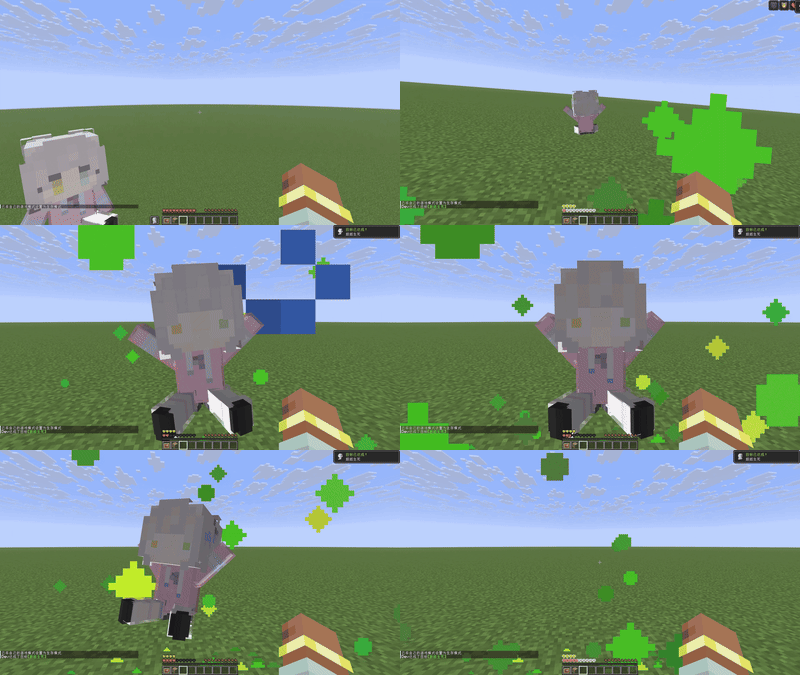
当不死图腾被触发激活时,玩偶可以播放特殊动画。
配置界面动画
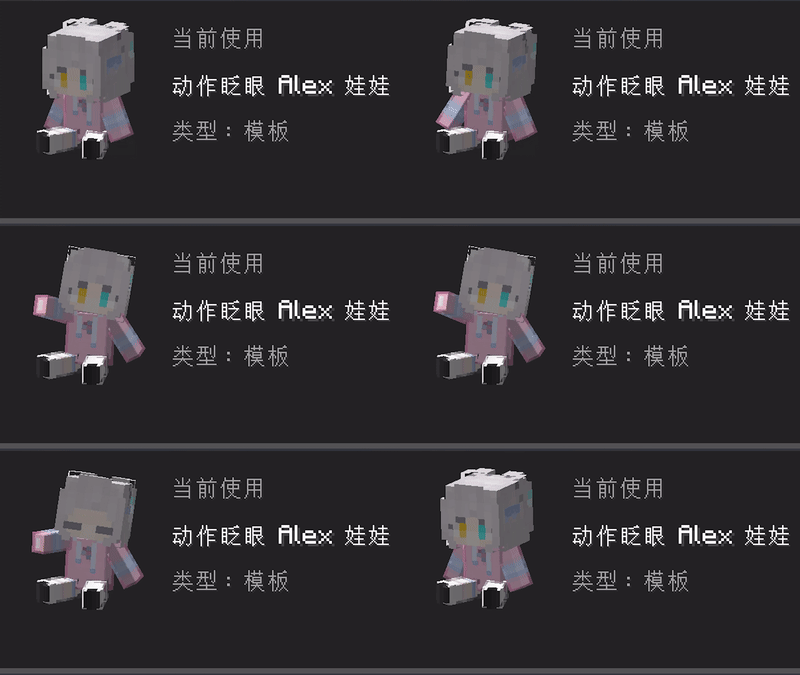
部分样式在按下 F9 打开配置界面时会播放动画。
功能特性
- 内置 Alex、Steve 等 Minecraft 风格的玩偶模板
- 支持动态纹理,例如眨眼效果
- 基于骨骼的模型与动画系统
- 支持第一人称、第三人称、物品栏、掉落物及物品展示框中的渲染
- 支持自定义玩家皮肤和本地保存的个人样式
- 支持 ZIP 格式样式包导入
- 仅客户端模组;服务器无需安装 Totem Doll
- 不死图腾保留其原有的生存行为
使用方法
- 安装与你 Minecraft 版本匹配的 Fabric 或 NeoForge 版本。
- 启动游戏并按
F9打开 Totem Doll 配置界面。 - 选择一个内置模板或个人样式。
- 点击 Use(使用)立即应用所选样式。
要创建个人样式,请选择支持自定义皮肤的模板,选择标准的 64×64 Minecraft 皮肤 PNG 文件,输入名称并保存。个人样式会本地存储,并在重启游戏后继续可用。
要导入样式包,请在配置界面中使用 Import Style Pack(导入样式包),然后选择一个 ZIP 文件。导入的样式可直接使用,也可作为创建个人样式的模板。
Overview
Totem Doll lets you replace the appearance of the Totem of Undying with selectable Minecraft-style dolls and other custom models. Built-in styles, custom skins, dynamic textures, and bone animations can all be used without changing the Totem's original survival effect.
Idle animation in hand
The doll can play an idle animation while held by the player.
Totem activation animation
The doll can play a special animation when the Totem of Undying is activated.
Configuration screen animation
Some styles can play an animation when the F9 configuration screen is opened.
Features
- Built-in Alex, Steve, and other Minecraft-style doll templates
- Dynamic textures, such as blinking.
- Bone-based models and animations
- Rendering in first person, third person, the inventory, dropped items, and item frames
- Custom player skins and locally saved personal styles
- ZIP style-pack import
- Client-side only; the server does not need to install Totem Doll
- The Totem of Undying keeps its original survival behavior
Usage
- Install the Fabric or NeoForge version matching your Minecraft version.
- Launch the game and press
F9to open the Totem Doll configuration screen. - Choose a built-in template or one of your personal styles.
- Click Use to apply the selected style immediately.
To create a personal style, choose a template that supports custom skins, select a standard 64×64 Minecraft skin PNG, enter a name, and save it. Personal styles are stored locally and remain available after restarting the game.
To import a style pack, use Import Style Pack in the configuration screen and select a ZIP file. Imported styles can be used directly or used as templates for personal styles.

下载 Totem Doll
需要联机服务器吗?
稳定流畅、一键部署,几分钟即可和朋友联机开服
最低仅需 8 元/月 即可畅快联机
下载 Totem Doll
需要联机服务器吗?
稳定流畅、一键部署,几分钟即可和朋友联机开服
最低仅需 8 元/月 即可畅快联机
下载 Totem Doll
下载 Totem Doll
需要联机服务器吗?
稳定流畅、一键部署,几分钟即可和朋友联机开服
最低仅需 8 元/月 即可畅快联机
下载 Totem Doll
需要联机服务器吗?
稳定流畅、一键部署,几分钟即可和朋友联机开服
最低仅需 8 元/月 即可畅快联机
下载 Totem Doll
需要联机服务器吗?
稳定流畅、一键部署,几分钟即可和朋友联机开服
最低仅需 8 元/月 即可畅快联机
下载 Totem Doll
需要联机服务器吗?
稳定流畅、一键部署,几分钟即可和朋友联机开服
最低仅需 8 元/月 即可畅快联机
下载 Totem Doll
需要联机服务器吗?
稳定流畅、一键部署,几分钟即可和朋友联机开服
最低仅需 8 元/月 即可畅快联机
下载 Totem Doll
需要联机服务器吗?
稳定流畅、一键部署,几分钟即可和朋友联机开服
最低仅需 8 元/月 即可畅快联机
下载 Totem Doll
需要联机服务器吗?
稳定流畅、一键部署,几分钟即可和朋友联机开服
最低仅需 8 元/月 即可畅快联机
更新日志
- 重构本地资源包的加载机制
修复内容
- 修复了无效的资源包格式问题
- 修复了样式预览位置不正确的问题(适用于版本 1.21.6~26.1.2)
完整更新记录:
关于这个资源的讨论、问题反馈与使用心得
还没有讨论,来发第一帖吧
你是这个资源的作者?登录后可认领此资源。
相似资源
 模组
缓冲的原始输入和线程化的事件轮询
 模组

可定制的鞘翅模组,支持装饰纹饰、旗帜图案等更多功能!
 模组

原版世界生成优化模组
 模组

适用于 MC 1.18+ 的 Effekseer 加载器
 模组

新增 50+ 个独特生物群系,为你的世界增添新树木、花卉等更多元素!
 模组

基于 GTCEu 1.12.2 的现代 GregTech
评论 0
登录后参与评分
还没有评论,来抢沙发吧