
还需要安装 Fabric API 和 Mod Menu。
-
通过快捷键或模组菜单直接更改图腾纹理,提供 99 种图腾纹理可供选择。
-
调整手持图腾以及激活时的尺寸,并设置激活后图腾显示的秒数。
-
可禁用图腾激活音效。
-
可自定义图腾粒子效果,包括颜色、大小、持续时间等。 支持为图腾粒子添加最多 7 种不同的颜色。
-
当图腾在背包中(但不在手中)时,可自定义警告文本。(您可以自定义警告的大小和位置,并输入自己的文本)。
-
可自定义触发警告前的倒计时时间(如果设置为 5 秒,那么在您手中不再持有图腾 5 秒后,警告将显示)。
-
图腾栏——显示背包中图腾数量的进度条。(位于饥饿值上方)
-
默认热键(可在管理菜单中配置):
➡️ - 切换到下一个纹理
⬅️ - 切换到上一个纹理
⬆️ - 切换到随机纹理
⬇️ - 如果当前纹理是随机切换的,则切换到上一个纹理
" - 启用每 10 秒自动切换图腾模式(默认时间为 10 秒,但可调整)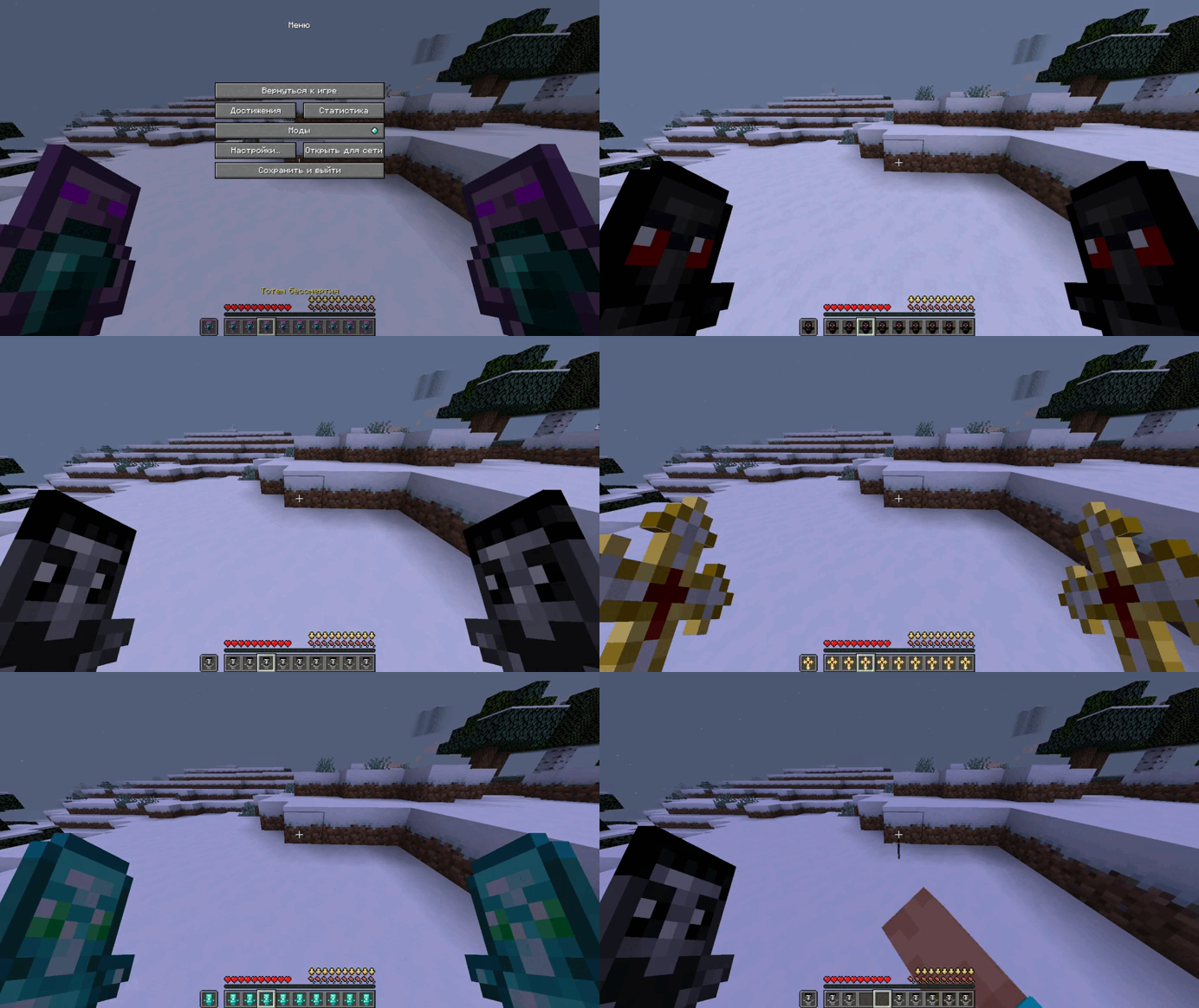
] - 应用您最喜欢的纹理(需通过模组菜单在 GUI 纹理设置中选择)
- 切换纹理时,默认会显示纹理编号,该功能可在设置中禁用。
您可以在“控制”菜单中的“按键分配”里配置按键。模组本身的设置可在“模组”选项卡中点击模组图标进行访问。
You will also need to install Fabric Api and Mod Menu.
1)The ability to change the totem texture directly through hotkeys or through the mod menu, with 99 totem textures available.
2)Adjust the size of the totem in your hand and when it is activated, and set how many seconds the totem will be displayed when activated.
3)The ability to disable the totem activation sound.
4)The ability to set custom totem particles and customize the colors, size, time, and more. The ability to add up to 7 different colors to the totem particles.
5)Customizable text warning if the totem is in the inventory (but not in one of the hands). (You can customize the size and location of the warning, as well as enter your own text).
6)Customizable timer before the warning (if you set 5 seconds, then after 5 seconds as you no longer have the totem in your hand, the warning will appear).
7)Totem bar - a bar that displays the number of totems in the inventory. (Above the hunger bar)
8)Default hot buttons(can be configured in the management menu):
➡️ - change the texture to the following
⬅️ - change the texture to the previous one
⬆️- change the texture to a random one
⬇️- change the texture to the previous one if it was switched randomly
" - Enable the automatic totem switching mode every 10 seconds (default time, but can be adjusted)
] - apply your favorite texture (which you need to select in the GUI texture settings via the mod menu)
9)When switching textures, the texture number is displayed by default, which can be disabled in the settings
You can configure the keys in the Control menu - Key Assignment. And the settings of the mod itself in the Mods tab, and click on the mod icon.

下载 Totemizer
下载 Totemizer
需要联机服务器吗?
稳定流畅、一键部署,几分钟即可和朋友联机开服
最低仅需 8 元/月 即可畅快联机
下载 Totemizer
需要联机服务器吗?
稳定流畅、一键部署,几分钟即可和朋友联机开服
最低仅需 8 元/月 即可畅快联机
下载 Totemizer
下载 Totemizer
下载 Totemizer
下载 Totemizer
下载 Totemizer
暂无更新日志
关于这个资源的讨论、问题反馈与使用心得
还没有讨论,来发第一帖吧
你是这个资源的作者?登录后可认领此资源。
相似资源
 模组
缓冲的原始输入和线程化的事件轮询
 模组

可定制的鞘翅模组,支持装饰纹饰、旗帜图案等更多功能!
 模组

一个用于收集生物掉落物的多区块模组。
 模组

显示你正在注视的方块的信息。(适用于 Minecraft 1.16+ 的 Hwyla/Waila 分支)
 模组

原版世界生成优化模组
 模组
使用 JavaScript 编辑配方、添加自定义物品、编写世界事件!
评论 0
登录后参与评分
还没有评论,来抢沙发吧