
Triple Inventory
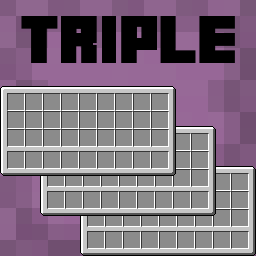
Triple Inventory 旨在通过简单地为你提供更大的背包空间,以及一些生活质量改进,来解决 Minecraft 中严重的背包空间不足问题。
此模组最多可添加 72 个新的背包槽位,其中包括 18 个新的快捷栏槽位——这些槽位也可以在容器中使用。
你可以右键点击背包中的潜影盒和末影箱来访问它们——包括放入和取出物品。
此外,还有选项可以在使用物品时自动切换到快捷栏中最合适的工具。
使用 extendedInventorySize 游戏规则更改可用槽位的数量。这决定了在主背包两侧各添加多少列新槽位。(默认值为 3,最大值为 9,设置为 0 则禁用扩展背包)。
配置
可以使用 Mod Menu 或在 tripleinventory.json 文件中编辑配置
showExtendedHotbar: 在 HUD 上显示扩展快捷栏(默认 true)
scrollToExtendedHotbar: 使用鼠标滚轮访问扩展快捷栏(默认 true)
showExtendedInventoryWithRecipeBook: 打开配方书时显示扩展背包(默认 true)
autoSelectTools: 挖掘时自动选择快捷栏中最合适的工具(默认 false)
showPreviousSelectedSlotIndicator: 在自动选择工具后,在你之前选择的槽位上显示指示器(默认 true)
autoReturnOnUse: 使用物品时自动返回到上次手动选择的槽位(默认 false)
autoReturnAfterCooldown: 冷却结束后自动返回到上次手动选择的槽位(默认 false)
autoReturnCooldown: 返回到上次选择槽位前的刻数(默认 40)
colorShulkerBackground: 将潜影盒预览的背景颜色更改为与潜影盒颜色匹配(默认 true)
shulkerPosition: 潜影盒预览的位置(默认 BOTTOM,允许的值 BOTTOM, TOP, LEFT_TOP, LEFT_BOTTOM, RIGHT_TOP, RIGHT_BOTTOM)
切换至扩展快捷栏槽位的快捷键可在原版控制设置中找到
重要信息
此模组需要 Yet Another Config Lib (YACL)。也建议在客户端使用 Mod Menu 来更改设置。
由于此模组的性质,存在轻微的 复制漏洞或物品丢失风险。请在 问题追踪器 报告任何问题。你也可以在那里提交建议!
此模组很可能与其他修改玩家背包或其他原版背包的模组 不兼容。扩展背包不会出现在模组化的背包中。欢迎在问题追踪器中报告不兼容情况,但可能无法解决。
Triple Inventory
Triple Inventory aims to solve the serious inventory space issues in Minecraft by simply giving you a bigger inventory, along with some quality of life changes.
This mod can add up to 72 new inventory slots, including 18 new hotbar slots - these slots are also accessible in containers.
You can access shulker boxes and ender chests from your inventory by right clicking them - including adding and taking items.
There are also options to automatically switch to the best tool in your hotbar when using an item.
Change the number of available slots with the extendedInventorySize gamerule. This determines how many new inventory columns to add either side of the main inventory. (default 3, max 9, set to 0 to disable extended inventory).
Configuration
Config can be edited using Mod Menu or in tripleinventory.json
showExtendedHotbar: Show the extended hotbar on the HUD (default true)
scrollToExtendedHotbar: Access the extended hotbar using the scroll wheel (default true)
showExtendedInventoryWithRecipeBook: Show the extended inventory when the recipe book is open (default true)
autoSelectTools: Automatically select the best tool in the hotbar when mining (default false)
showPreviousSelectedSlotIndicator: Show an indicator on your previously selected slot after automatically selecting a tool (default true)
autoReturnOnUse: Automatically return to the last manually selected slot when using an item (default false)
autoReturnAfterCooldown: Automatically return to the last manually selected slot after a cooldown (default false)
autoReturnCooldown: The number of ticks after which to return to the last selected slot (default 40)
colorShulkerBackground: Change the background colour of the shulker preview to match the shulker box colour (default true)
shulkerPosition: The position of the shulker preview (default BOTTOM, allowed values BOTTOM, TOP, LEFT_TOP, LEFT_BOTTOM, RIGHT_TOP, RIGHT_BOTTOM)
Hotkeys to switch to extended hotbar slots are available in the vanilla controls settings
Important Information
This mod requires Yet Another Config Lib (YACL). It is also recommended to use Mod Menu on the clientside to change settings.
Due to the nature of this mod, there is a small risk of duplication glitches or item loss. Report any issues on the issue tracker. You can post suggestions there too!
This mod is likely to be incompatible with other mods which modify the player's inventory or other vanilla inventories. The extended inventory will not appear in modded inventories. Feel free to report incompatibilities on the issue tracker, but they may not be possible to resolve.
下载 Triple Inventory
下载 Triple Inventory
下载 Triple Inventory
下载 Triple Inventory
下载 Triple Inventory
下载 Triple Inventory
下载 Triple Inventory
下载 Triple Inventory
下载 Triple Inventory
下载 Triple Inventory
更新至 Minecraft 1.21.8
已修复的 Bug:
- 防止部分拾取的物品消失到额外的隐藏槽位中
- 允许拾取的物品进入左侧扩展快捷栏的第一和第二槽位
关于这个资源的讨论、问题反馈与使用心得
还没有讨论,来发第一帖吧
你是这个资源的作者?登录后可认领此资源。
相似资源
 模组

可定制的鞘翅模组,支持装饰纹饰、旗帜图案等更多功能!
 模组

显示你正在注视的方块的信息。(适用于 Minecraft 1.16+ 的 Hwyla/Waila 分支)
 模组
使用 JavaScript 编辑配方、添加自定义物品、编写世界事件!
 模组

查看物品与配方
 模组
在游戏画面角落显示附近世界地形、玩家、生物和实体的地图。可创建路径点,帮助你找到标记过的位置。
 模组
AE2:一款流行的自动化与存储模组
评论 0
登录后参与评分
还没有评论,来抢沙发吧