东西太多堆在一处?其他地方又太少?用这些方便的管道把这些物品从一个地方运到另一个地方吧!

******* 运输 *******
管道 (Tubes)
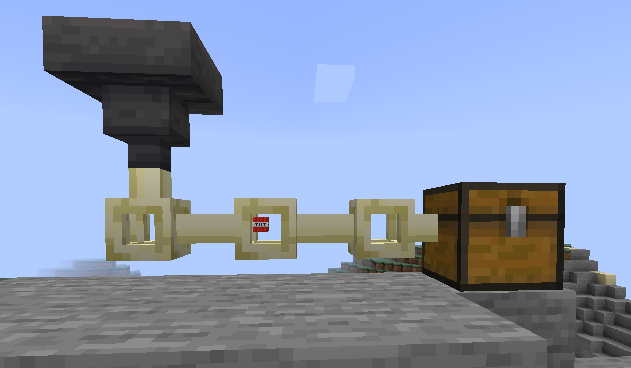
通过漏斗、渗透过滤器(osmosis filters)等方式插入管道方块(tube blocks)的物品将被输送至最近的合法容器。只有当管道网络连接到有效的终点时,物品才能被插入管道方块中。
管道钳 (Tubing Pliers)
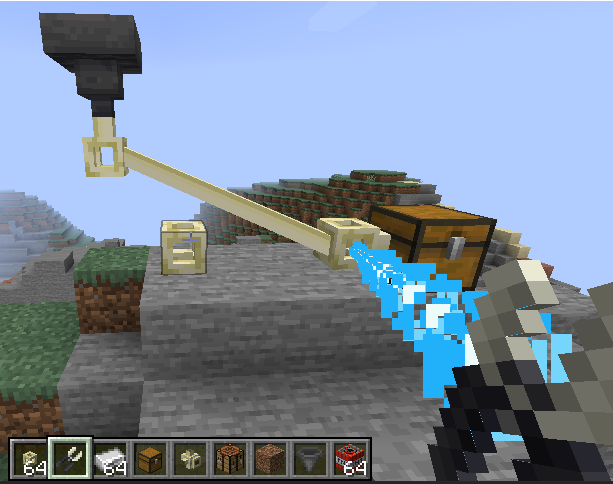
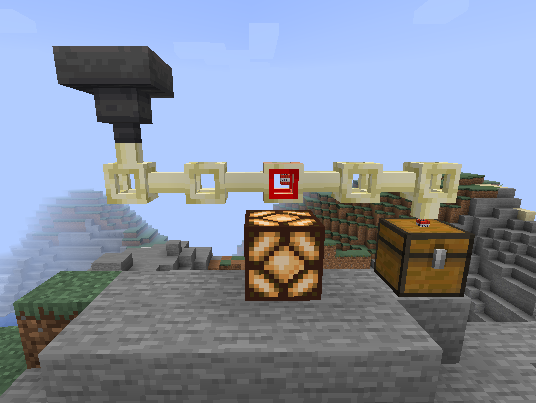
使用管道钳可以远程连接两个管道方块:右键点击一个管道方块,再点击另一个管道方块即可实现连接。以这种方式连接的管道在路由计算中被视为相隔一个方块的距离。管道钳还可以旋转分流器(shunts)、加载器(loaders)、过滤器(filters)、渗透过滤器(osmosis filters)和分配器(distributors)。
******* 排序与过滤 *******
分流器 (Shunts)
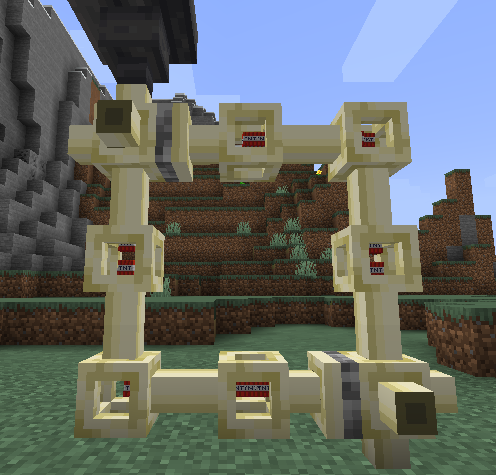
分流器可以从五个面接收物品,并从第六个面输出物品(如果输出面没有容器方块,则将物品弹出到世界中)。分流器的输出面不能接收物品,这使得它非常适合用于引导物品流向。请注意,即使分流器没有空间容纳物品,它也始终会接受输入的物品;如果无法分流,物品将被直接弹出到世界中。
过滤器 (Filters)
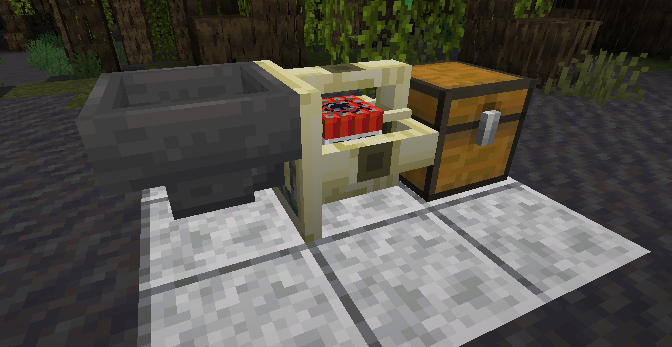
过滤器的作用类似于只有一个输入面的分流器,并且拥有一个内部物品槽,可存放一种物品。当该物品槽被占用时,只有相同类型的物品才能通过过滤器。除输出面外的四个面均可访问其内部物品槽;必须从与输出面相对的一侧放入物品,才能将其发送至输出面。
分配器 (Distributors)
分配器的每个面都可以作为输入面或输出面。将物品投入分配器的某个面(通过管道、漏斗、渗透过滤器等),物品将从另一个面排出;每次有物品进入分配器时,排出的面都会发生变化。分配器仅向相邻的可处理物品的方块分发物品;如果没有任何连接的方块能够接受输入的物品,当收到物品时,分配器会从对面将物品弹出到世界中。

彩色管道 (Color Tubes)
彩色管道的作用与普通管道类似,但只会与颜色匹配的管道或普通管道连接。
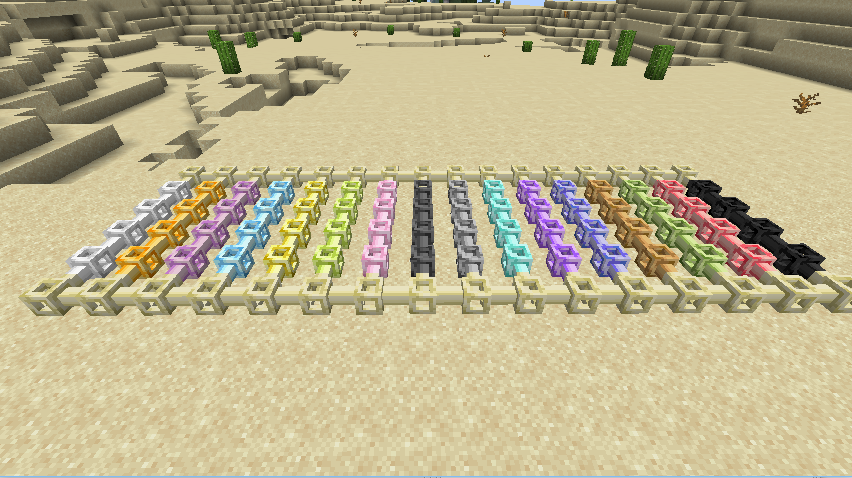
******* 提取 *******
加载器 (Loaders)
加载器允许玩家快速从自身物品栏中提取物品到管道网络、世界或其他任何地方。激活加载器后会打开一个 GUI,玩家可以将物品拖拽或按住 Shift 键点击放入其中,从而立即从加载器的输出侧弹出物品。如果加载器的输出侧没有能接受弹出物品的方块,物品将被注入到世界中。
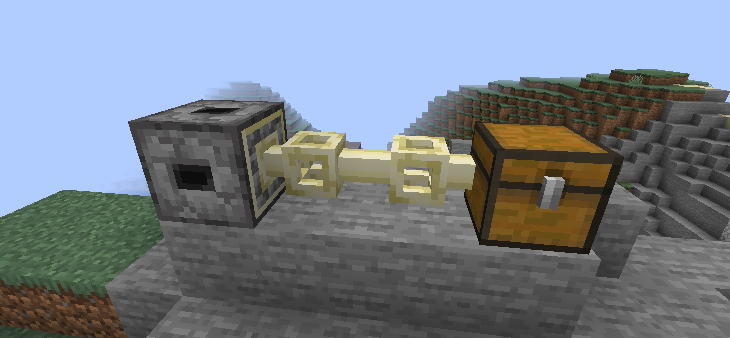
渗透过滤器 (Osmosis Filters)
渗透过滤器类似于过滤器,但会自动从其输入侧以与漏斗相同的速率提取物品。
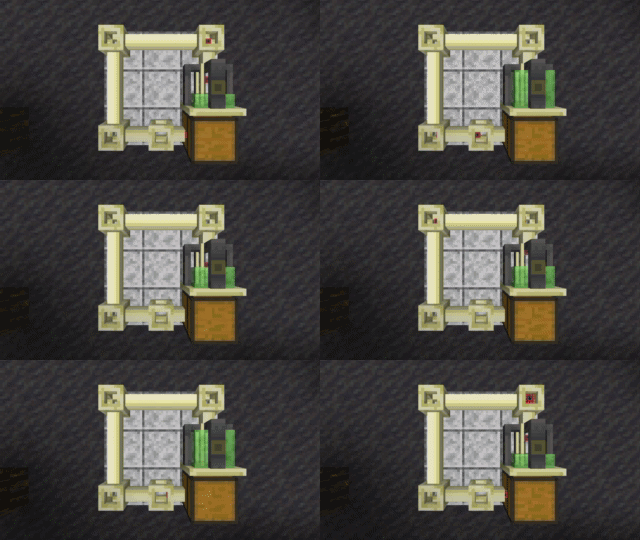
提取器 (Extractors)
提取器会在红石信号激活时,从输入侧的容器中提取一组物品,并从输出侧弹出它们。
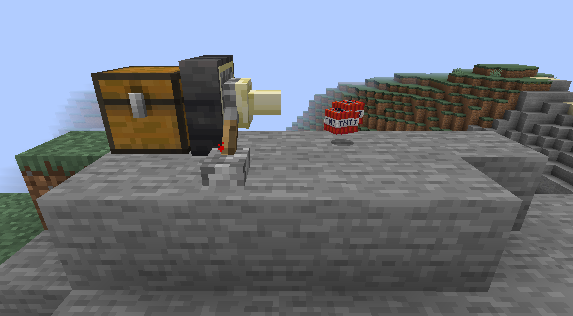
******* 其他实用功能 *******
红石管道 (Redstone Tubes)
红石管道的作用与普通管道类似,但在有物品通过时会发出红石信号。
结构支持
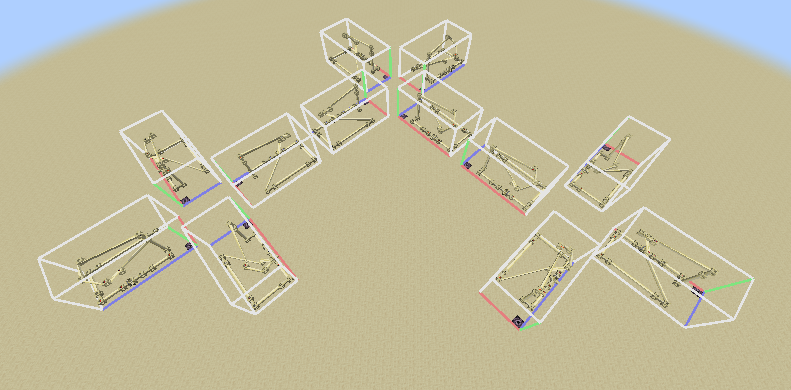
自 tubesreloaded-1.19-2.0.0.0 版本起,管道完全支持结构组件,并可用于旋转和镜像的结构组件中(即使通过管道钳连接到管道也是如此)。
******* 技术信息 *******
方块标签 (Block Tags)
tubesreloaded:rotatable_by_pliers 标签指定了哪些方块可以被管道钳旋转。对这些方块使用管道钳会循环切换它们的方块状态(blockstates)。
服务器配置 (Server Config)
在每个存档文件夹下 <savefolder>/serverconfig/tubesreloaded-server.toml 中会生成一个服务器配置文件,定义以下配置值:
soft_tube_cap
- 管状网络中允许存在的最大管道数量(软上限)。当管道网络规模超过此值时,物品传输速度会变慢,以此提示玩家管道数量过多。默认为 400。
hard_tube_cap
- 管状网络中允许存在的最大管道数量(硬上限)。如果玩家尝试构建超过此规模的管道网络,并非所有管道都能成功加入该网络。默认为 500。
ticks_in_tube
- 移动中的物品组在单个管道方块内停留的基础时间(以刻为单位)。会受到其他因素的调整。默认为 10。
max_items_in_tube
- 单个管道内可容纳的最大物品数量。如果管道内包含的物品组数量超过此值,管道方块将会破坏并掉落其中的物品。默认无上限。
osmosis_filter_transfer_rate
- 渗透过滤器自动物品传输速率(每物品所需的刻数)。默认值 8 与原版漏斗相同。
max_remote_tube_connection_range
- 管道进行远程连接的最大范围(以方块为单位)。这也决定了放置方块时检查长距离管道交叉点的附近区块数量。默认为 16.0 米。
Too much stuff in one place? Not enough stuff in other place? Get your stuff from one place to the other with these handy tubes!
******* Transportation *******
Tubes
Items inserted into tube blocks (via hoppers, osmosis filters, etc) will be transported to the nearest valid inventory. Items cannot be inserted into tube blocks unless there is a valid endpoint connected to the tube network.
Tubing Pliers
The Tubing Pliers can remotely connect two tube blocks by right-clicking a tube block and then right-clicking another tube block. Tubes connected in this way are considered to be one block apart for routing purposes. Tubing pliers can also rotate shunts, loaders, filters, osmosis filters, and distributors.
******* Sorting and Filtering *******
Shunts
The Shunt can accept items on five sides and outputs items on the sixth (ejecting them into the world if there is no inventory block on its output side). The shunt cannot receive items via its output side, making it useful for directing the flow of items. Be wary that the shunt will ALWAYS accept items, even if it doesn't have any room to shunt the items to, and will eject items into the world if it is unable to shunt them.
Filters
The filter acts like a shunt with only one input side, and also has an internal inventory slot that can hold one item. When this item slot is occupied, only items of that type will be accepted through the filter. The four sides other than the output side allow access to the internal inventory slot; items must be deposited into the side opposite from the output side to send the item to the output side.
Distributors
Each face of a distributor acts as either an input face or an output face. Depositing an item into a distributor's face (via a tube, hopper, osmosis filter, etc) will send the item out of another face; which face the item is sent out of changes each time an item enters a distributor's face. Distributors will only distribute items to adjacent item-handling blocks; if there are no connected blocks able to accept an inserted item, a distributor will eject items into the world from the opposite face when an item is received.
Color Tubes
Color Tubes act like regular tubes, but will only connect to tubes of a matching color or to regular tubes.
******* Extraction *******
Loaders
The Loader allows items to be quickly extracted from a player inventory into a tube network, the world, or anything else. Activating the Loader brings up a GUI that the player can move or shift-click items into to instantly eject them from the loader's output side. If there are no item-handling blocks on the loader's output side that can accept the ejected items, the items will be injected into the world.
Osmosis Filters
Osmosis Filters are similar to Filters, but will automatically extract items from their input side at the same rate as a hopper.
Extractors
Extractors will extract a stack of items from an inventory on their input side and eject them from their output side when activated by redstone.
******* Other Utilities *******
Redstone Tubes
Redstone Tubes act like normal tubes, but emit a redstone signal while items are passing through them.
Structures
As of tubesreloaded-1.19-2.0.0.0, tubes fully support structure pieces and can be used in rotated and mirrored structure pieces (even when connected to tubes via tubing pliers).
******* Technical Information *******
Block Tags
The tubesreloaded:rotatable_by_pliers tag specifies which blocks the tubing pliers can rotate. Using tubing pliers on these blocks will cycle them through their blockstates.
Server Config
A server config is created in each save folder under <savefolder>/serverconfig/tubesreloaded-server.toml that defines the following configuration values:
soft_tube_cap
- Soft cap on how many tubes can exist in a contiguous network of tubes. Items are transported slowlier in networks of greater size than this value, sigifying to the player that they have too many tubes. Defaults to 400
hard_tube_cap
- Hard cap on how many tubes can exist in a contiguous network of tubes. If a player attempts to make a network of greater size from this value, not all tubes in the attempted network will become part of that network. Defaults to 500.
ticks_in_tube
- Base time in ticks that a moving itemstack spends in each individual tube block. Adjusted by other factors. Defaults to 10.
max_items_in_tube
- Max items that can fit in a single tube. A tube block will break if the number of itemstacks contained with them is greater than this value, dropping their items on the ground. Not capped by default.
osmosis_filter_transfer_rate
- Osmosis filter automatic item transfer rate in ticks per item. The default value of 8 is the same as vanilla hoppers.
max_remote_tube_connection_range
- Maximum range (in blocks) at which tubes can be remotely connected to each other. This also affects how many nearby chunks are checked for longtube intersections when placing a block. Defaults to 16.0 meters.


 模组

 模组
 模组
 模组
 模组

 模组

评论 0
登录后参与评分
还没有评论,来抢沙发吧