
Twemoji
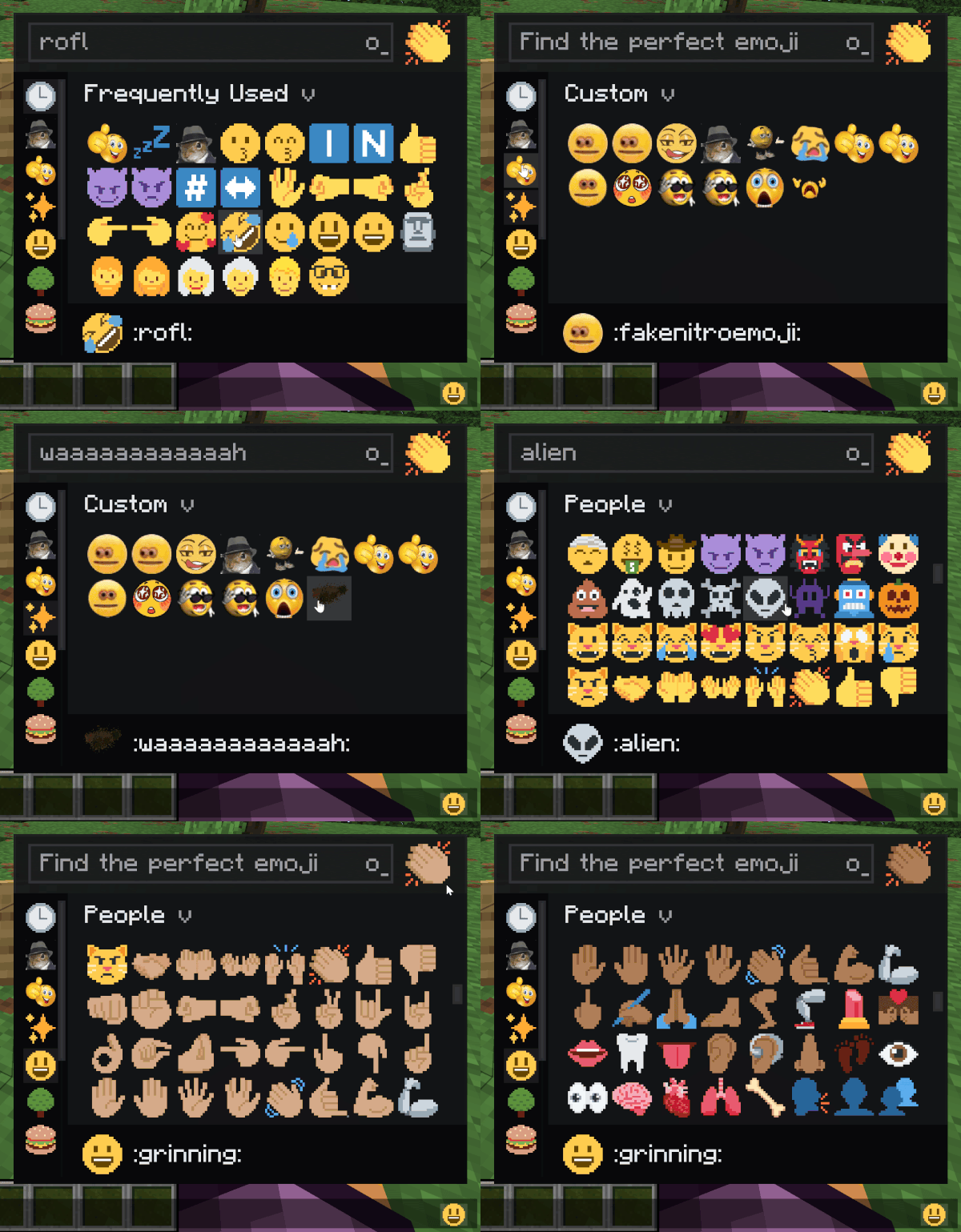
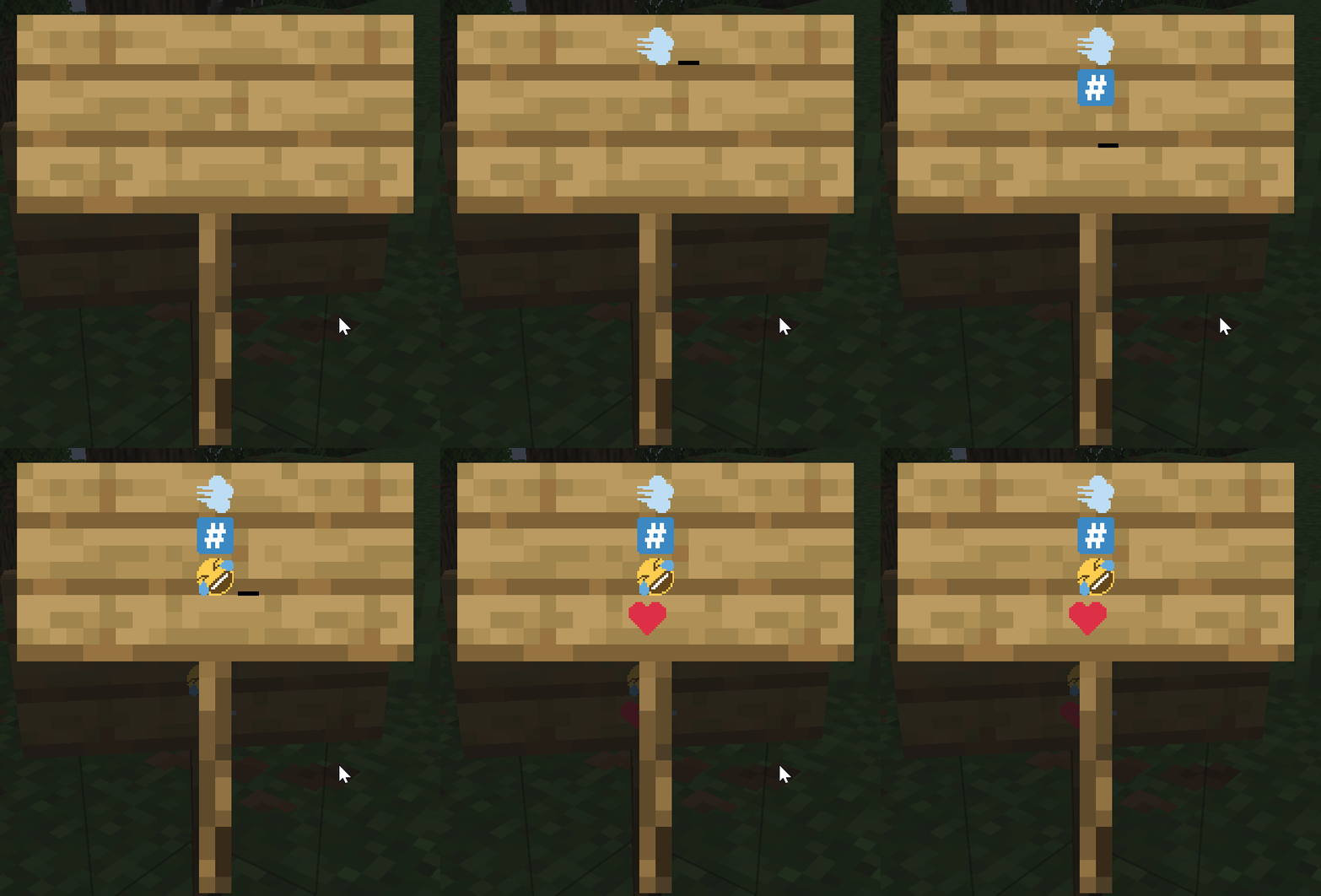
为 Minecraft 聊天、告示牌、书籍和工具提示添加像素化的 Twitter 风格表情符号。输入 :name: 即可插入一个。
功能
- 内置完整的 Twemoji 表情集:笑脸、手势、旗帜、符号,应有尽有。
- 实时短代码转换:输入
:smile:,在关闭冒号或按下空格键时即时显示。 - 支持对手势和人物类表情符号设置肤色偏好。
- 通过数据包支持动画表情符号。
- 服务器数据包可以添加自定义表情符号,并同步到所有连接的客户端。
- 提供有趣的表情雨命令(
/twemoji rain <emoji>),适用于单人游戏和服务器。 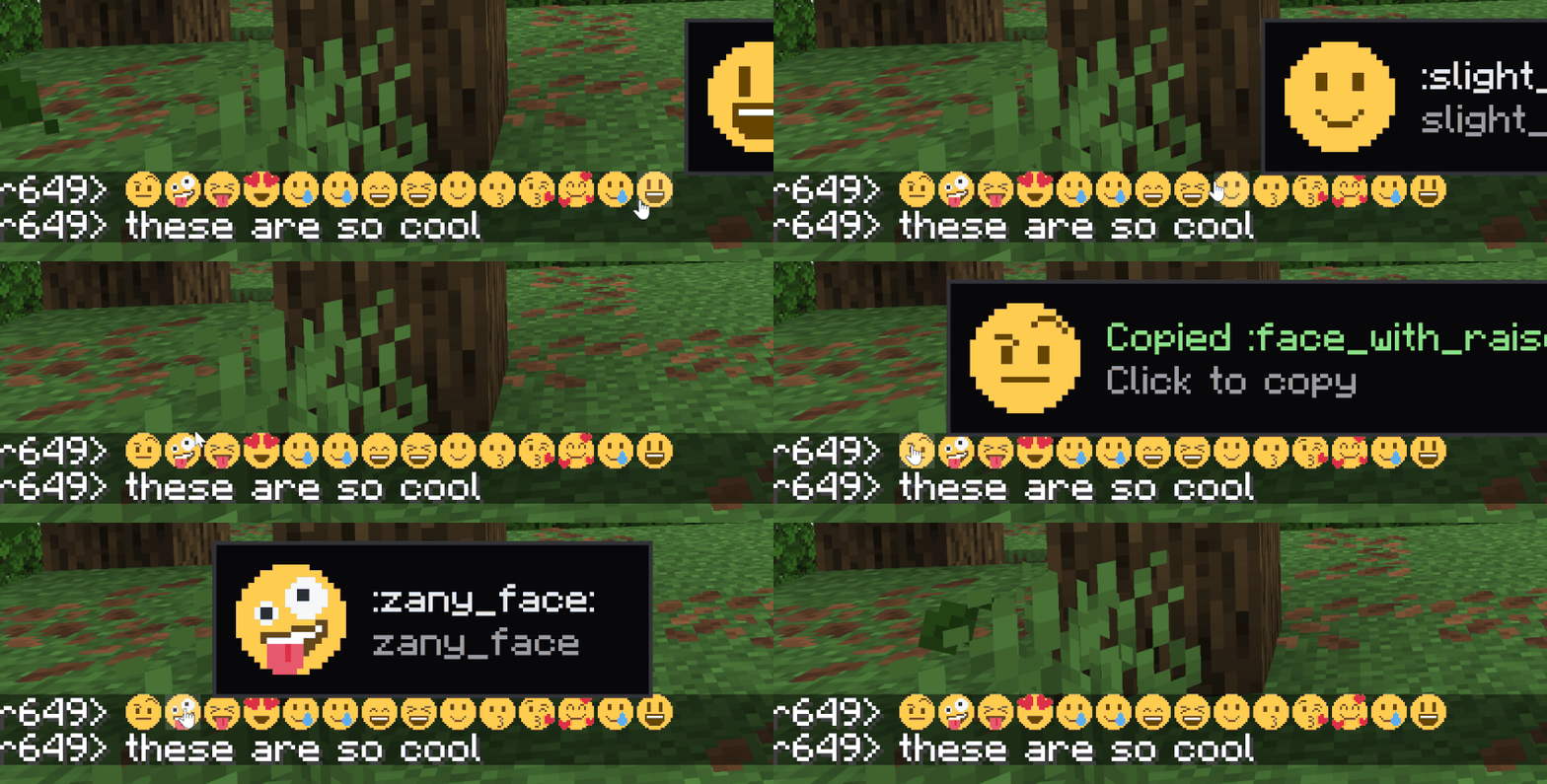
如何输入表情符号
打开聊天栏,输入 : 并开始输入名称。系统将弹出建议列表。或者使用快捷键打开选择器(可在控制设置中重新绑定)。
自定义表情符号(服务器数据包)
将 PNG 图片放入数据包的 data/<namespace>/twemoji/emoji/<name>.png 路径下。文件名即为短代码。同时支持静态和动画表情符号(动画使用与原版动画纹理相同的 .png.mcmeta 格式)。
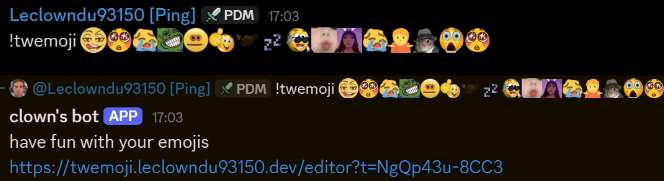
此外,在我的 Discord 服务器 中还提供了一款 Discord 机器人和一个网站,内置了数据包编辑器。
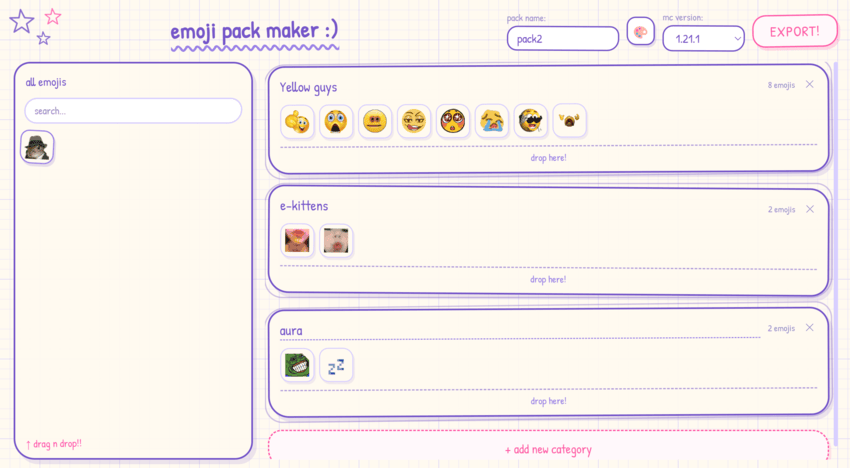
单人和专用服务器的运作方式相同 — 集成服务器会在加入时将表情集推送给你的客户端。
完整的数据包格式和示例请参阅 GitHub 项目中的 README 文件。
命令
/twemoji skin <0-5>- 设置你的肤色(0 = 默认),也可以在表情选择器中设置。/twemoji rain <emoji> [seconds]- 在你的屏幕上播放表情雨。/twemoji rain <emoji> [seconds] <players>- 仅限管理员,为其他玩家触发表情雨。/twemoji button <true|false>- 显示/隐藏聊天输入框旁边的选择器按钮。/twemoji flags <true|false>- 切换区域指示符旗帜表情符号的渲染。/twemoji render <size> <emoji>- 导出表情符号为 PNG 文件。/emoji upload <name> <file>- 管理员命令,用于在运行时添加全服可用的表情符号。
许可证与致谢
源代码 保留所有权利。仅供查看和提交 PR 进行 Fork - 未经书面许可,不得重新分发或创建衍生作品。
捆绑的图片资源和短代码数据 采用 CC-BY 4.0 协议:
- Twemoji 图形资源 - 版权所有 © 2018 Twitter, Inc. 及其他贡献者,CC-BY 4.0。
- 像素艺术改编和资源包布局 - 版权所有 © 2020 Amber (PixelTwemojiMC),CC-BY 4.0。
在重新分发时,必须保留上述资源归属信息。
在 Discord 上获得支持
如果你想支持我以及我的模组开发,我建议尝试使用 BisectHosting。新用户可使用代码 "project8gbderam" 获得首月游戏服务器 25% 的折扣。他们提供 24/7 支持和极速响应时间,确保你得到妥善的服务,并为满足你所有的游戏需求提供卓越的帮助。

Twemoji
Adds Pixelated Twitter-style emoji to Minecraft chat, signs, books, and tooltips. Type :name: to insert one.
Features
- The full Twemoji set built in : smileys, hands, flags, symbols, all of it.
- Live shortcode conversion: type
:smile:and it pops in as you close the colon or hit space. - Skin tone preference for hand and people emojis.
- Animated emojis via datapack.
- Server datapacks can add custom emojis that sync to every connected client.
- Emoji rain command for fun (
/twemoji rain <emoji>), works in singleplayer and on servers.
How to type emojis
Open chat, type : and start typing the name. A suggestion list appears. Or open the picker with the keybind (rebindable in Controls).
Custom emojis (server datapacks)
Drop a PNG into a datapack at data/<namespace>/twemoji/emoji/<name>.png. The file name is the shortcode. Static and animated both supported (animated uses the same .png.mcmeta format as vanilla animated textures).
There's also a discord bot and website available in my Discord Server with a built-in datapack editor
Singleplayer and dedicated servers work the same — the integrated server pushes the set to your client on join.
Full datapack format and examples are in the project README on GitHub.
Commands
/twemoji skin <0-5>- set your skin tone (0 = default) can also be done in the picker./twemoji rain <emoji> [seconds]- emoji rain on your screen./twemoji rain <emoji> [seconds] <players>- admins only, trigger rain for someone else./twemoji button <true|false>- show/hide the picker button next to the chat input./twemoji flags <true|false>- toggle regional indicator flag emoji rendering./twemoji render <size> <emoji>- export an emoji to a PNG file./emoji upload <name> <file>- admin command to add a server-wide emoji at runtime.
License & attribution
Source code is All Rights Reserved. View and fork for PRs only - no redistribution or derivative works without written permission.
Bundled image assets and shortcode data are CC-BY 4.0:
- Twemoji graphics - Copyright © 2018 Twitter, Inc. and other contributors, CC-BY 4.0.
- Pixel art adaptation and resource pack layout - Copyright © 2020 Amber (PixelTwemojiMC), CC-BY 4.0.
When redistributing, the asset attribution above must be preserved.
Support on Discord
If you'd like to support me and the development of my mods, I recommend trying out BisectHosting. Use code "project8gbderam" to get 25% off your first month of a gaming server for new customers. They offer 24/7 support and lightning-fast response times, ensuring you're in great hands and providing exceptional assistance for all your gaming needs.

下载 Twemoji
下载 Twemoji
下载 Twemoji
下载 Twemoji
下载 Twemoji
下载 Twemoji
下载 Twemoji
下载 Twemoji
下载 Twemoji
下载 Twemoji
添加了 Minecraft 26.3 的支持
关于这个资源的讨论、问题反馈与使用心得
还没有讨论,来发第一帖吧
你是这个资源的作者?登录后可认领此资源。
相似资源
 模组

可定制的鞘翅模组,支持装饰纹饰、旗帜图案等更多功能!
 模组

适用于 MC 1.18+ 的 Effekseer 加载器
 模组

新增 50+ 个独特生物群系,为你的世界增添新树木、花卉等更多元素!
 模组

基于 GTCEu 1.12.2 的现代 GregTech
 模组

添加睡袋和吊床,分别用于便携性和昼夜转换,同时不会设置新的出生点。共有16种颜色可选!
 模组

为你的终界增添新生物群系、神秘仪式和全新生物
评论 0
登录后参与评分
还没有评论,来抢沙发吧