
展示
- 操作员和管理员可以添加表情,它们可以是动画的,并且可以在聊天、签名书、铁砧和告示牌中使用。在聊天中支持自动补全。
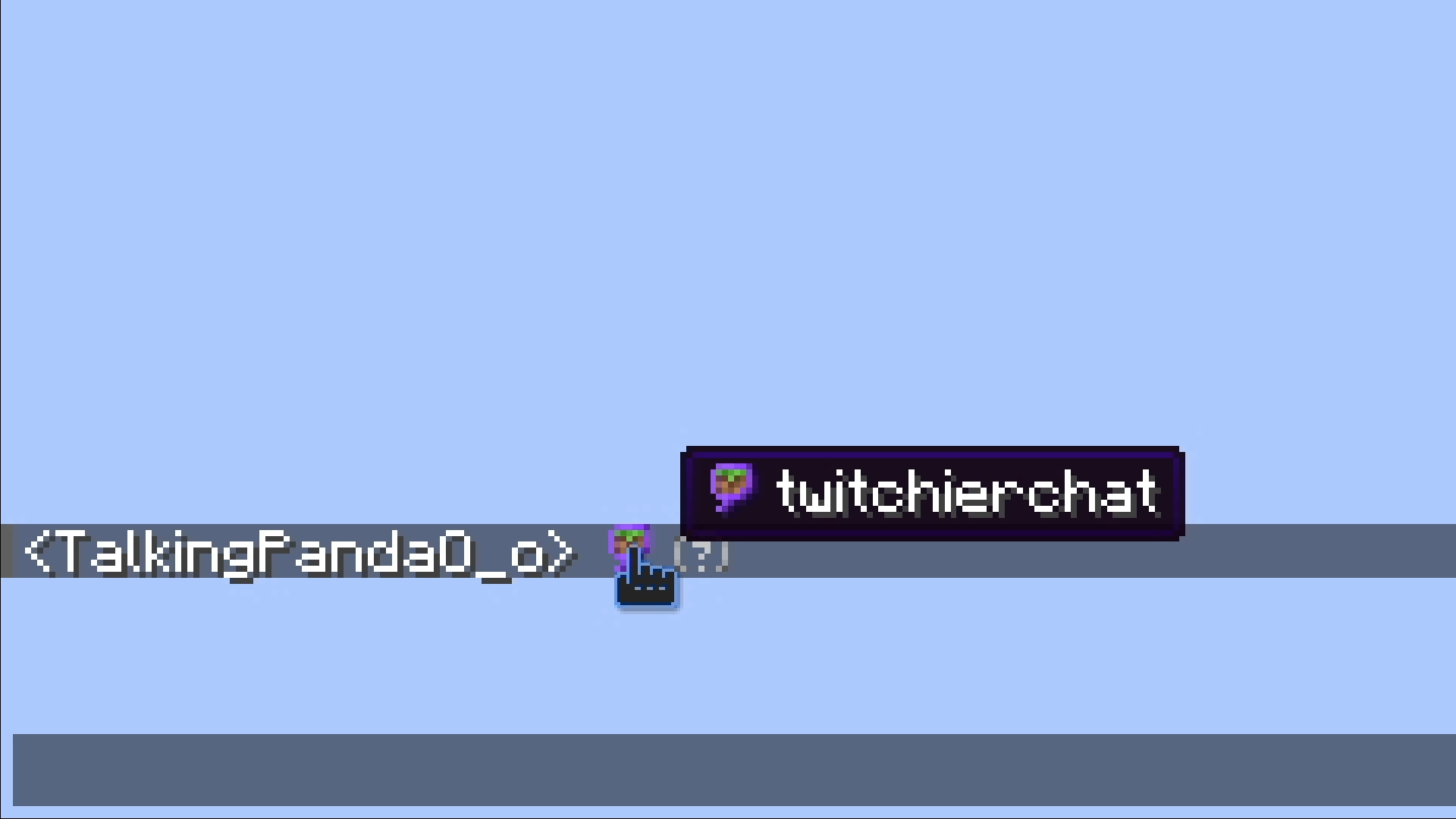
- 你可以通过点击消息来回复
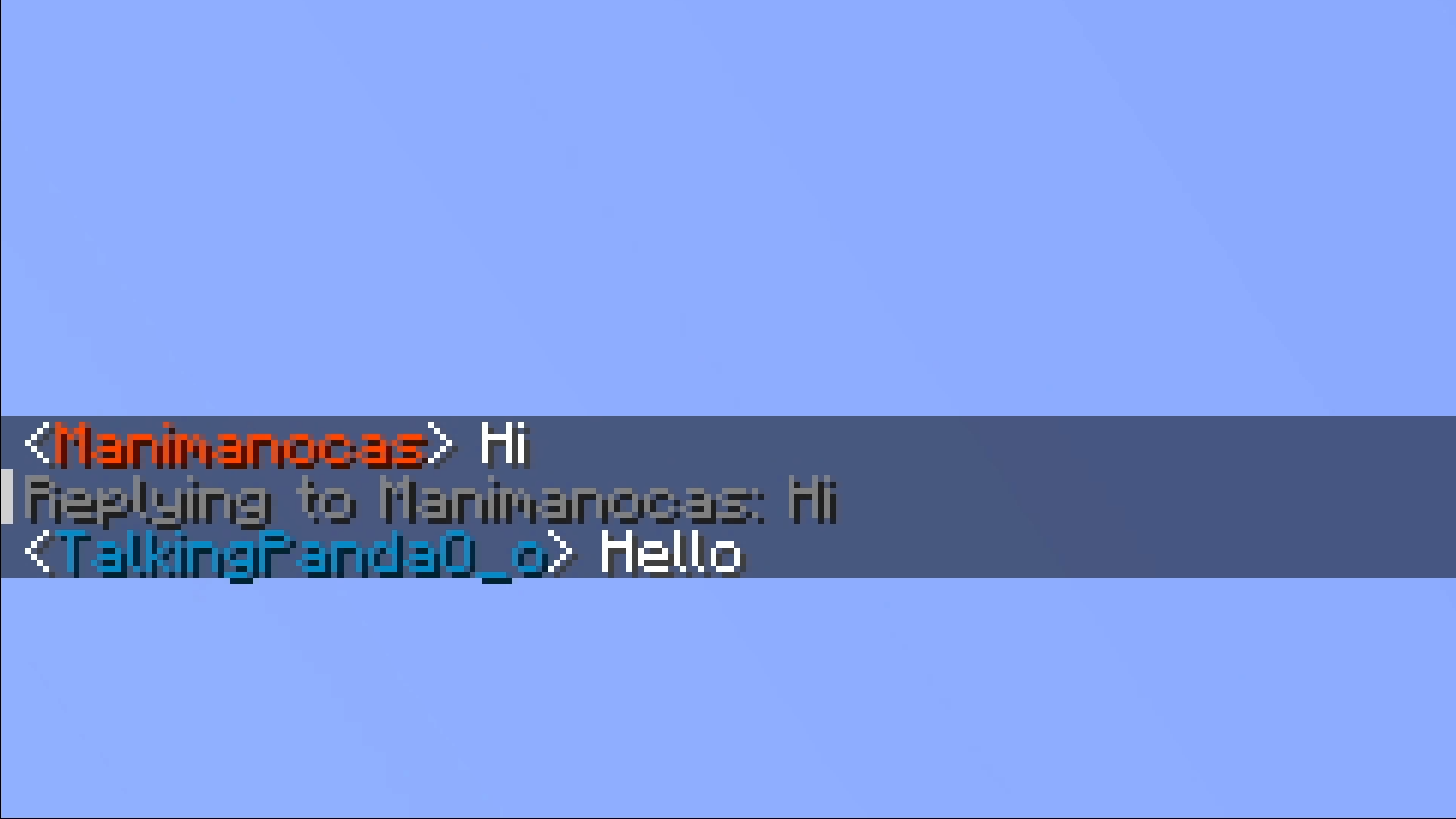
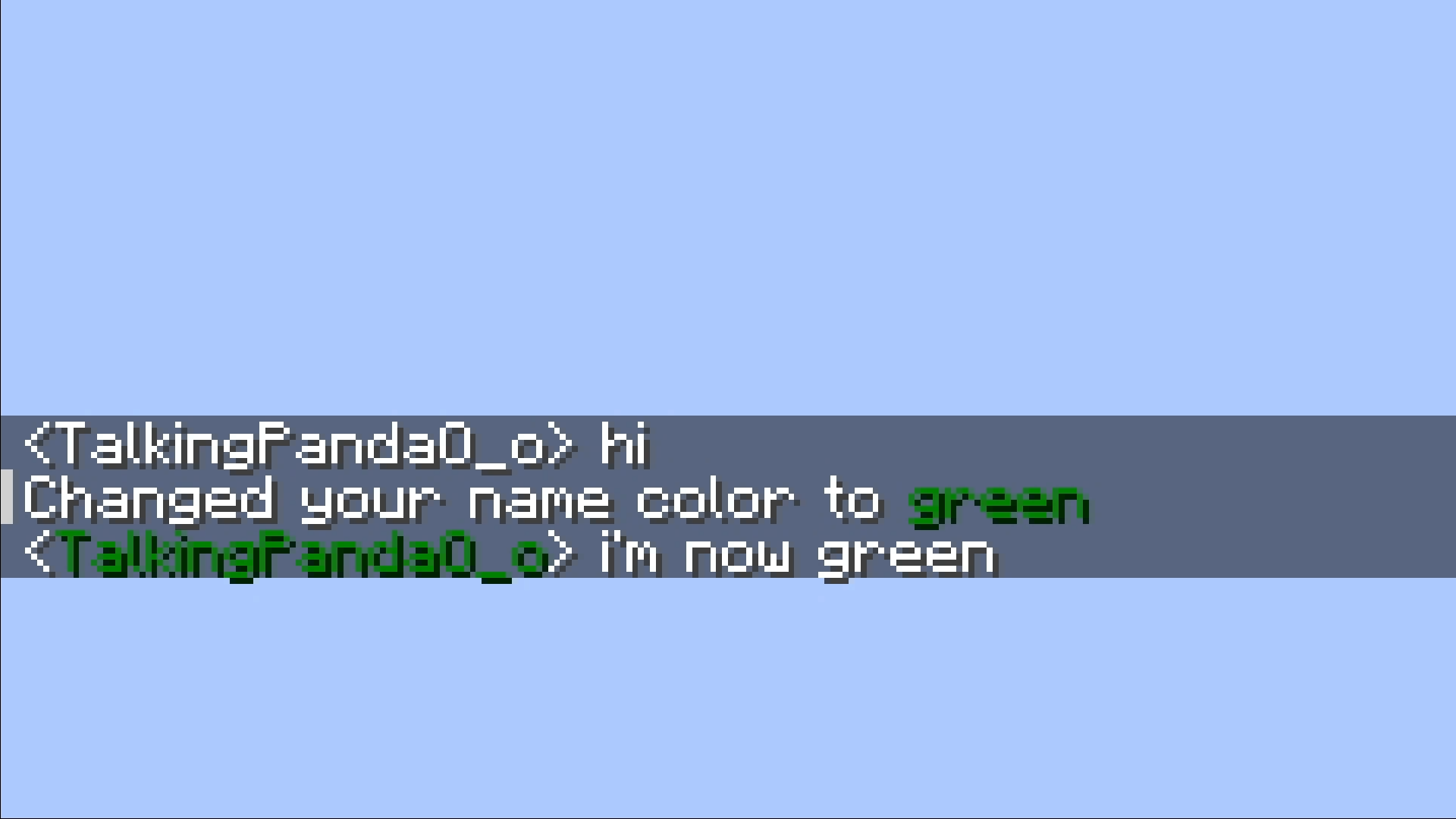
- 你可以将你的名字颜色更改为 Twitch 的任何名称颜色或任何十六进制颜色
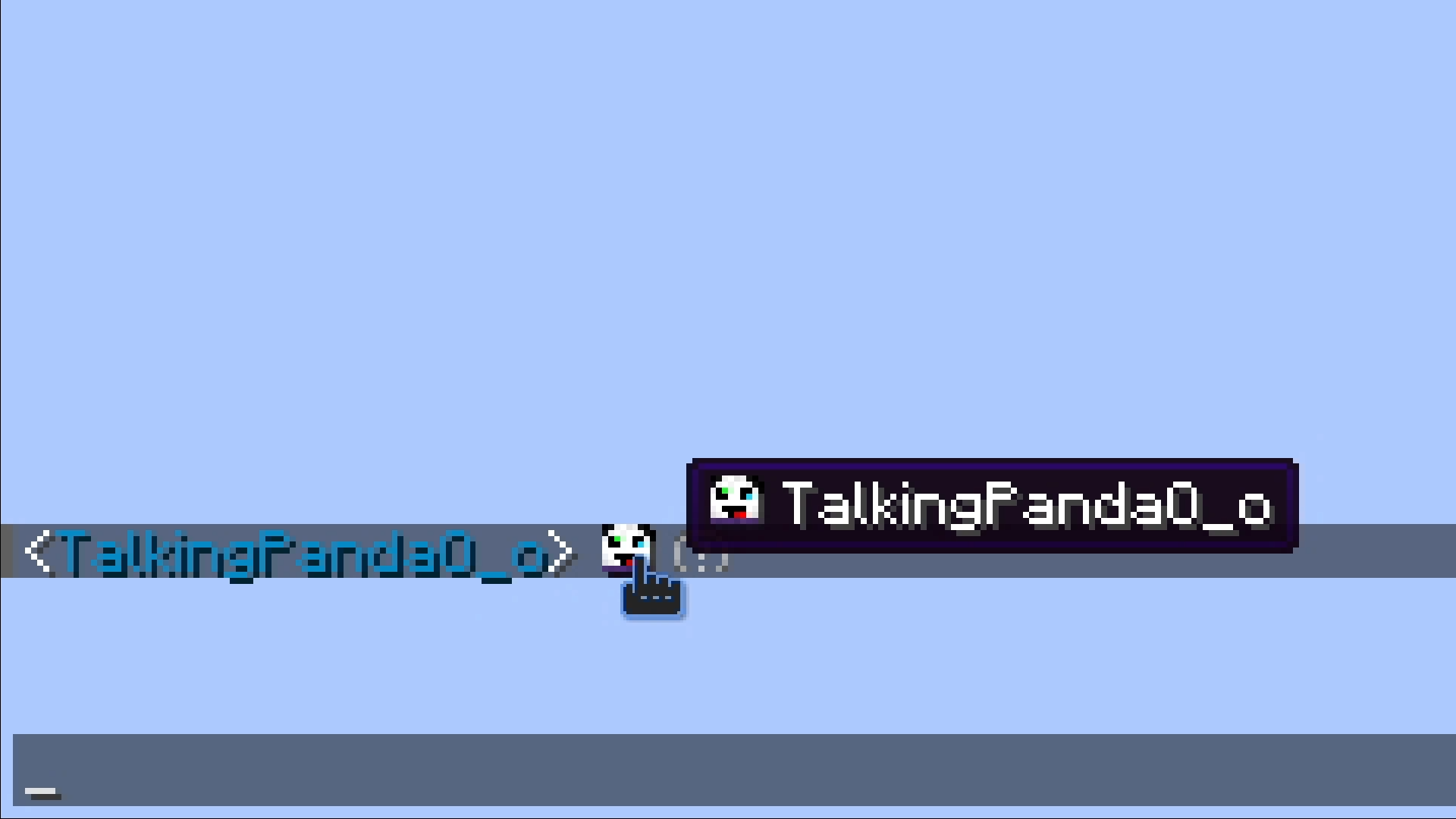
- 如果你在聊天中输入玩家的名字并用
< >括起来,你就可以在他们的头像出现在聊天中。他们不需要在服务器上,甚至不需要在线。
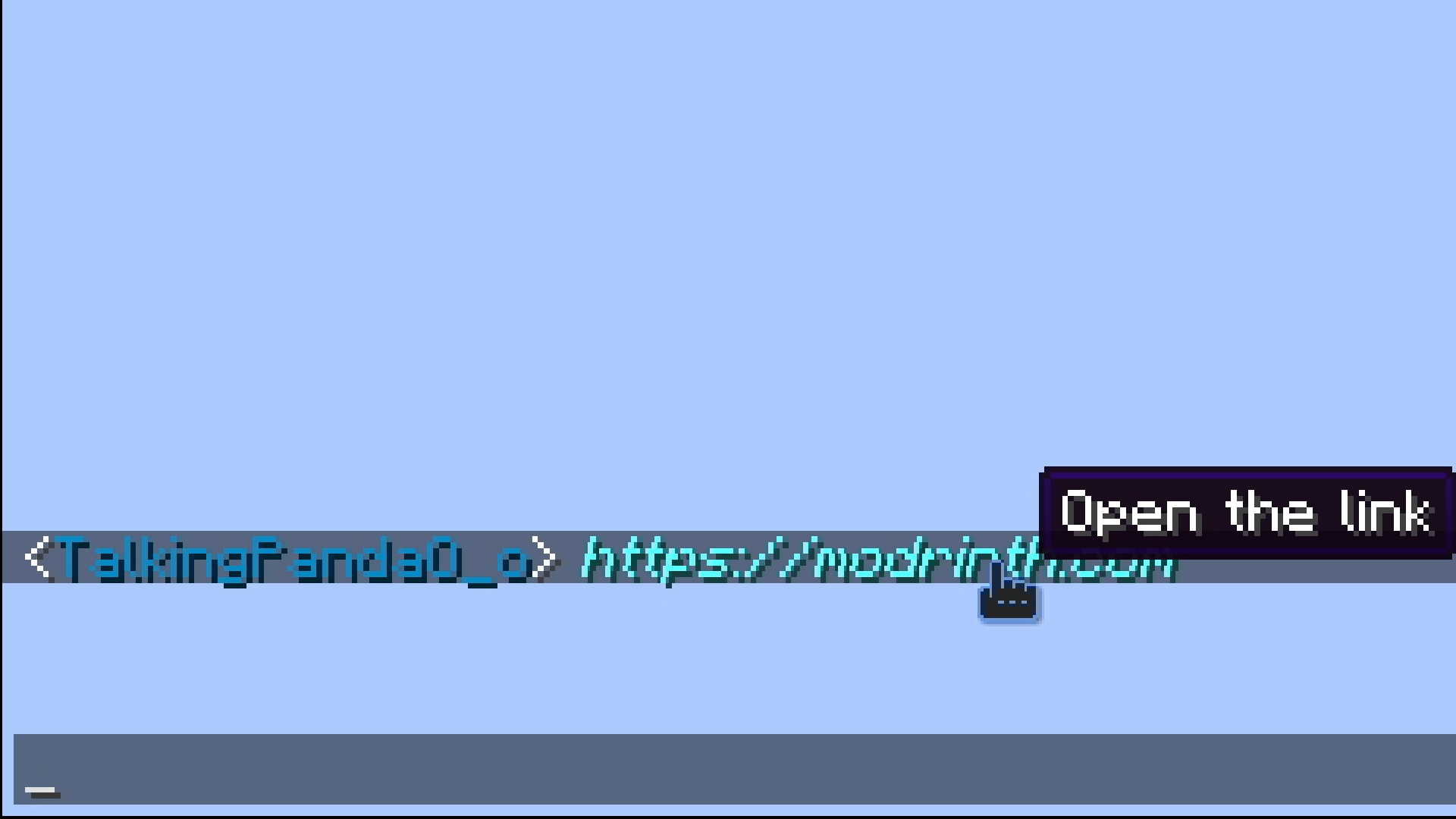
- 聊天中键入的任何 URL 都会变成可点击的链接
设置
- 需要安装 ffmpeg 并将其添加到服务器的路径中。
- 你需要 设置 资源包使用的服务器地址。
命令
Twitchierchat
/twitchierchat server <address> <port>
设置用于表情资源包的服务器地址。需要操作员权限。
<address> 需要是玩家用来加入你服务器的地址。
如果 <port> 为空,则默认为 server.properties 中设置的端口。
/twitchierchat managers
列出当前的管理员。
/twitchierchat managers add <player>
将使 <player> 成为管理员。
管理员可以添加和删除表情,但不能添加或删除其他管理员。需要操作员权限。
/twitchierchat managers remove <player>
将 <player> 从管理员列表中移除。
表情
/emotes add <emote> <sourceUrl> <showLogs> <tileSize> <fps>
添加名为 <emote> 的表情,来源为 <sourceUrl>,大小为 <tileSize>,帧率为 <fps>。可以由操作员或管理员运行。
<emote> 不能超过 14 个字符。
/emotes remove <emote>
删除名为 <emote> 的表情。可以由操作员或管理员运行。
/emotes reload
从资源包文件中重新加载表情。
/emotes update
向运行此命令的人发送资源包。
/emotes list
显示所有表情的列表。
提示音
/ping
显示你当前的提示音状态。
ping on|off
开启或关闭提示音。
/ping reply on|off
开启或关闭回复时的提示音。
/ping alias
列出你当前的别名。
/ping aliases add <alias>
将 <alias> 添加到你的别名中。
/ping aliases remove <alias>
从你的别名中移除 <alias>。
/ping sound
显示并播放你当前的提示音。
/ping sound <sound>
设置你的提示音为 <sound>。
/ping resetSound
重置你的提示音。
/ping blocked
显示你当前屏蔽的玩家。
/ping block <player>
阻止 <player> 向你发送提示音。
/ping unblock <player>
允许 <player> 再次向你发送提示音。
Showcase
- Emotes can be added by operators and managers, they can be animated and can be used in chat, signed books, anvil, signs. They will autocomplete on chat.
- You can reply to messages by clicking on them
- You can change your name color to any of the twitch name colors or any hex color
- You can put a players head in chat if you put their name between
< >, they don't need to be on the server or even online.
- Any url typed in chat will become clickable
Setup
- Needs ffmpeg to be installed and on path on the server.
- You need to set your server's address for the resource pack.
Commands
Twitchierchat
/twitchierchat server <address> <port>
Sets the server address used for the emote resource pack. Requires operator priviliges.
<address> needs to be the address players are using to join your server.
<port> will be set to the port you have in server.properties if empty.
/twitchierchat managers
Lists current managers.
/twitchierchat managers add <player>
Will make <player> a manager.
Managers can remove and add emotes they can't add or remove other managers. Requires operator priviliges.
/twitchierchat managers remove <player>
Will remove <player> from managers.
Emotes
/emotes add <emote> <sourceUrl> <showLogs> <tileSize> <fps>
Adds emote with name <emote> from <sourceUrl> with size <tileSize> and framerate <fps>. Can be run by operators or managers.
<emote> can't be longer than 14 characters.
/emotes remove <emote>
Removes emote with name <emote>. Can be run by operators or managers.
/emotes reload
Reloads the emotes from the resource pack file.
/emotes update
Sends the resource pack to the person running it.
/emotes list
Shows a list of every emote.
Pings
/ping
Shows your current ping status.
ping on|off
Turns pings on or off.
/ping reply on|off
Turns pings on or off for replies.
/ping alias
Lists your current aliases.
/ping aliases add <alias>
Adds <alias> to your aliases.
/ping aliases remove <alias>
Removes <alias> from your aliases.
/ping sound
Will show and play your current ping sound.
/ping sound <sound>
Sets your ping sound <sound>.
/ping resetSound
Resets your ping sound.
/ping blocked
Shows the players you currently have blocked.
/ping block <player>
Prevents <player> from pinging you.
/ping unblock <player>
Allows <player> to ping you again.

下载 TwitchierChat
下载 TwitchierChat
下载 TwitchierChat
下载 TwitchierChat
下载 TwitchierChat
下载 TwitchierChat
下载 TwitchierChat
- 玩家被标记时,Ping 声音不再停留在其被标记时的位置。
- 包含别名的词语不再触发 Ping。
- 改进了带有表情符号的编辑告示牌功能。
- 添加了类似 Markdown 的格式:斜体(*)、粗体(**)、
删除线(~~)、下划线(__)。
关于这个资源的讨论、问题反馈与使用心得
还没有讨论,来发第一帖吧
你是这个资源的作者?登录后可认领此资源。
相似资源
 模组

Minecraft 中的表情符号
 模组
? 主菜单上的闪屏文本将在可配置的延迟后持续变化。
 模组
恢复所有账户的游戏聊天访问权限
 模组

使聊天消息以平滑的动画效果显示。
 模组

Music Maker 为游戏添加了乐谱、乐器以及其他设备,用于创作和演奏音乐。
 模组

一个完整经济模组:玩家余额、动态定价商店、玩家市场、买入订单、货币物品以及网页仪表盘。
评论 0
登录后参与评分
还没有评论,来抢沙发吧