
? Undo Craft
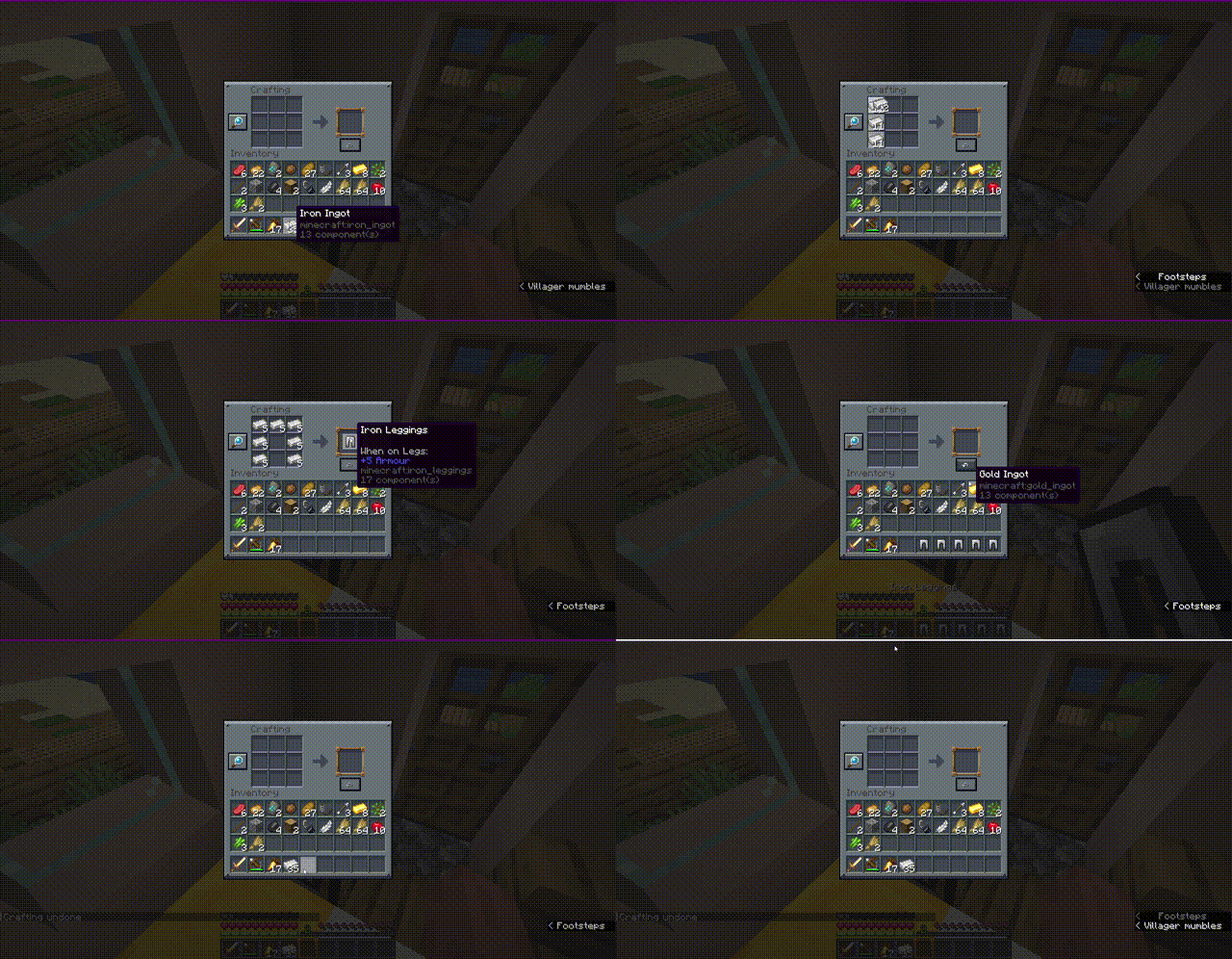
你是否曾不小心在工作台中合成了错误的物品堆,或因误触而浪费了珍贵的资源?Undo Craft 来帮你挽救局面!
这款客户端实用模组让你能够瞬间撤销上一次合成操作,完全恢复所有材料,并保持你的物品栏井然有序。
✨ 功能特性
- 意外合成恢复:即时回退最近的一次合成操作(无论是单次点击还是按住 Shift 键快速移动的合成)。
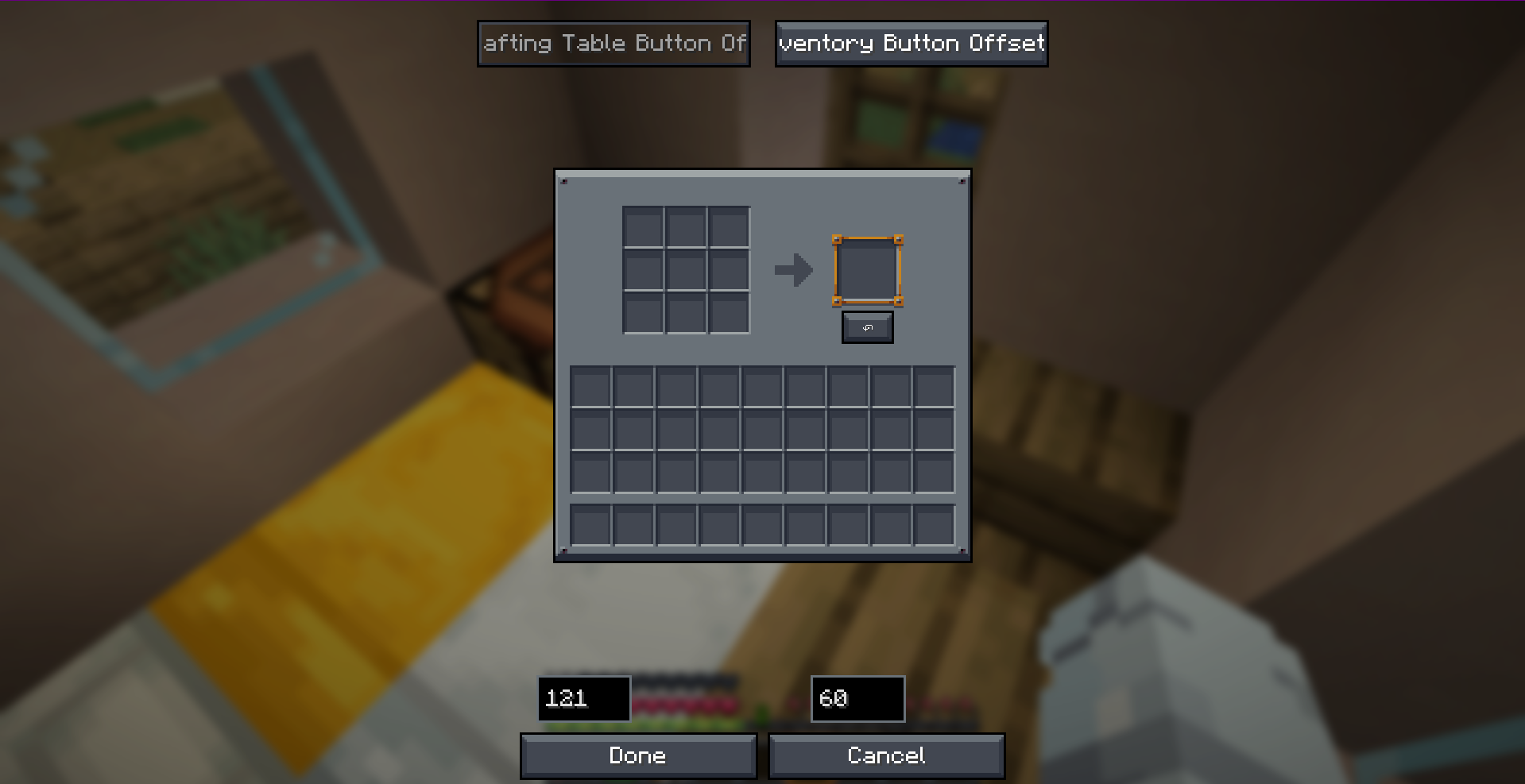
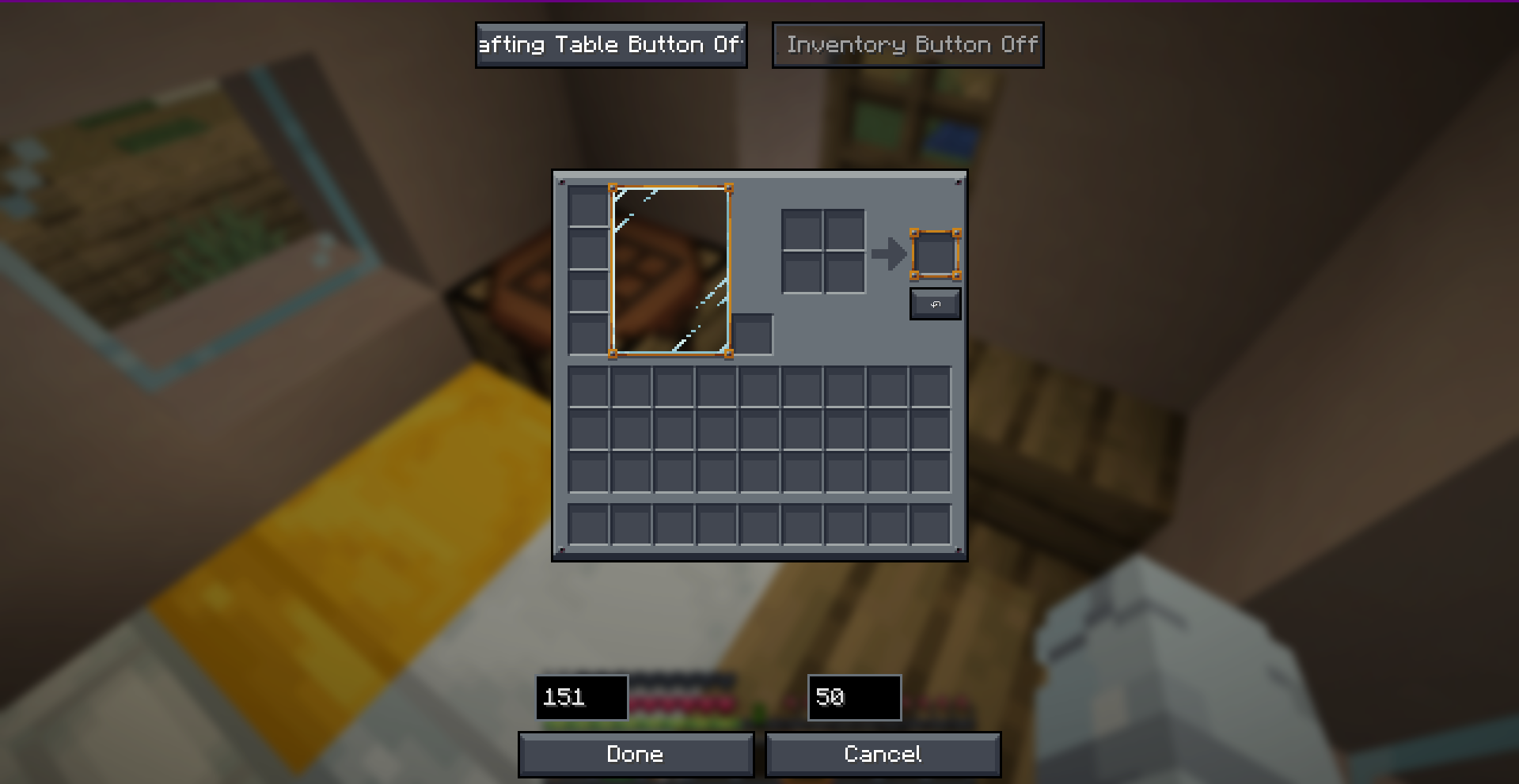
- 可视化位置编辑器:提供完全交互式、带选项卡的拖拽式配置界面。轻松将撤销按钮放置在你想要的位置。
- 双屏独立设置:为3x3 工作台和2x2 生存物品栏分别设置独立的按钮坐标。
- 高度自定义按键绑定:无需点击按钮,直接按下
CTRL + Z即可触发撤销操作! - 100% 纯客户端运行:在任何服务器上安全使用!定位、UI 控件和验证均在本地处理,无需服务端安装。
- 多版本与多加载器支持:原生全面优化,支持 Fabric、Forge 和 NeoForge,兼容多个游戏版本。
? 截图
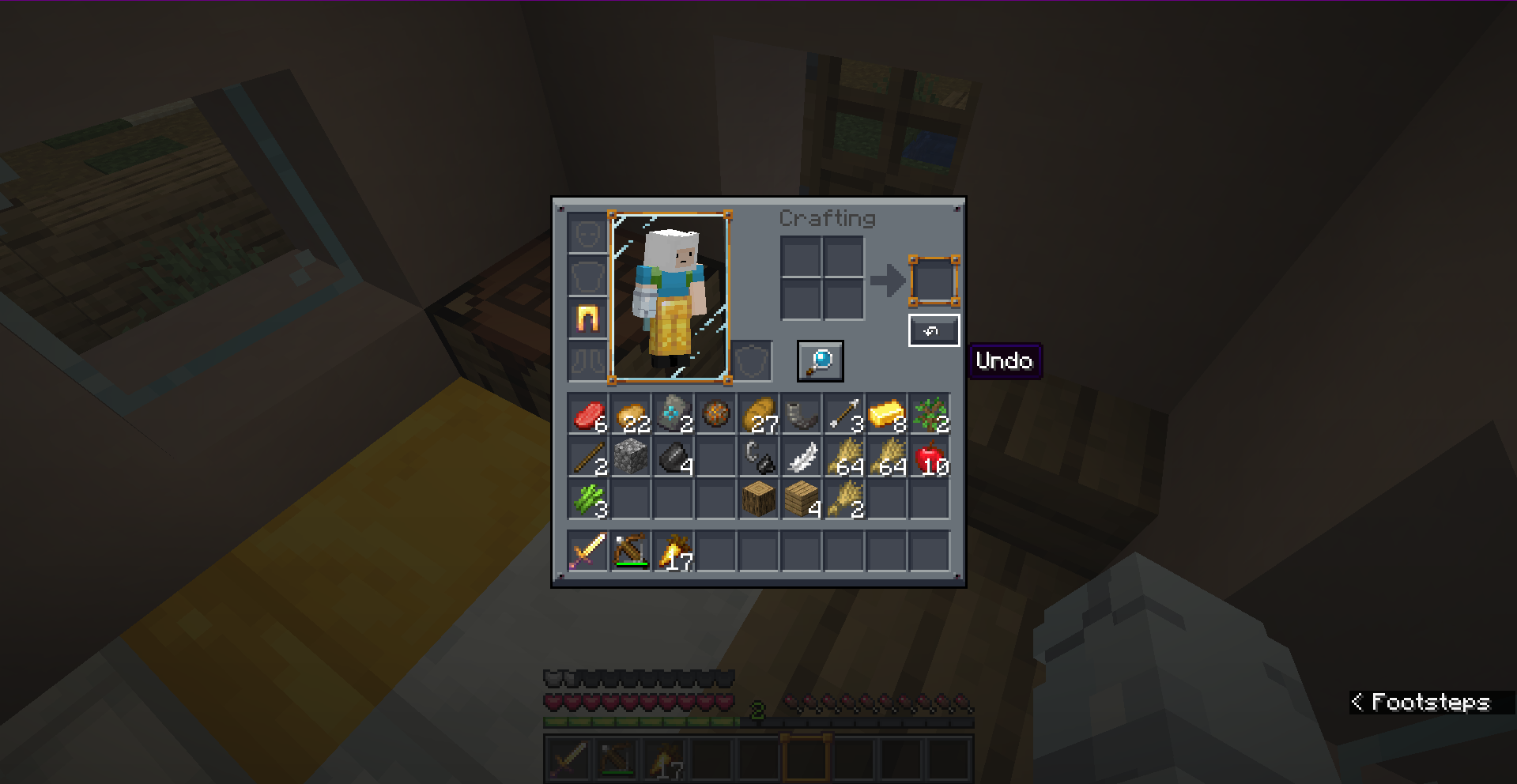
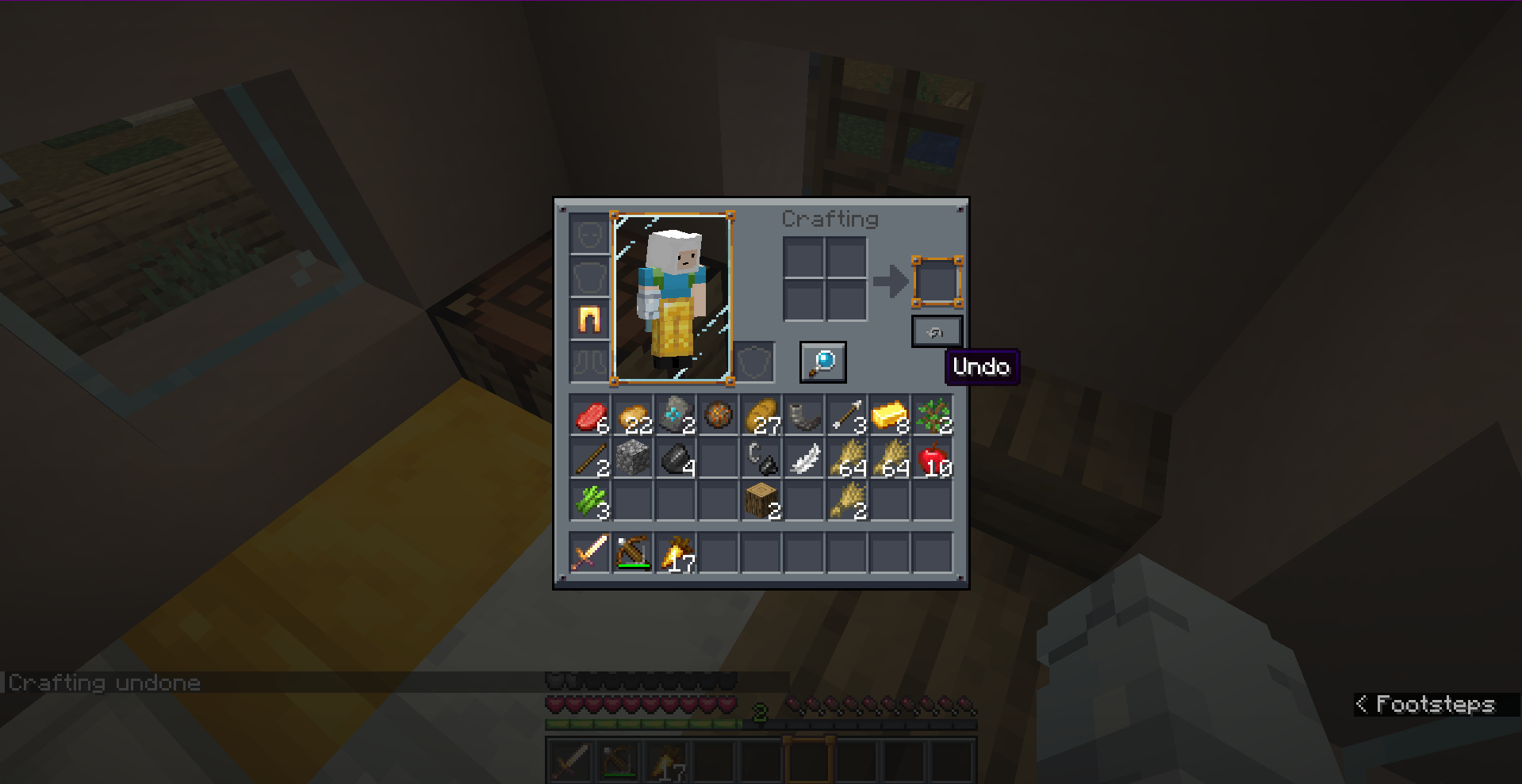
? 使用方法
- 打开任意工作台或你的生存物品栏。
- 执行一次合成操作。
- 点击屏幕上的 ↶(撤销)按钮,或直接按下
CTRL + Z。 - 立即全额返还你原本用于合成的材料!
注意:撤销历史记录仅存储最近的一次合成操作。开启新的合成会话、关闭界面或执行另一次合成都会重置撤销缓冲区。
?️ 配置
你可以实时自定义按钮的偏移量!通过以下方式访问可视化位置编辑器:
- Fabric:在 ModMenu 中配置按钮。
- Forge / NeoForge:直接访问客户端配置编辑器。
- 或者,手动在
config/undo-craft.json中配置坐标。
? 加载器与版本兼容性
| Minecraft Version | Fabric | Forge | NeoForge |
|---|---|---|---|
| 1.20.1 | ✅ | ✅ | ❌ |
| 1.21.4 | ✅ | ✅ | ✅ |
| 26.1.2+ | ✅ | ✅ | ✅ |
开发者: Musa
? Undo Craft
Have you ever accidentally crafted a stack of the wrong item or wasted valuable resources by misclicking at the crafting table? Undo Craft is here to save your day!
With this client-side utility mod, you can instantly undo your last crafting action, recover all your ingredients completely, and keep your inventory perfectly organized.
✨ Features
- Accidental Craft Recovery: Reverts the most recent crafting action (single crafts or full shift-clicked/quick-move stacks) instantly.
- Visual Position Editor: Features a fully interactive, tabbed drag-and-drop config screen. Easily place the Undo button exactly where you want it.
- Dual-Screen Settings: Set independent button coordinates for the 3x3 Crafting Table and the 2x2 Survival Inventory.
- Highly Custom Keybind: Press
CTRL + Zto trigger the undo action without even clicking the button! - 100% Client-Side: Safe to use on any server! Positioning, UI widgets, and validation are handled locally without requiring server-side installation.
- Multi-Version & Multi-Loader Support: Fully natively optimized for Fabric, Forge, and NeoForge across multiple versions.
? Screenshots
? How to Use
- Open any Crafting Table or your Survival Inventory.
- Perform a crafting action.
- Click the ↶ (Undo) button on the screen, or simply press
CTRL + Z. - Get all your original crafting ingredients refunded instantly!
Note: The undo history only stores the very last crafting action. Opening a new crafting session, closing the screen, or performing another craft will reset the undo buffer.
?️ Configuration
You can fully customize the button offsets in real-time! Access the visual positioning editor through:
- Fabric: Configure button inside ModMenu.
- Forge / NeoForge: Access the client config editor directly.
- Alternatively, configure coordinates manually in
config/undo-craft.json.
? Loader & Version Compatibility
| Minecraft Version | Fabric | Forge | NeoForge |
|---|---|---|---|
| 1.20.1 | ✅ | ✅ | ❌ |
| 1.21.4 | ✅ | ✅ | ✅ |
| 26.1.2+ | ✅ | ✅ | ✅ |
Developer: Musa

下载 Undo Craft
下载 Undo Craft
下载 Undo Craft
下载 Undo Craft
需要联机服务器吗?
稳定流畅、一键部署,几分钟即可和朋友联机开服
最低仅需 8 元/月 即可畅快联机
下载 Undo Craft
下载 Undo Craft
下载 Undo Craft
下载 Undo Craft
下载 Undo Craft
需要联机服务器吗?
稳定流畅、一键部署,几分钟即可和朋友联机开服
最低仅需 8 元/月 即可畅快联机
下载 Undo Craft
暂无更新日志
关于这个资源的讨论、问题反馈与使用心得
还没有讨论,来发第一帖吧
你是这个资源的作者?登录后可认领此资源。
相似资源
 模组

显示你正在注视的方块的信息。(适用于 Minecraft 1.16+ 的 Hwyla/Waila 分支)
 模组

查看物品与配方
 模组
在游戏画面角落显示附近世界地形、玩家、生物和实体的地图。可创建路径点,帮助你找到标记过的位置。
 模组
使用 JavaScript 编辑配方、添加自定义物品、编写世界事件!
 模组
添加区块认领和玩家组队功能,并与 Xaero's Minimap 和 World Map 集成
 模组
AE2:一款流行的自动化与存储模组
评论 0
登录后参与评分
还没有评论,来抢沙发吧