
? Undo Craft
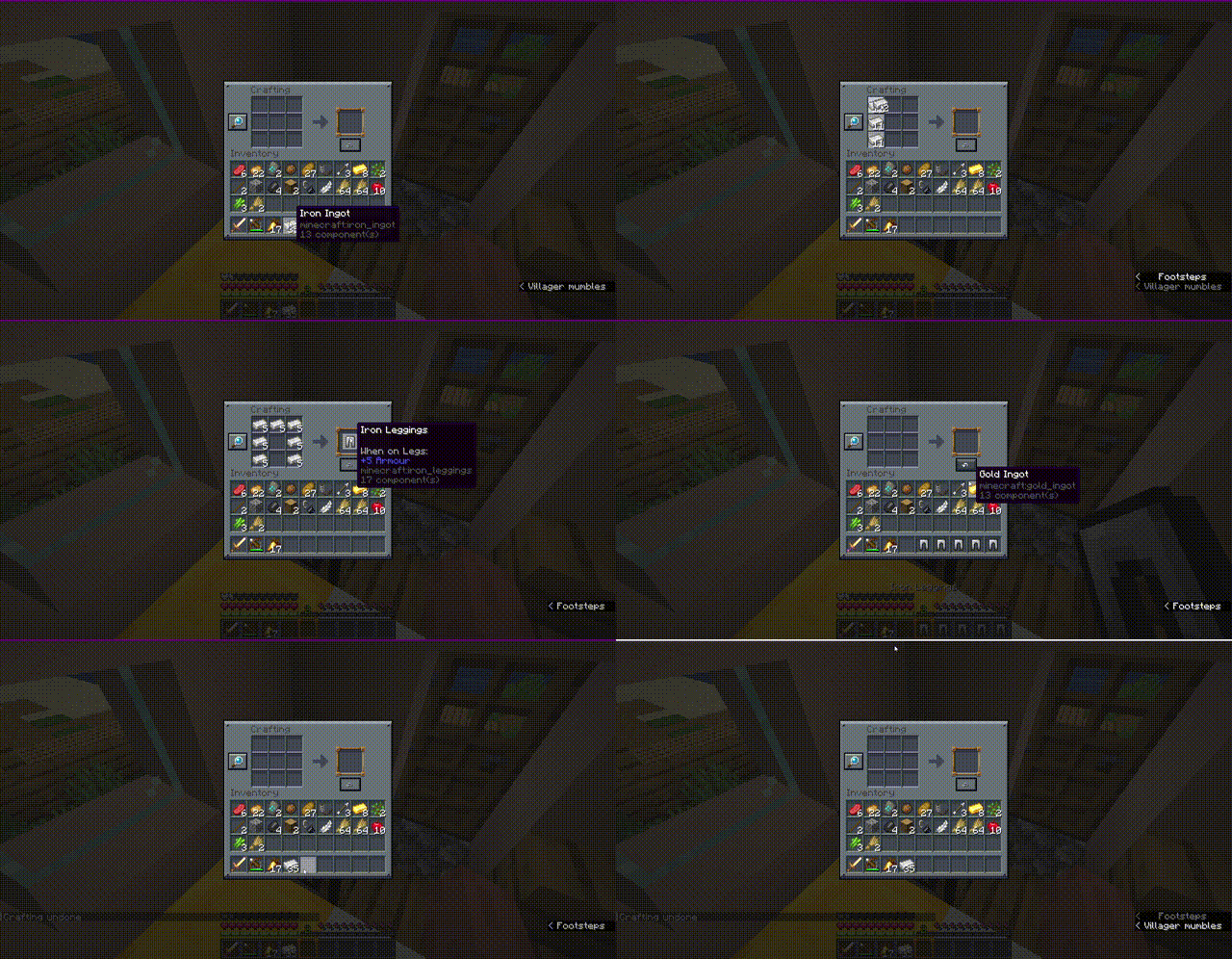
你是否曾不小心在工作台中合成了错误的物品堆,或因误触而浪费了珍贵的资源?Undo Craft 来帮你挽救局面!
这款客户端实用模组让你能够瞬间撤销上一次合成操作,完全恢复所有材料,并保持你的物品栏井然有序。
✨ 功能特性
- 意外合成恢复:即时回退最近的一次合成操作(无论是单次点击还是按住 Shift 键快速移动的合成)。
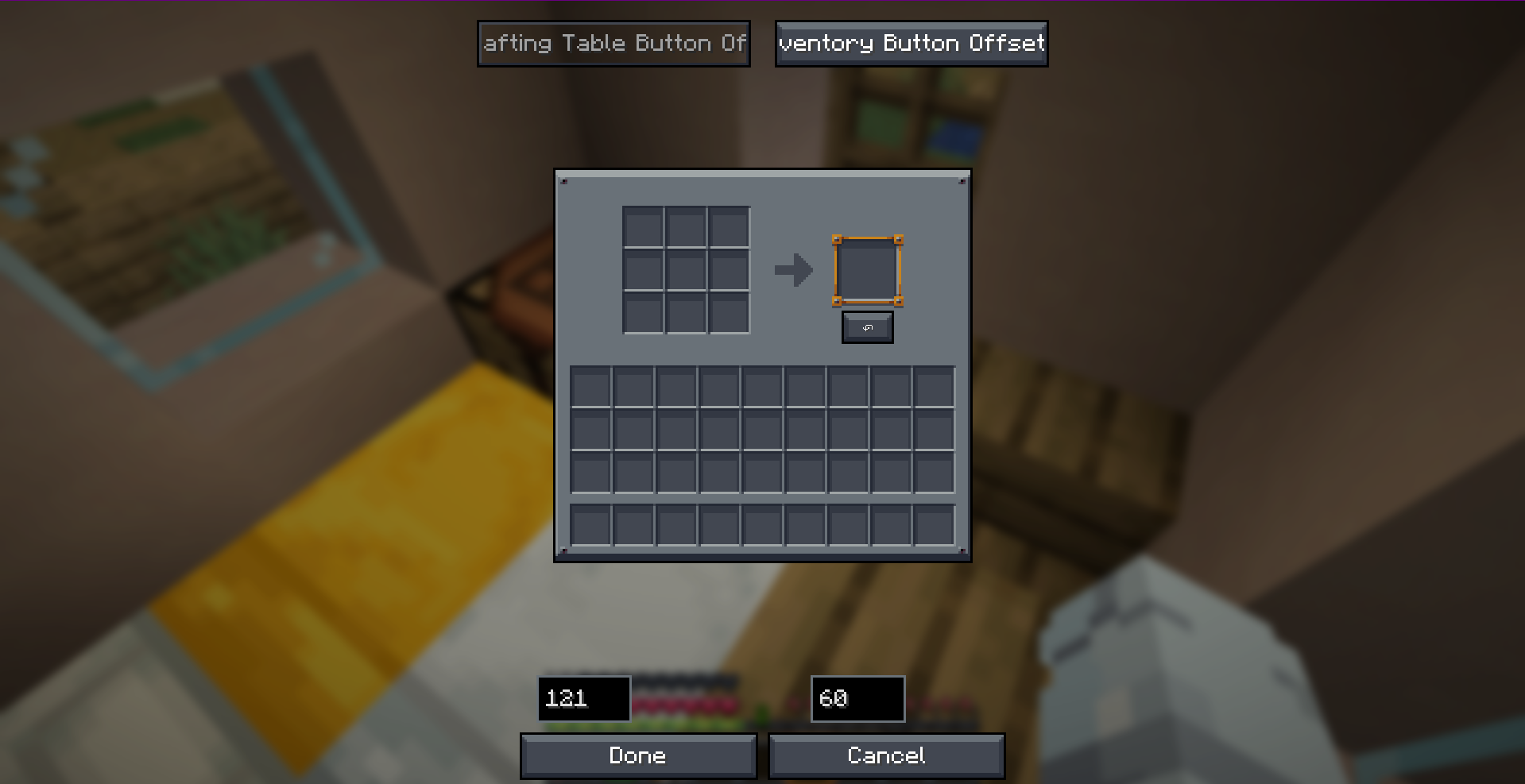
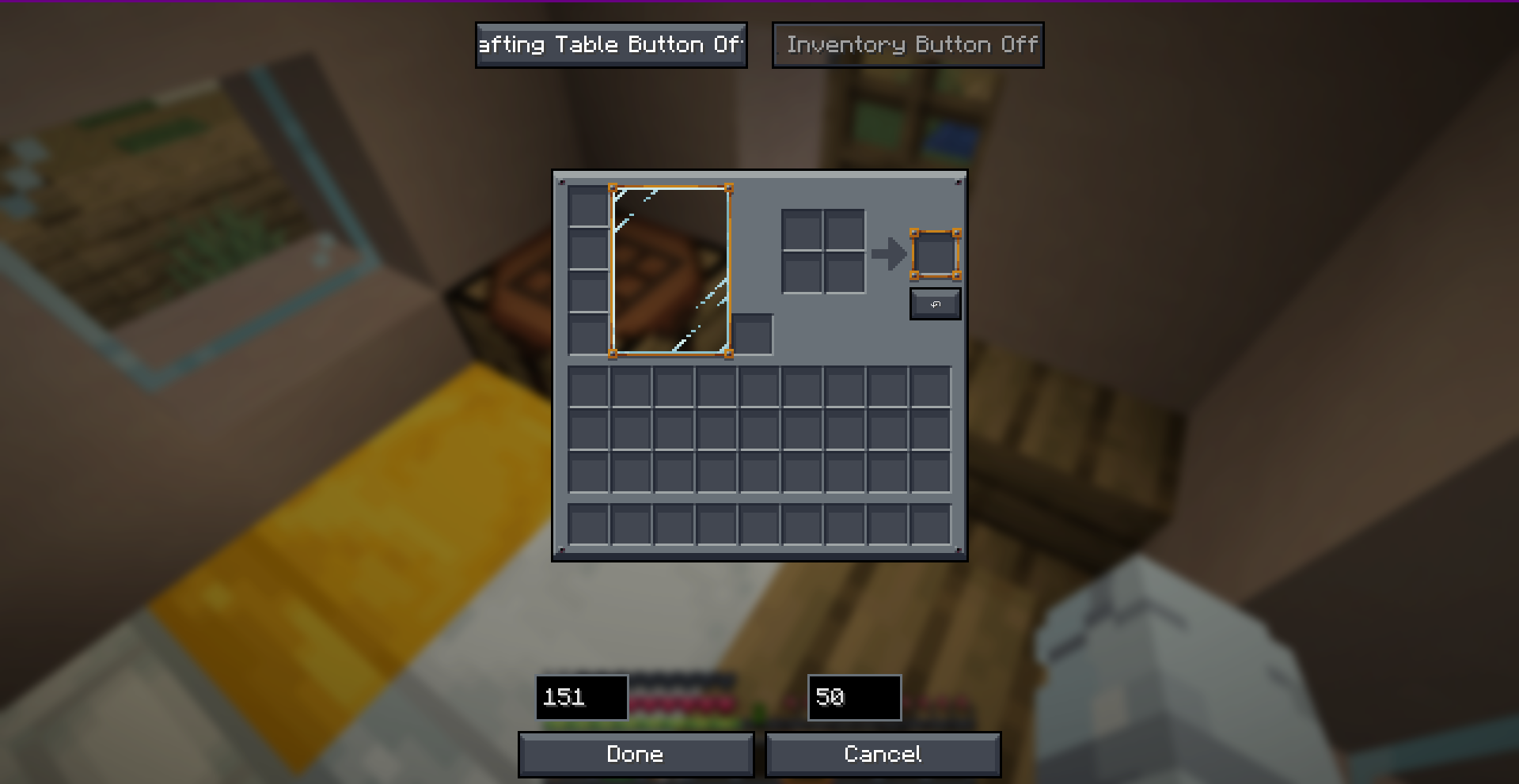
- 可视化位置编辑器:提供完全交互式、带选项卡的拖拽式配置界面。轻松将撤销按钮放置在你想要的位置。
- 双屏独立设置:为3x3 工作台和2x2 生存物品栏分别设置独立的按钮坐标。
- 高度自定义按键绑定:无需点击按钮,直接按下
CTRL + Z即可触发撤销操作! - 100% 纯客户端运行:在任何服务器上安全使用!定位、UI 控件和验证均在本地处理,无需服务端安装。
- 多版本与多加载器支持:原生全面优化,支持 Fabric、Forge 和 NeoForge,兼容多个游戏版本。
? 截图
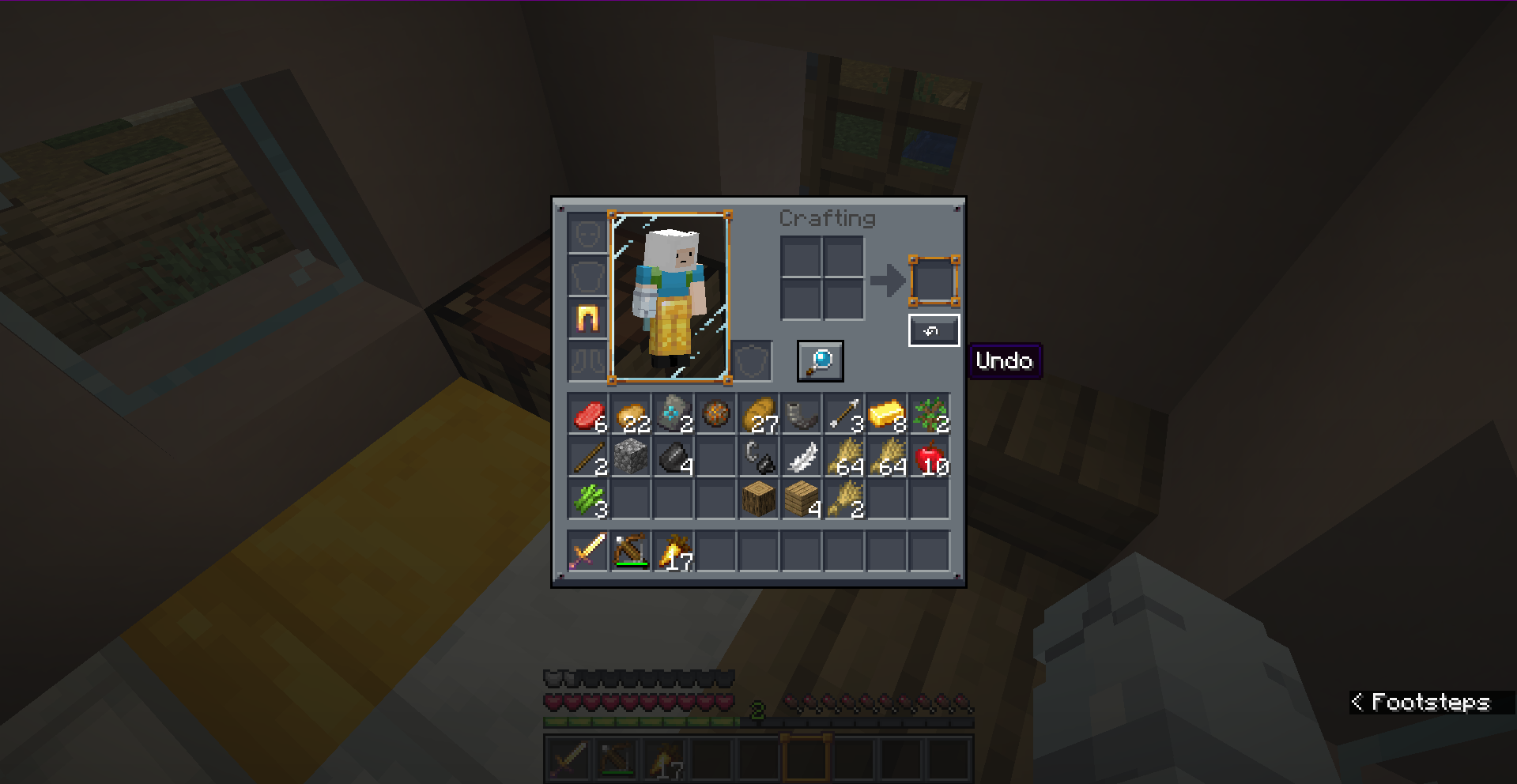
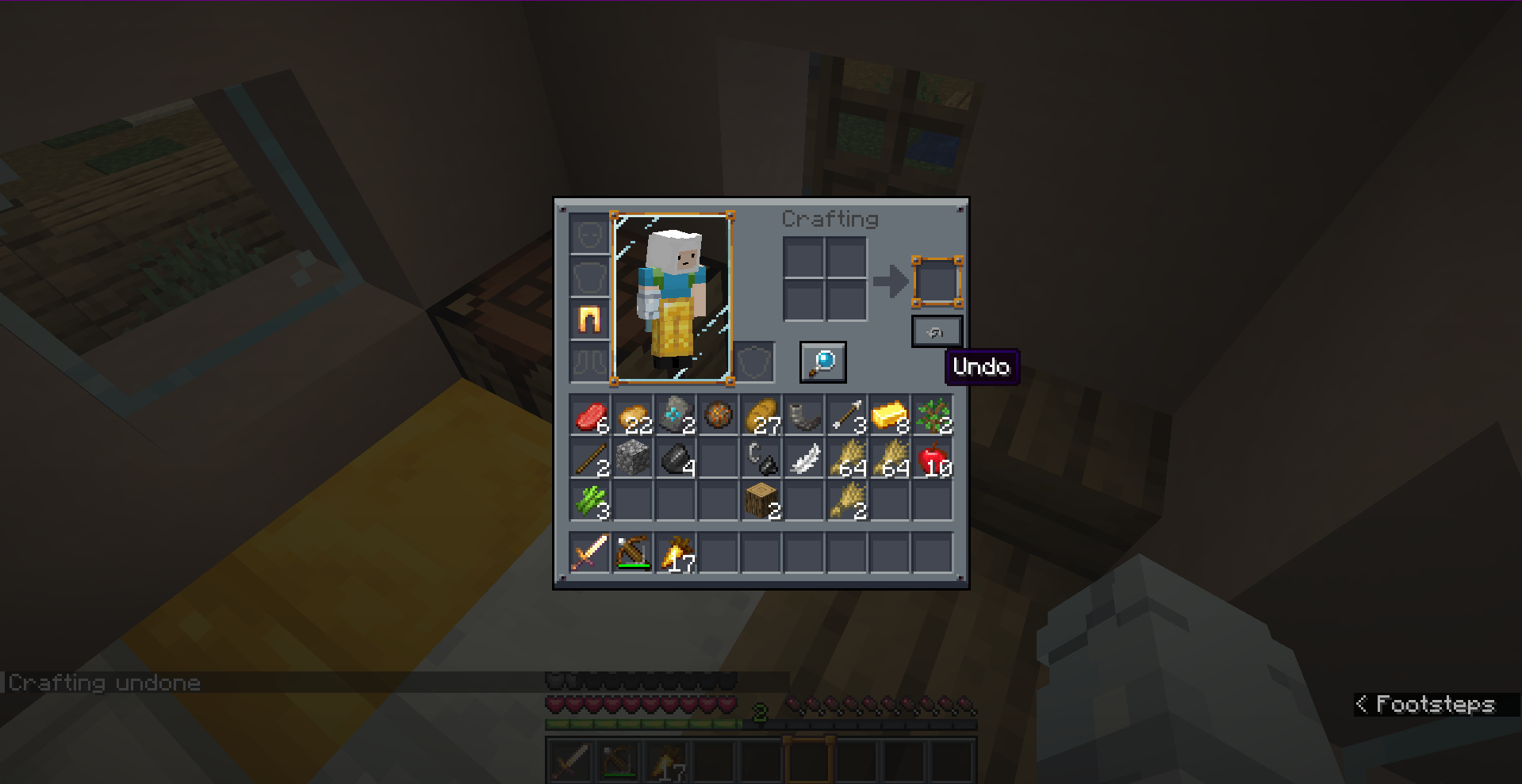
? 使用方法
- 打开任意工作台或你的生存物品栏。
- 执行一次合成操作。
- 点击屏幕上的 ↶(撤销)按钮,或直接按下
CTRL + Z。 - 立即全额返还你原本用于合成的材料!
注意:撤销历史记录仅存储最近的一次合成操作。开启新的合成会话、关闭界面或执行另一次合成都会重置撤销缓冲区。
?️ 配置
你可以实时自定义按钮的偏移量!通过以下方式访问可视化位置编辑器:
- Fabric:在 ModMenu 中配置按钮。
- Forge / NeoForge:直接访问客户端配置编辑器。
- 或者,手动在
config/undo-craft.json中配置坐标。
? 加载器与版本兼容性
| Minecraft Version | Fabric | Forge | NeoForge |
|---|---|---|---|
| 1.20.1 | ✅ | ✅ | ❌ |
| 1.21.4 | ✅ | ✅ | ✅ |
| 26.1.2+ | ✅ | ✅ | ✅ |
开发者: Musa
? Undo Craft
Have you ever accidentally crafted a stack of the wrong item or wasted valuable resources by misclicking at the crafting table? Undo Craft is here to save your day!
With this client-side utility mod, you can instantly undo your last crafting action, recover all your ingredients completely, and keep your inventory perfectly organized.
✨ Features
- Accidental Craft Recovery: Reverts the most recent crafting action (single crafts or full shift-clicked/quick-move stacks) instantly.
- Visual Position Editor: Features a fully interactive, tabbed drag-and-drop config screen. Easily place the Undo button exactly where you want it.
- Dual-Screen Settings: Set independent button coordinates for the 3x3 Crafting Table and the 2x2 Survival Inventory.
- Highly Custom Keybind: Press
CTRL + Zto trigger the undo action without even clicking the button! - 100% Client-Side: Safe to use on any server! Positioning, UI widgets, and validation are handled locally without requiring server-side installation.
- Multi-Version & Multi-Loader Support: Fully natively optimized for Fabric, Forge, and NeoForge across multiple versions.
? Screenshots
? How to Use
- Open any Crafting Table or your Survival Inventory.
- Perform a crafting action.
- Click the ↶ (Undo) button on the screen, or simply press
CTRL + Z. - Get all your original crafting ingredients refunded instantly!
Note: The undo history only stores the very last crafting action. Opening a new crafting session, closing the screen, or performing another craft will reset the undo buffer.
?️ Configuration
You can fully customize the button offsets in real-time! Access the visual positioning editor through:
- Fabric: Configure button inside ModMenu.
- Forge / NeoForge: Access the client config editor directly.
- Alternatively, configure coordinates manually in
config/undo-craft.json.
? Loader & Version Compatibility
| Minecraft Version | Fabric | Forge | NeoForge |
|---|---|---|---|
| 1.20.1 | ✅ | ✅ | ❌ |
| 1.21.4 | ✅ | ✅ | ✅ |
| 26.1.2+ | ✅ | ✅ | ✅ |
Developer: Musa

下载 Undo Craft
下载 Undo Craft
下载 Undo Craft
下载 Undo Craft
下载 Undo Craft
下载 Undo Craft
下载 Undo Craft
暂无更新日志
关于这个资源的讨论、问题反馈与使用心得
还没有讨论,来发第一帖吧
你是这个资源的作者?登录后可认领此资源。
相似资源
 模组

显示你正在注视的方块的信息。(适用于 Minecraft 1.16+ 的 Hwyla/Waila 分支)
 模组
在游戏画面角落显示附近世界地形、玩家、生物和实体的地图。可创建路径点,帮助你找到标记过的位置。
 模组

查看物品与配方
 模组
使用 JavaScript 编辑配方、添加自定义物品、编写世界事件!
 模组
AE2:一款流行的自动化与存储模组
 模组
那是什么?一个 Waila/Hwyla 的分支。
评论 0
登录后参与评分
还没有评论,来抢沙发吧