概述
“Vanilla Immersion”是一款模组,正如其名,它试图为原版 Minecraft 带来沉浸式的体验!通过移除大多数方块上的“弹出式”GUI来实现这一目标。取而代之的是,你可以直接使用双手在世界中与它们进行互动。
注意:本模组需要 Shadowfacts' Forgelin 才能运行,而非适用于 1.8.9 的过时版本。请使用最新版本的 Forgelin,并立即报告任何与新版 Forgelin/Kotlin 相关的问题。
特性
目前,以下一组方块已受到该模组的特别处理。
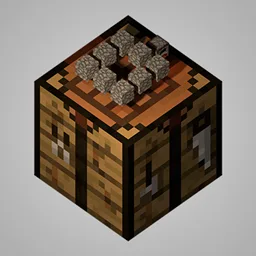
工作台
你是否曾好奇过工作台上那个网格是用来做什么的?没错,就是用来合成物品的!但不幸的是,在网格的正确槽位上右键点击任意物品只会打开一个窗口,这真让人恼火!
沉浸式工作台具有以下特性:
- 通过在相应槽位上右键点击,直接将物品放置到世界中的合成网格上
- 左击槽位(包括结果槽)会将其中当前持有的物品移除并放入你的背包
- 在执行任何点击操作时按住潜行键,将执行正常动作,但会取出整个堆叠中的所有物品,而不仅仅是其中一个
- 完全支持拖拽操作,如同原版 GUI 一样
- 与 JEI 集成
- 自动传输通过右下角问号图标点击可用的配方
- 有限地支持通过漏斗或其他模组进行的自动化
除非配方需要特殊的玩家数据,否则合成物品可以从底部提取由于无法区分自动化和玩家上下文,此功能在模组的 1.12 版本中不再可用。- 在工作台的北、南、西、东侧面,物品可以插入相邻的(“中间”)槽位
- 物品可以从顶部面插入中心槽位
熔炉
和工作台一样,现在可以直接在世界中与熔炉进行互动。此外,你现在实际上可以看到熔炉内部的情况,如果你曾经好奇过在冶炼那些珍贵金属时里面发生了什么的话!
沉浸式熔炉具有以下特性:
- 直接将物品插入相应的槽位(上半部分用于输入,下半部分用于燃料)
- 剩余燃料的视觉指示(煤炭会变浅,即变成灰烬)
- 与原版的自动化方式保持一致
- 插入物品的方式完全相同
- “提取”物品必须通过位于熔炉前方的漏斗来完成,因为所有冶炼结果都会掉落至世界中
铁砧
在原版的铁砧并不怎么引人注目,只是四个灰色立方体的集合。然而,通过这个模组,你不仅可以在世界中直接进行修复,还可以使用锤子!
沉浸式铁砧具有以下特性:
- 将输入物品放置在铁砧标记的槽位上
- 待修复/修改的物品将放入“镐子”槽位
- 修饰物将放入“锭”槽位
- 通过使用标记槽位,将锤子放置在铁砧的右侧
- 可以通过右键点击铁砧的前表面并输入文本来为物品命名,文本将直接显示出来
- 操作的結果在你用锤子敲击输入物品之前是无法得知的
- 如果你的经验值不足或操作无效,你会听到“物品损坏”的声音
- 如果操作成功,每次敲击会使你的经验等级减少一级
- 所需的敲击次数等于所需的经验值
- 请注意,即使你自己经验值不足,你也可以在进行操作时离开铁砧,或者甚至可以与朋友一起在上面工作
锤子
锤子是一种在铁砧上加工材料所需的工具。它会因使用而受损,其耐久度与其他铁制工具相当。要获得一把锤子,只需使用以下合成配方即可:
附魔台
原版的附魔台上方漂浮着一本精美的书,但它除了漂浮和翻页外没什么用处。不如实际看看上面关于可用附魔的信息吧?
沉浸式附魔台具有以下特性:
- 通过将物品右键点击附魔台,将需要附魔的物品及潜在修饰物(如青金石)插入台中
- 可以从每页中选择附魔,翻页只需点击“按钮”或页面的左/右边缘即可
- 关于所需经验值、青金石数量以及保证获得的附魔信息可以在每页的神秘文本中找到
- 走得太远离开附魔台会使书本关闭(如同原版),并移除所有已插入的物品
- 点击“附魔”后,将启动一个约 6 秒的过程以执行实际的附魔操作
酿造台
在原版的酿造台中,你插入的所有药水都以相同的方式显示。这个模组彻底改变了其外观和感觉。
沉浸式酿造台具有以下特性:
- 通过右键点击相应的“管子”来插入/提取药水/瓶子进入/退出酿造台(你的选择将可见)
- 通过右键点击酿造台顶部的“小碗”来插入/提取原料。或者,将物品直接丢在碗上
- 当碗中装有材料时,右键点击“碗”即可插入/提取燃料(如烈焰粉)
- 保留原版的所有自动化功能
信标
原版信标存在一些局限性。通过本模组,你可以从外部查看信标当前激活的效果,甚至无需破坏方块即可禁用效果!
沉浸式信标具有以下特性:
- 右键点击信标的任意侧面以进入“编辑模式”
- 在编辑模式下,将鼠标悬停在显示图标的任一面并滚动滚轮,可切换当前激活的效果
- 若要选择不显示任何效果或禁用信标,只需选择屏障图标即可
- 再次右键点击以确认你的选择
- 若要撤销上一步操作,请按住潜行键右键点击该方块
- 一旦确认所有期望的效果,信标将等待支付费用,此时中心水晶会闪烁提示。只需手持有效的付费物品右键点击它即可完成支付。
- 激活的信标会在其所有侧面上显示当前生效的效果
计划中的功能
- 其余原版方块的沉浸式版本,不包括箱子、漏斗、发射器和投掷器,以及任何方块的潜在矿车形态。前者是因为管理这些大型库存会非常繁琐;后者尚未最终确定,但沉浸式实体变体可能性较低
- 与 JEI 集成
- 在工作台、熔炉或铁砧上方悬停物品时,完全支持 'R'、'U' 及其他组合键
- 配置选项
权限说明
你可以在任何整合包(公开或私有)中自由使用本模组,无需明确征得作者许可。此外,本模组遵循 MIT 许可证,因此在提出关于重新分发等具体问题之前,请参阅其许可证文本。
问题与建议
如果你在使用本模组时遇到任何问题或有改进建议,请在项目的 问题追踪器 上发帖。如果你想与作者讨论你的想法,请加入 EsperNet IRC 并联系 PaleoCrafter(也可以私信离线的 PaleOff,消息无论如何都会送达)。
如果你喜欢我的模组并希望支持我,可以考虑
Overview
"Vanilla Immersion" is a mod that tries to bring an immersive experience to Vanilla Minecraft, just like the name suggests! This is achieved by removing any "pop-up" GUI from most blocks. Instead, you are able to directly interact with them from within the world, with your actual hands.
Note: This mod requires Shadowfacts' Forgelin to run, not the outdated mod for 1.8.9. Please use the latest version of Forgelin and immediately report any issues with newer versions of Forgelin/Kotlin.
Features
Currently, the following set of blocks has received special treatment from this mod.
Crafting Table
Ever wondered what that grid on a crafting table is for? Exactly, you're supposed to craft on it! But unfortunately, right clicking with any item on the correct slot of the grid will just open a window, how annoying!
The Immersive Crafting Table has the following features:
- Directly place items on the in-world crafting grid by right-clicking the appropriate slot
- Left-clicking a slot (including the result) will remove the item it currently holds to your inventory
- Sneaking while doing any click will perform the normal action, only with all items from a stack rather than only one of them
- Full support for dragging, just like the Vanilla GUI
- Integration with JEI
- Automatic transfer of recipes available through clicking the question mark icon in the lower right-hand side corner
- Limited support for automation through hoppers or other mods
Crafted items may be extracted from the bottom unless the recipe requires special player dataNo longer available in 1.12 versions of the mod due to indistinguishability of automation and player contexts.- On the north, south, west and east side of the crafting table items may be inserted into the adjacent ("middle") slots
- Items may be inserted into the centre slot from the top face
Furnace
Just like the crafting table, the furnace can now be interacted with directly in the world. In addition to that, you can actually see inside the furnace now, if you ever wondered what's going in there when you smelt up those precious metals!
The Immersive Furnace has the following features:
- Directly insert items into the respective slot (upper half for input, lower half for fuel)
- Visual indication of remaining fuel (coal will turn lighter, i.e. into ash)
- Parity with Vanilla automation-wise
- Inserting items works just the same
- "Extracting" items will have to be done through a hopper in front of the furnace since it will drop all smelting results into the world
Anvil
In Vanilla, the anvil isn't very impressive, just a collection of 4 grey cubes. With this mod, however, you can not only directly do your repairs in-world, you also get to use a hammer!
The Immersive Anvil has the following features:
- Place inputs on the marked slot of the anvil
- The object to be repaired/modified will go into the "pickaxe" slot
- The modifier goes into the "ingot" slot
- Place a hammer on the right-hand side of the anvil by using the marked slot
- Items can be named by right clicking the front face of the anvil and by typing text, it will directly be displayed
- The result of the operation can not be known before you work the inputs with a hammer
- If you do not have enough experience or the operation does not work, you will hear the "item breaking" sound
- If the operation does work, your experience will be decreased by one level with every hit
- The required amount of hits equals the required experience
- Note that you may leave the anvil while performing an operation or even work on it together with friends if you do not have enough experience yourself
Hammer
The hammer is a tool required to work materials on the anvil. It doe take damage from usage and has equivalent durability to other iron tools. To obtain a hammer, you simply have to use this crafting recipe:
Enchantment Table
The Vanilla enchantment table has a fancy book floating above it, but it doesn't do much expect floating and flipping its pages. How about actually seeing information about the available enchantments on there?
The Immersive Enchantment Table has the following features:
- Insert the item to enchant and potential modifiers (i.e. lapis lazuli) into the table by right clicking it with them
- Enchantments can be selected from each page, flipping the page is simply done by clicking the "button" or the left/right margin of the page
- Information about required experience, lapis lazuli and a guaranteed enchantment can be found among the cryptic text on each page
- Walking too far away from the table will close the book (just like Vanilla) and remove all items inserted
- Upon clicking "Enchant", a process of about 6 seconds is started to perform the actual enchanting
Brewing Stand
In Vanilla, the Brewing Stand displays every potion you insert the same way. This mod changes the look and feel completely.
The Immersive Brewing Stand has the following features:
- Insert/Extract potions/bottles into/from the stand by right clicking the corresponding "tubes" (your selection will be visible)
- Insert/Extract the ingredient by right clicking the little "bowl" on top of the stand. Alternatively, drop the item on top of the bowl
- Insert/Extract the fuel (i.e. blaze powder) by right clicking the "bowl" while it contains an ingredient
- All automation capabilities from Vanilla are retained
Beacon
Vanilla Beacons have a few caveats. With this mod, you can tell from the outside of the beacon which effects are currently active and you can even disable the effects without having to destroy the block!
The Immersive Beacon has the following features:
- Right click any side of the beacon to enter "edit mode"
- In edit mode, scroll while hovering over any of the faces displaying an icon to change the active effect
- To select no effect or disable the beacon, simply select the barrier icon
- To confirm your choice, right click again
- To go back one step, right click the block while sneaking
- Once you've confirmed all desired effects, the beacon will await its payment, signified by the pulsing of the centre crystal. Simply right click it while holding items valid for payment in your hand.
- The active beacon displays its active effects on all sides
Planned Features
- Immersive versions of the remaining Vanilla blocks, excluding chests, hoppers, droppers and dispensers as well as potential Minecart forms of any block. The former is due to the fact that managing these large inventories would just be tedious, the latter is not set in stone, immersive entity variants are unlikely though
- Integration with JEI
- Full support of 'R', 'U' and other key combos while hovering over an item on the crafting table, the furnace or the anvil
- Configuration options
Permissions
You may freely use this mod in any mod pack (public or private) without explicitly asking the author for permission. Furthermore, the MIT license applies to this mod, so consult its text before asking any specific questions about redistribution etc.
Issues/Suggestions
If you have any issues with this mod or suggestions to improve it, kindly post them on the project's issue tracker. If you want to discuss your idea with the author, hop onto the EsperNet IRC and contact PaleoCrafter (may also PM the away nick PaleOff, messages will arrive either way).
If you like my mod and want to support me, you might want to

下载 Vanilla Immersion
下载 Vanilla Immersion
下载 Vanilla Immersion
下载 Vanilla Immersion
下载 Vanilla Immersion
下载 Vanilla Immersion
下载 Vanilla Immersion
下载 Vanilla Immersion
下载 Vanilla Immersion
下载 Vanilla Immersion
- 修复
- 使合成台搜索 GUI 占满整个高度,以防止 JEI 搜索栏居中出现问题
关于这个资源的讨论、问题反馈与使用心得
还没有讨论,来发第一帖吧
你是这个资源的作者?登录后可认领此资源。
相似资源
 模组
缓冲的原始输入和线程化的事件轮询
 模组

可定制的鞘翅模组,支持装饰纹饰、旗帜图案等更多功能!
 模组

一个用于收集生物掉落物的多区块模组。
 模组

显示你正在注视的方块的信息。(适用于 Minecraft 1.16+ 的 Hwyla/Waila 分支)
 模组

原版世界生成优化模组
 模组
在游戏画面角落显示附近世界地形、玩家、生物和实体的地图。可创建路径点,帮助你找到标记过的位置。
评论 0
登录后参与评分
还没有评论,来抢沙发吧