 别再猜测你的下界传送门会连接到哪里。亲眼见证。
VisualizeGate 是一款完全客户端的 Fabric 模组,它会将你的下界传送门网络直接绘制在游戏世界中。它会预测哪个传送门连接到哪个,在你浪费黑曜石之前警告你潜在的冲突,并反向计算出建造配对传送门的精确位置——从此你再也不必手动进行传送门坐标计算。
无需安装服务端。无需电子表格。只需观看,然后建造。
为什么你需要它
下界传送门的连接机制是 Minecraft 中最令人困惑的系统之一——1:8 的坐标比例,以及允许两个传送门悄悄劫持彼此目的地的搜索区域规则。VisualizeGate 将所有这些不可见的逻辑转化为你可以实际看到并采取行动的内容。
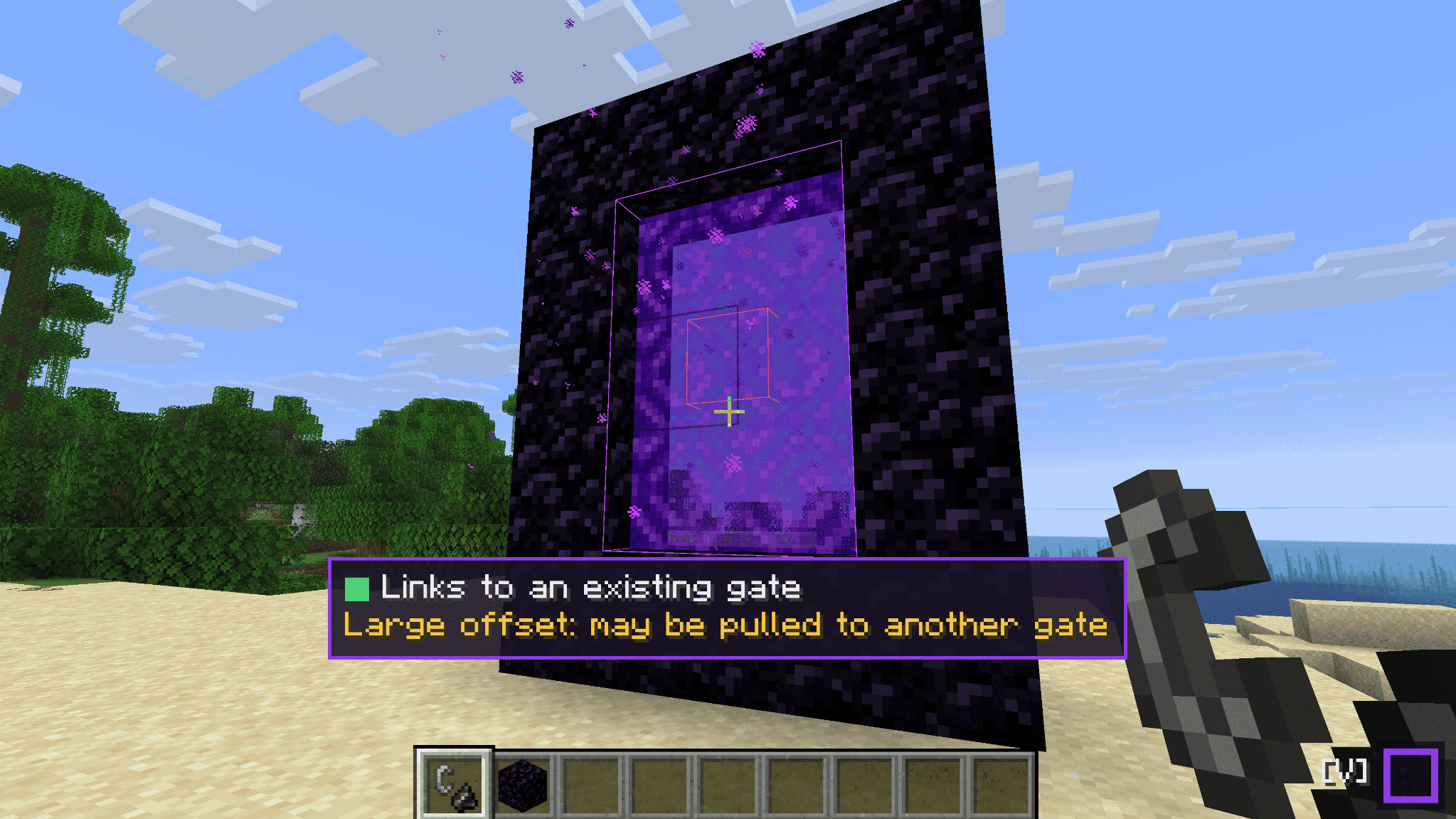
查看每种链接状态,并以颜色区分
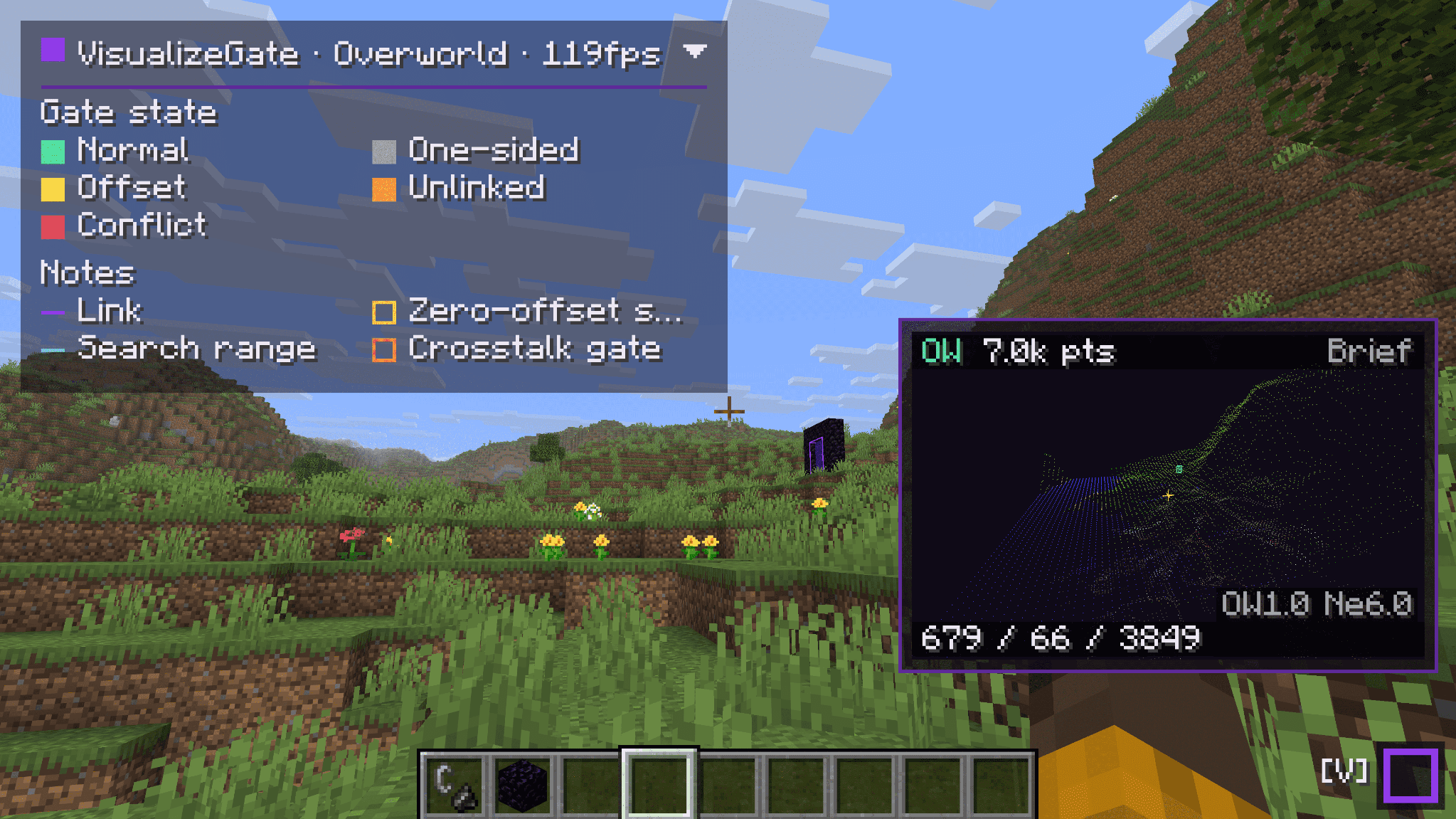
每个传送门都会在世界中被高亮显示,并根据其链接状态进行颜色编码——正常、单向、偏移、未链接或冲突——让你一眼就能判断一对传送门是否健康或即将出现异常。
第一次就在正确的位置建造配对传送门
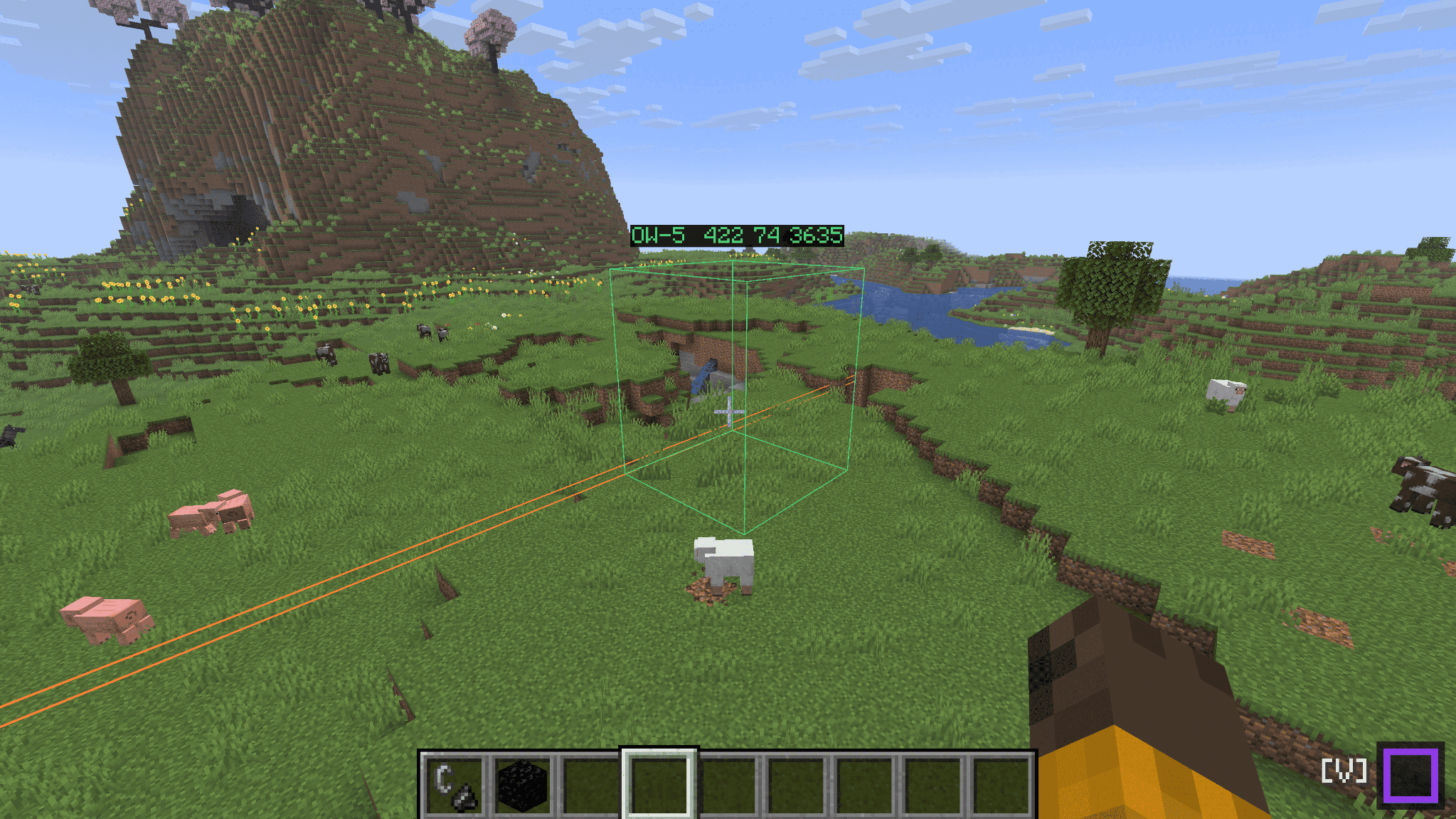
使用反向计算:提供一个目标坐标(或直接输入 here),VisualizeGate 会为你显示在另一个维度建造匹配传送门的精确位置,并以世界内的线框形式呈现。如果该位置会被现有的传送门吸引,它会在你点燃任何方块之前用红色警告你。
解决冲突,而不是与之搏斗
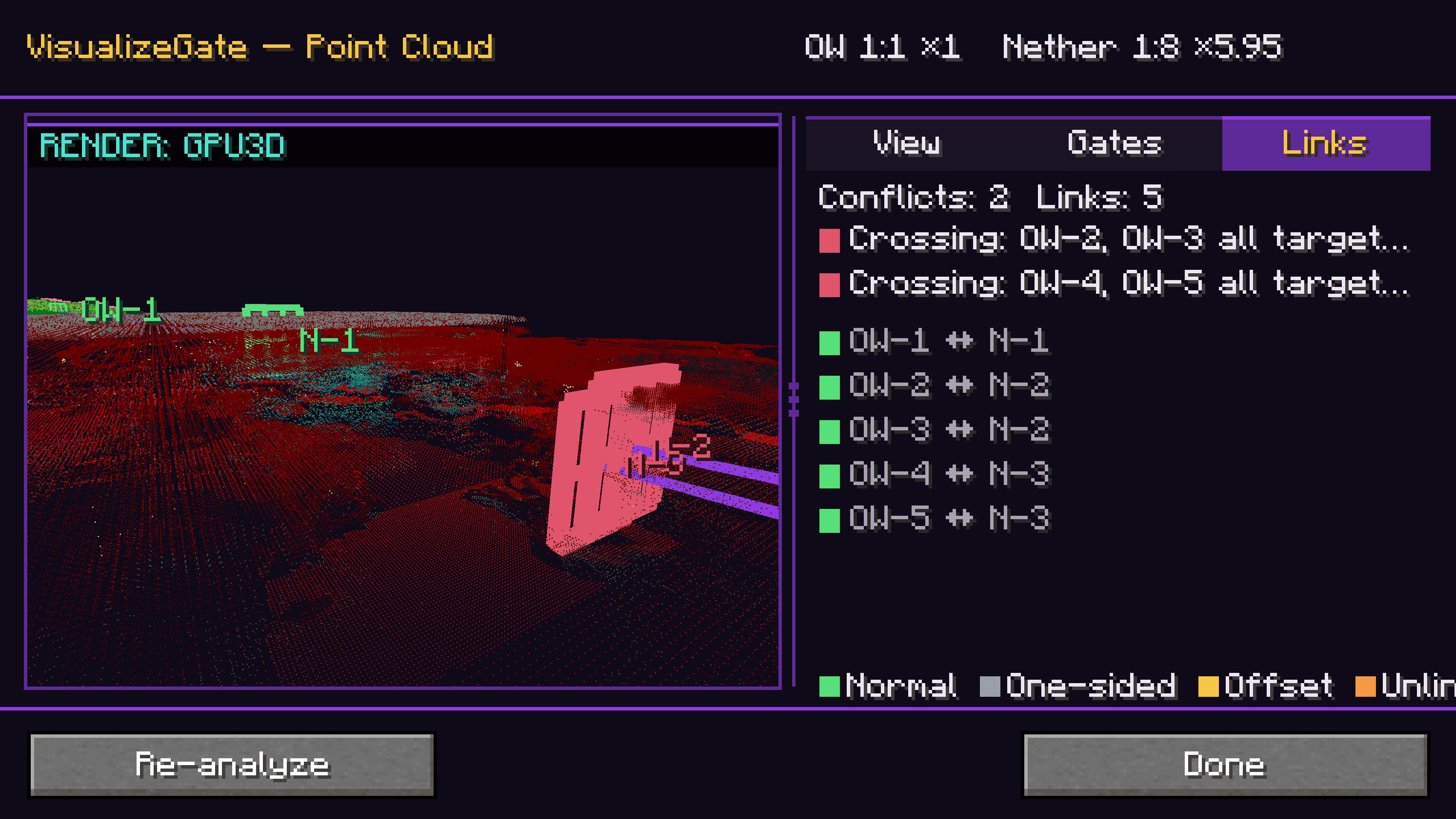
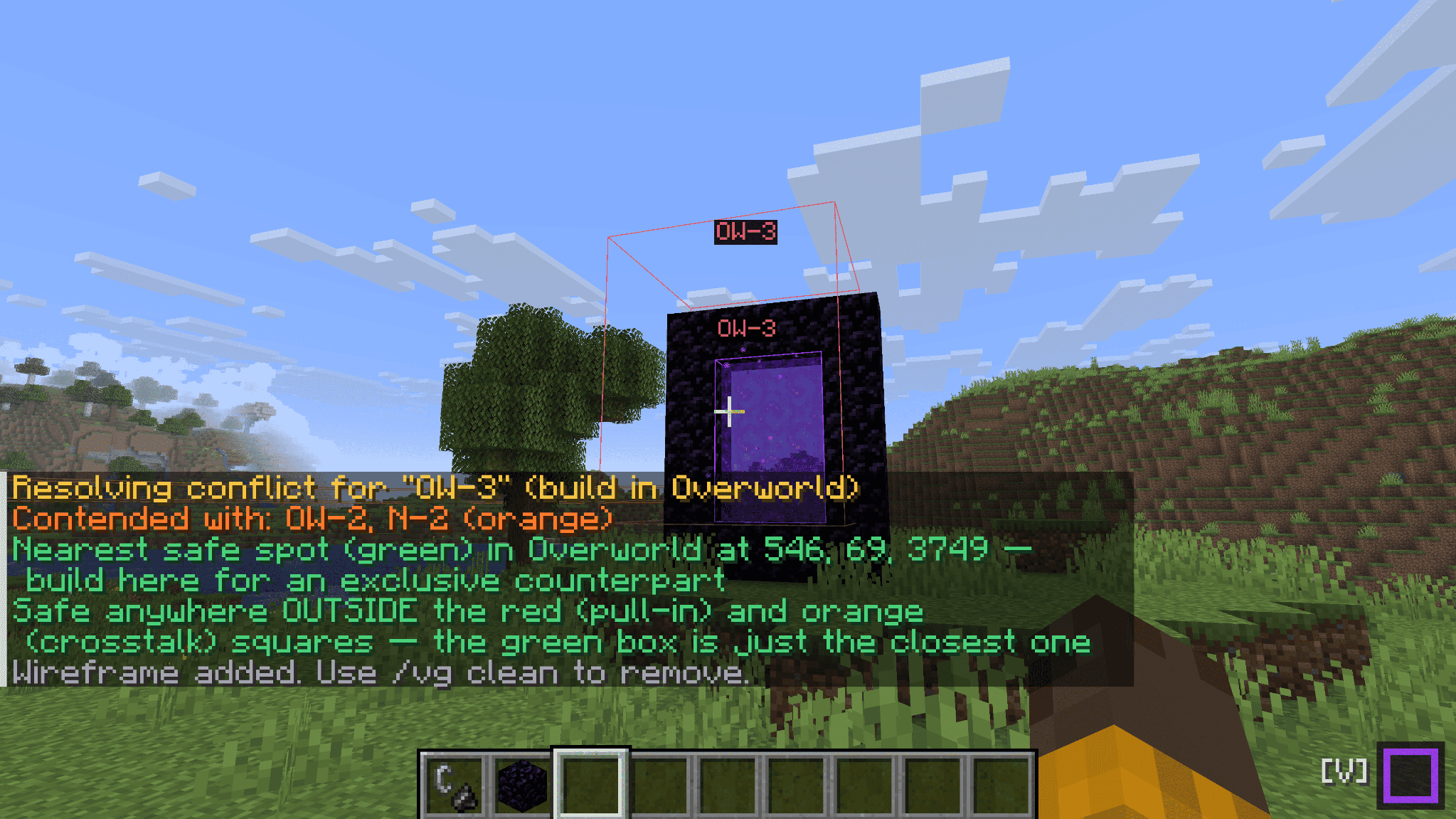
当两个传送门争夺同一个目的地时,冲突解决功能会寻找一个不会被对方抢占的安全建造位置——并用绿色方框标记出来,你只需前往建造即可。
俯瞰整个网络
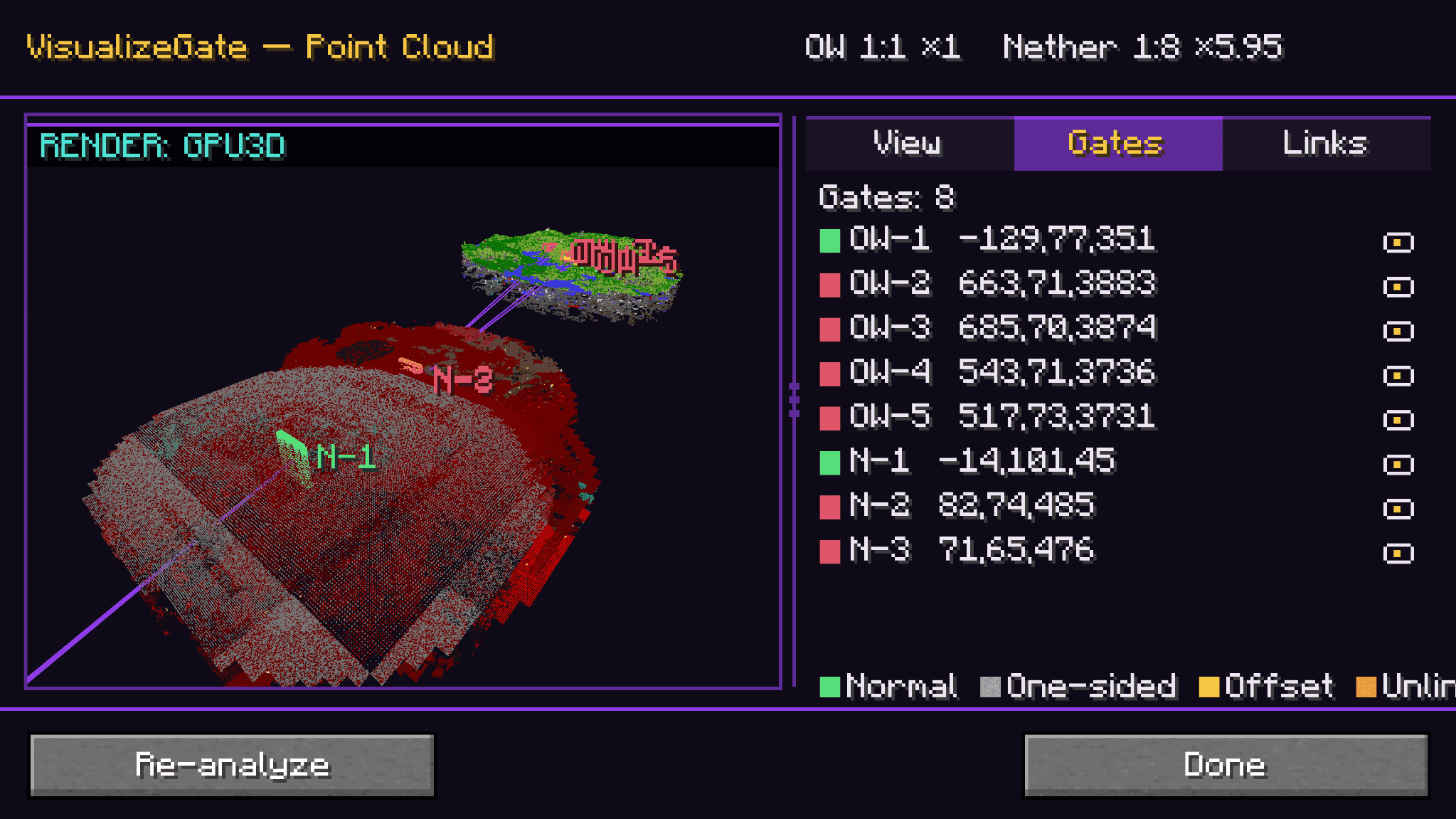
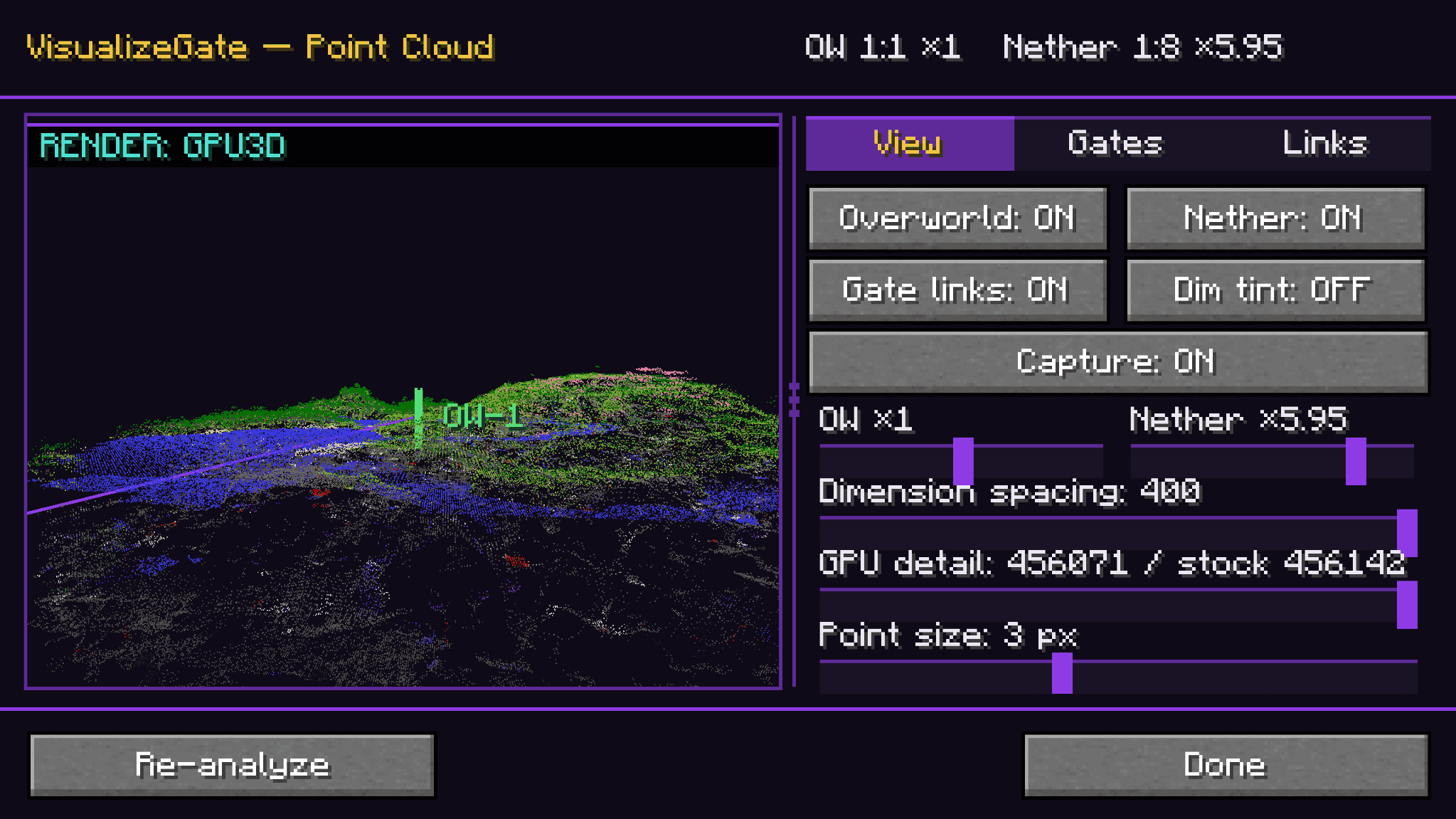
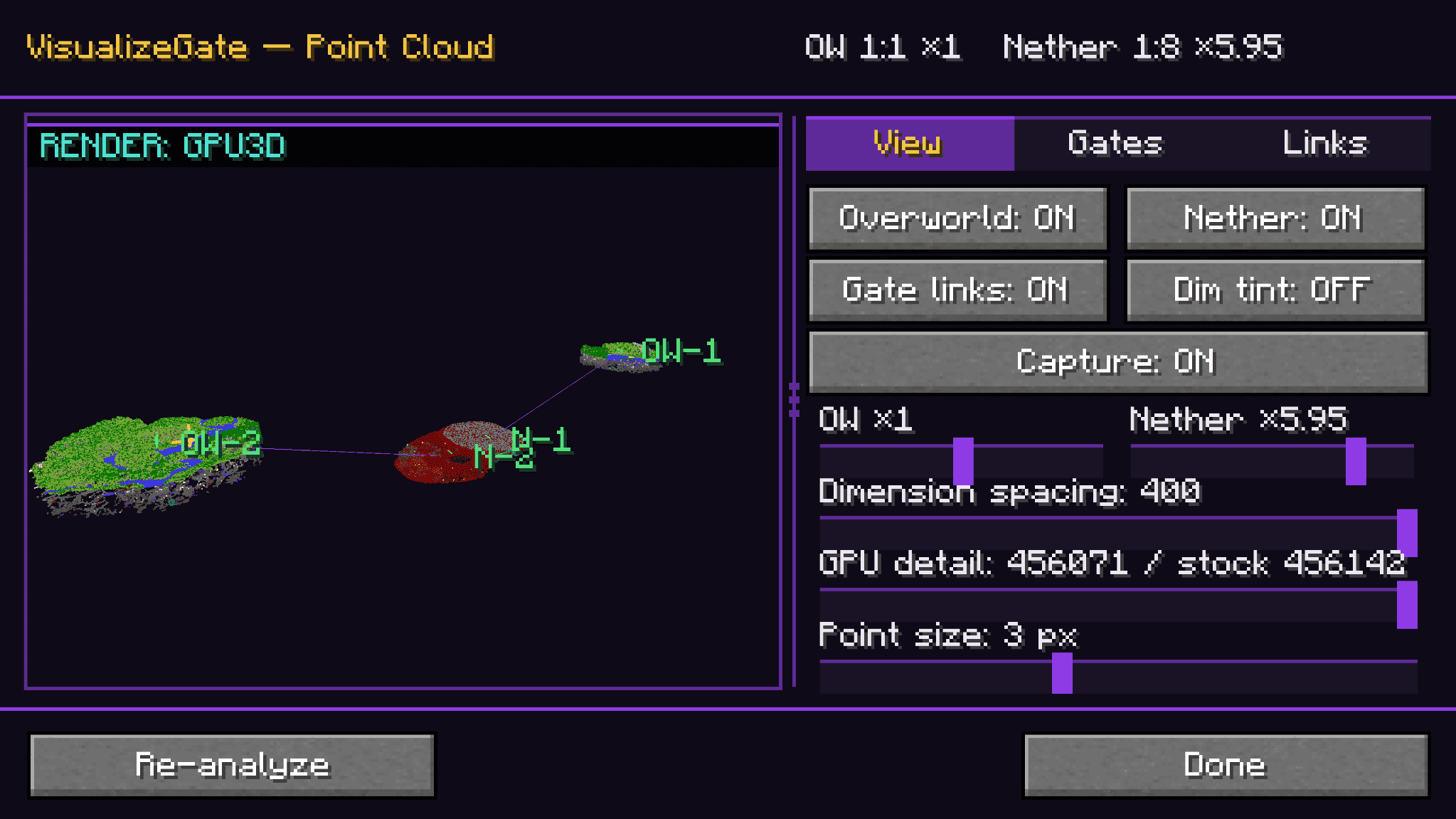
点云视图将你的传送门和周围地形渲染为可导航的 3D 点云,你可以旋转、缩放和平移——带有 View / Gates / Links 选项卡和一个实时迷你雷达,直接固定在 HUD 上。
不碍事的 HUD
紧凑的面板一目了然地显示你当前的维度、FPS 和实时传送门计数(冲突数/偏移数)。展开它以查看完整的颜色图例,当你只想玩游戏时将其折叠。
在需要时精准显示预测线
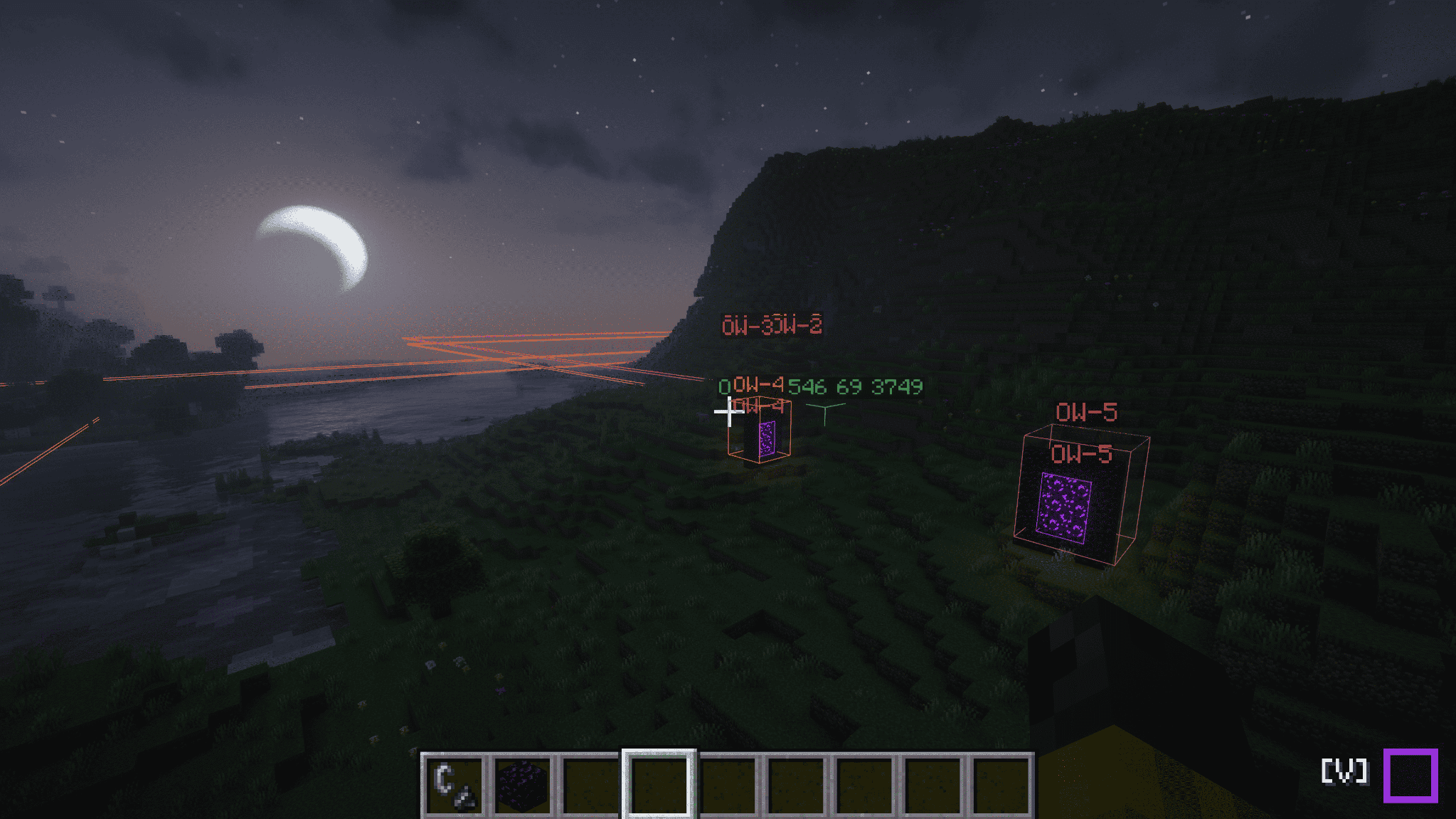
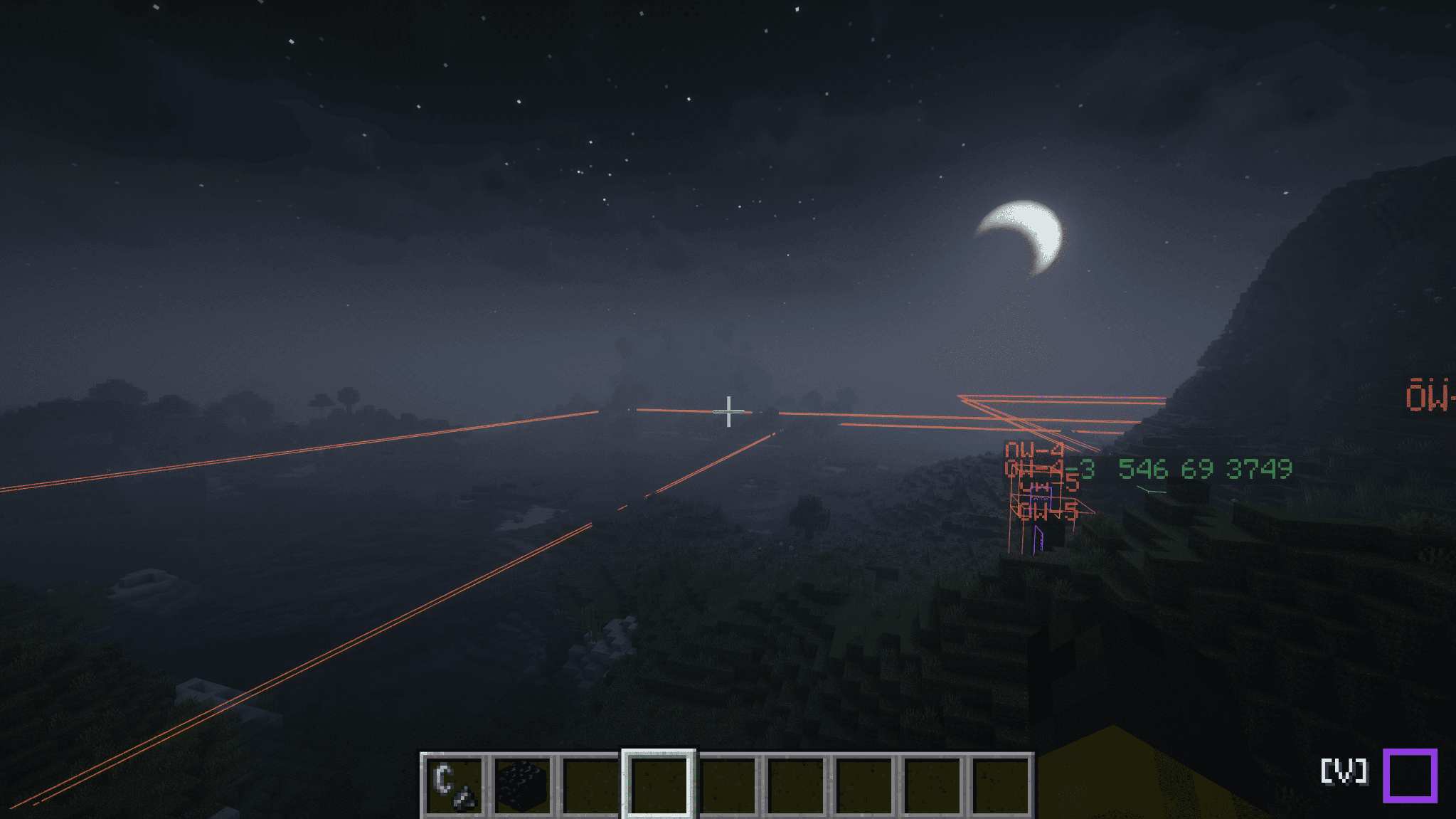
当你手持打火石或注视已知传送门(其传送门方块或黑曜石门框)时,预测线会自动出现——这样指导信息会在你准备建造时立即显示,并在你不需要时自动消失。
支持光影环境
线框、面板、点云和传送门标签即使在安装了轻量级模组和光影的环境中也能正常显示。我们绝不会让任何东西遮挡你美丽的世界。
所有功能均为客户端运行
VisualizeGate 完全在你的客户端上运行。你不需要在服务端安装它,并且它在使用已加载区块的多玩家模式中有效。它只使用你自己的客户端已经观察到的内容——无需服务器同步,无需额外设置,无需请求权限。
几个常用命令
所有命令都位于 /vg 下(客户端命令——即使服务器从未听说过它们也能正常工作):
/vg visualize — 切换世界内的线框显示/vg back-calculate here — 从你站立的位置求解配对传送门的位置/vg point-cloud — 打开 3D 概览视图/vg dock — 展开或折叠 HUD 面板
(完整命令列表请参阅源页面 README。)
要求
- Fabric Loader 和 Fabric API
- Minecraft 1.21.10, 1.21.11, 26.1, 26.1.1, 26.1.2, 或 26.2
- 推荐安装 ModMenu —— 用于打开游戏内配置界面
语言
英语、日语、德语、俄语和简体中文。德语、俄语和中文由社区提供初始翻译(尚未由母语人士审核)——非常欢迎纠正和提交拉取请求。
许可证
以 CC0-1.0(公共领域)发布。随意使用、学习并在此基础上构建。
Stop guessing where your Nether portals will link. See it.
VisualizeGate is a fully client-side Fabric mod that draws your Nether portal network right into the world. It predicts which portal links to which, warns you about conflicts before you waste obsidian, and back-solves the exact spot to build a paired gate — so you never have to do portal math by hand again.
No server install. No spreadsheets. Just look, and build.
Why you want it
Nether portal linking is one of Minecraft's most confusing systems — the 1:8 coordinate ratio, and the search-area rules that let two portals quietly hijack each other's destination. VisualizeGate turns all of that invisible logic into something you can actually see and act on.
See every link, color-coded
Every gate is highlighted in the world and color-coded by its link status — Normal, One-sided, Offset, Unlinked, or Conflict — so you can tell at a glance whether a pair is healthy or about to misbehave.
Build the paired gate in the right spot — the first time
Use back-calculate: give it a target coordinate (or just here), and VisualizeGate shows you exactly where to build the matching portal in the other dimension, drawn as an in-world wireframe. If that spot would get pulled into an existing portal, it warns you in red before you light a single block.
Fix conflicts instead of fighting them
When two portals fight over the same destination, conflict resolution searches for a safe build position that won't be stolen by the other side — and marks it with a green box you can just go build on.
Fly over your whole network
The point-cloud view renders your gates and the surrounding terrain as a navigable 3D point cloud you can rotate, zoom, and pan — with View / Gates / Links tabs and a live mini-radar docked right on your HUD.
A HUD that stays out of the way
A compact dock shows your current dimension, FPS, and live gate counts (conflicts / offsets) at a glance. Expand it for the full color legend, collapse it when you just want to play.
Prediction lines, exactly when you need them
Prediction lines appear automatically while you're holding flint and steel, or when you look at a known portal (its portal block or obsidian frame) — so the guidance shows up right as you're about to build, and gets out of your way when you're not.
Shader environment supported
Wireframes, docks, point clouds, and gate labels are displayed even in environments with lightweight mods and shaders. We will not let anything obstruct your beautiful world.
Everything is client-side
VisualizeGate runs entirely on your client. You don't need to install it on the server, and it works in multiplayer using the chunks you've loaded. It only ever uses what your own client has observed — no server sync, no extra setup, no permissions to ask for.
A few favorite commands
Everything lives under /vg (client commands — they work even if the server has never heard of them):
/vg visualize — toggle the in-world wireframes/vg back-calculate here — solve the paired-gate spot from where you're standing/vg point-cloud — open the 3D overview/vg dock — expand or collapse the HUD
(The full command list lives in the README on the source page.)
Requirements
- Fabric Loader and Fabric API
- Minecraft 1.21.10, 1.21.11, 26.1, 26.1.1, 26.1.2, or 26.2
- ModMenu recommended — used to open the in-game config screen
Languages
English, Japanese, German, Russian, and Simplified Chinese. German, Russian, and Chinese are community seed translations (not yet reviewed by native speakers) — corrections and pull requests are very welcome.
License
Released under CC0-1.0 (public domain). Use it, learn from it, build on it.


 模组

 模组

 模组
 模组

 模组
 模组
评论 0
登录后参与评分
还没有评论,来抢沙发吧