
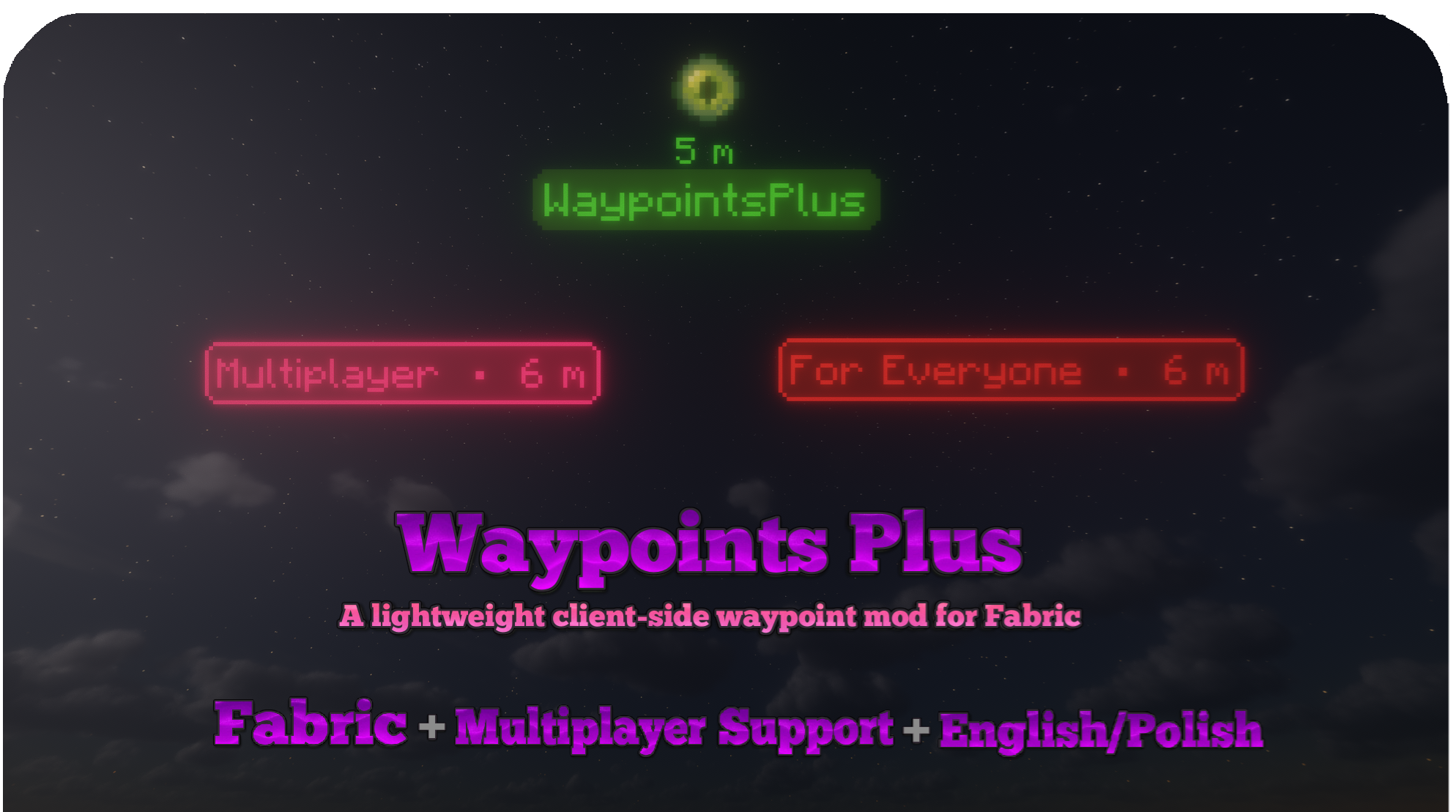
Waypoints Plus 是一款客户端 Minecraft Fabric 模组,支持自定义地标图标、可编辑预设、地标分组以及剪贴板共享。
标记基地,将地点整理至不同配置文件中,并构建专属的地标布局。使用隐身模式隐藏坐标字段,或通过 Discord 或游戏内消息向团队发送准备好的战斗警报。
无需服务器安装。
按你的方式创建地标
保存当前位置或手动输入坐标。选择名称、颜色、维度及预设,然后选取物品或方块图标以辅助识别该地点。
用箱子代表存储点,用刷怪笼代表农场,或为每个基地设置不同的图标。若追求简洁,也可保留仅含文本的经典样式。

图标与预设
从四种内置预设中选择:Default(默认)、Default + Icon(默认+图标)、Single Icon(单图标)和 Designed(设计版)。将常用预设置顶以便快速访问。
预设编辑器允许你通过实时、可缩放的预览来自定义布局:
- 移动和调整名称、距离、坐标、配置文件名称和图标的位置与大小。
- 使用 Minecraft 物品和方块图标,或上传自定义 PNG 图片。
- 调整背景、边框、圆角和内边距。
- 选择哪些元素会扩展背景,哪些可以位于背景之外。
- 将元素绑定到其他元素或面板边缘,使其随文本宽度变化而移动。
- 通过剪贴板导入和导出预设。
预设在所有服务器、世界和配置文件中通用。单个地标可以使用不同的物品图标,而无需为每个图标单独创建一个预设。
保持拥挤视图的可读性
地标分组 将重叠的远距离地标合并为一个紧凑的标记,而不是在屏幕上留下一堆标签。
分组采用 Designed 布局,显示最近地标的名称,并包含组内地标数量。纯文本地标也可以加入包含图标地标的分组中。
在高级设置中启用 地标分组,并调整 分组距离,默认为 250 格。近距离的地标保持独立,且分组操作绝不会删除或合并你保存的地标数据。
有序管理你的地点
多玩家服务器和单人世界的配置文件相互独立。
可为 Bases(基地)、Allies(盟友)、Enemies(敌人)或 Structures(建筑)创建配置文件,或保留一个空配置文件以获得清晰的视野。使用菜单箭头或快捷键在不同配置文件间切换,无需每次打开设置界面。
新创建的地标会自动保存到当前活动的配置文件中。

可选的死亡地标
死亡地标默认处于 禁用 状态。在 高级设置 中启用后,将以日期和时间记录未来的死亡位置。
专用死亡配置文件会在需要时自动创建。关闭此功能将停止创建新的死亡地标,但会保留现有的地点及其所属配置文件。
管理与分享地点
在一个屏幕内编辑、删除或选择多个地标。按维度筛选列表,包括服务器使用的自定义维度。
将选定的地标导出到剪贴板,以便其他玩家将其导入自己的活动配置文件中。自定义维度可以被保留或映射到其他维度。如果导入的地标使用了本地缺失的预设,你可以选择替换预设。
当客户端检测到对相应传送命令的访问权限时,会出现 /tp 按钮。服务器权限仍然适用。

颜色与外观
使用可视化颜色选择器选择颜色和透明度,复用最近使用的颜色,并记住首选的默认值。
可将文字颜色与边框颜色匹配,或使用单独的默认文字颜色以提高可读性。在创建或编辑地标时,可选择主世界、下界、末地或自定义维度。

地标标签始终面向摄像机,即使穿过墙壁或超出加载区块也能保持可见。可选的垂直激光用于标记其位置,会被方块遮挡,且仅在 250 格范围内渲染。
设置选项包括:
- 背景、坐标、距离和激光的可见性。
- 标签缩放比例、默认文字颜色和背景颜色。
- 基于边框颜色的背景色调。
- 跨维度可见性,支持主世界与下界 8:1 的坐标转换。
- 地标分组及其距离阈值。
- 可选的死亡地标。
- 菜单背景效果。
- 英文和波兰语界面。

快速路标 (Fast Waypoints)
无需打开菜单,直接通过一行简短文本来创建路标:
100 64 -250 Meeting point
复制该行并按下从剪贴板创建路标的快捷键。该路标会被添加到当前活动配置文件中。如果坐标没有名称,则使用快捷路标。
绑定复制当前位置以准备相同格式的自身坐标,方便粘贴到消息中。
这两个快捷键默认未分配,可以在 Minecraft 的控制 (Controls) 菜单中进行设置。
战斗警报 (Fight Alerts)
预先准备好一条消息,当你的队伍需要你的位置或更新时,通过快捷键发送。
选择 Discord webhook 或游戏内 MSG,最多可发送给 10 位可信接收者。MSG 支持在接收者之间设置可调延迟。
通过单个按键、组合键或在指定时间窗口内的连续按压来触发警报。可以单独启用或禁用每个警报,并可选择显示发送结果的弹窗。
消息变量可以包括:
- 你的名字、坐标、维度、服务器和生命值。
- 过去一分钟内你攻击过的玩家。
- 金苹果、附魔金苹果、末影珍珠和图腾。
- 护甲耐久度。
- 一个可直接复制的快速路标。
例如:
$PLAYER needs help at $X $Y $Z $DIMENSION on $SERVER
HP: $HP
Opponents: $OPPONENT_COUNT
$OPPONENTS
Discord 消息支持多行。游戏内 MSG 会将换行符转换为空格,并将消息缩短以适应 Minecraft 的命令限制。服务器权限和消息规则仍然适用。
请保持你的 Discord webhook URL 私密。
隐身模式 (Incognito Mode)
在路标创建和编辑界面中,使用隐身模式隐藏坐标字段。每个字段将显示 **** 代替其实际值,并且你的选择在会话之间会被记住。
这不会更改已保存的坐标,也不会自动隐藏世界中的信息。路标标签上的坐标和距离可以在设置中单独禁用。
在直播或分享截图之前,请记住,名称、地标和路标方向仍可能泄露位置信息。
默认控制
| 操作 | 默认按键 |
|---|---|
| 创建路标 | B |
| 管理路标 | ; |
| 上一个路标配置文件 | Left Arrow |
| 下一个路标配置文件 | Right Arrow |
| 从文件重新加载路标 | 未分配 |
| 从剪贴板创建路标 | 未分配 |
| 复制当前位置 | 未分配 |
在 Minecraft 的控制 (Controls) 菜单中更改这些设置。战斗警报触发器为每个警报单独配置。
安装
安装 Fabric Loader 和 Fabric API,然后将对应你 Minecraft 版本的 Waypoints Plus JAR 文件放入 mods 文件夹。
查看版本 (Versions) 选项卡以获取可用构建及其要求。请使用标记为你的 Minecraft 版本的文件。
Waypoints Plus 仅在客户端运行,无需安装在服务器上。
本地数据
设置、配置文件、预设和路标文件存储在本地以下目录中:
config/waypointsplus/
路标数据使用可读的 JSON 文件,每个服务器或世界都有单独的文件。备份此文件夹以保留你保存的位置和配置。
在游戏外编辑路标文件后,使用从文件重新加载路标来加载你的更改。
由 Slogerski 制作。
Waypoints Plus is a client-side Minecraft Fabric mod with custom waypoint icons, editable presets, waypoint grouping and clipboard sharing.
Mark bases, organize locations into profiles and build your own waypoint layouts. Hide coordinate fields with Incognito Mode, or send your team a prepared Fight Alert through Discord or in-game messages.
No server installation is required.
Create waypoints your way
Save your current position or enter coordinates manually. Choose a name, color, dimension and preset, then select an item or block icon to help identify the location.
Use a chest for storage, a spawner for a farm or a different icon for each base. Keep the classic text-only style when you want something simple.
Icons and presets
Choose from four built-in presets: Default, Default + Icon, Single Icon and Designed. Pin favorites to keep them at the top of the preset list.
The Preset Creator lets you build your own layout with a live, zoomable preview:
- Move and resize the name, distance, coordinates, profile name and icon.
- Use Minecraft item and block icons, or upload a custom PNG.
- Adjust the background, border, corners and padding.
- Choose which elements expand the background and which can sit outside it.
- Attach elements to other elements or panel edges so they move with changes in text width.
- Import and export presets through the clipboard.
Presets are shared across your servers, worlds and profiles. Individual waypoints can use different item icons without needing a separate preset for each one.
Keep crowded views readable
Waypoint Grouping combines overlapping distant waypoints into a compact marker instead of leaving a pile of labels on screen.
Groups use the Designed layout, show the nearest waypoint's name and include the number of locations in the group. Text-only waypoints can join groups containing icon waypoints.
Enable Waypoint Grouping in Advanced Settings and adjust Grouping Distance, which defaults to 250 blocks. Nearby waypoints remain separate, and grouping never deletes or merges your saved waypoint data.
Your locations, organized
Waypoint profiles stay separate for each multiplayer server and singleplayer world.
Create profiles for Bases, Allies, Enemies or Structures, or keep an empty profile for a clear view. Switch between them using the menu arrows or keybinds without opening the settings every time.
New waypoints are saved to your active profile.
Optional death waypoints
Death waypoints are disabled by default. Enable them in Advanced Settings to save future death locations with a date and time.
The dedicated death profile is created when needed. Turning the feature off stops new death waypoints from being created, but keeps existing locations and their profile.
Manage and share locations
Edit, delete or select multiple waypoints from one screen. Filter the list by dimension, including custom dimensions used by servers.
Export selected waypoints to the clipboard so another player can import them into their active profile. Custom dimensions can be preserved or mapped to another dimension. If an imported waypoint uses a preset that is missing locally, you can choose a replacement.
A /tp button is available when the client detects access to the relevant teleport command. Server permissions still apply.
Colors and appearance
Choose colors and transparency with the visual color picker, reuse recent colors and remember a preferred default.
Match the text color to the border, or use a separate default text color for better readability. Select Overworld, Nether, End or a custom dimension when creating or editing a waypoint.
Waypoint labels face the camera and remain visible through walls and beyond loaded chunks. Optional vertical lasers mark their positions, are hidden by blocks and render only within 250 blocks.
Settings include:
- Background, coordinates, distance and laser visibility.
- Label scale, default text color and background color.
- Background tint based on the border color.
- Cross-dimension visibility with Overworld and Nether 8:1 coordinate conversion.
- Waypoint grouping and its distance threshold.
- Optional death waypoints.
- Menu background effects.
- English and Polish interfaces.
Fast Waypoints
Create a waypoint directly from a short line of text, without opening a menu:
100 64 -250 Meeting point
Copy the line and press your Create Waypoint From Clipboard keybind. The waypoint is added to your active profile. If the coordinates have no name, it uses Quick Waypoint.
Bind Copy Current Position to prepare the same format with your own coordinates, ready to paste into a message.
Both shortcuts are unassigned by default and can be configured in Minecraft's Controls menu.
Fight Alerts
Prepare a message once and send it with a keybind when your team needs your location or an update.
Choose a Discord webhook or in-game MSG to up to 10 trusted recipients. MSG supports an adjustable delay between recipients.
Trigger an alert with a single key, a key combination or repeated presses within a chosen time window. Enable or disable each alert separately, and optionally show a popup with the sending result.
Message variables can include:
- Your name, coordinates, dimension, server and health.
- Players you attacked during the last minute.
- Golden apples, enchanted golden apples, pearls and totems.
- Armor durability.
- A ready-to-copy Fast Waypoint.
For example:
$PLAYER needs help at $X $Y $Z $DIMENSION on $SERVER
HP: $HP
Opponents: $OPPONENT_COUNT
$OPPONENTS
Discord messages support multiple lines. In-game MSG converts line breaks to spaces and shortens messages to fit Minecraft's command limit. Server permissions and messaging rules still apply.
Keep your Discord webhook URL private.
Incognito Mode
Hide coordinate fields in the waypoint creation and editing screens with Incognito Mode. Each field displays **** instead of its value, and your choice is remembered between sessions.
This does not change the saved coordinates or automatically hide information in the world. Coordinates and distance on waypoint labels can be disabled separately in settings.
Before streaming or sharing screenshots, remember that names, landmarks and waypoint directions can still reveal a location.
Default controls
| Action | Default key |
|---|---|
| Create Waypoint | B |
| Manage Waypoints | ; |
| Previous Waypoint Profile | Left Arrow |
| Next Waypoint Profile | Right Arrow |
| Reload Waypoints From File | Unassigned |
| Create Waypoint From Clipboard | Unassigned |
| Copy Current Position | Unassigned |
Change these in Minecraft's Controls menu. Fight Alert triggers are configured separately for each alert.
Installation
Install Fabric Loader and Fabric API, then place the Waypoints Plus JAR for your Minecraft version in your mods folder.
Check the Versions tab for available builds and their requirements. Use the file marked for your Minecraft version.
Waypoints Plus runs on the client and does not need to be installed on the server.
Local data
Settings, profiles, presets and waypoint files are stored locally in:
config/waypointsplus/
Waypoint data uses readable JSON files, with separate files for each server or world. Back up this folder to keep your saved locations and configuration.
After editing waypoint files outside the game, use Reload Waypoints From File to load your changes.
Documentation · Source · Buy Me a Coffee
Created by Slogerski.

下载 WaypointsPlus
下载 WaypointsPlus
下载 WaypointsPlus
下载 WaypointsPlus
下载 WaypointsPlus
下载 WaypointsPlus
下载 WaypointsPlus
下载 WaypointsPlus
下载 WaypointsPlus
需要联机服务器吗?
稳定流畅、一键部署,几分钟即可和朋友联机开服
最低仅需 8 元/月 即可畅快联机
下载 WaypointsPlus
修复
- 光影问题
关于这个资源的讨论、问题反馈与使用心得
还没有讨论,来发第一帖吧
你是这个资源的作者?登录后可认领此资源。
相似资源
 模组

一个用于收集生物掉落物的多区块模组。
 模组

显示你正在注视的方块的信息。(适用于 Minecraft 1.16+ 的 Hwyla/Waila 分支)
 模组

可定制的鞘翅模组,支持装饰纹饰、旗帜图案等更多功能!
 模组
使用 JavaScript 编辑配方、添加自定义物品、编写世界事件!
 模组

查看物品与配方
 模组
在游戏画面角落显示附近世界地形、玩家、生物和实体的地图。可创建路径点,帮助你找到标记过的位置。
评论 0
登录后参与评分
还没有评论,来抢沙发吧