
插件意图

本模组为 ProtoManly's weather中的天气系统添加了风速测量设备。当前版本包含:
- 螺旋桨式风速计

- 重型螺旋桨式风速计(几乎不可破坏)

- 杯式风速计

- 理查兹杯式风速计(几乎不可破坏)

- 龙卷风探测仪(锚定式),配有手持式读数显示器

- 风向袋

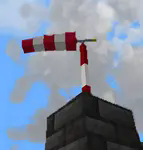
- 花园装饰用小型风力泵复制品
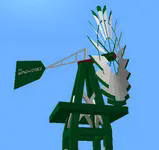
- 风力涡轮机(图片中的电缆来自 Ender IO 模组)

- 风铃
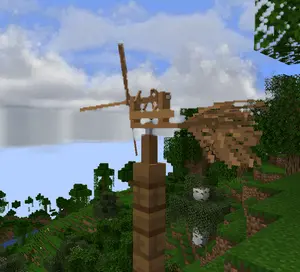
- 用于安装设备的塔架(可攀爬,可传导 Forge 能量)

-
金属风向标
-
会发出声音的风铃
-
手持式风速计


- 用于读取风速数值的显示屏
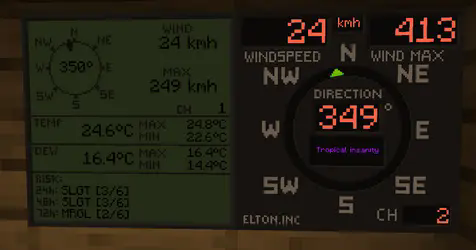

若无 PM weather 支持,本模组将无法运行。
设置频道
0.0.29 之前版本 要在风速计上设置频道,请按住 Shift 并右键点击风速计。此时左右手均不能持有物品。包括盾牌。
0.0.29 及更高版本
要在风速计上设置频道,请按风速计交互键 + 右键点击风速计。默认交互键设置为 Shift,你可以在游戏的按键绑定中修改此按键。将其他按键设置为交互键后,即使手中持有物品或盾牌,也能进入风速计频道设置界面。

重要提示:当你点击确认时,系统会提示“频道已被占用”,这是因为你刚刚将该风速计设置到了该频道,现在该频道正由你刚设置的风速计占用。如果在点击确认之前就提示“被占用”,则意味着已有其他风速计在使用该频道。
0.0.30 之后版本:当点击确认且操作成功时,系统会显示“请求已发送”。
要在显示屏上设置频道,请右键点击显示屏。风速计和显示屏必须设置相同的频道才能通信。 频道 0 为非传输模式,仅用于调试。如果无法设置风速计频道,请尝试先将其设置为 0,然后再改回目标频道。
目前共有 100 个可用频道。
右键点击风速计会显示服务器端和客户端看到的频道列表。这个数字必须始终相等。该功能现保留在模组中以供调试。
风速计 GUI 可能会显示“由于放置位置无效,频道无法设置”。出现这种情况是因为:
- 风速计放置在方块下方;
- 风速计位于主世界以外的维度;
- 放置后约 1 秒内,因此立即放置并设置频道是无效的,请稍等一秒后再进入频道设置。
红石输出
设置红石输出的方式与设置频道类似。你需要输入显示屏输出红石信号所需的风速阈值。由于存在迟滞效应(以防止信号频繁触发),无法设置低于 4 mph 的值。因为系统基于 mph 单位,其他单位可能无法以 1 为单位进行递增设置。这主要适用于 kmh。 红石输出仅在风速显示屏上有效。
有用命令
使用 /windmeter 命令来查看哪些频道被占用、哪些空闲,或通过频道号获取风速计的位置。有时频道可能会出现错误,请使用命令 clear channel [频道号] 来清理损坏的频道。这不会从风速计本身移除频道信息。定位风速计和清除频道的命令需要操作员权限。
重置显示屏上的最大风速和最高温度记录
0.0.29 之前版本 要重置显示屏上的最大值,请在不持有任何物品的情况下,按住 Shift 并右键点击显示屏。
0.0.29 及更高版本 要重置显示屏上的最大值,请在不持有任何物品的情况下,按风速计交互键 + 右键点击显示屏。
一些游戏机制信息
方块强度
风速计所能承受的风速大约为:
- 螺旋桨式风速计:219 mph
- 杯状风速计:194 mph
- 龙卷风探测仪:229 mph
- 重型螺旋桨风速计:NaN mph
- 理查兹杯状风速计:NaN mph
- 重型风速计和理查兹风速计可以被玩家使用任何原版镐子按住 Shift+左键点击来破坏
如果“风引擎方块”的采集功能得到更新,这些数值将会重新调整。
风向袋
风向袋必须放置在其专用的支架上。
- 当风速在 130 - 170 mph 之间时,风向袋会被撕裂,需要重新放置才能修复。
- 该支架能承受的风速为 206 mph。
- 支架可以无限叠加高度。
花园风车
花园风车必须放置在其专用的塔楼上。
- 风车具有顺尾刹车机构(仅供娱乐)。
- 当风速超过 110 mph 时,风车会受到损坏,需要重新放置才能修复。
- 在强风下,塔楼的上部会永久性地朝风向方向弯曲。
- 塔楼的承受强度为 206 mph。
- 风车的承受强度为 164 mph。
- 塔楼可以无限叠加高度。
风铃
- 它的锤子会发出声音,阻止附近生成生物,甚至会对生物造成伤害(也可能对耳机用户造成伤害)。
- 防止生物生成的半径随风速变化。
- 造成伤害的半径也随风速变化。
- 在高风中容易快速损坏。
- 音量可以在客户端配置文件中调整。
小型风力涡轮机
- 涡轮机具有顺尾刹车机构,在极端风速下会降低输出功率。
- 当风速超过 110 mph 时,涡轮机会受到损坏,需要重新放置才能修复。
- 涡轮机的承受强度为 164 mph。
- 碳纤维涡轮机的承受强度为 180 mph。
- 木质风力涡轮机的承受强度为 154 mph。
- 电力输出端位于下方,请在此处连接电缆。
- 碳纤维涡轮机效率最高且没有刹车,因此输出功率更大。
手持式风速计
手持式风速计在主手持有时测量当前风速。它会记录并保存每个物品的最大风速。如果你遇到严重的区块延迟(tick lag),由于最大风速是从服务器端读取的,当前显示的风速可能会与最大值有偏差。最大风速始终是准确的,也是用于破坏方块的数值,因此更具参考价值。为了避免延迟和卡顿,当前风速是在客户端读取的。
计量单位
在 0.0.19t 版本之前:风和天气显示遵循 PM 天气配置文件,并根据该配置在公制或英制之间切换。
在 0.0.19t 版本之后:风速计使用其独立的配置文件来分别选择所需的风速和温度单位,允许混合使用英制/公制。 目前,如果区块未加载,显示器将不会记录数据。龙卷风经过时应能使其记录数据,因为龙卷风会加载区块。但是,龙卷风必须经过显示器所在的区块。例如:你的基地庇护所里有一个显示器,屋顶上有一个风速计。如果龙卷风经过你的基地,它应该会记录该事件。 天气显示器显示更多数据,但刷新较慢,且上限为 999 km/h。由于调用读数存在风险,不建议放置太多此类装置。
龙卷风探测仪
龙卷风探测仪在被放置后会记录大气数据 5 分钟(可配置)。目前它们记录最大风速、最高温度、最低温度、最高露点和最低露点。5 分钟后,它们停止记录,如果在测得的风速足够高时按住 Shift+右键点击探测仪,可以掉落奖励(仅在记录完成后有效)。破坏探测仪不会掉落任何物品(0.0.33 版本后,玩家破坏时会掉落)。奖励包括:煤炭、铁锭、金锭、钻石、绿宝石、下界合金碎屑和下界合金锭。探测仪会根据其测量的风速和暴露时间掉落经验值。通过右键点击探测仪可查看当前数据,通过交互键+右键点击探测仪可查看最大数据。
探测仪监视器
可以使用探测仪监视器在探测仪记录数据时右键连接它。它在背包中运行,保存最大风速并允许远程读取风速。0.0.30 版本后,探测仪监视器还可以读取其他风速计的频道。在手握状态下,右键点击任意位置即可进入频道设置。如果你右键点击龙卷风探测仪,它将读取该探测仪的数据。如果风速计或探测仪被破坏,或者探测仪停止记录,则会显示无信号。

数据显示的位置可以在配置文件中更改。
合成
所有物品和方块均可在生存模式中进行合成。建议使用 JEI 或其他配方查看器来查看合成配方。
QOL(生活质量)选项
0.0.19t 之后的版本具有一些可配置选项。 风显示的文字和数字可以设置为任意颜色,但必须以十进制数输入。请使用在线计算器转换器将十六进制颜色代码转换为十进制数,然后粘贴到配置文件中。例如颜色 0xff6347 (16进制) -> 16737095 (10进制)。你只需要转换 ff6347 部分(不带 0x 或 #)。 风显示也可以使用动态颜色,会根据风速从蓝色变为紫色。此配置仅适用于风显示,不适用于天气显示。 现在可以在配置中关闭高风中风向袋撕裂和花园风车弯曲的效果。这是服务端设置。但这不影响龙卷风拾取方块的强度。
自然生成
目前没有模组添加自然生成。
可能遇到的问题
- 风力指示的红石输出可能会卡住
- 风速计可能会断开连接(其通道被设置为 0),如果将航点放置在风速计上,可能会发生这种情况
- 服务器与客户端之间的通道列表不同步
- 同步问题通常可以通过退出并重新加入游戏来解决。如果问题仍然存在,必须使用清除通道的命令并重新连接风速计。如果其他方法都无效,请删除存档文件夹目录中的 "anemometers.dat" 文件。
请勿重新分发修改后的 jar 文件。 模组允许用于非付费的整合包中。
Intent of the addon
This mod adds equipment for measuring wind speeds in ProtoManly's weather (). The mod currently adds:
- A propeller type anemometer
- A propeller type heavy duty anemometer (almost indestructible)
- A cup type anemometer
- A Richards cup type anemometer (almost indestructible)
- A tornado probe (anchor type), with probe reading handheld monitor
- A wind sock
- A garden decoration small replica wind pump
- A wind turbine (cable in the picture is from Ender IO mod)
- A wind rattle
- Tower masts for mounting the equipment (climbable, conduct forge energy)
-
A metal wind vane
-
A wind chime that emitts sounds
-
A handheld anemometer
- Displays for reading wind values
The mod will not work without PM weather.
Setting up the channels
Pre 0.0.29 To setup a channel on anemometers, shift+right click the anemometer. No item should be held by either left or right hand at the time. That includes shields
0.0.29 and up
To setup a channel on anemometers, press wind meter interaction key+right click the anemometer. Default interaction key is set so Shift, you can edit this key in the game's key binds. Setting up any other key than shift will allow you to enter anemometer channel setup even when holding items or shields in hand.
IMPORTANT when you click confirm, it will say that the channel is occupied, this is because you just set the anemometer to that channel and it is now occupied by the anemometer you just set on it. If it says occupied before you even click confirm, that means an anemometer is already on the channel.
After 0.0.30 When you click confirm, it will say "request sent" if the confirm was successful.
To setup a channel on display, right click the display. Anemometer and display must have same channel to communicate. Channel 0 is non transmitting and is used for debugging. If anemometer channel could not be set, try setting it to 0 and then back to desired channel.
There are currently 100 available channels.
Right clicking anemometer will display it's channels that server and client see. This number must always be equal. The feature now remains in the mod for debugging.
Anemometer GUI will display "Channel could not be set because placement is invalid" This is the case:
- if anemometer is placed under a block,
- if anemometer is in any other dimension than overworld,
- for about 1 sec after it's being placed down, so immediately placing it and setting channel won't work, just wait a sec and then enter channel setup.
Redstone output
For setting up the redstone output, it is quite same as setting the channels. You put in the wind speed at which the display should output the redstone signal. It is not possible to set less that 4 mph due to histeresis (to prevent spam). Because the system is based on mph, other units might not be able to be set at increments of 1. This mostly applies to kmh. Redstone output is only on wind displays.
Useful commands
Use /windmeter commands to find out which channels are occupied, which are free or get anemometer location by channel number. Sometimes, the channels might bug out, use command clear channel [channel number] to clean up the broken channel. This will not remove the channel from anemometer itself. The anemometer locating and channel clearing command require operator permissions.
Resetting the wind max and temperature max on display
Pre 0.0.29 To reset max values on display, shift+right click the display when not holding any items.
0.0.29 and up To reset max values on display, wind meter interaction key+right click the display when not holding any items.
Some gameplay info
Block strengths
Wind strengths for anemometers are about:
- 219 mph for propeller,
- 194 mph for cup anemometer,
- 229 mph for tornado probes
- NaN mph for heavy duty propeller.
- NaN mph for Richards cup anemometer
- heavy duty anemometer and Richards anemometer can be destroyed by shift-left clicking on it with any vanilla pickaxe
These will be readjusted when/if wind engine block picking gets an update
Wind sock
Wind sock requires it's dedicated pole to be placed on.
- wind sock tears off somewhere in between 130 - 170 mph and must be re-placed to fix it.
- the pole has a wind strength of 206 mph.
- the pole can be stacked to any height.
Garden windmill
Garden windmill requires it's dedicated tower to be placed on.
- windmill has furling tail brake mechanism (just for fun)
- windmill will be damaged by winds above 110 mph and must be re-placed to fix it.
- the upper tower part will permanently bend under strong winds in same direction as the winds.
- the tower pick up strength is 206 mph.
- windmill pick up strength is 164 mph.
- the tower can be stacked to any height.
Wind rattle
- It's hammers emmit sound that prevents mobs from spawning nearby and even causes damage to mobs (also possibly to a headphone user).
- Radius of prevention for mob spawning varies depending on the wind speed
- Radius of damage varies depending on wind speed
- Gets quickly damaged by high wind
- Volume can be adjusted in client config
Small wind turbine
- turbine has furling tail brake mechanism and will reduce output power at extreme wind speeds
- turbine will be damaged by winds above 110 mph and must be re-placed to fix it.
- turbine pick up strength is 164 mph.
- carbon fibre turbine pick up strength is 180 mph.
- wooden wind turbine puck up strength is 154 mph.
- the power output is from below, so connect the cables there.
- Carbon fibre turbine is most efficient and has no brakes so it will output more power.
Handheld anemometer
Handheld anemometer measures the windspeeds while in main hand. It will record and save maximum wind speeds per-item. If you have heavy tick lag, current wind speeds will vary from maximum due to maximum speeds being read from server side. The maximum speed is always the correct one and also the one that does the block destruction, so more relevant. To avoid delay and lag, the current speed is read on client side.
Measurement units
Pre update 0.0.19t: Wind and weather display obey the PM weather config and will switch between metric or imperial based on that.
After update 0.0.19t: Wind meter uses it's separate config to select desired wind speed and temperature units separately, allowing mixed imperial/metric. The display will currently not record speed if not chunk loaded. Tornado passing over should make it record because the tornadoes load chunks. However, the tornado must pass over the chunk that display is in. Example: Your base has a display in the shelter and anemometer on roof. If tornado passes over your base it should record the event. Weather display shows more data but refreshes slower and caps at 999 kmh. Due to calling the readings for risks it is not recommended to place down too many of them.
Tornado probes
Tornado probes record atmospheric data for 5 minutes (configurable) after being placed down. They currently record max wind, max temp, min temp, max dew point and min dew point. After 5 minutes, they stop recording and reward can be dropped upon shift+right-clicking the probe if measured winds were high enough (only after it's done recording). Breaking the probe won't drop any items (After 0.0.33 they will drop if player breaks them). Rewards are: coal, iron ingots, gold ingots, diamonds, emeralds, netherite scraps and a netherite ingot. Probes drop experience based on wind speeds they measured and exposure time. Current data is shown by right-clicking the probe, maximum data is shown by interaction key+right clicking the probe.
Probe monitor
A probe monitor can be used to right click and connect to the probe while it's recording. It ticks in inventory, saves max wind and allows for remote wind reading. After 0.0.30 The probe monitor can also read other anemometer channels. When in hand, right click anywhere and you will enter channel setup. If you right click on a tornado probe it will read data from that instead. If the anemometer or probe was broken or if probe stopped recording it will say no signal.
Position of data display can be changed in the config.
Crafting
All items and blocks are craftable in survival mode. I suggest using JEI or other recipe viewers to see the recipes.
QOL options
Versions after 0.0.19t have some configurable options. Wind display text and numbers can be set to any color, but it has to be input as a base 10 number. Use online calculator converter to change the hexadecimal color number to base 10 number and paste that in the config. Example color 0xff6347 (16) -> 16737095 (10). You only convert the ff6347 part (without 0x or #). Wind displays can also use dynamic colors that will change based on wind speed from blue to purple. Configuration is only available for wind display and not weather display. The wind sock tearing off in high winds and garden windmill bending can now be turned off in config. This is server sided. The blockstrength for tornado picking up is not affected by this.
Natural spawning
No mods currently add natural spawning.
Some issues that might occur
- Redstone output on wind displays might get stuck
- Anemometers might disconnect (have their channel set to 0), might happen if a waypoint is placed on anemometer
- The channel list not syncing between SERVER and CLIENT
- Desynced issue can be mostly solved by quitting and rejoining the game. If the problem persists, the command for clearing up the channel must be used and anemometer reconnected. If all else fails, delete the "anemometers.dat" file in your saved world folder directory.
Do not redistribute a modified jar file. Mod is allowed to be used in NON pay-walled modpacks.

下载 Elton's Wind meter for PMWeather
下载 Elton's Wind meter for PMWeather
下载 Elton's Wind meter for PMWeather
下载 Elton's Wind meter for PMWeather
下载 Elton's Wind meter for PMWeather
下载 Elton's Wind meter for PMWeather
下载 Elton's Wind meter for PMWeather
下载 Elton's Wind meter for PMWeather
下载 Elton's Wind meter for PMWeather
下载 Elton's Wind meter for PMWeather
- 添加了不同颜色变体的花园风车
- 添加了不同颜色变体的塔楼
- 添加了可附着在方块或塔楼上的安装臂
- 塔楼现在可以攀爬
- 塔楼和安装臂现在传导由风力涡轮机产生的 Forge 能量
- 来自其他模组的电缆应连接到塔楼上以提取能量
- 手持风速计现在除了在物品栏上方显示外,还能在其他位置显示风速,以防止与其他模组冲突(可通过配置选项调整)
- 更改了合成配方,使设备更便宜
- 风向指示牌上的文本现在可以逐个进行编辑,比使用木制告示牌更方便地进行标识。加载世界时,预先存在的指示牌将变为空白。

- 更新了模型动画
关于这个资源的讨论、问题反馈与使用心得
还没有讨论,来发第一帖吧
你是这个资源的作者?登录后可认领此资源。
相似资源
 模组

一个用于收集生物掉落物的多区块模组。
 模组

可定制的鞘翅模组,支持装饰纹饰、旗帜图案等更多功能!
 模组

适用于 MC 1.18+ 的 Effekseer 加载器
 模组

让你能够在世界中的任何位置定位结构。
 模组

对 Minecraft 的沙漠神殿进行了全面重新设计!
 模组
AE2:一款流行的自动化与存储模组
评论 0
登录后参与评分
还没有评论,来抢沙发吧