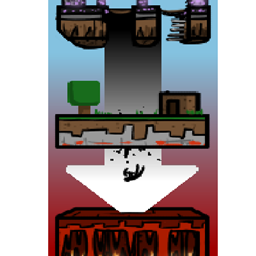
此模组允许你在不同维度之间、且可配置高度的位置设置掉落传送。可通过聊天命令进行配置。
这是面向 1.12 及更高版本的新项目。旧版可在以下地址找到:
该项目为开源项目,代码可在以下地址查看:
使用方法:
/worlddrop
显示这些命令的使用方法。适合作为参考。
/worlddrop set [I:来源世界ID] [I:目标世界ID] (I:来源高度) (I:目标高度) (B:是否攀爬)
第二个也是最核心的命令。用于设置你要掉出的维度、要掉入的维度以及发生掉落的高度(来源与目标)。如果 isClimb 为 true,则当你到达高于定义高度时,会前往目标维度。
斜体参数为可选参数。如果你省略它们,我将默认你意为“从高度 0(及以下)掉落至目标维度的高度 256”。
示例:/worlddrop set 0 -1 0 120
当你从世界底部跳出时,这会将你传送到下界,高度为 120 格(低于基岩天花板 128 格,但很可能位于下界岩内部。记得带上镐子。)
示例 2:/worlddrop set -1 0 128 10 true
当你从下界向上攀爬至 128 格或更高高度时,这会将你传送到主世界,并放置于高度 10 格的位置。(很可能处于实心石头内。还记得你该带的镐子吗?)
因此,使用两个命令即可在两个维度之间创建通道:从 A 到 B(向下)以及从 B 到 A(向上)。
或者,你也可以掉落回你来自的同一维度。
示例 3:/worlddrop set 0 0 0 600
当你从世界底部跳出时,这会将你传送到 600 格高处,然后翻滚落回地面。我希望你有办法减轻下落伤害。
/worlddrop point [I:掉落ID] [B:是否启用] [I:坐标 X] [I:坐标 Z]
这是对 SET 命令的细化,用于修改现有的掉落点。如果启用此项,玩家除了按设定高度传送外,还会被移动到特定的坐标位置。
示例:/worlddrop point 0 true 50 100
这将把玩家传送到 X 50 / Z 100,同时叠加掉落本身对玩家高度和维度的设定效果。
/worlddrop remove [I:掉落ID]
SET 的反向操作。每个掉落条目都有一个关联的 ID。你可以使用该 ID 来移除掉落。
示例:/worlddrop remove 2
移除编号为 2 的条目。
/worlddrop show
在聊天栏中显示所有已知的掉落/攀爬及其 ID 的列表。非常简单明了。
/worlddrop save
显式地将掉落配置保存到磁盘(进入 Config 文件夹)。默认情况下,配置仅在服务器停止时才会保存到磁盘。
文件以其所设定的世界命名。
此模组仅需安装在服务端。客户端不需要安装。(但单人世界也可以安装。)
它还仅影响玩家(自 b6 版本起包括其坐骑)。普通生物和其他实体不受影响。
此外,你可以将现有掉落文件重命名为 "worlddrop_default.dat",这样该文件将在加载特定世界配置的同时,对所有世界都生效。
如果你操作正确(或以可预测的方式操作错误),每条命令都应返回确认消息。所以在那之前别乱跳下世界,明白吗?
This lets you set up drops from one dimension to another, at configurable heights. It can be configured via chat commands.
This is the new project for 1.12 and onward. The old versions can be found here:
The project is open source, code can be found here
How to use:
/worlddrop
Displays how to use these commands. Good for reference.
/worlddrop set [I:World ID from] [I:World ID to] (I:Height from) (I:Height to) (B:isClimb)
The second and most relevant command. Used to SET the dimension you want to drop out of, the dimension you want to drop into and at what heights this should happen (from and to). if isClimb is true then you'll travel to the target dimension when you go above the defined height instead.
The italics arguments are optional. If you leave them out I'll assume you mean "drop from height 0 (and below) to height 256 in the target dimension".
Example: /worlddrop set 0 -1 0 120
This will send you to the nether at 120 blocks height (below the bedrock ceiling at 128, but probably inside netherrack. Better bring a pick.) if you jump out of the bottom of the world.
Example 2: /worlddrop set -1 0 128 10 true
This will send you to the overworld when you climb up from the nether to a height of 128 blocks or higher and deposit you at 10 blocks height. (Likely within solid stone. Remember that pick you were supposed to bring?)
So using two commands you can create a passage between two dimensions. From A to B (down) and from B to A (up).
Alternatively you can also drop to the same dimension you came from.
Example 3: /worlddrop set 0 0 0 600
This will send you 600 blocks high when you drop out of the bottom of the world, tumbling back down to the ground. I do hope you have a way to soften your fall.
/worlddrop point [I:Drop ID] [B:isEnabled] [I:Coord X] [I:Coord Z]
A refinement of SET, modifying an existing drop. If this is enabled the player will be moved to a specific set of coordinates in addition to their entry height.
Example: /worlddrop point 0 true 50 100
This will send the player to X 50 / Z 100, in addition to whatever the drop itself says should happen to the player's height and dimension.
/worlddrop remove [I:Drop ID]
The opposite of SET. Every drop entry has an ID associated with it. You can use that to remove drops.
Example: /worlddrop remove 2
Removes entry number 2.
/worlddrop show
Displays a list in chat of all known drops/climbs and their IDs. Pretty straight forward.
/worlddrop save
Explicitly saves the drop config to disk (into the Config folder). By default the config is only saved to disk on server stop.
Files are named after the world they're set for.
This mod only needs to be on server side. Clients don't need it. (But is possible for singleplayer worlds.)
It also only affects players (and their mounts from b6 on). Regular mobs and other entities are not touched.
Additionally, you can rename an existing drop file to "worlddrop_default.dat" to have that file be loaded for every world, in addition to the world-specific one.
Every command should return with a confirmation message if you did it right (or wrong in a predictable way). So don't go jumping off the world nilly willy before that, a'ight?

 模组
 模组

 模组

 模组

 模组

 模组
评论 0
登录后参与评分
还没有评论,来抢沙发吧