WynnCompare
一个客户端侧的 Fabric 模组,为 Wynncraft 添加了装备工具提示对比功能。
是的,它在 Fruma 更新中终于能正常工作了!
功能
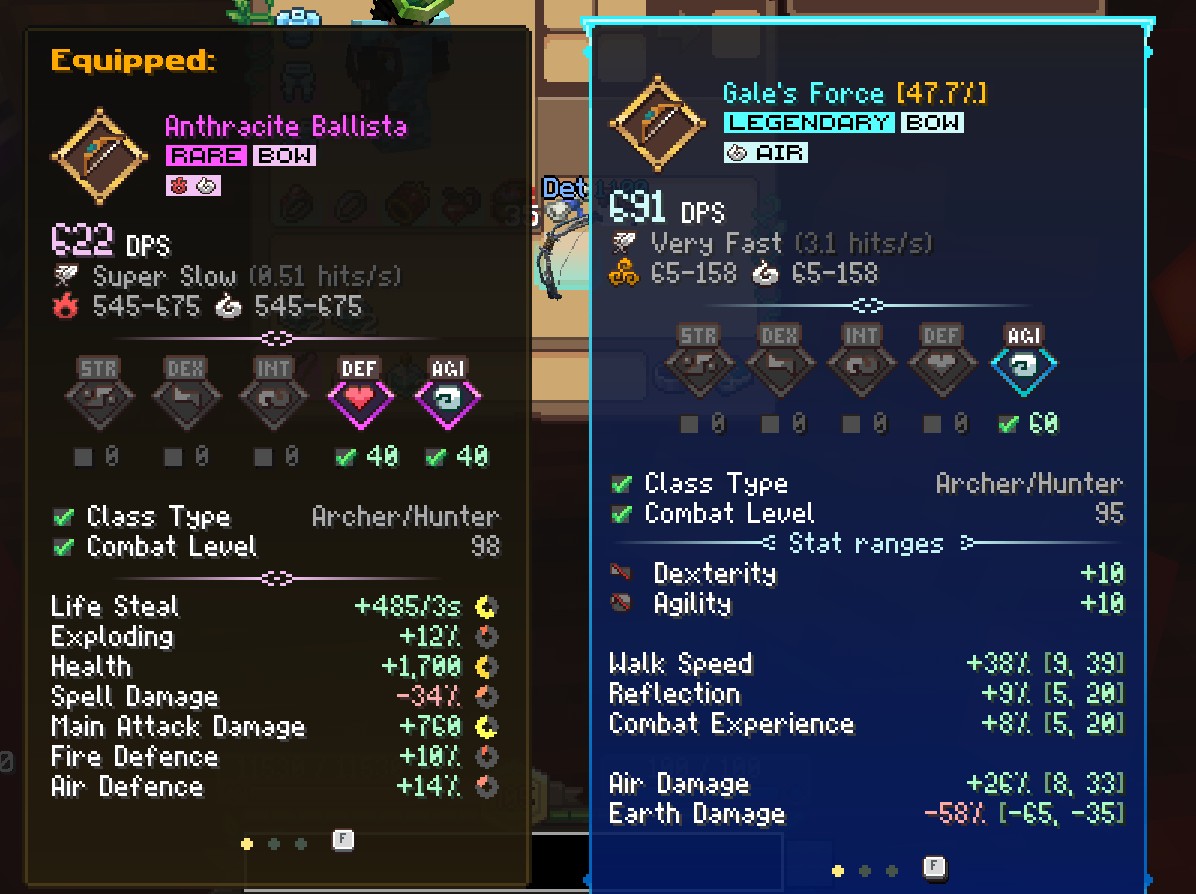
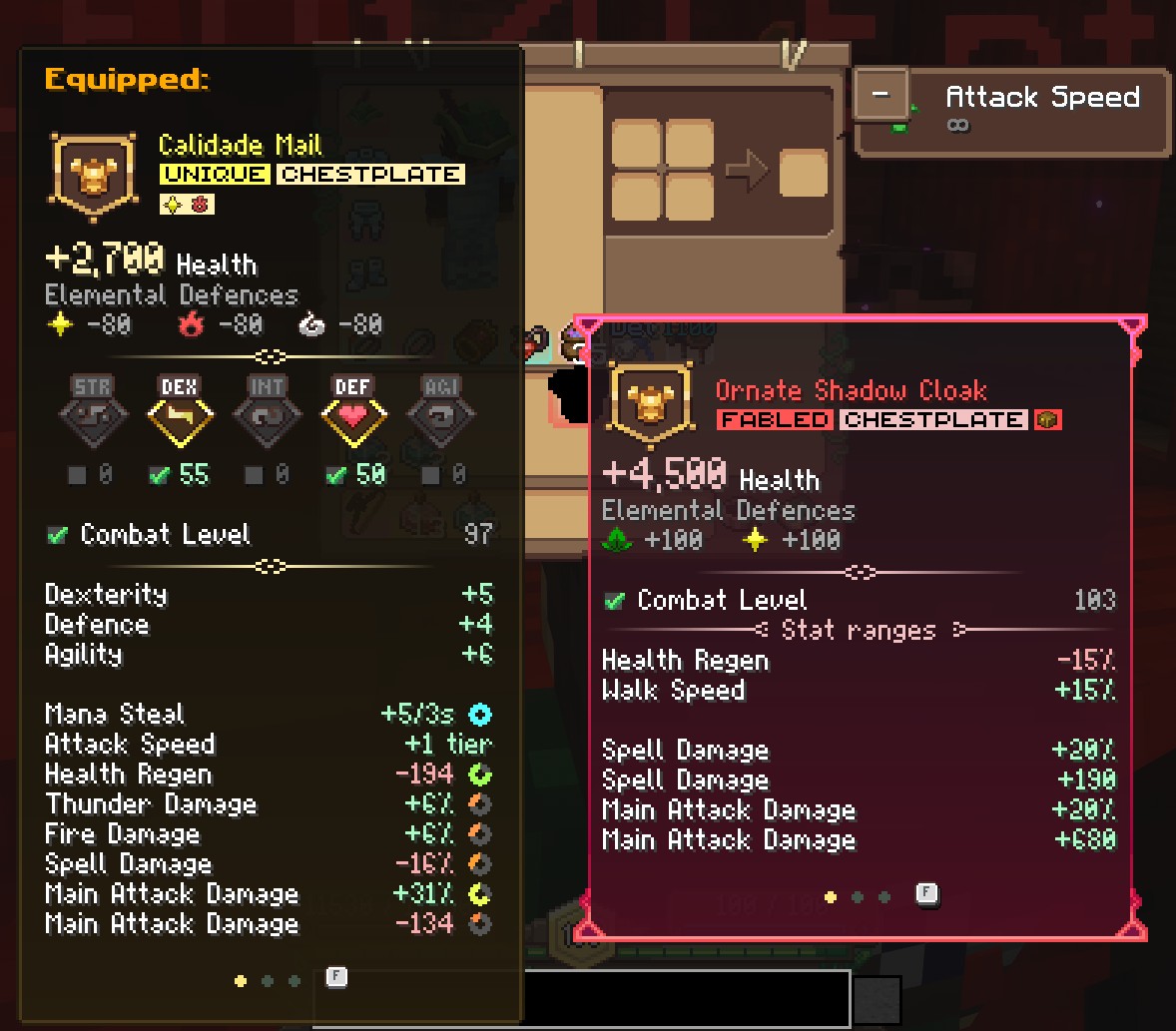
已装备工具提示(按住 C)
在悬停物品时,同时查看当前已装备物品的完整工具提示和悬停物品的工具提示。当多个物品匹配时(例如两枚戒指),所有匹配项会并排显示,并带有 Equipped (1/2) 之类的指示器。
属性对比(按住 X)
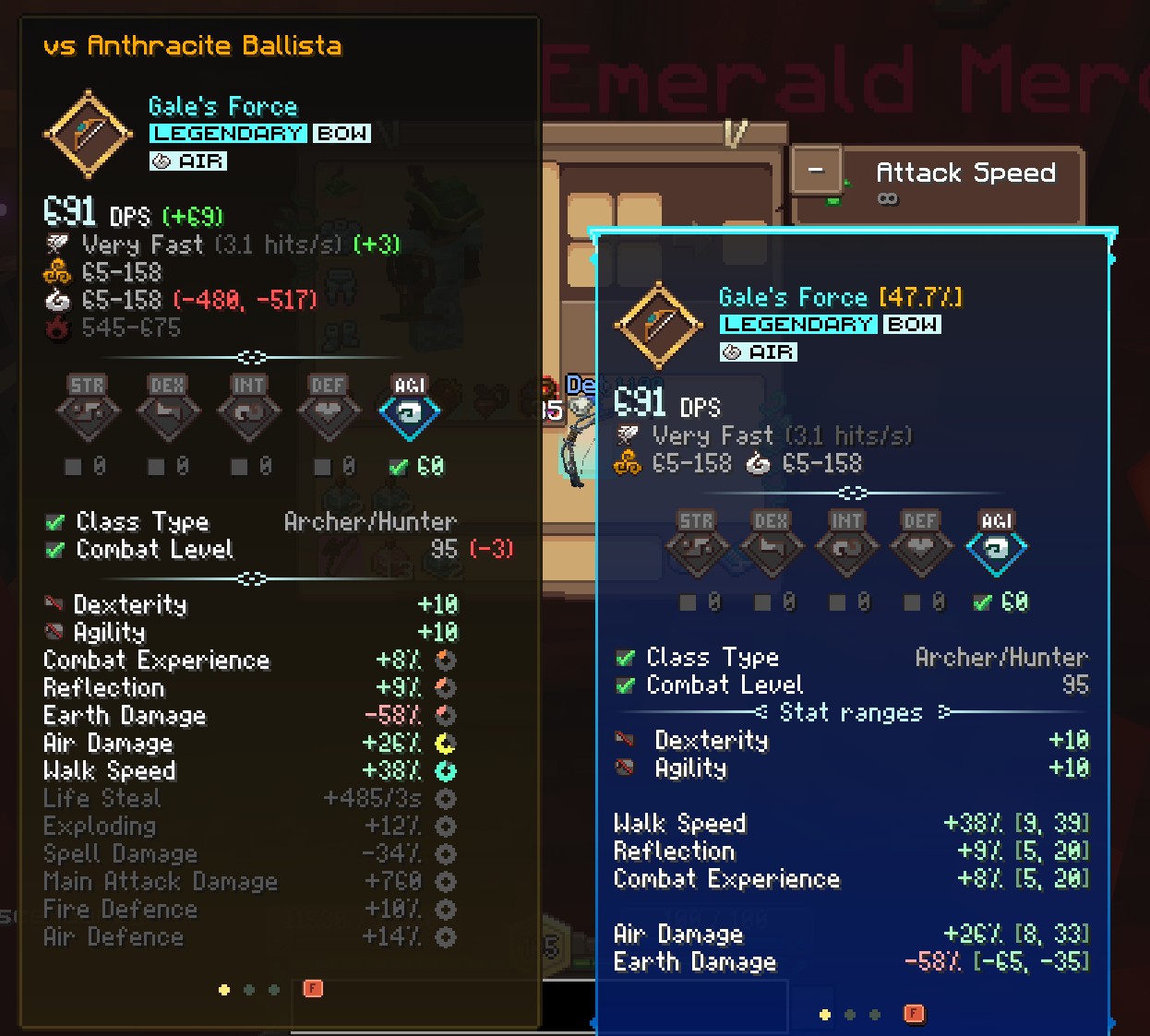
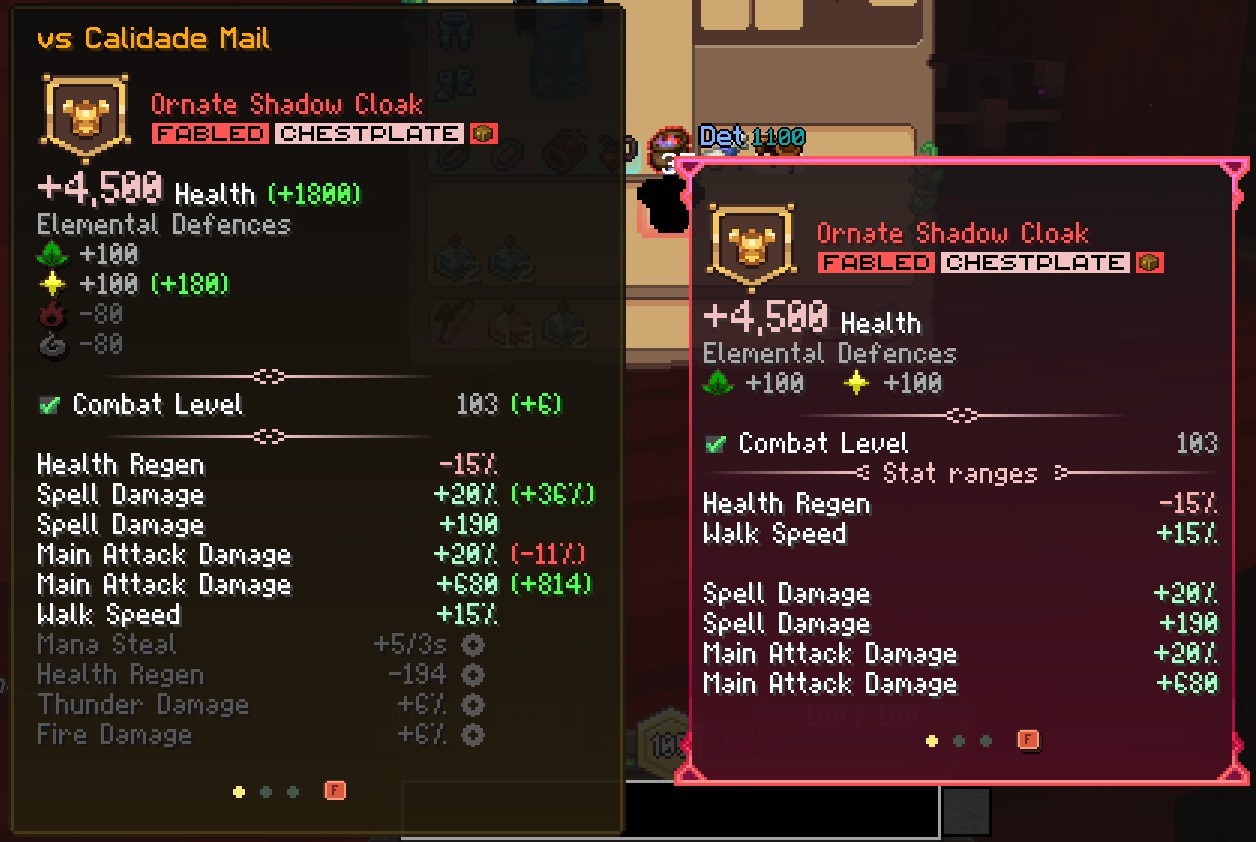
获取悬停物品与已装备装备之间的逐属性详细对比。
如果两个物品拥有相同的属性,差异会以不同颜色高亮显示:
- 绿色 表示提升
- 红色 表示削弱
- 灰色 表示无变化
- 黄色 表示混合结果(范围属性)
仅存在于已装备物品上的属性将以灰色显示,以便你了解切换后会失去什么。
对比的属性包括:
- 生命值、元素防御、伤害(包括范围和 DPS)
- 攻击速度(附带等级差异,例如
+2)
- 属性(力量、敏捷、智力、灵巧、防御)
- 需求(战斗等级、技能点)
- 其他所有属性(经验加成、法力回复、法术伤害等)
随处可用
可以在背包、银行以及任何其他容器中对物品进行对比。已装备装备始终从你自己的背包中读取。
智能定位
工具提示显示在光标左侧,并自动限制在屏幕范围内。
可配置按键绑定
两个按键都可以在 选项 > 控制 > 按键绑定 下的 WynnCompare 类别中重新绑定。
| 操作 |
默认按键 |
| 显示已装备工具提示 |
C |
| 显示属性对比 |
X |
当同时按住两个按键时,对比工具提示将优先显示。
支持的装备
- 护甲(头盔、胸甲、护腿、靴子)
- 武器(弓、匕首、法杖、长矛、Relik)
- 饰品(戒指、手镯、项链)
要求
每当 Wynncraft 更新其资源包时,它会改变物品的识别方式。安装 Wynntils 后,WynnCompare 会自动从 Wynntils 的数据中获取这些更改,因此在未来的 Wynncraft 更新后,物品检测仍能正常工作。如果没有安装 Wynntils,它将使用内置值,这些值截至 Fruma 更新时为最新状态。
已知问题
- 设置为鼠标按钮的按键绑定无法被检测到。请将对比按键绑定到键盘按键上。
发现 bug?请在 GitHub 上报错。
WynnCompare
A client-side Fabric mod that adds equipment tooltip comparison for Wynncraft.
Yes, it finally works in the Fruma update!
Features
Equipped Tooltip (Hold C)
See your currently equipped item's full tooltip alongside the one you're hovering over. When multiple items match (e.g., two rings), all are shown side-by-side with indicators like Equipped (1/2).
Stat Comparison (Hold X)
Get a stat-by-stat breakdown comparing the hovered item against your equipped gear.
If the two items share the same stats you can see the difference highlighted in different colors:
- Green for improvements
- Red for downgrades
- Gray for no change
- Yellow for mixed results (range stats)
Stats that are only on your equipped item are shown grayed out, so you can see what you'd lose by swapping.
Compared stats include:
- Health, Elemental Defences, Damage (including ranges and DPS)
- Attack Speed (with tier difference, e.g.
+2)
- Attributes (Strength, Dexterity, Intelligence, Agility, Defence)
- Requirements (Combat Level, skill points)
- All other stats (XP Bonus, Mana Regen, Spell Damage, etc.)
Works Everywhere
Compare items in your inventory, bank, and any other container. Your equipped gear is always read from your own inventory.
Smart Positioning
Tooltips are displayed to the left of the cursor and automatically clamped to stay within screen bounds.
Configurable Keybindings
Both keys can be rebound in Options > Controls > Key Binds under the WynnCompare category.
| Action |
Default Key |
| Show Equipped Tooltip |
C |
| Show Stat Comparison |
X |
When both keys are held, the comparison tooltip takes priority.
Supported Equipment
- Armor (Helmet, Chestplate, Leggings, Boots)
- Weapons (Bow, Dagger, Wand, Spear, Relik)
- Accessories (Ring, Bracelet, Necklace)
Requirements
Wynncraft changes how items are identified whenever it updates its resource pack. With Wynntils installed, WynnCompare picks up those changes automatically from Wynntils' data, so item detection keeps working after future Wynncraft updates. Without Wynntils, it uses built-in values that are current as of the Fruma update.
Known Issues
- Keybinds set to mouse buttons are not detected. Bind the compare keys to keyboard keys instead.
Found a bug? Report it on GitHub.


 模组

 模组

 模组
 模组
 模组

 模组
评论 0
登录后参与评分
还没有评论,来抢沙发吧