
Xaero's Drawings
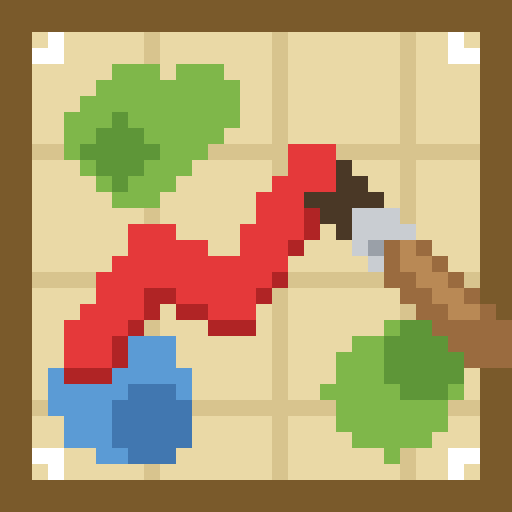
在地图上作画。Xaero's Drawings 为 Xaero's World Map 和 Xaero's Minimap 提供了完整的绘画工具箱——绘制路线规划、标记挖掘地点、勾勒建筑轮廓,或在你朋友的基地上涂鸦。你的画作会锚定于世界坐标,因此它们会随着地图的平移和缩放而移动,并在你旅行时在迷你地图上显示。
功能特性
绘画工具
- 自由画笔,支持可调大小(1–64 格),可输入数值或使用 +/- 按钮调整
- 橡皮擦与取色器,可采样已绘制的像素或任何渲染出的地图颜色(包括地形)
- 形状工具:直线、矩形和椭圆,带有实时预览效果——可选择描边或填充模式,线条粗细跟随画笔大小
- 图章:一键放置符号(箭头、图钉、爱心、爪印、骷髅、镐子、箱子等更多图标),并根据画笔大小自动缩放
颜色
- 经典 32 色 8 位调色板(DB32)
- 支持 Hex 输入,兼容
#RRGGBB和#RRGGBBAA(含透明度)格式 - 悬停在任意色块上即可查看其十六进制值
图层
- 3 个独立图层,每个均可单独切换显示/隐藏
- 在一个图层上绘画的同时隐藏其他图层,例如将“路线”、“资源”和“计划”保持分离
? 自定义图章
图章实际上就是 PNG 文件。首次运行时,内置的 24 个图章会被导出至 config/xaeros-drawings/stamps/ 目录;你可以编辑、删除它们,或放入自己的图章(方形 PNG 格式,尺寸为 8–32 像素,透明部分即为空白)。选择器每次打开时都会重新扫描该目录,无需重启游戏。
可选的多玩家同步
在专用服务器上安装此模组后,绘图将成为共享画布:所有人的笔触会实时显示,新加入的玩家也会获得现有的画布。服务器端会对笔触进行验证和重新栅格化,自定义印章也能同步(位图数据随笔触一同传输)。如果没有安装服务器端模组,所有内容均可在客户端完全运行——绘图会根据每个世界/服务器和维度分别保存在本地,紧邻你的 Xaero 地图数据存储位置。
使用方法
- 打开全屏地图(默认按键 M)
- 点击左侧按钮栏中的画笔按钮
- 开始绘画!按 Esc 退出绘图模式;每 30 秒自动保存绘图
▎版本说明:此模组与 Xaero 的内部机制深度集成,因此每个发布版本都严格对应特定的 Xaero's World Map / Minimap 版本。请确保与您下载的版本页面上列出的版本相匹配。
常见问题
在大地图中会导致卡顿吗?
不会——仅绘制的区域占用内存,加载/卸载在后台线程运行,且屏幕外的 GPU 纹理会自动卸载。
我的数据在哪里?
绘图:<游戏目录>/xaeros-drawings/<世界>/<维度>/,以普通 PNG 瓦片形式存储(你可以用图像编辑器打开它们!)。图章:config/xaeros-drawings/stamps/。
仅限客户端?
是的,完全在客户端运行。服务器端安装是可选的,仅用于添加共享画布。
Fabric / 其他版本?
目前仅支持 NeoForge 1.21.1,未来计划添加更多加载器与版本!
许可证
GPLv3
Xaero's Drawings
Draw on your map. Xaero's Drawings adds a full paint toolkit on top of Xaero's World Map and Xaero's Minimap — sketch route plans, mark dig sites, outline builds, doodle on your friend's base. Your drawings are anchored to world coordinates, so they pan and zoom with the map and show up on your minimap as you travel.
Features
Paint tools
- Freehand brush with adjustable size (1–64 blocks) type the size or use the +/- buttons
- Eraser and a color picker that samples painted pixels or any rendered map color (terrain included)
- Shapes: lines, rectangles, and ellipses with a live ghost preview — outline or filled, thickness follows brush size
- Stamps: one-click symbols (arrows, pins, hearts, paws, skulls, pickaxes, chests and more), scaled to brush size
Colors
- Classic 32-color 8-bit palette (DB32)
- Hex input supporting #RRGGBB and #RRGGBBAA transparency works
- Hover any swatch to see its hex value
Layers
- 3 independent layers, each individually toggleable
- Paint on one layer while hiding others e.g. keep "routes", "resources", and "plans" separate
? Custom stamps
Stamps are just PNG files. On first run the 24 built-ins are exported to config/xaeros-drawings/stamps/ edit them, delete them, or drop in your own (square PNGs, 8–32 px, transparency = empty). The selector rescans every time it opens; no restart needed.
Optional multiplayer sync
Install the mod on a dedicated server and drawings become a shared canvas: strokes appear live for everyone, and new players receive the existing canvas when they join. Strokes are validated and re-rasterized server-side, and even custom stamps sync (the bitmap travels with the stroke). Without the server mod, everything works fully client-side — drawings are saved locally per world/server and per dimension, right next to your Xaero map data.
How to use
- Open the fullscreen map (default M)
- Click the paintbrush button in the left button column
- Paint! Esc exits drawing mode; drawings autosave every 30 seconds
▎ Version note: this mod integrates deeply with Xaero's internals, so each release is pinned to exact Xaero's World Map / Minimap versions. Match the versions listed on the release you download.
FAQ
Does this lag on big maps?
No — only painted regions use memory, saving/loading runs on a background thread, and off-screen GPU textures are evicted automatically.
Where is my data?
Drawings: <game dir>/xaeros-drawings/<world>/<dimension>/ as ordinary PNG tiles (you can open them in an image editor!). Stamps: config/xaeros-drawings/stamps/.
Client only?
Yes, fully functional client-side. The server install is optional and only adds shared canvases.
Fabric / other versions?
NeoForge 1.21.1 only for now, More loaders and versions planned !
License
GPLv3
下载 Xaero's Drawing
下载 Xaero's Drawing
下载 Xaero's Drawing
下载 Xaero's Drawing
下载 Xaero's Drawing
下载 Xaero's Drawing
下载 Xaero's Drawing
下载 Xaero's Drawing
下载 Xaero's Drawing
下载 Xaero's Drawing
修复
- 26.2: 绘图现在会在全屏世界地图上显示(此前仅在小地图中显示)。
- 26.2: 画笔面板文本(十六进制颜色、大小按钮、印章名称、图层标签)之前不可见。
新增
- 撤销 / 重做(5 步):面板按钮,或 Ctrl+Z / Ctrl+Y(Ctrl+Shift+Z 也可重做)。与服务器同步时不可用。
- 8 个图层(原为 3 个),在面板中以 2×4 网格形式展示。
- 文字工具(T 键):输入文字,点击地图将其放置在像素字体位置;笔刷大小设置缩放比例。
- 区块网格对齐切换:笔刷和橡皮擦填充整个 16×16 区块,矩形绘制时自动对齐到区块边缘。
注意
- 服务器同步现在要求客户端和服务端均为 0.6.1 或更高版本;版本不匹配时将回退到仅本地绘图模式。
关于这个资源的讨论、问题反馈与使用心得
还没有讨论,来发第一帖吧
你是这个资源的作者?登录后可认领此资源。
相似资源
 模组

显示你正在注视的方块的信息。(适用于 Minecraft 1.16+ 的 Hwyla/Waila 分支)
 模组
在游戏画面角落显示附近世界地形、玩家、生物和实体的地图。可创建路径点,帮助你找到标记过的位置。
 模组

查看物品与配方
 模组
使用 JavaScript 编辑配方、添加自定义物品、编写世界事件!
 模组
AE2:一款流行的自动化与存储模组
 模组
那是什么?一个 Waila/Hwyla 的分支。
评论 0
登录后参与评分
还没有评论,来抢沙发吧