
zy 优化包是一个以优化和生活品质功能为核心的整合包。通过 Sodium 和 Lithium 等模组提升游戏性能,并加入 OK Zoomer、Shulker Box Tooltip 和 Fair Freecam 等生活品质(QoL)模组来改善体验。
本整合包包含部分资源包和光影,在启动时即可轻松访问配置。该整合包旨在让各种设备都能获得良好的性能表现,并在不显突兀的前提下对游戏进行改进,同时尽量保持原版体验。
建议使用 PrismLauncher 来管理不同的 Minecraft 版本。
注意:此整合包可能在旧显卡或集成显卡上崩溃。如果发生这种情况,请禁用 Voxy 模组,即可正常游玩!
安装方法
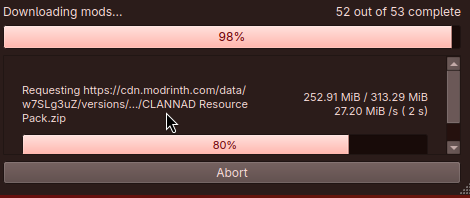
建议使用 Prism Launcher 来管理实例并下载模组。打开 PrismLauncher 后,点击 Add Instance(添加实例)按钮,选择 Modrinth 选项卡,然后搜索此整合包(可通过名称或直接使用链接)。
或者,你也可以使用 Import(导入)选项卡来选择 .mrpack 文件,将其导入到 PrismLauncher 中。
你的设备上需要安装 Java(Java 21 或更高版本)。Prism Launcher 在你首次打开时会自动为你下载 Java。
此外,你也可以在此处下载 Java:adoptium.net。
注意:在 Apple Silicon(M1 及更新机型)Mac 上,你需要安装 Arm 64 (aarch64) 版本的 Java。在使用 Intel 处理器的较老 Mac 上,则需要 x64 版本的 Java。
更新说明
你可以使用 Prism Launcher 轻松地更新此整合包。方法是编辑实例,选择 Modrinth 选项卡,并通过 Update to version(更新至版本)下拉菜单选择最新版本。
 如果是手动迁移,为了保留设置,请从旧文件夹中将
options.txt 复制到新实例的文件夹中。另外,如果你愿意,还可以复制 servers.dat(服务器列表)、hotbar.nbt(已保存的创作模式快捷栏)、saves/(世界存档)和 screenshots/,以及 .bobby/(仅在使用 bobby 模组时生成)。
包含的资源包与光影
资源包
- Bare Bones
- C418 Songs Only
- Default Dark Mode
- Enchantment Glows
- Even Better Enchants
- No Mob Variants
- No Wolf Skin Variants
- Redstone Tweaks
- Vanilla Tweaks
光影
zy optimised pack is modpack with a focus on optimisation and quality of life features. The performance of the game is improved with mods such as Sodium and Lithum, with QoL mods such as OK Zoomer, Shulker Box Tooltip and Fair Freecam.
Some resource packs and shaders are included, making configuration easily accessible upon startup. This modpack aims to enable good performance across various devices and keep the experience as close to vanilla as possible, whilst improving the game in unobtrusive ways.
PrismLauncher is recommended to manage different Minecraft versions.
NOTE: The modpack might crash on old graphics cards/iGPUs. If this occurs, please disable the Voxy mod and you'll be able to play!
How to Install
Prism Launcher is recommended to manage instances and download mods. With PrismLauncher open, click the Add Instance button, select the Modrinth tab and search for this modpack (either by name or by using the link).
Alternatively, you can use the Import tab to select the .mrpack that can be downloaded to import the pack into PrismLauncher.
You will need Java (Java 21 or above) installed on your device. Prism Launcher can download Java for you when you open it for the first time.
Additionally, you can also download Java here: adoptium.net.
Note: On Apple silicon (M1 and above) Macs, you need to install the Arm 64 (aarch64) version of Java. On older Macs with Intel processors, you will need the x64 version of Java.
When Updating
You can use Prism Launcher to update this modpack easily, you can do this by Editing the instance, selecting the Modrinth tab and selecting the latest version by the Update to version dropdown.
If manually moving, to keep your settings, make sure to copy over options.txt to the new instance's folder, from your old folder. Also, if you want, copy over servers.dat (your server list), hotbar.nbt (your saved creative hotbars), saves/ (your worlds) and screenshots/, along with .bobby/ (only made if you have the bobby mod).
Included Resource Packs and Shaders
Resource Packs
- Bare Bones
- C418 Songs Only
- Default Dark Mode
- Enchantment Glows
- Even Better Enchants
- No Mob Variants
- No Wolf Skin Variants
- Redstone Tweaks
- Vanilla Tweaks
Shaders

下载 zy optimised pack
下载 zy optimised pack
下载 zy optimised pack
下载 zy optimised pack
下载 zy optimised pack
下载 zy optimised pack
下载 zy optimised pack
下载 zy optimised pack
下载 zy optimised pack
下载 zy optimised pack
- 将所有可用模组更新至 26.3
关于这个资源的讨论、问题反馈与使用心得
还没有讨论,来发第一帖吧
你是这个资源的作者?登录后可认领此资源。
相似资源
 整合包

一个原版+整合包,包含少量模组,让您在低配电脑上也能享受流畅无卡顿的游戏体验!
 整合包

适合与朋友一起玩的趣味整合包!Minecraft 本就该多人同乐;添加模组更是锦上添花!
 整合包

一个让《Minecraft》更加真实的整合包!
 整合包

Cobblemon 1.7.1 整合包 | 传说宝可梦 | 超级进化 | 宝可梦城镇 | 中心 | 道馆 | 馆主 | 训练家 | 新世代 | 全新饮食 | 优化 | 必备功能 | 语音聊天 | 环绕声效 | 自动数据包与资源包。
 整合包

在 1.20 中体验 beta Minecraft 的怀旧感。尽管有些东西可能最好还是被遗忘……
 整合包

提升性能并全面改善生活质量的整合包。
评论 0
登录后参与评分
还没有评论,来抢沙发吧