? 这是一个服务端插件。 也可获取适用于 Fabric/Forge 的客户端模组版本 → Modrinth · CurseForge
? 这是什么?
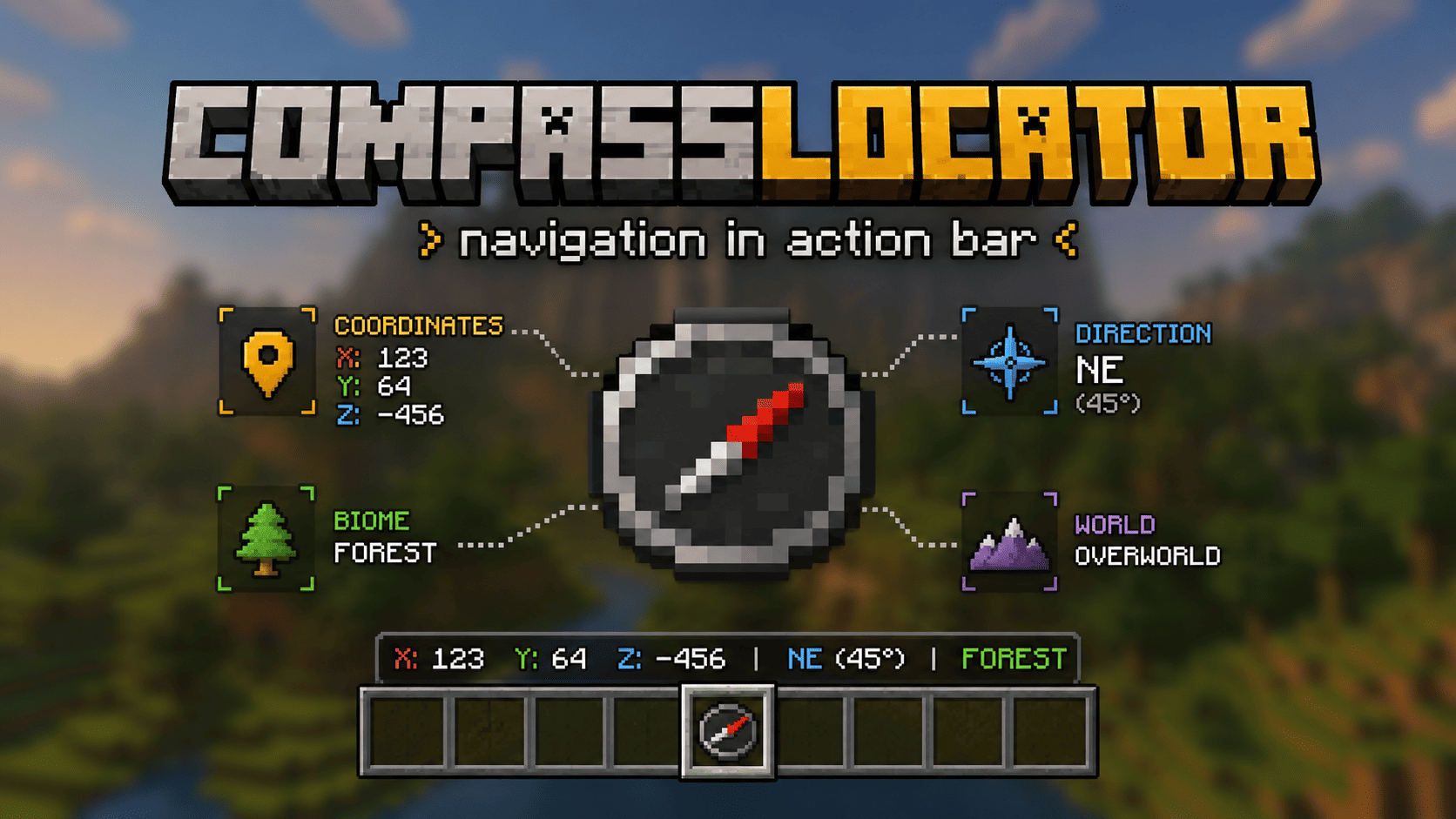
CompassLocator 是最佳、最灵活且功能强大的插件,能将关于指南针(以及更多)的有用信息直接添加到动作栏。它是唯一将指南针、死亡指南针、定位条雷达和时钟 HUD 整合在一个工具中的插件。
再也不用打开 F3。只需手持指南针,即可查看:
- 你所在的位置
- 你面对的方向
- 你所在的生物群系
- 上次死亡的地点
- 当前时间(手持时钟时)
✨ 指南针显示什么?
普通指南针
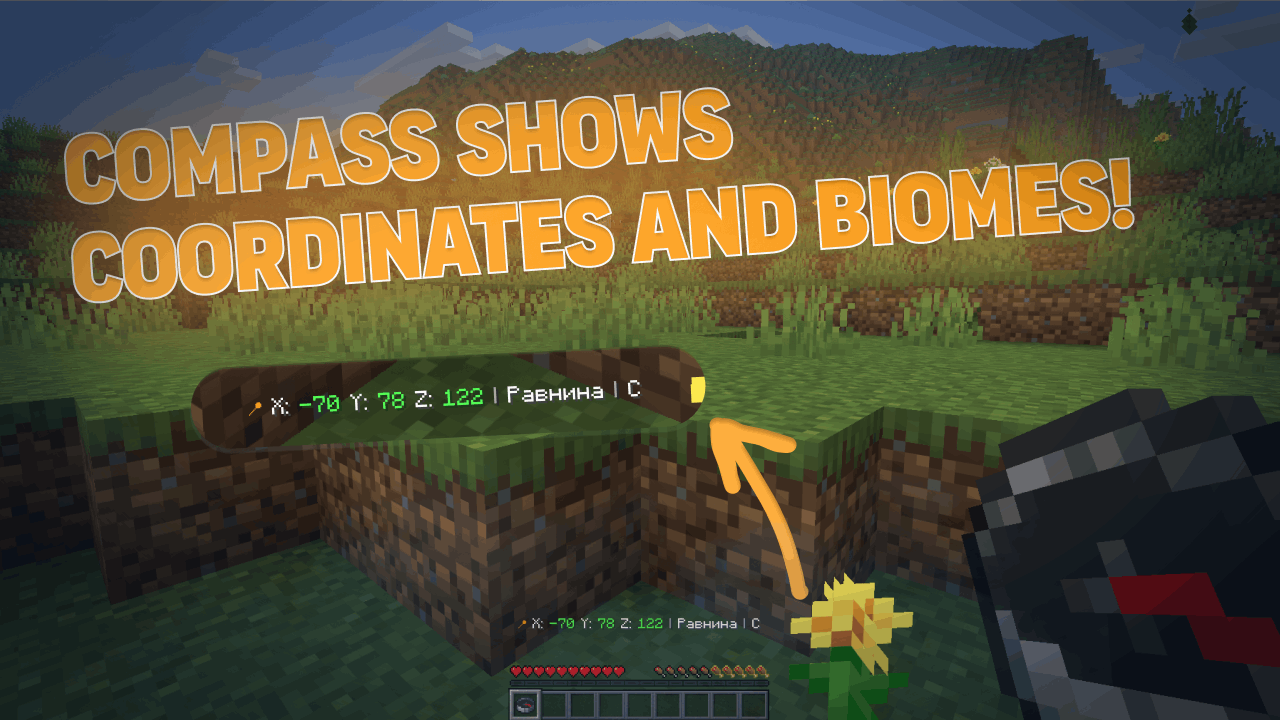
- 坐标(可调整精度——整数或小数)
- 当前生物群系
- 基本方向(北/南 或 N/S——由你决定)
- 一天中的时间(可选)
- 世界名称(可选)
- 如果指南针已链接到 lodestone(锚点石),则显示 lodestone 坐标
- 如果 lodestone 已损坏,则显示“broken”或最后已知坐标(可配置)
恢复指南针
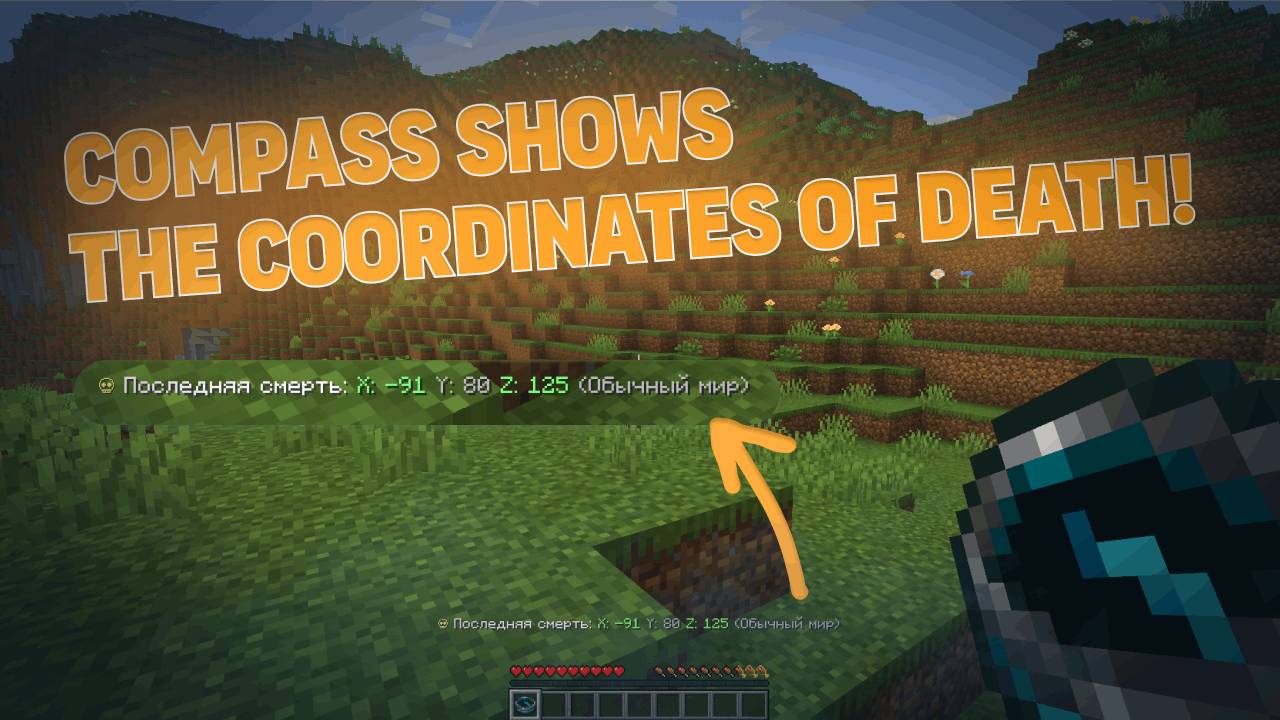
- 你上次死亡的地点(坐标)
- 所在的世界
- 距死亡经过的时间
- 距死亡地点的距离
- 标记会在定位条上指示你的死亡点(v3.6.0)
- 到你死亡点的高度差(上/下箭头)(v3.6.0)
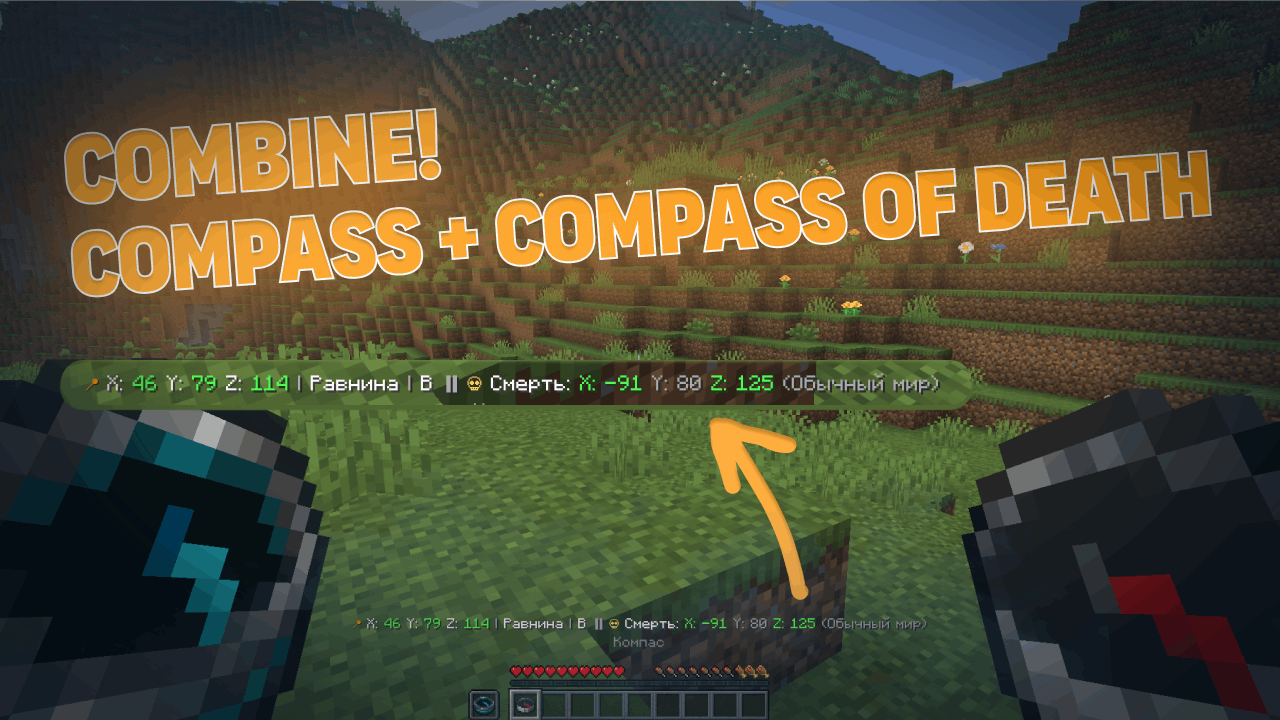
组合模式
- 一手持普通指南针,另一手持恢复指南针
- 动作栏会同时显示两者的信息
? 定位条(适用于 1.21.6+)
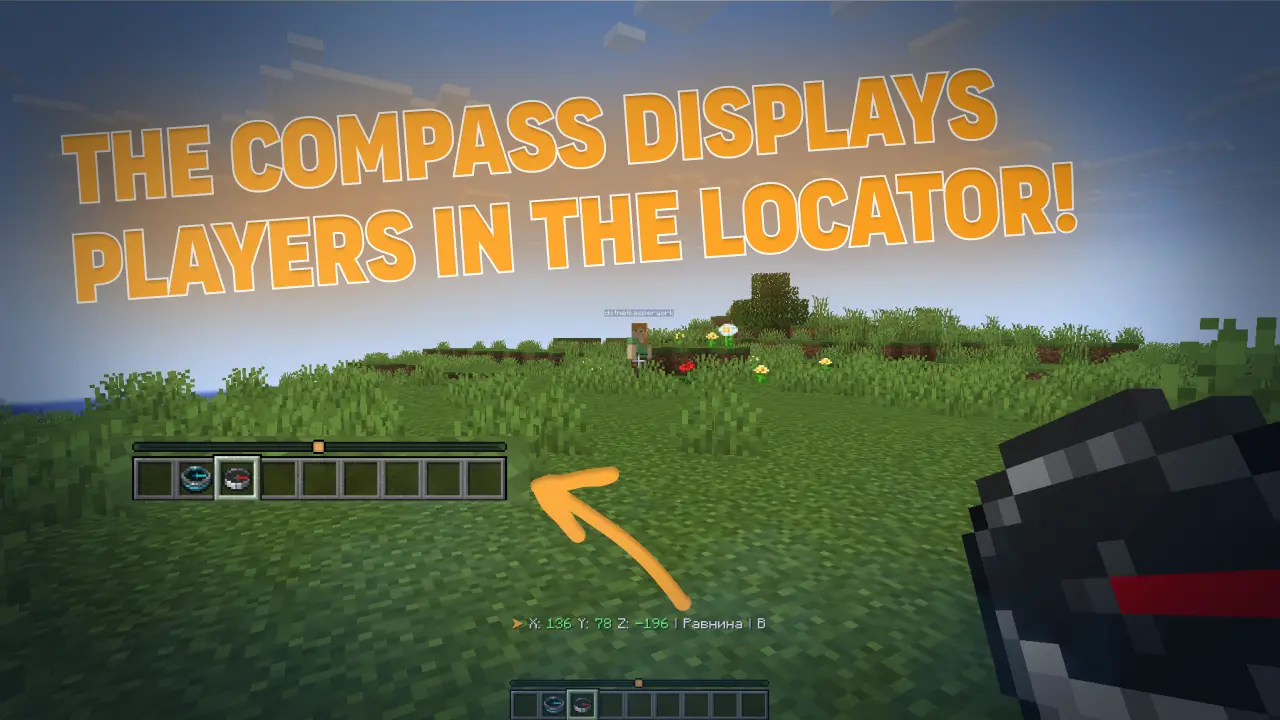
手持普通指南针时,你可以在雷达上看到其他玩家(类似小地图)。范围可配置——最大可达整个世界。
v3.6.0 新增:
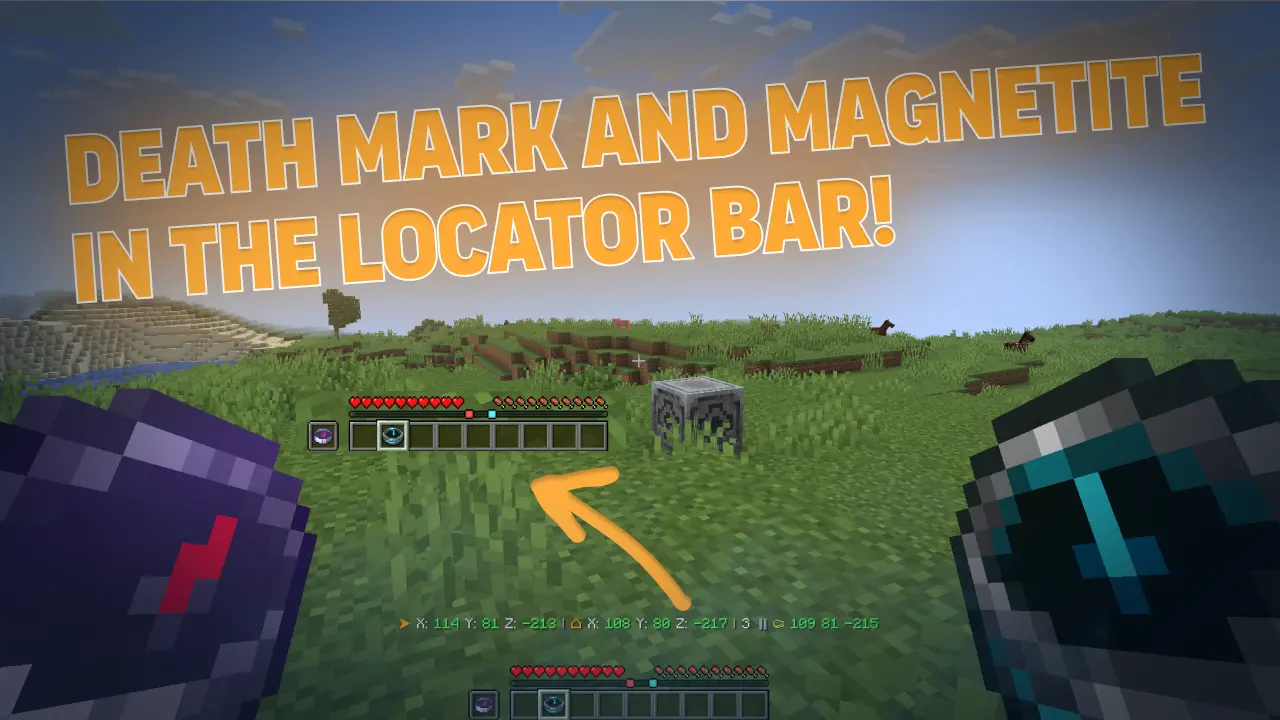
- 定位条上的死亡点标记(表示你死亡位置的彩色圆点)
- 定位条上的 lodestone 标记(表示指南针绑定位置的彩色圆点)
- 从雷达中隐藏低血量玩家(可配置)
- 按世界控制——可在特定世界中完全关闭此功能
? 时钟 HUD(v3.6.0)
从 3.6.0 版本开始,CompassLocator 增加了 时钟 HUD —— 手持时钟即可在动作栏中看到游戏内时间、天数和天气。
功能:
- 显示精确时间(24 小时制或 12 小时制——可配置)
- 显示当前天数
- 显示当前天气(晴朗 / 下雨 / 雷雨)
- 独立于指南针工作——可与指南针一起手持,或单独使用
- 完全可配置:选择显示哪些信息、切换 24 小时制、使用自定义显示预设等
? 为什么 CompassLocator 是最佳选择
与其他仅提供 ONE 功能的解决方案不同,CompassLocator 在一个插件中提供 EVERYTHING —— 无需命令,无需额外安装,无需妥协。
与其分别安装用于坐标的插件、用于生物群系的插件、用于方向的插件、用于死亡指南针的插件、用于雷达的数据包、用于雷达标记的模组,以及用于时钟 HUD 的其他东西——只需一个插件:CompassLocator。
⚡ 轻量级与性能
CompassLocator 非常轻量,你在服务器上几乎感觉不到它的存在。
- 负载极小——仅在数据实际更改时更新(头部旋转、移动、槽位变化),而非每个 tick。
- 优化事件——
PlayerMoveEvent 仅在地块变化时触发,而非每一步。
- 无多余循环——基于事件构建,而非持续检查。
- 在任何服务器上运行——从小型设置到拥有数百名玩家的大型项目。
将其与那些无论是否更改都每秒刷新动作栏的其他插件进行比较。CompassLocator 更智能——它仅在需要时更新。
?️ 完全控制——就像编写自己的插件
在 CompassLocator 中,你可以自定义所有内容。每个功能都可以独立开启或关闭。没有限制。
- 模块化系统——只需要坐标?禁用其他所有功能。只需要雷达?没问题。不需要时钟 HUD?一个参数即可关闭。
- 每个参数均可配置——坐标精度、时间格式、基本方向(完整或简写)、动作栏显示内容、隐藏内容等。
- 灵活预设——选择
classic、compact 或 minimal 格式,或创建你自己的格式。
- 颜色与图标自定义——全部在语言文件中,可更改以匹配你的风格。
- 雷达自定义——可见范围、谁会出现(所有人 / 仅指南针持有者)、隐藏受伤玩家、在特定世界中禁用。
- 标记颜色自定义——通过
#RRGGBB 自定义死亡点和 lodestone 的颜色。
- 语言——俄语、英语或自动检测。
你只启用服务器需要的功能。其余功能根本不会运行——不浪费资源,也不让玩家屏幕杂乱无章。
? 总结
- 一个插件替代五个——坐标、死亡指南针、雷达、标记、时钟 HUD。
- 无需命令——没有
/waypoint、/home、/settarget。只需右键点击下界传送门基岩(lodestone)。
- 轻量级——无服务器延迟,仅在事件发生时更新。
- 灵活——可开启或关闭任何功能。
- 可配置——所有设置均可自定义以适应你的服务器。
- 原版风格——如同游戏的一部分,而非附加组件。
CompassLocator 是唯一能满足你所有导航需求的解决方案。安装它,从此告别 F3。 ?
?️ 截图
| 定位栏 |
死亡与基岩标记 |
 |
 |
? 玩家指南
- 开箱即用——只需手持指南针
- 信息仅在你手持指南针时显示
- 恢复指南针会在你死亡后指向掉落物的位置
- 手持时钟即可在不打开 F3 的情况下查看时间、日期和天气
? 服务器管理员指南
该插件支持通过 config.yml 进行高度自定义配置:
- 显示哪些信息(坐标、生物群系、方向、世界、时间)
- 坐标精度(整数或小数)
- 短缩写或完整的方向指示
- 操作栏(Action Bar)更新频率
- 定位栏中可见的玩家范围(所有人 / 仅持指南针者)
- 启用/禁用任意模块
- 语言选择(俄语、英语或自动检测)
- 时钟 HUD 设置(时间格式、日期数字、天气显示)
- 恢复指南针设置(高度提示、方向箭头、定位栏上的标记)
- 以及更多选项
? 安装步骤
- 下载
.jar 文件
- 将其放入服务器的
plugins/ 文件夹
- 重启服务器
- 完成!(可选:编辑
config.yml)
⚙️ 系统要求
- Minecraft 1.21+
- Paper / Spigot / Purpur(或兼容的分支版本)
- Java 21
定位栏(Locator Bar) 功能需要客户端运行 Minecraft 1.21.6+。
? 还有客户端模组版本!
适用于 Minecraft 1.21.6 — 26.1.2 的 Fabric 和 Forge 独立客户端模组。
其功能将与插件有所不同(客户端模组的功能更广泛)。详情将在发布后公布。
? CompassLocator — Mod Version
❓ 常见问题
我需要在客户端安装任何东西吗?
不需要。该插件在服务器端运行。对于定位栏(Locator Bar),你需要在客户端使用 Minecraft 1.21.6 或更高版本。
指南针在主副手都能用吗?
是的,你可以在主手或副手持有指南针。两者都会触发效果。
如果指南针链接了下界传送门基岩(lodestone)怎么办?
插件会在显示你的坐标后显示基岩的坐标。如果基岩被破坏,你可以配置为显示最后已知的坐标。
恢复指南针会在死亡时掉落吗?
可配置。如果你启用了相关选项,即使关闭了 `keepInventory`(保留物品),指南针也会保留在你的背包中。
模组和插件有什么区别?
插件用于服务器,模组用于客户端。功能相似,但模组可以访问更多的客户端侧功能。
? 搜索标签 / Search keywords
Русский: компас, координаты, направление, биом, радар, локатор бар, action bar, locator bar, компас смерти, death compass, recovery compass, точка смерти, магнетит, lodestone, навигация, стороны света, время суток, мир, часы, время в майнкрафт, F3, замена F3, текст над инвентарем, текст над сердечками, action bar текст, информация на экране, hud, интерфейс, плагин майнкрафт, серверный плагин
English: compass, coordinates, direction, biome, radar, locator bar, action bar, death compass, recovery compass, death point, lodestone, navigation, cardinal directions, time of day, world, clock, minecraft time, F3, F3 alternative, action bar text, above inventory text, above hearts text, hud, interface, minecraft plugin, server plugin
? 链接
Version: 3.6.0 (latest) · Released: 17 July 2026 · Supported: 1.21-26.2
© 2026 kasperoid — All Rights Reserved
? This is a server-side plugin. A client-side mod version for Fabric/Forge is also available → Modrinth · CurseForge
? What is this?
CompassLocator is the best, most flexible and functional plugin that adds useful information about the compass (and more) directly to the action bar. The only plugin that combines a compass, death compass, locator bar radar, and a clock HUD in one tool.
No more opening F3. Just hold a compass and see:
- where you are
- which direction you're facing
- what biome you're in
- where you died last time
- what time it is (with a clock in hand)
✨ What does the compass show?
Normal Compass
- Coordinates (adjustable precision — integer or decimal)
- Current biome
- Cardinal direction (North/South or N/S — as you prefer)
- Time of day (optional)
- World name (optional)
- If the compass is linked to a lodestone — shows lodestone coordinates
- If the lodestone is broken — shows "broken" or last known coordinates (configurable)
Recovery Compass
- Where you last died (coordinates)
- Which world
- Time since death
- Distance to death location
- The marker indicates the point of your death in the locator bar (v3.6.0)
- Height difference (up/down arrow) to your death point (v3.6.0)
Combined Mode
- Hold a normal compass in one hand and a recovery compass in the other
- The action bar shows information from both at once
? Locator Bar (for 1.21.6+)
With a normal compass in hand, you can see other players on the radar (like a minimap). Range is configurable — up to the entire world.
New in v3.6.0:
- Death point markers on the locator bar (colored dot where you died)
- Lodestone markers on the locator bar (colored dot where your compass is bound)
- Hide low-health players from the radar (configurable)
- Per-world control — turn it off completely in specific worlds
? Clock HUD (v3.6.0)
Starting from version 3.6.0, CompassLocator adds a clock HUD — hold a clock in your hand and see the in-game time, day number, and weather right in the action bar.
Features:
- Shows exact time (24h or 12h format — configurable)
- Displays the current day number
- Shows current weather (Clear / Rain / Thunder)
- Works independently of compasses — hold it alongside a compass or on its own
- Fully configurable: choose which info to show, toggle 24h format, use custom display presets, and more
? Why CompassLocator is the best choice
Unlike other solutions that give you just ONE feature, CompassLocator offers EVERYTHING in one plugin — no commands, no extra installations, no compromises.
Instead of installing a plugin for coordinates, a plugin for biome, a plugin for direction, a plugin for death compass, a separate datapack for radar, a mod for radar markers, and something else for clock HUD — just one plugin: CompassLocator.
⚡ Lightweight & Performance
CompassLocator is so lightweight you won't even notice it on your server.
- Minimal load — updates only when data actually changes (head rotation, movement, slot change), not every tick.
- Optimized events —
PlayerMoveEvent only triggers on block changes, not every step.
- No unnecessary loops — built on events, not constant checks.
- Runs on any server — from small setups to large projects with hundreds of players.
Compare this to other plugins that refresh the action bar every second regardless of changes. CompassLocator is smarter — it updates only when needed.
?️ Full control — like coding your own plugin
In CompassLocator, you can customize absolutely everything. Every feature can be toggled on and off independently. No limits.
- Modular system — want only coordinates? Disable everything else. Need only radar? Done. Don't want clock HUD? One parameter turns it off.
- Every parameter is configurable — coordinate precision, time format, cardinal directions (full or short), what to show in action bar, what to hide.
- Flexible presets — choose
classic, compact, or minimal format, or create your own.
- Color & icon customization — all in language files, change to match your style.
- Radar customization — visibility range, who appears (everyone / compass holders only), hide wounded players, disable in specific worlds.
- Marker color customization — death and lodestone colors via
#RRGGBB.
- Language — Russian, English, or auto-detect.
You enable only what your server needs. Everything else simply doesn't run — no wasted resources, no cluttered screens for players.
? Bottom line
- One plugin instead of five — coordinates, death compass, radar, markers, clock HUD.
- No commands — no
/waypoint, /home, /settarget. Just right-click a lodestone.
- Lightweight — no server lag, updates only on events.
- Flexible — toggle any feature on or off.
- Configurable — absolutely everything to fit your server.
- Vanilla — works like part of the game, not an add-on.
CompassLocator is the only solution that covers all your navigation needs. Install it and forget about F3 forever. ?
?️ Screenshots
| Normal Compass |
Recovery Compass |
Combined Mode |
 |
 |
 |
| Locator Bar |
Death & Lodestone Markers |
|
|
? For Players
- Works right out of the box — just hold a compass
- Information only appears when you're holding a compass
- Recovery compass shows the way to your items after death
- Hold a clock to see the time, day, and weather without opening F3
? For Server Admins
The plugin is highly configurable via config.yml:
- Which information is shown (coordinates, biome, direction, world, time)
- Coordinate precision (integer or decimal)
- Short or full cardinal directions
- Action bar update frequency
- Who is visible in Locator Bar (everyone / only compass holders)
- Enable/disable any module
- Language (Russian, English, or auto-detect)
- Clock HUD settings (time format, day number, weather)
- Recovery compass settings (height hint, direction arrow, markers on locator bar)
- And much more
? Installation
- Download the
.jar file
- Put it in your
plugins/ folder
- Restart the server
- Done! (Optionally, edit
config.yml)
⚙️ Requirements
- Minecraft 1.21+
- Paper / Spigot / Purpur (or compatible forks)
- Java 21
Locator Bar requires Minecraft 1.21.6+ on the client.
? There's also a client mod version!
A separate client-side mod for Fabric and Forge on Minecraft 1.21.6 — 26.1.2.
Functionality will differ from the plugin (client-side capabilities are broader). Details — after release.
? CompassLocator — Mod Version
❓ FAQ
Do I need to install anything on the client?
No. The plugin runs on the server. For Locator Bar, you need Minecraft 1.21.6+ on the client.
Does the compass work in both hands?
Yes, you can hold it in either hand. Both are checked.
What if the compass is linked to a lodestone?
The plugin will show lodestone coordinates after your own coordinates. If the lodestone is broken, you can configure it to show the last known coordinates.
Does the recovery compass drop on death?
Configurable. If you enable the option, the compass stays in your inventory even on death (when keepInventory is disabled).
What's the difference between the mod and the plugin?
The plugin is for the server, the mod is for the client. Functionality is similar but the mod has access to more client-side features.
? Поисковые теги / Search keywords
Русский: компас, координаты, направление, биом, радар, локатор бар, action bar, locator bar, компас смерти, death compass, recovery compass, точка смерти, магнетит, lodestone, навигация, стороны света, время суток, мир, часы, время в майнкрафт, F3, замена F3, текст над инвентарем, текст над сердечками, action bar текст, информация на экране, hud, интерфейс, плагин майнкрафт, серверный плагин
English: compass, coordinates, direction, biome, radar, locator bar, action bar, death compass, recovery compass, death point, lodestone, navigation, cardinal directions, time of day, world, clock, minecraft time, F3, F3 alternative, action bar text, above inventory text, above hearts text, hud, interface, minecraft plugin, server plugin
? Links
Version: 3.6.0 (latest) · Released: 17 July 2026 · Supported: 1.21-26.2
© 2026 kasperoid — All Rights Reserved


 插件
 插件
 插件
 插件

 插件
 插件

评论 0
登录后参与评分
还没有评论,来抢沙发吧