
? 这是一个客户端模组。 同时提供服务端插件版本 → Modrinth · CurseForge
? 这是什么?
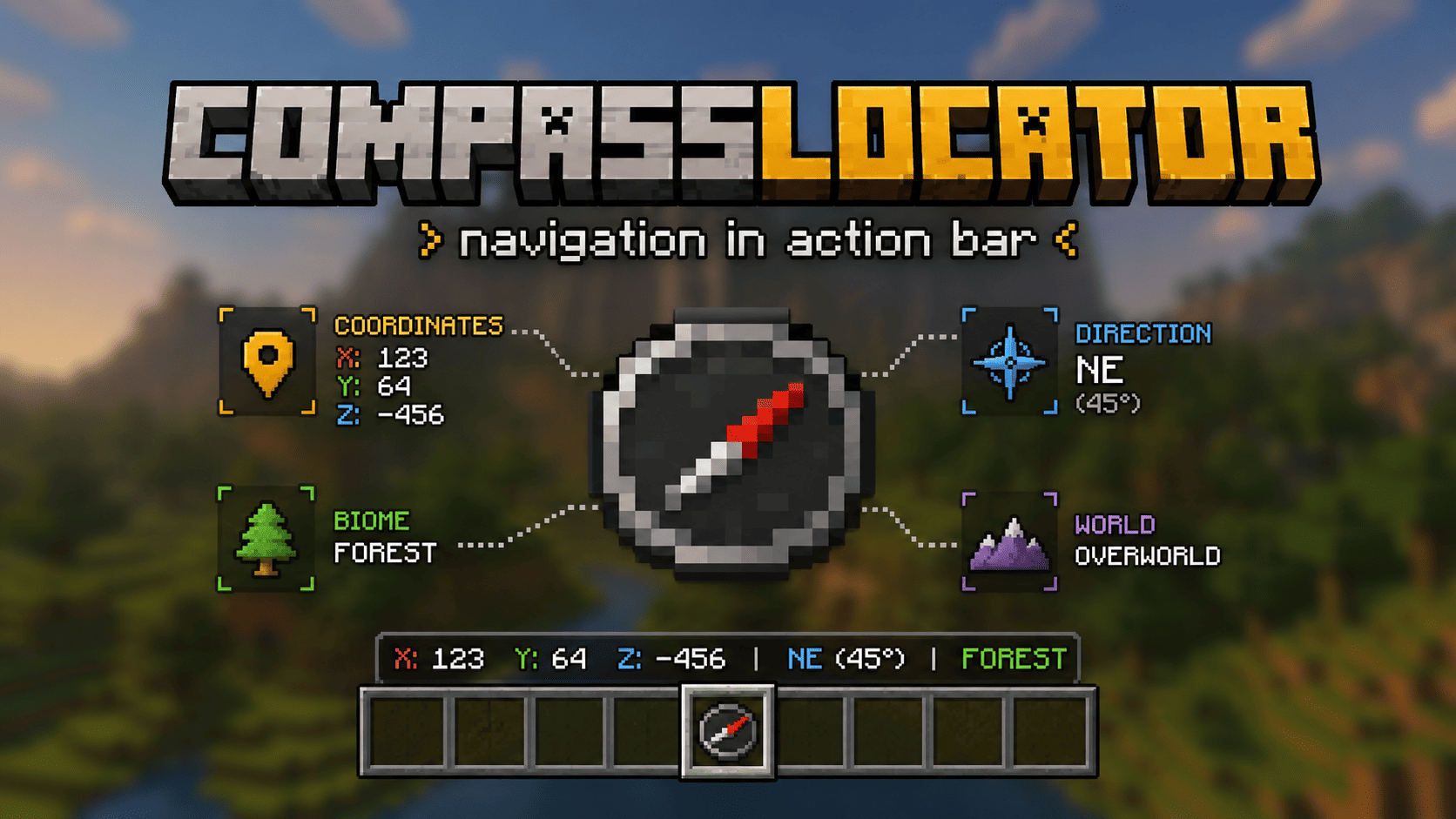
CompassLocator 是一款适用于 Minecraft 1.21.6+ 的客户端模组,它能在操作栏中直接显示有用的指南针信息。它是 CompassLocator 插件的移植版,现在拥有更多功能以及一个游戏内配置 GUI。
无需再按 F3。只需手持指南针即可看到:
- 你的位置
- 你面朝的方向
- 所在的生物群系
- 上次死亡的地点
- 雷达上附近的玩家
✨ 功能
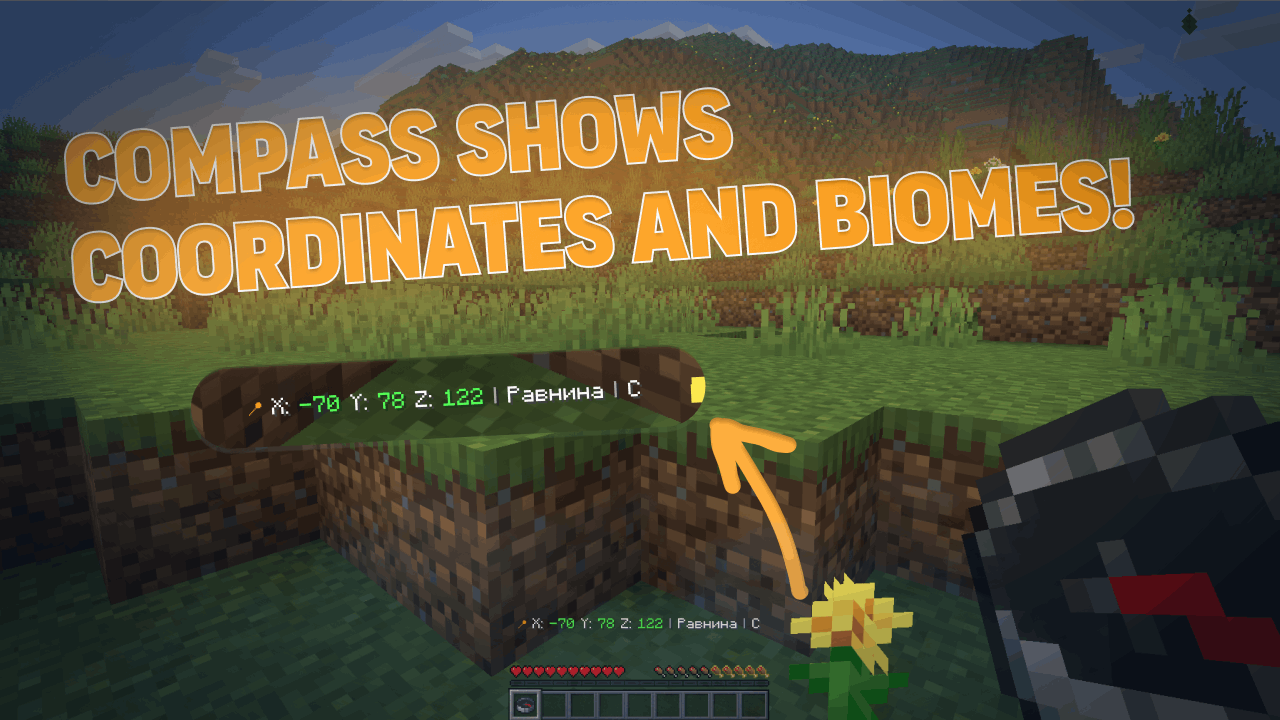
普通指南针
- 坐标(精度可调——整数或小数)
- 当前生物群系
- 基本方向(北/南 或 N/S)
- 游戏时间(可选)
- 世界名称(可选)
- ** lodestone(锚点)支持** — 即使锚点被破坏,也会显示指南针所链接的坐标(显示最后已知位置)
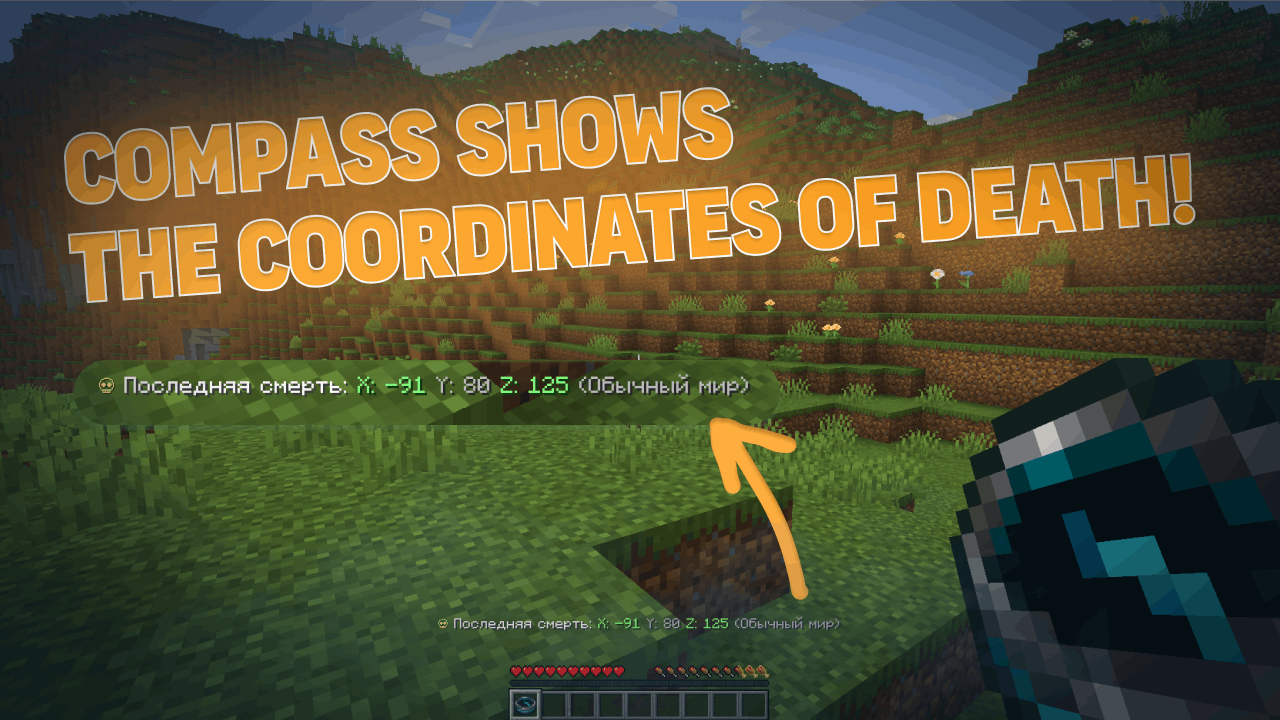
恢复指南针
- 上次死亡的位置(坐标)
- 所在的世界
- 距离死亡经过的时间
- 到死亡地点的距离
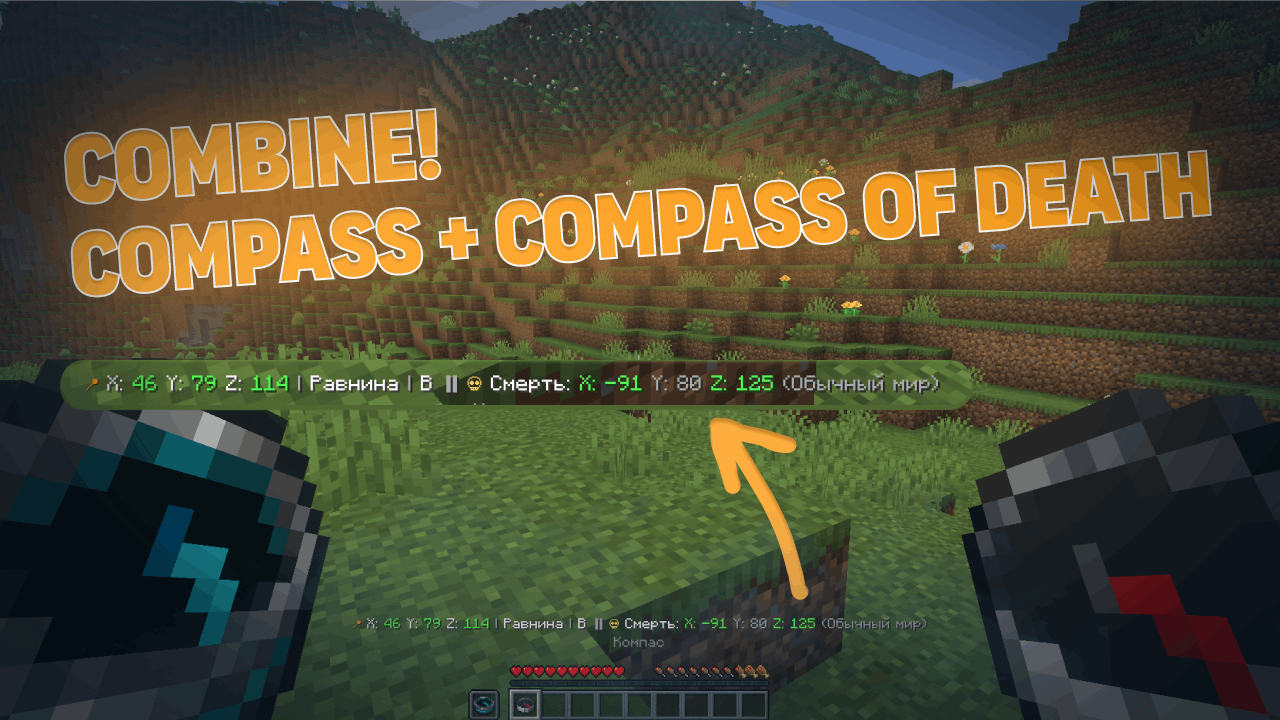
组合模式
- 一手持普通指南针,另一手持恢复指南针
- 操作栏将同时显示两者的信息
PvP/HCF 风格定位栏
- 在雷达上查看附近的玩家
- 显示玩家相对于你的方向
- 非常适合竞技类游戏
游戏内配置 GUI
- 完整的游戏内配置菜单
- 无需手动编辑文件(但你仍然可以这样做)
- 更改即时生效
?️ 截图
| 普通指南针 | 恢复指南针 | 组合模式 | 定位栏 |
|---|---|---|---|
 |
 |
 |
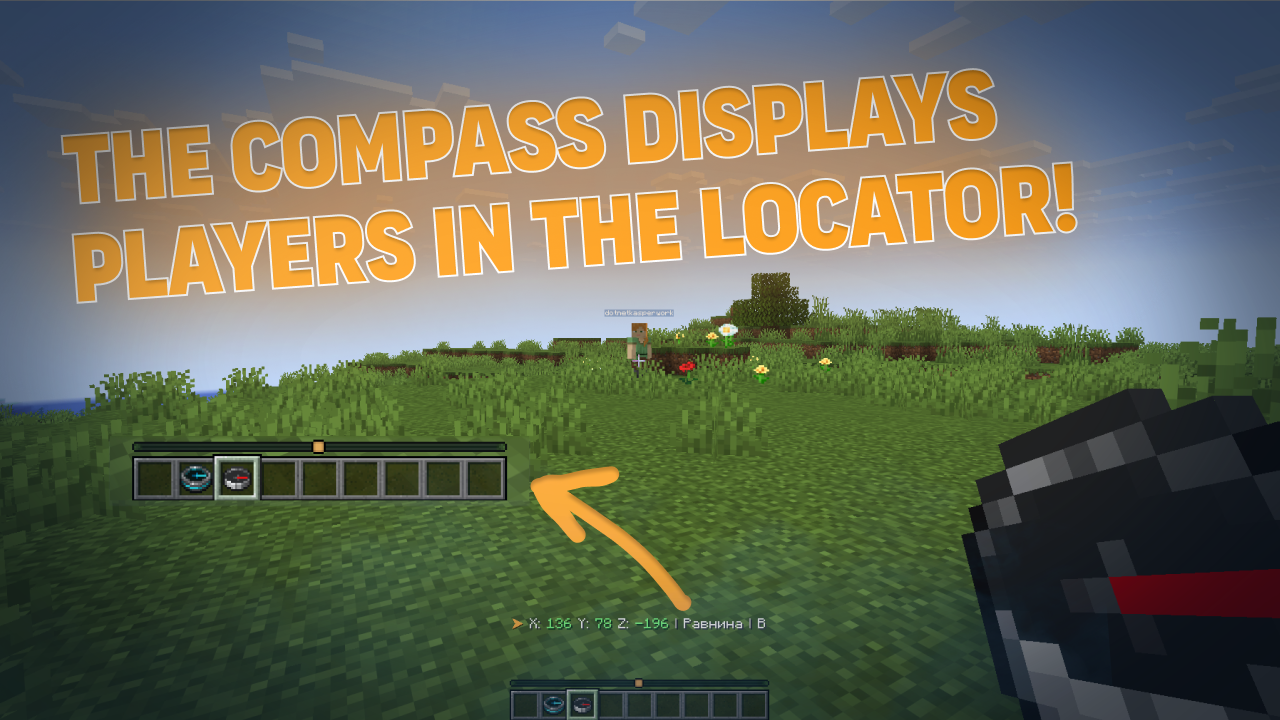 |
| 游戏内配置 GUI | Lodestone (正常工作) | Lodestone (已损坏) |
|---|---|---|
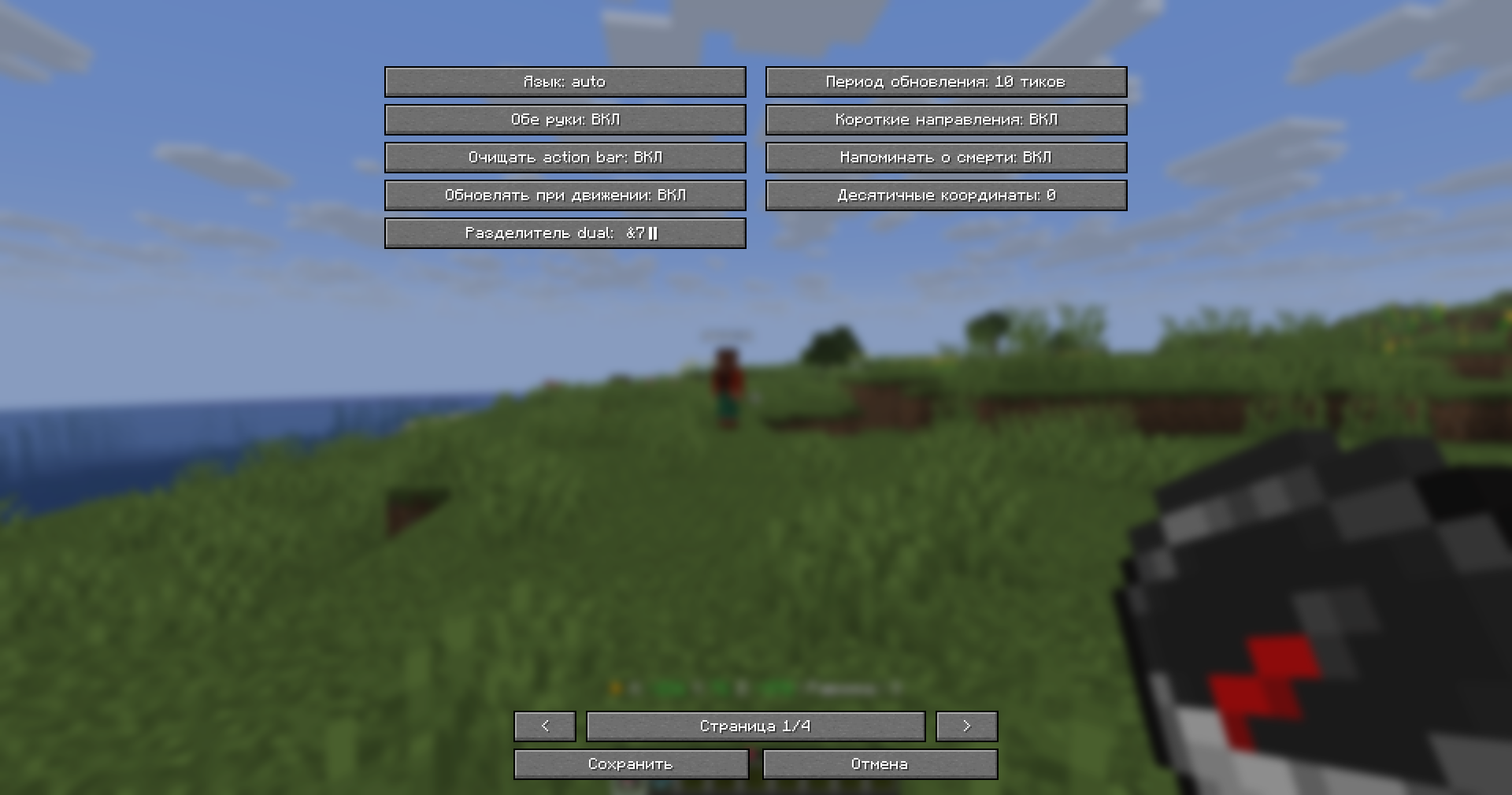 |
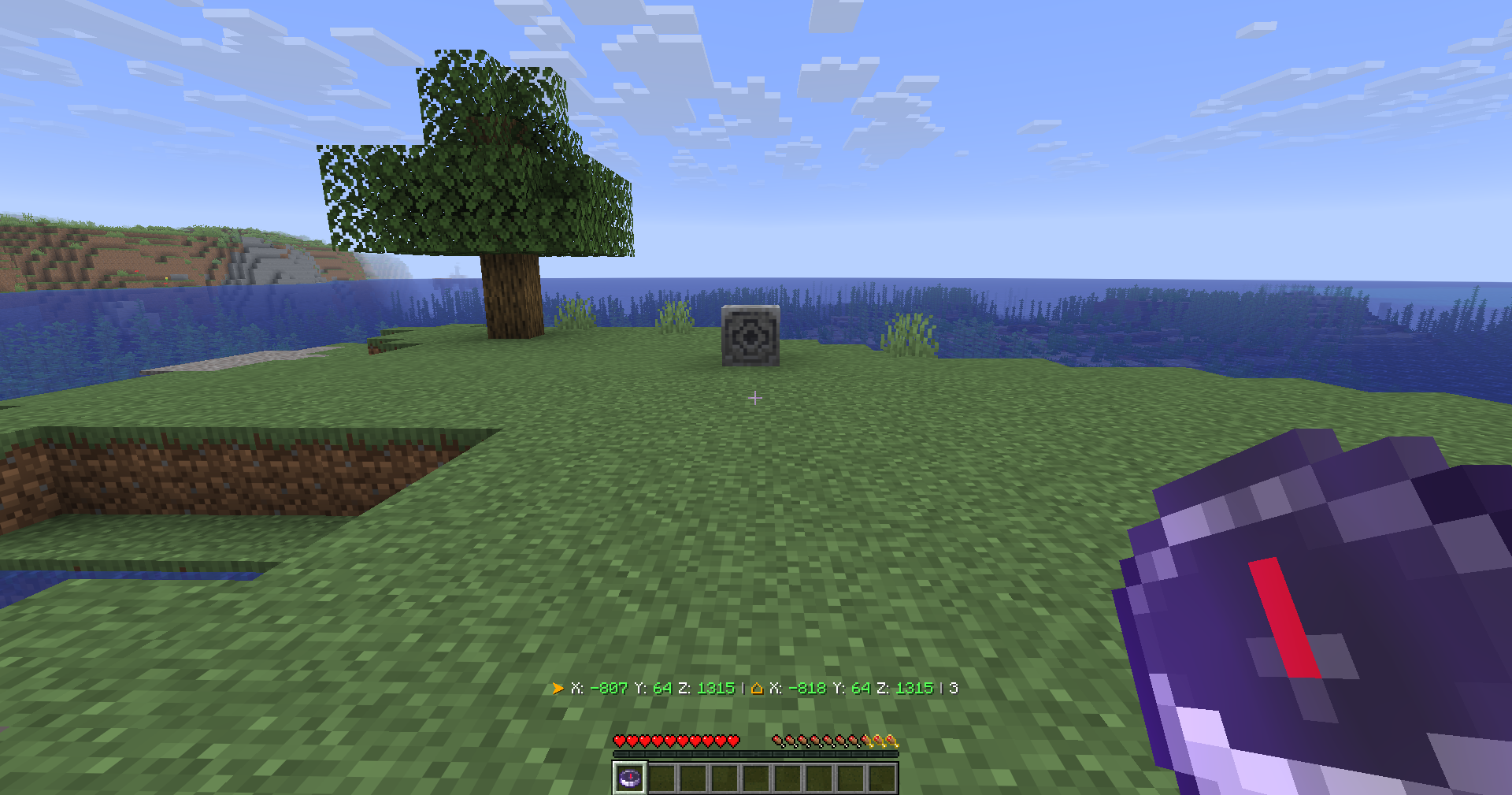 |
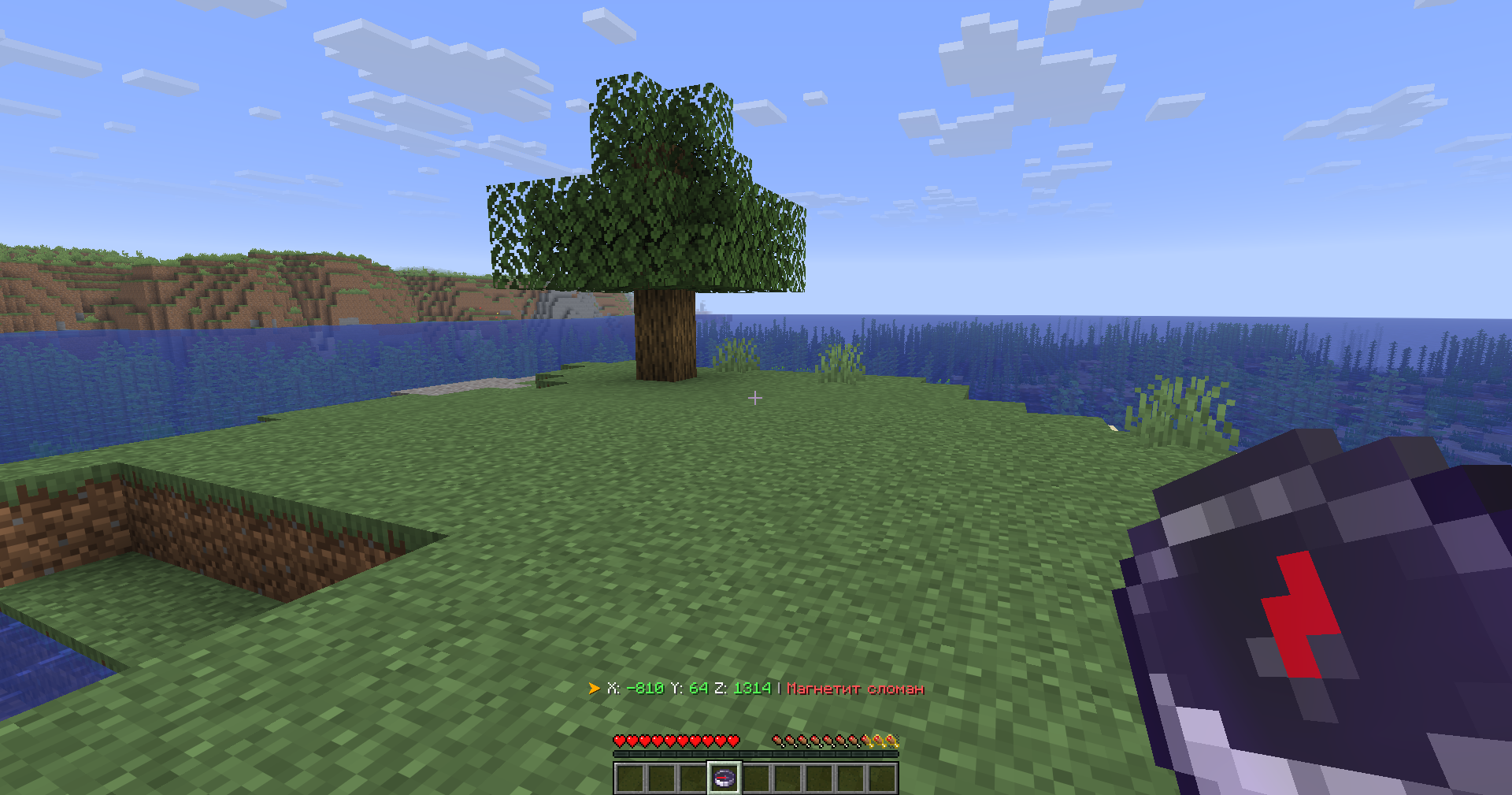 |
? 使用方法
只需在手中持有指南针即可。就这么简单。
该模组支持主手和副手。
? 配置
该模组提供两种配置方式:
| 方法 | 你可以做什么 |
|---|---|
| 游戏内 GUI | 实时更改设置,立即查看效果 |
| YAML 文件 | config.yml 和 lang.yml — 保留所有原始插件设置 |
你可以单独切换每个功能、更改颜色、调整更新频率等等。
? 安装
Fabric
- 为 Minecraft 1.21.6+ 安装 Fabric Loader
- 将 Fabric API 和 CompassLocator 放入你的
mods/文件夹 - 启动游戏
Forge
- 为 Minecraft 1.21.6+ 安装 Forge
- 将 CompassLocator 放入你的
mods/文件夹 - 启动游戏
? 依赖项
Fabric
必需:
- Fabric API
可选(推荐):
- Mod Menu — 用于配置界面
- Cloth Config API — 用于高级配置选项
Forge
无必需依赖项。
⚙️ 要求
- Minecraft 1.21.6+
- Java 21
❓ 常见问题
我需要在服务器上安装任何东西吗?
不需要。这是一个客户端模组。它在任何服务器上都能运行,即使是原版服务器。是否支持多人游戏?
是的。即使其他玩家未安装该模组,定位栏也会显示他们的存在。模组与服务端插件有什么区别?
插件运行在服务器上。模组运行在你的客户端上,并拥有更多功能(例如游戏内图形用户界面和客户端优化)。我需要 Mod Menu 和 Cloth Config 吗?
不需要,但推荐使用。如果没有它们,你仍然可以手动编辑 `config.yml` 文件。指南针在双手都能使用吗?
是的,你可以用任意手持握它。两者均已检测支持。? 搜索标签 / Search keywords
Русский: компас, координаты, направление, биом, радар, локатор бар, action bar, locator bar, компас смерти, death compass, recovery compass, точка смерти, магнетит, lodestone, навигация, стороны света, время суток, мир, часы, время в майнкрафт, F3, замена F3, текст над инвентарем, текст над сердечками, action bar текст, информация на экране, hud, интерфейс, мод майнкрафт, клиентский мод
English: compass, coordinates, direction, biome, radar, locator bar, action bar, death compass, recovery compass, death point, lodestone, navigation, cardinal directions, time of day, world, clock, minecraft time, F3, F3 alternative, action bar text, above inventory text, above hearts text, hud, interface, minecraft mod, client mod
? 链接
© 2026 kasperoid — All Rights Reserved
? This is a client-side mod. A server-side plugin version is also available → Modrinth · CurseForge
? What is this?
CompassLocator is a client-side mod for Minecraft 1.21.6+ that adds useful compass information directly to the action bar. A port of the CompassLocator plugin, now with even more features and an in-game config GUI.
No more opening F3. Just hold a compass and see:
- where you are
- which direction you're facing
- what biome you're in
- where you died last time
- players around you on the radar
✨ Features
Normal Compass
- Coordinates (adjustable precision — integer or decimal)
- Current biome
- Cardinal direction (North/South or N/S)
- Time of day (optional)
- World name (optional)
- Lodestone support — shows the coordinates your compass is linked to, even if broken (shows last known position)
Recovery Compass
- Where you last died (coordinates)
- Which world
- Time since death
- Distance to death location
Combined Mode
- Hold a normal compass in one hand and a recovery compass in the other
- The action bar shows information from both at once
PvP/HCF-style Locator Bar
- See nearby players on your radar
- Shows player direction relative to you
- Perfect for competitive gameplay
In-Game Configuration GUI
- Full configuration menu right in your game
- No need to edit files manually (but you still can)
- Changes apply instantly
?️ Gallery
| Normal Compass | Recovery Compass | Combined Mode | Locator Bar |
|---|---|---|---|
|
|
|
|
| In-Game Config GUI | Lodestone (Working) | Lodestone (Broken) |
|---|---|---|
|
|
|
? Usage
Simply hold a compass in your hand. That's it.
The mod works with both hands — main hand and offhand.
? Configuration
The mod offers two ways to configure everything:
| Method | What you can do |
|---|---|
| In-Game GUI | Change settings on the fly, see changes immediately |
| YAML Files | config.yml and lang.yml — all original plugin settings preserved |
You can toggle every feature individually, change colors, adjust update frequency, and much more.
? Installation
Fabric
- Install Fabric Loader for Minecraft 1.21.6+
- Put Fabric API and CompassLocator in your
mods/folder - Launch the game
Forge
- Install Forge for Minecraft 1.21.6+
- Put CompassLocator in your
mods/folder - Launch the game
? Dependencies
Fabric
Required:
- Fabric API
Optional (recommended):
- Mod Menu — for the configuration screen
- Cloth Config API — for advanced config options
Forge
No required dependencies.
⚙️ Requirements
- Minecraft 1.21.6+
- Java 21
? There's also a server plugin version!
A server-side plugin for Paper/Spigot/Purpur on Minecraft 1.21+.
❓ FAQ
Do I need to install anything on the server?
No. This is a client-side mod. It works on any server, even vanilla.Does it work in multiplayer?
Yes. The Locator Bar shows other players even if they don't have the mod installed.What's the difference between the mod and the plugin?
The plugin runs on the server. The mod runs on your client and has access to more features (like the in-game GUI and client-side optimizations).Do I need Mod Menu and Cloth Config?
No, but they're recommended. Without them, you can still edit `config.yml` manually.Does the compass work in both hands?
Yes, you can hold it in either hand. Both are checked.? Поисковые теги / Search keywords
Русский: компас, координаты, направление, биом, радар, локатор бар, action bar, locator bar, компас смерти, death compass, recovery compass, точка смерти, магнетит, lodestone, навигация, стороны света, время суток, мир, часы, время в майнкрафт, F3, замена F3, текст над инвентарем, текст над сердечками, action bar текст, информация на экране, hud, интерфейс, мод майнкрафт, клиентский мод
English: compass, coordinates, direction, biome, radar, locator bar, action bar, death compass, recovery compass, death point, lodestone, navigation, cardinal directions, time of day, world, clock, minecraft time, F3, F3 alternative, action bar text, above inventory text, above hearts text, hud, interface, minecraft mod, client mod
? Links
© 2026 kasperoid — All Rights Reserved

下载 CompassLocator
下载 CompassLocator
下载 CompassLocator
下载 CompassLocator
下载 CompassLocator
下载 CompassLocator
下载 CompassLocator
下载 CompassLocator
下载 CompassLocator
下载 CompassLocator
v3.6.0
◆ 新增
- ➕ 添加了时钟 HUD —— 手持时钟即可在动作栏中查看游戏内时间、天数和天气;支持 12/24 小时制,并可通过占位符进行完全自定义
- ➕ 添加了自定义覆盖层定位 —— 使用 10 个不同的锚点将 HUD 放置在屏幕的任意角落或边缘,并支持调整文本缩放比例(50%–200%)
- ➕ 添加了覆盖层的背景框 —— 可切换透明度和文本阴影以提升可视性
- ➕ 为恢复指南针添加了高度指示器 —— 显示上下箭头及与死亡点的垂直距离
- ➕ 为恢复指南针添加了方向箭头 —— 根据你当前的视角指向你的死亡点(↑↗→↘↓↙←↖)
- ➕ 在定位栏上直接添加死亡标记 —— 手持恢复指南针时,骷髅图标会显示你的死亡位置
- ➕ 在定位栏上添加地标石标记 —— 指南针的地标石会显示为独立的彩色圆点,而非通用的路标点
- ➕ 添加了从定位栏隐藏低生命值玩家的功能 —— 生命值低于或等于 20% 的玩家会从栏中消失,直到他们恢复生命值
- ➕ 添加了针对每个世界的定位栏控制功能 —— 你可以在特定维度中完全关闭该功能
- ➕ 添加了同步原版指南针指针的功能 —— 标准的死亡指南针现在也能指向你的死亡点
- ➕ 添加了跨维度指南针追踪功能 —— 即使跨越不同世界,指南针指针也能正确指向目标,并正确处理下界 ↔ 主世界 8× 坐标转换
- ➕ 全面重构了设置界面 —— 新增标签页、所有格式选项的实时预览以及完整的游戏内配置功能
- ➕ 添加了配置配置文件 —— 可将你的设置保存和加载为预设
- ➕ 添加了配置导入/导出功能 —— 轻松与他人分享你的设置方案
- ➕ 添加了游戏内帮助屏幕 —— 可在设置菜单中通过“Help”按钮访问(左键单击打开帮助屏幕,Shift+左键单击打开帮助文件夹)
- ➕ 添加了打开设置菜单的热键 —— 在你的控制设置中绑定后,重启游戏依然有效
- ➕ 新增对 5 种语言的支持 —— 德语、西班牙语、法语、意大利语和葡萄牙语(包括 PT 和 BR 版本)
◆ 更改
- ? 时钟现在独立于指南针工作 —— 你可以单独手持时钟,或与指南针一起手持
- ? 设置界面已完全重写,拥有更好的组织结构和实时预览功能
- ? 改进了定位栏图标 —— 为地标石和死亡点提供独立的视觉效果,便于识别
- ?
reducedDebugInfo游戏规则现在可以隐藏所有玩家的 F3 坐标(XYZ/方块/区块)
关于这个资源的讨论、问题反馈与使用心得
还没有讨论,来发第一帖吧
你是这个资源的作者?登录后可认领此资源。
相似资源
 模组
在游戏画面角落显示附近世界地形、玩家、生物和实体的地图。可创建路径点,帮助你找到标记过的位置。
 模组

新增 50+ 个独特生物群系,为你的世界增添新树木、花卉等更多元素!
 模组
添加全屏世界地图,显示你在世界中已探索的区域。与 Xaero's Minimap 搭配使用效果极佳。
 模组

让你能够在世界中的任何位置定位结构。
 模组

添加睡袋和吊床,分别用于便携性和昼夜转换,同时不会设置新的出生点。共有16种颜色可选!
 模组

TerraFirmaCraft (TFC) 是一个全面转换模组,对生存模式进行了彻底的改造与重新设计。
评论 0
登录后参与评分
还没有评论,来抢沙发吧