
? 简介:
Better Mods Button 将模组按钮重新添加到了暂停界面中,就像 Minecraft 1.13 之前的 Forge 版本那样,以便您可以轻松访问游戏内的模组配置(如果有的话)。
此外,您还可以选择模组按钮在屏幕上的显示位置和方式(深受 Mod Menu 的启发)。支持显示模组总数以及切换更新通知图标。
? 截图:
 |
 |
|
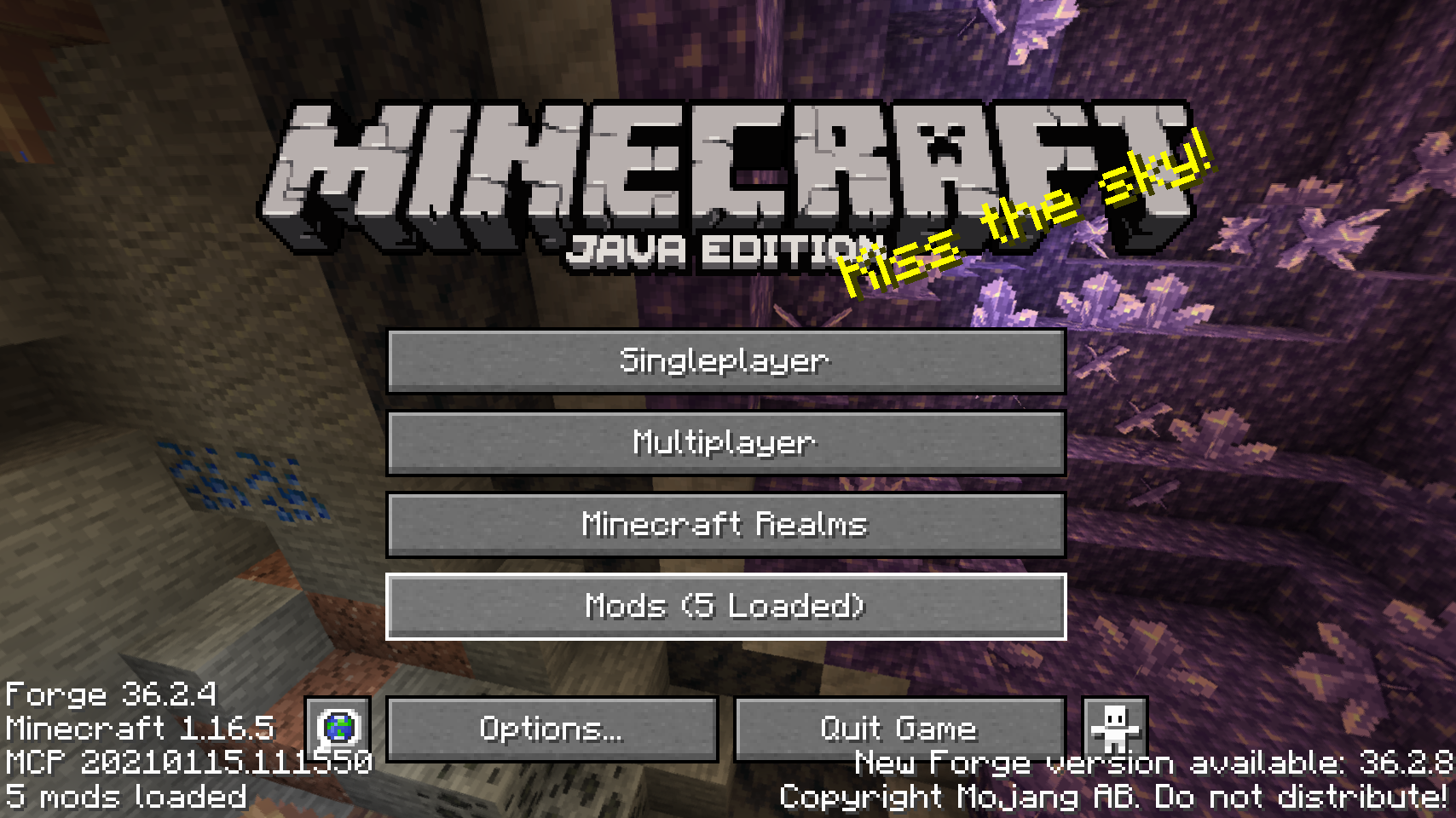
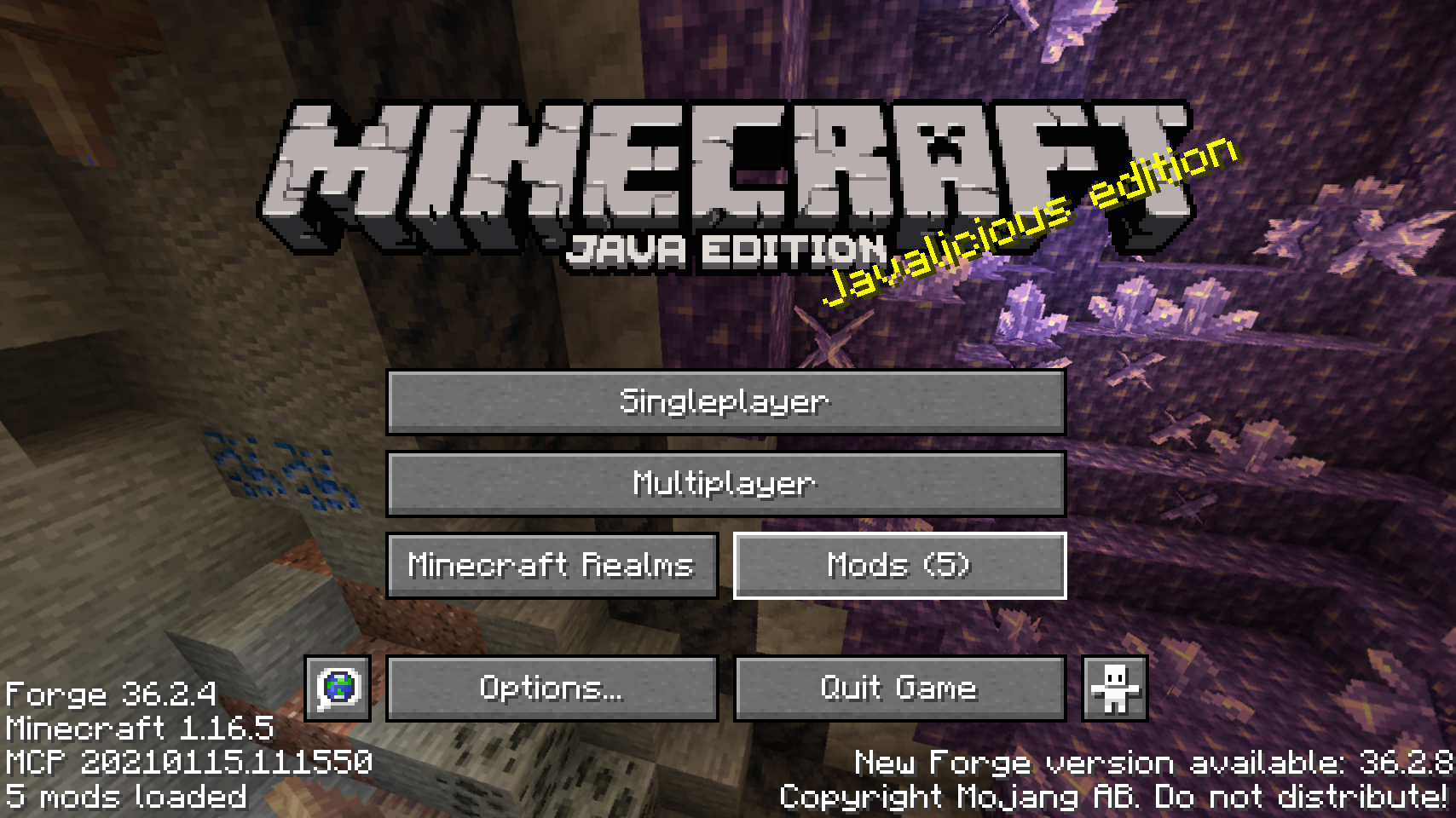
| 主菜单中的默认模组按钮 | 一种替代的模组按钮位置 | |
 |
 |
|
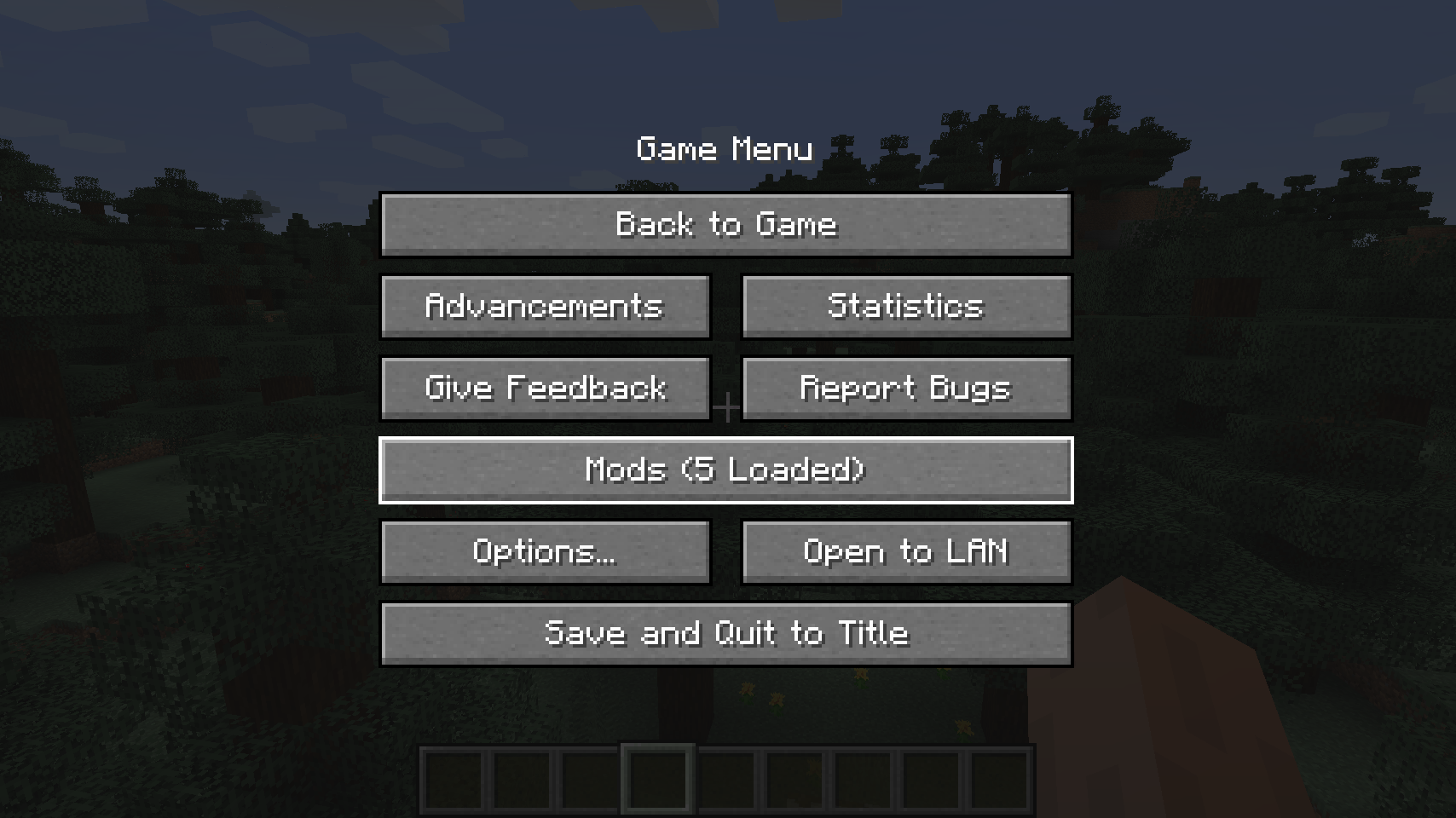
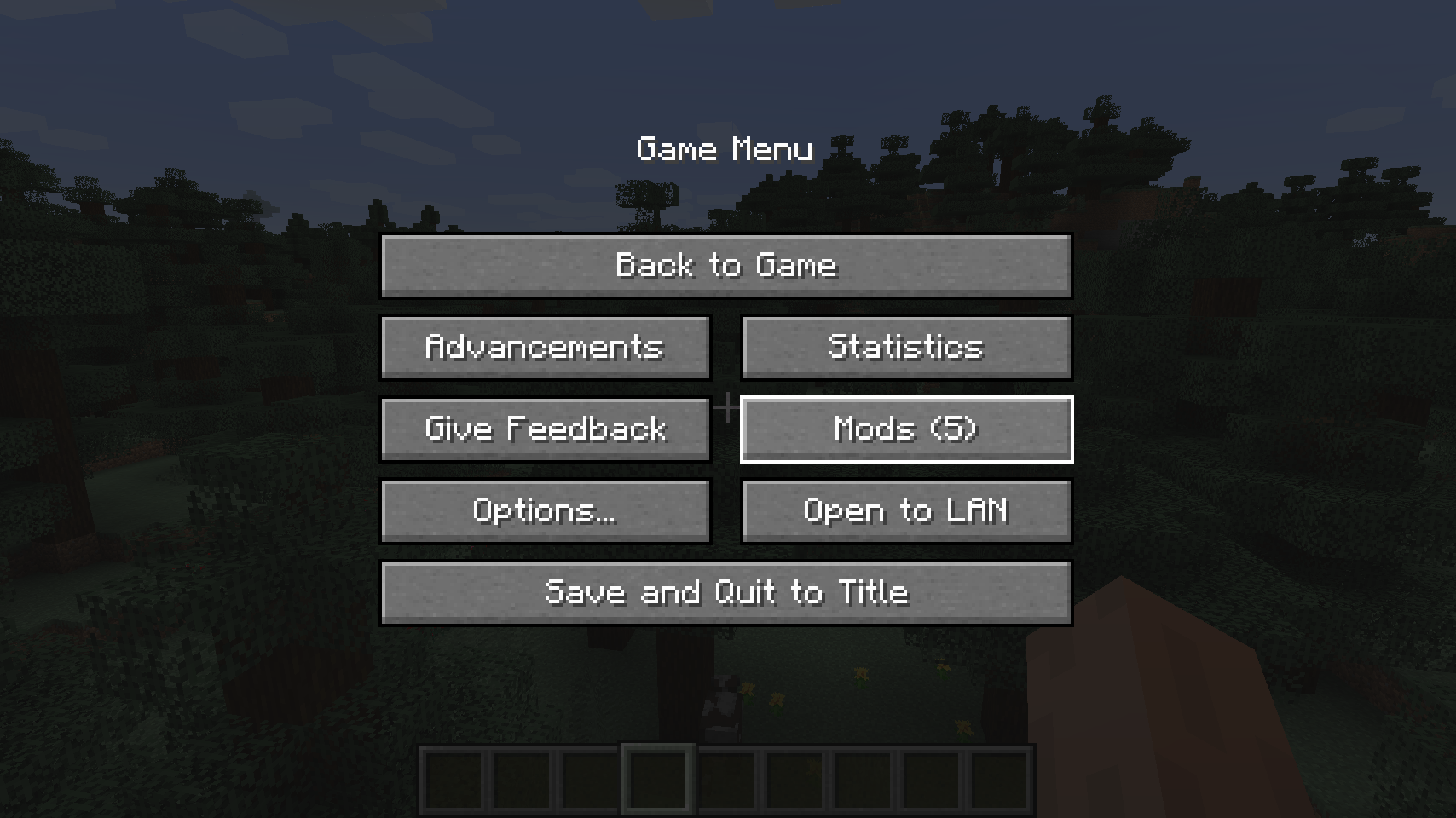
| 暂停菜单中的默认模组按钮 | 暂停界面的另一种按钮位置 | |
 |
||
| 另一种暂停界面按钮位置 | ||
? 常见问题:
问:如何配置此模组?
答:安装我的 Config Menus for Forge 模组并直接在游戏内配置!
问:有 Fabric 移植版吗?
答:请使用由 ProspectorDev 开发的 Mod Menu。
? 鸣谢:
Better Mods Button 的开发得到了以下模组的支持和灵感启发:
- ProspectorDev 从其 Mod Menu 模组中为本模组的大多数配置选项提供了灵感
? About:
Better Mods Button adds the mods button back to the pause screen as in Forge versions prior to Minecraft 1.13, so it can be used to easily access in-game mod configuration (when available).
As a bonus, there are plenty of options for where and how exactly you want your mods button to be shown on screen (heavily inspired by Mod Menu). Showing a total mod count, as well as toggling the update notification glyph are both supported.
? Media:
|
|
|
| Default mods button on title screen | One of the alternative mods button placements | |
|
|
|
| Default mods button on pause menu | An alternative placement for the pause screen | |
|
||
| Another alternative pause screen button placement | ||
? FAQ:
Q: How do I configure this mod?
A: Install my Config Menus for Forge mod and do it directly in-game!
Q: What about a Fabric port?
A: Use Mod Menu by ProspectorDev instead.
? Credits:
Developing Better Mods Button was helped and inspired by:
- ProspectorDev for inspiring most of the configuration options for this mod from their Mod Menu mod

下载 Better Mods Button
下载 Better Mods Button
下载 Better Mods Button
需要联机服务器吗?
稳定流畅、一键部署,几分钟即可和朋友联机开服
最低仅需 8 元/月 即可畅快联机
下载 Better Mods Button
需要联机服务器吗?
稳定流畅、一键部署,几分钟即可和朋友联机开服
最低仅需 8 元/月 即可畅快联机
下载 Better Mods Button
需要联机服务器吗?
稳定流畅、一键部署,几分钟即可和朋友联机开服
最低仅需 8 元/月 即可畅快联机
下载 Better Mods Button
下载 Better Mods Button
下载 Better Mods Button
下载 Better Mods Button
下载 Better Mods Button
更新日志
本项目所有值得注意的更改都将记录在此文件中。
格式遵循 Keep a Changelog, 并且本项目遵循 语义化版本控制。
[v21.1.1-1.21.1] - 2026-10-21
已修复
- 仅在开发环境中折叠品牌信息,以防止因模组配置尚不可用而导致的崩溃
[v21.1.0-1.21.1] - 2024-09-10
- 移植至 Minecraft 1.21.1
关于这个资源的讨论、问题反馈与使用心得
还没有讨论,来发第一帖吧
你是这个资源的作者?登录后可认领此资源。
相似资源
 模组

显示你正在注视的方块的信息。(适用于 Minecraft 1.16+ 的 Hwyla/Waila 分支)
 模组
使用 JavaScript 编辑配方、添加自定义物品、编写世界事件!
 模组

查看物品与配方
 模组
在游戏画面角落显示附近世界地形、玩家、生物和实体的地图。可创建路径点,帮助你找到标记过的位置。
 模组
AE2:一款流行的自动化与存储模组
 模组
那是什么?一个 Waila/Hwyla 的分支。
评论 0
登录后参与评分
还没有评论,来抢沙发吧