鉴于 Enchanting Plus 似乎已不再受支持(或多年未更新),我制作了一个分支版本,以便获取宝藏附魔。
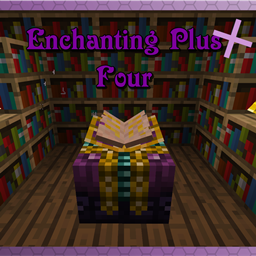
Enchanting Plus 是一个模组,允许玩家完全控制物品的附魔效果,但代价是需要消耗大量的经验值。
如何使用此模组?
安装该模组及其依赖项后,你将能够使用高级附魔台。你可以在合成台中合成该附魔台,也可以合成附魔台升级物品,将世界中已有的普通附魔台转换为高级附魔台。获得新的高级附魔台后,右键点击即可访问它。
在高级附魔表菜单中,顶部有一个物品栏,用于放入你想要附魔的物品。当物品放入该栏后,中央区域会显示所有可用的可修改附魔列表。如果可能的附魔超过四个,你可以使用侧边的滚动条进行浏览。将滚动条向右滑动可增加附魔等级,向左滑动则降低等级。如果某个附魔以绿色背景显示,表示你可以修改它;若为红色背景,则表示该附魔不可用。通常情况下,当你选择了与之不兼容的附魔时,另一个附魔就会变为不可用状态。例如,精准采集与丰收并不兼容,因此你不能在同一件工具上同时赋予这两种附魔。
随着你修改附魔,附魔所需的经验值也会发生变化。本模组使用经验点作为消耗而非等级。玩家当前拥有的经验点数与所需消耗均显示在左上角的信息框中。该信息框还会显示其他提示内容,例如关于本模组的使用技巧。当你准备好为物品附魔且拥有足够的经验点数时,点击附魔书按钮即可完成物品的附魔。
诅咒与宝藏
游戏中的部分附魔被特别归类为诅咒或宝藏附魔。在正常情况下,玩家无法获得这些附魔,必须满足特定条件才能解锁。
例如“绑缚”诅咒只能在午夜时分、且当晚为满月时施加。玩家拥有现实时间中的 4 分钟来操作诅咒附魔,即游戏内午夜前后的各两分钟。你可以通过观察天空中的月亮来判断是否为午夜:如果月亮正好位于玩家头顶正上方,那很可能就是午夜。在 Minecraft 中,满月每 7 天出现一次。你可以站在距离附魔桌足够近的位置,尝试打开书本以验证条件是否满足。如果附魔桌周围出现几缕紫色烟雾,则说明所有条件均已达成。
如果在白天将高级附魔桌放置在由 3x3 的信标基座方块组成的平台上,即可获取宝藏附魔。
配置
本模组提供了一系列配置选项,允许你更改某些附魔所需的经验值消耗,并将特定的附魔或物品列入高级附魔桌的黑名单。我计划在未来添加更多配置选项。如果你希望看到某个特定选项,请在 GitHub 页面 上创建新 Issue 请求该功能。
模组支持
本模组完全支持所有已添加到游戏中的附魔,包括其他模组添加的附魔。如果来自其他模组的附魔未按预期工作,请将其报告为一个 Issue。
CraftTweaker
本模组专门支持 CraftTweaker。你可以使用 ZenScript 对本模组应用配置更改。
- mods.eplus.Eplus.blacklistItem(IItemStack item); 可用于将某物品加入黑名单。
- mods.eplus.Eplus.blacklistEnchantment(IEnchantment enchantment); 可用于将某附魔加入黑名单。
JEI - Just Enough Items
本模组为 Just Enough Items 提供了特殊支持。查看由本模组添加的任何物品/方块的用途时,会显示一个信息标签页,提供其功能的摘要。
Seeing as Enchanting Plus seems to no longer be supported (or hasn't been in years) I made a fork so I could get treasure enchantments.
Enchanting Plus is a mod which allows the player to have full control over the enchantments on their items at the cost of significantly more EXP.
How to use this mod?
Once you have the mod and it's dependencies installed, you will be able to use the Advanced Enchanting Table. This table can be crafted in a crafting table, or you can craft the table upgrade item to convert an existing table in the world into the advanced table. Once you have the new advanced enchanting table, you can right click the table to access it.
In the advanced table menu, there is an item slot near the top for putting in the item you want to enchant. When an item is in this slot, the center area will fill up with a list of all the valid enchantments that you can modify. If there are more than four possible enchantments you can use the bar on the side to scroll through them. Sliding the bar to the right will increase the level of the enchantment, and sliding it to the left will decrease it. If an enchantment is listed with a green background it means you can modify that enchantment. If the background is red it means that enchantment is not available. Enchantments normally become unavailable when another enchantment that they are not compatible with has been selected. For example, Silk Touch is not compatible with Fortune, so you can not try to put both on the same tool.
As you modify the enchantments, the enchanting cost will change. This mod uses EXP points for cost rather than levels. The amount of EXP points the player has, and the cost are both shown in the top left info box. This info box will also show other bits of information such as tips about the mod. Once you are ready to enchant your item, and you have enough EXP points, clicking on the enchanted book button will enchant your item.
Curses & Treasures
Some enchantments in the game are given the special classification of curses or treasures. These enchantments are not available to the player under normal circumstances and special conditions must be met in order for them to be available.
Curses such as the curse of binding can only be applied near midnight, on a night with a full moon. The player has a four real life minutes to work with curses, two minutes before and after in-game midnight. You can check if it is midnight by looking in the sky for the moon. If it is directly above the player it is likely midnight. Full moons happen once every 7 days in Minecraft. You can verify the conditions are right by standing close enough to the table for the book to open. If several candles of purple smoke appear around the table then all the conditions have been met.
Treasure enchantments can be gained if it is daytime and the advanced enchanting table is on top a 3x3 of beacon-base blocks.
Configuration
This mod provides a bunch of configuration options which allow you to do things like change how much EXP certain enchantments cost, and also blacklist certain enchantments or items from being allowed in the advanced table. I am planning to add more configuration options in the future. If you would like to see a specific option, please create a new issue on the GitHub page requesting the feature.
Mod Support
This mod fully supports all enchantments that have been added to the game, including enchantments added by other mods. If an enchantment from another mod is not working as intended, it should be reported as an issue.
CraftTweaker
This mod has special support for CraftTweaker. You can use ZenScript to apply configuration changes to the mod.
- mods.eplus.Eplus.blacklistItem(IItemStack item); Can be used to blacklist an item.
- mods.eplus.Eplus.blacklistEnchantment(IEnchantment enchantment); can be used to blacklist an enchantment.
JEI - Just Enough Items
This mod has special support for Just Enough Items. If you look at the uses for any of the items/blocks added by this mod, there will be an info tab which gives a summary of what it does.

 模组

 模组
 模组

 模组

 模组
 模组

评论 0
登录后参与评分
还没有评论,来抢沙发吧