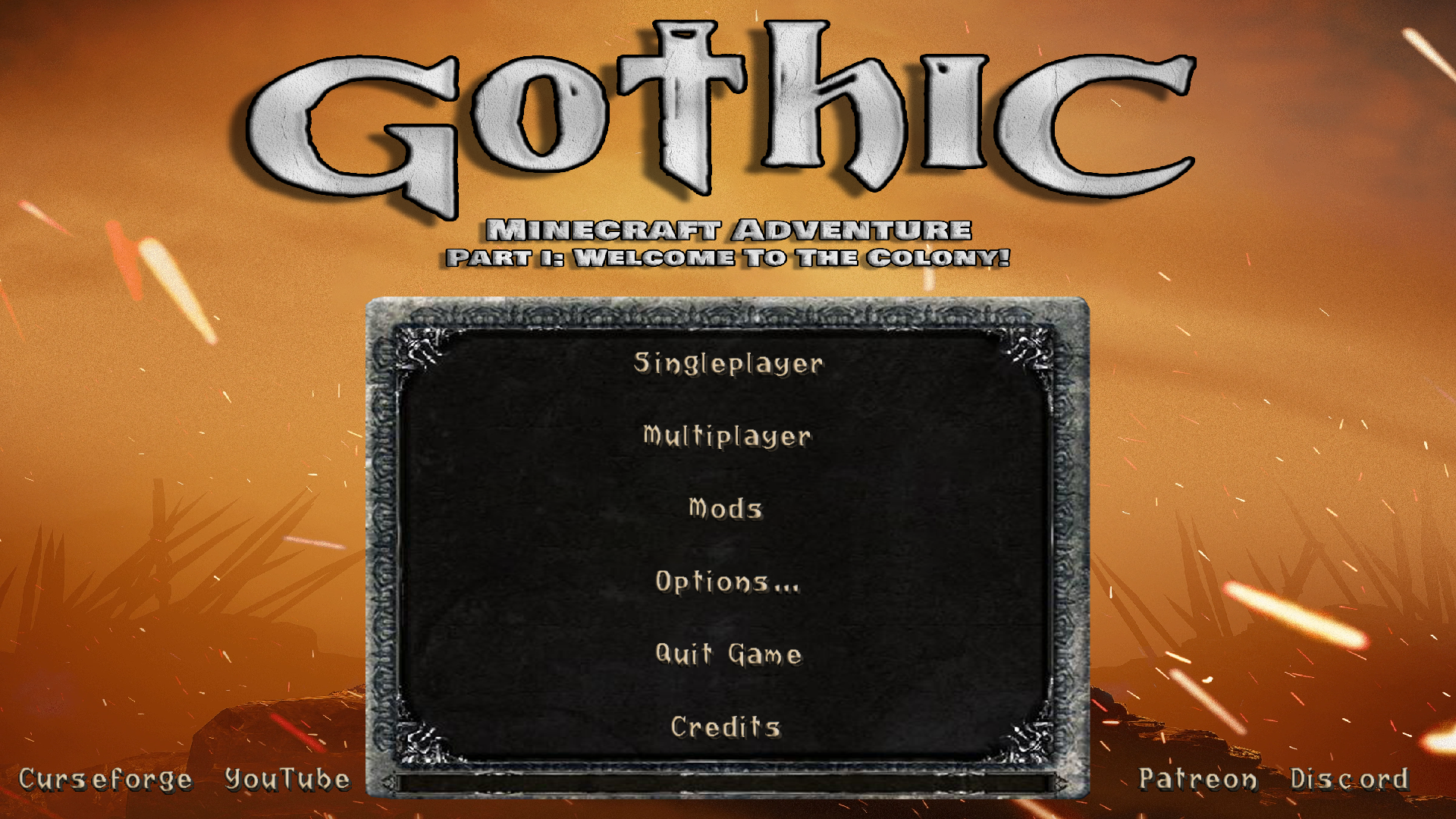
“Gothic Main Menu”是名为“Gothic Minecraft Adventure”的更大项目的一部分,该项目由我们的团队“Square Quest”发起。此模组引入了一个全新的主菜单,灵感来源于经典游戏《Gothic》。
通过此模组,玩家从游戏一开始就能感受到《Gothic》世界的氛围与风格。
注意!重要信息!
“Gothic Main Menu”需要安装模组“Custom Main Menu”,并需要我们准备的 .json 文件
相关链接见下方:
mainmenu.json
Custom Main Menu
如何安装?
马上为您提供帮助!
1. 下载并安装“Gothic Main Menu”和“Custom Main Menu”
2. 启动 Minecraft,然后关闭它。
3. 在以下位置:
\minecraft\Instances\"你的Minecraft实例名称"\config
应该会出现包含“mainmenu.json”文件的“CustomMainMenu”文件夹
下载我们的 mainmenu.json 文件并将其替换进去。
4. 完成!
游戏内菜单效果如下:
翻译版本:
“Gothic Main Menu”是名为“Gothic Minecraft Adventure”的更大项目的一部分,该项目由我们的“Square Quest”团队发起。此模组引入了一个全新的主菜单,灵感来源于经典游戏《Gothic》。
通过此模组,玩家从游戏一开始就能感受到《Gothic》世界的氛围与风格。
注意!重要信息!
“Gothic Main Menu”需要安装模组“Custom Main Menu”,以及我们准备的 mainmenu.json 文件
相关链接见下方:
mainmenu.json
Custom Main Menu
如何安装?
马上为您提供帮助!
1. 下载并安装“Gothic Main Menu”和“Custom Main Menu”
2. 启动 Minecraft,然后关闭它。
3. 在以下位置:
\minecraft\Instances\"你的Minecraft实例名称"\config
应该会出现包含“mainmenu.json”文件的“CustomMainMenu”文件夹
下载我们的 mainmenu.json 文件并将其替换进去。
4. 完成!
菜单外观如下:

"Gothic Main Menu" jest częścią większego projektu o nazwie 'Gothic Minecraft Adventure', który został podjęty przez naszą ekipę "Square Quest". Mod ten wprowadza zupełnie nowe menu główne inspirowane kultową grą "Gothic".
Dzięki tej modyfikacji gracze będą mogli poczuć klimat i atmosferę świata ''Gothic'' już od samego początku gry.
Uwaga ważne!
"Gothic Main Menu" wymaga zainstalowanej modyfikacji "Custom Main Menu" oraz przygotowanego przez nas pliku .json
do których link znajdziecie poniżej:
mainmenu.json
Custom Main Menu
Jak zainstalować?
Już spieszę z pomocą!
1. Pobierz i zainstaluj "Gothic Main Menu" oraz "Custom Main Menu"
2. Odpal Minecrafta, po czym go wyłącz.
3. W lokalizacji:
\minecraft\Instances\"nazwa twojej instancji Minecrafta"\config
Powinien pojawić się folder "CustomMainMenu" z plikiem "mainmenu.json"
Pobierz nasz plik mainmenu.json i zamień go z nim.
4. Gotowe!
Tak prezentuje się menu w grze:

Translated:
The "Gothic Main Menu" is part of a larger project called "Gothic Minecraft Adventure" that was undertaken by our "Square Quest" team. This mod introduces a brand new main menu inspired by the cult game "Gothic".
Thanks to this modification, players will be able to feel the climate and atmosphere of the ''Gothic'' world from the very beginning of the game.
Note important!
"Gothic Main Menu" requires the "Custom Main Menu" modification installed and the mainmenu.json file prepared by us
to which you can find the link below:
mainmenu.json
Custom Main Menu
How to install?
I'm rushing to help!
1. Download and install "Gothic Main Menu" and "Custom Main Menu"
2. Start Minecraft, then turn it off.
3. At the location:
\minecraft\Instances\"name of your Minecraft instance"\config
The "CustomMainMenu" folder with the "mainmenu.json" file should appear
Download our mainmenu.json file and replace it with it.
4. Done!
This is how the menu looks like:

评论 0
登录后参与评分
还没有评论,来抢沙发吧