



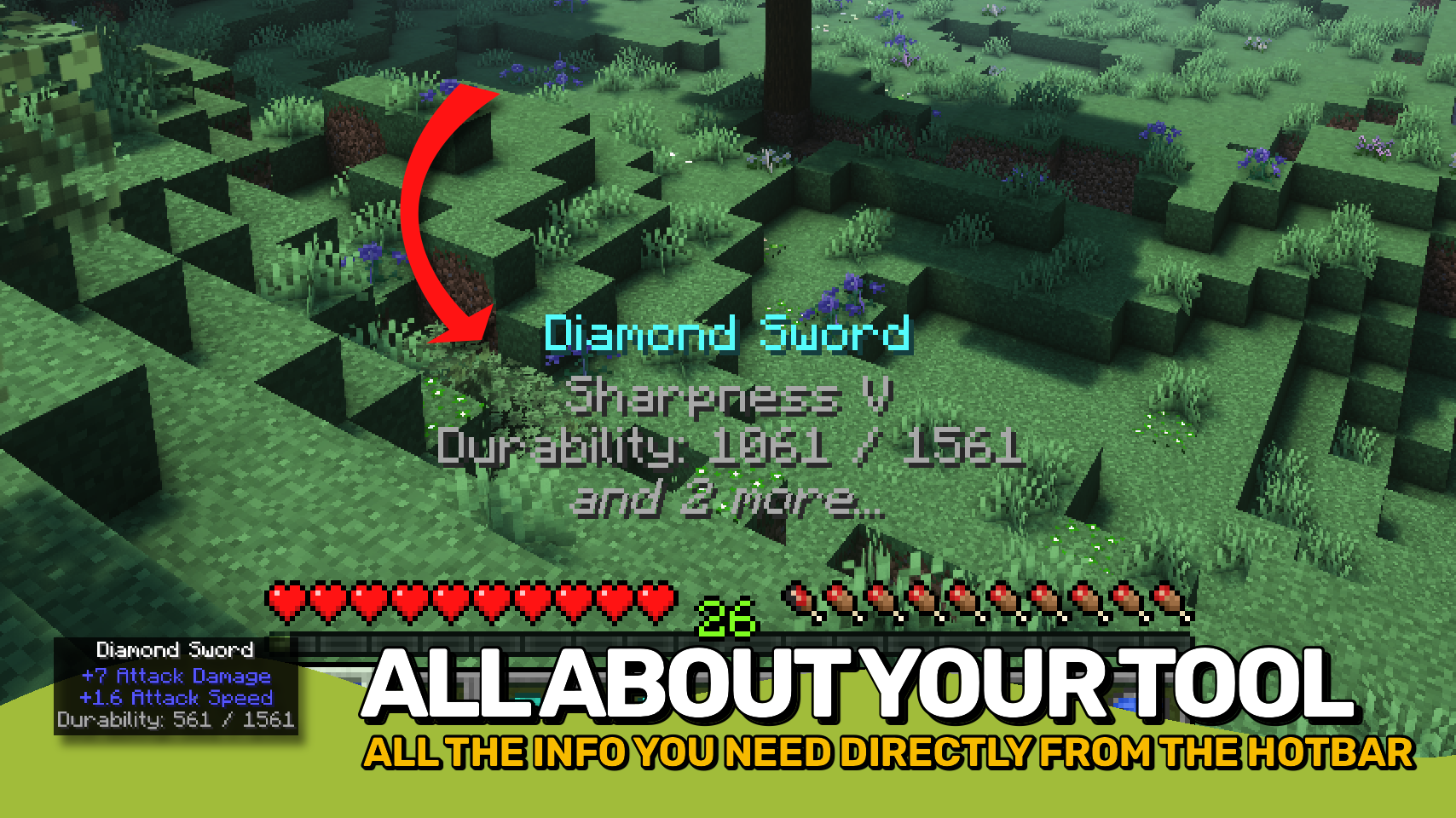
Held Item Tooltips 增强了切换物品时快捷栏上方显示的提示框,让你一目了然地获取更多信息。✨
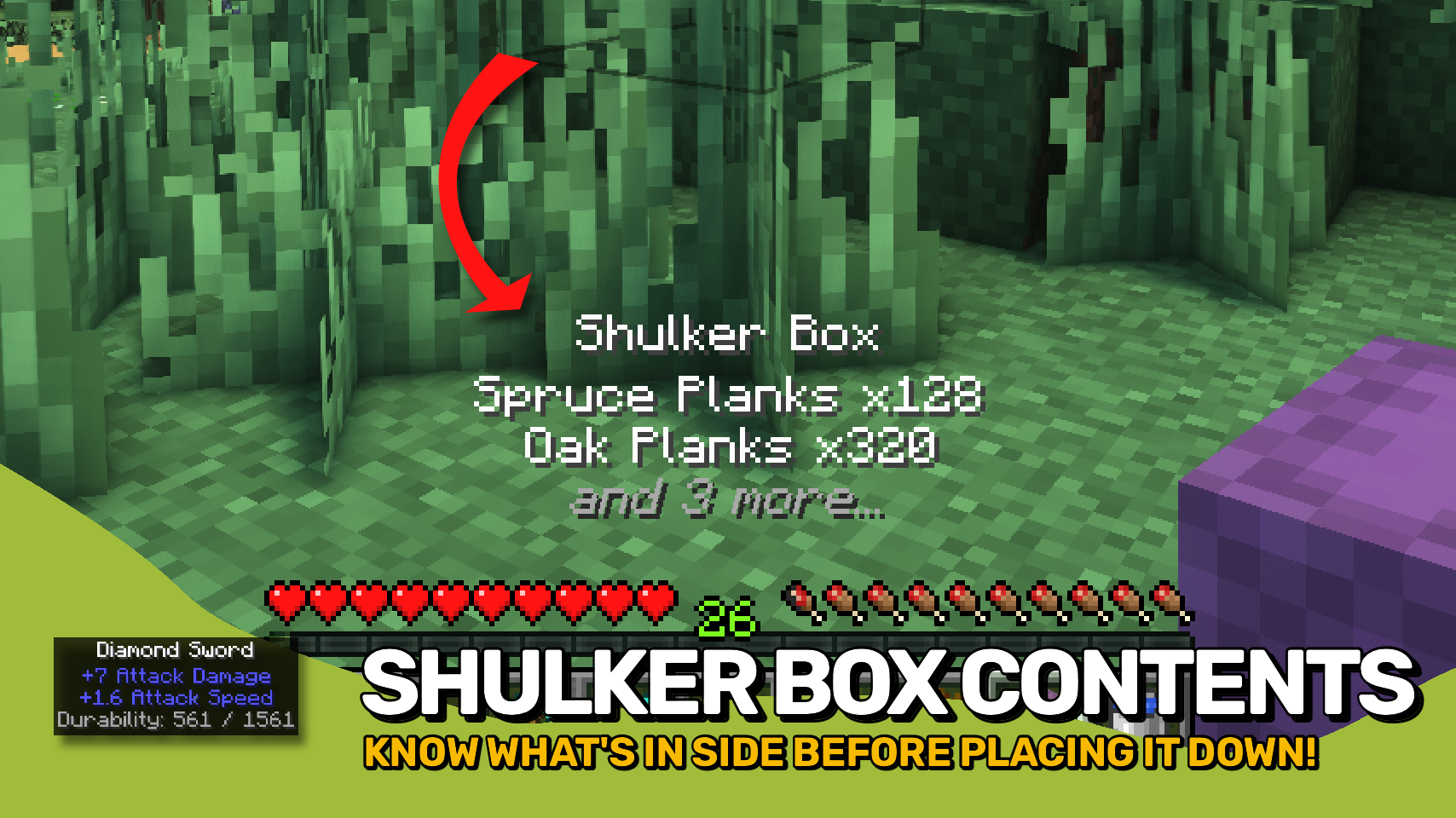
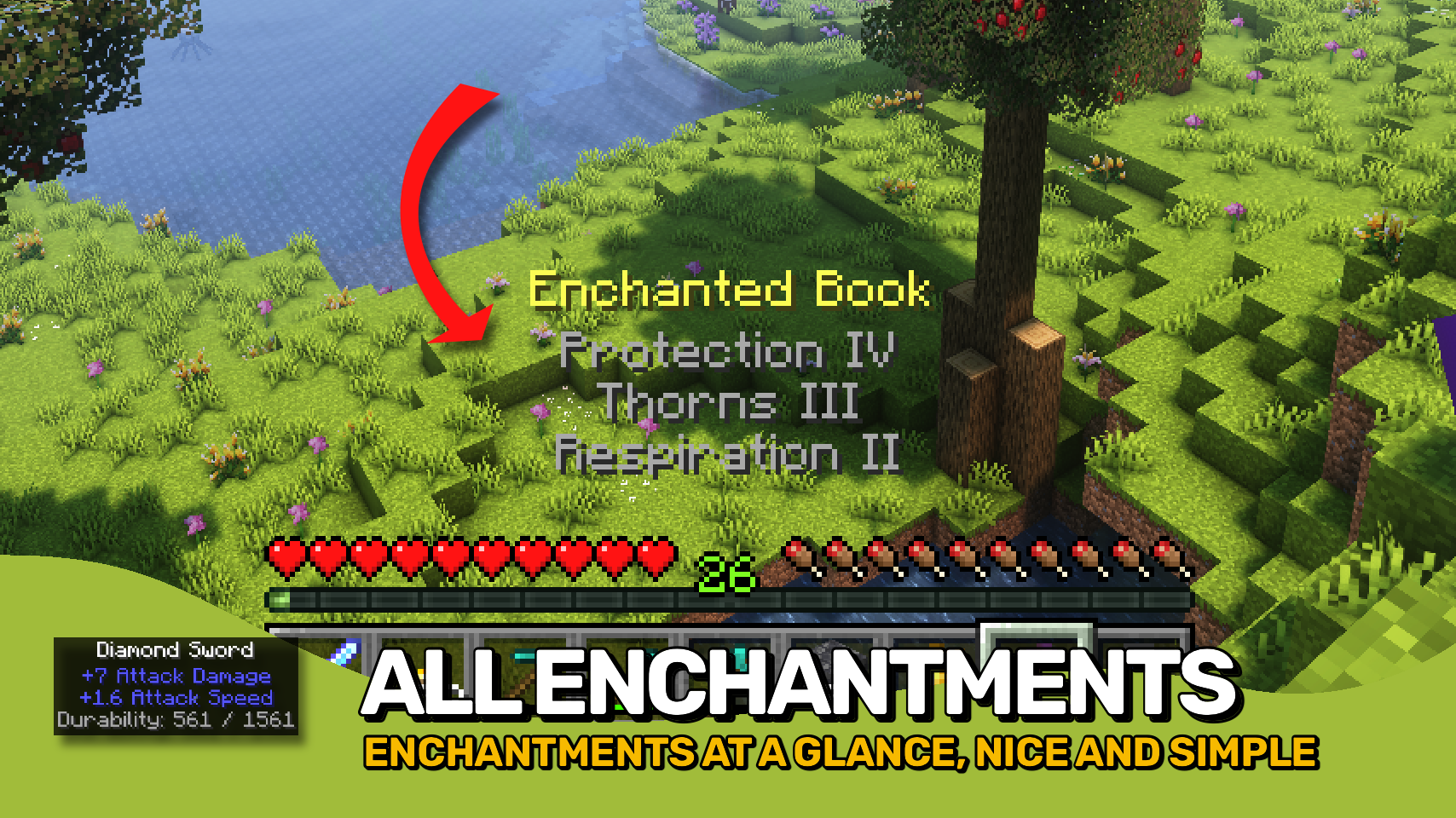
无需打开额外界面,即可查看附魔、耐久度、药水效果、潜影盒内容、烟花详情、地图 ID、物品属性等大量信息。无论你是整理储物箱、检查装备还是浏览背包,所需的信息始终就在你眼前。?
所有设置均可自定义。调整外观、选择显示哪些信息、控制提示框各部分的顺序,并根据你的需求量身定制体验。⚙️

- ?️ 增强型手持物品提示框: 在切换物品时,直接在快捷栏上方显示详细信息。
- ✨ 丰富的物品详情: 一目了然地查看附魔、耐久度、药水效果、属性、容器内容等信息。
- ? 容器预览: 快速检查潜影盒及其他支持存储的物品内容。
- ? 实用的物品信息: 显示药水、烟花、地图、旗帜、书籍、画作及许多其他特殊物品的详情。
- ? 智能行优先级: 当空间有限时,优先显示重要信息。
- ? 自定义外观: 配置颜色、文本格式、背景样式、大小、位置和显示时长。
- ? 独立组件控制: 启用、禁用、重新排序并自定义各个提示框部分。
- ? 模组友好: 支持其他模组提供的额外提示框信息。


⏩ 客户端需安装
⏩ 需要安装 PUZZLES LIB(Fabric & NeoForge)
⏩ 需要安装 FABRIC API(Fabric)
⏩ 需要安装 FORGE CONFIG API PORT(NeoForge)

如果模组支持配置,可以通过游戏内的模组菜单直接进行设置(Fabric 平台需要安装由 Prospector 开发的 Mod Menu)。
若使用外部文本编辑器手动配置,所有文件均位于 .minecraft/config 目录下,文件名分别为 MOD_ID-client.toml、MOD_ID-common.toml 或 MOD_ID-server.toml,具体取决于配置文件类型。并非所有模组都包含所有这些类型的配置文件,甚至可能完全没有。
 |
 |
|
 |
 |
|
 |
 |
|
 |
 |
|
 |
 |

© 2026 @heyitsfuzs. 保留所有权利。此页面最后编辑时间为 2026 年 9 月 11 日 06:44 (UTC)。
Held Item Tooltips enhances the tooltip shown above your hotbar when switching items, giving you far more information at a glance. ✨
See enchantments, durability, potion effects, shulker box contents, firework details, map IDs, item attributes, and much more without opening additional screens. Whether you're organizing storage, checking equipment, or browsing your inventory, the information you need is always right in front of you. ?
Everything is fully customizable. Adjust the appearance, choose which information should be displayed, control the order of tooltip sections, and tailor the experience to fit your needs. ⚙️
- ?️ Enhanced Held Item Tooltips: Displays detailed information directly above your hotbar when switching items.
- ✨ Rich Item Details: View enchantments, durability, potion effects, attributes, container contents, and more at a glance.
- ? Container Previews: Quickly inspect the contents of shulker boxes and other supported storage items.
- ? Useful Item Information: Shows details for potions, fireworks, maps, banners, books, paintings, and many other special items.
- ? Smart Line Priorities: Important information is shown first when space is limited.
- ? Custom Appearance: Configure colors, text formatting, background style, size, position, and display duration.
- ? Per-Component Control: Enable, disable, reorder, and customize individual tooltip sections independently.
- ? Mod Friendly: Supports additional tooltip information provided by other mods.
⏩ INSTALLATION REQUIRED ON CLIENT
⏩ REQUIRES PUZZLES LIB TO BE INSTALLED (FABRIC & NEOFORGE)
⏩ REQUIRES FABRIC API TO BE INSTALLED (FABRIC)
⏩ REQUIRES FORGE CONFIG API PORT TO BE INSTALLED (FABRIC)
If available for a mod, configuration is possible directly from in-game using the mod menu (requires Mod Menu by Prospector to be installed on Fabric).
For manual configuration using an external text editor all files are found at .minecraft/config, named as MOD_ID-client.toml, MOD_ID-common.toml, or MOD_ID-server.toml, depending on the type of config. Not all types might exist for a mod, if any at all.
|
|
|
|
|
|
|
|
|
|
|
|
|
|
© 2026 @heyitsfuzs. All rights reserved. This page was last edited on 11 September 2026, at 06:44 (UTC).

下载 Held Item Tooltips
下载 Held Item Tooltips
下载 Held Item Tooltips
下载 Held Item Tooltips
下载 Held Item Tooltips
下载 Held Item Tooltips
需要联机服务器吗?
稳定流畅、一键部署,几分钟即可和朋友联机开服
最低仅需 8 元/月 即可畅快联机
下载 Held Item Tooltips
需要联机服务器吗?
稳定流畅、一键部署,几分钟即可和朋友联机开服
最低仅需 8 元/月 即可畅快联机
下载 Held Item Tooltips
下载 Held Item Tooltips
下载 Held Item Tooltips
需要联机服务器吗?
稳定流畅、一键部署,几分钟即可和朋友联机开服
最低仅需 8 元/月 即可畅快联机
更新日志
本项目所有值得注意的更改都将记录在此文件中。
格式遵循 Keep a Changelog, 并且本项目遵循 语义化版本控制。
[v26.3.0-mc26.3.x] - 2026-09-24
已更改
- 更新为 Minecraft 26.3.x
关于这个资源的讨论、问题反馈与使用心得
还没有讨论,来发第一帖吧
你是这个资源的作者?登录后可认领此资源。
相似资源
 模组

可定制的鞘翅模组,支持装饰纹饰、旗帜图案等更多功能!
 模组

显示你正在注视的方块的信息。(适用于 Minecraft 1.16+ 的 Hwyla/Waila 分支)
 模组
使用 JavaScript 编辑配方、添加自定义物品、编写世界事件!
 模组

查看物品与配方
 模组
在游戏画面角落显示附近世界地形、玩家、生物和实体的地图。可创建路径点,帮助你找到标记过的位置。
 模组
AE2:一款流行的自动化与存储模组
评论 0
登录后参与评分
还没有评论,来抢沙发吧