
 Protomod 是唯一的 Minecraft 模组,允许你完全在客户端将自己变成独特的 protogen。
功能
- 一键变身为你自己的 fursona,再次点击即可变回正常的 Minecraft 皮肤!
- 纯客户端运行,适用于任何服务器
- 持续快速更新以支持最新版本的 Minecraft
- 保证与你所有喜爱的模组兼容
- 同时支持 Fabric 和 Neoforge
- 自定义动画
- 用户可以轻松更改其 protogen 的纹理
变成 Protogen(以及变回人类)
与 Minecraft 不同,此模组允许你通过配置界面在游戏中切换皮肤。如果你查看选项屏幕,你会在模组按钮旁边看到一个小小的按钮:
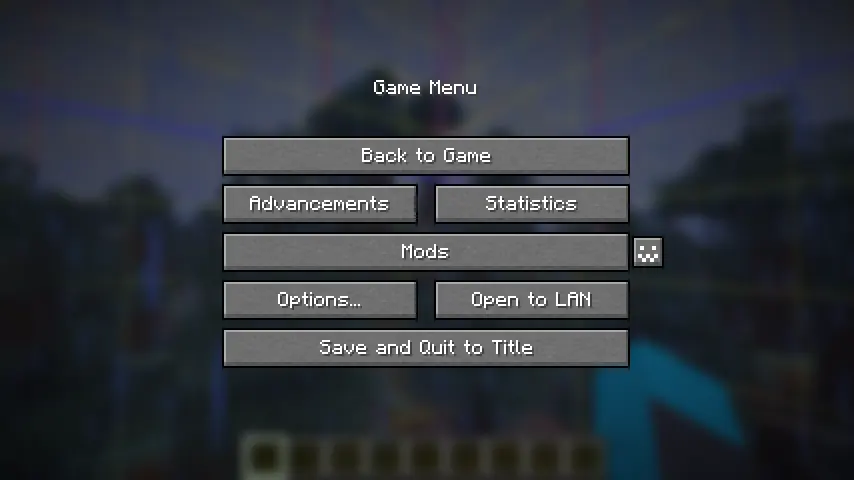
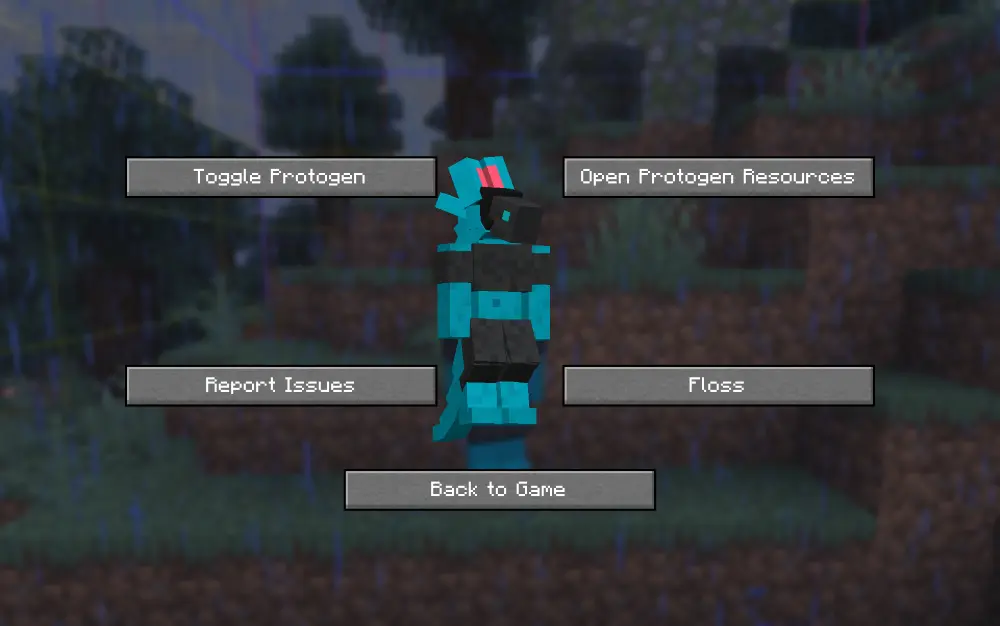
点击它以打开配置菜单,在那里你可以访问各种选项,包括关闭你的 protogen。
制作你自己的 Protogen
默认情况下,我的 fursona Ice 的皮肤已被编码到模组中。你可以轻松地覆盖它。
为此,你可以从我的 GitHub 下载文件 protogen.bbmodel。然后使用 Blockbench 重新着色 protogen。Web 应用 也可以工作!
所有的建模(即构成 protogen 的形状和对象)都已经完成,你只需要上色。示例 protogen(模组中使用的默认模型)可以直接在此处下载。

一旦获得你的纹理,将其保存在计算机上的某个位置。打开配置屏幕并点击“Open Protogen Resources”。将你的纹理粘贴到那里并将其重命名为 “protogen.png”,你就可以使用了!重新加载资源。
确保
.png是文件扩展名,而不是文件名的一部分。
在任何服务器上都能工作!
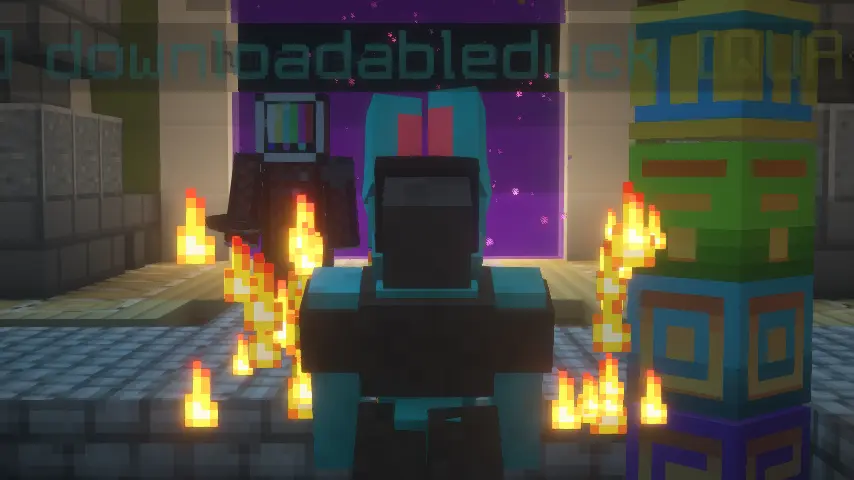
只有你在与他人互动时才会显示为 protogen。我们希望将来使其可切换。
限制
- 你的盔甲在第三人称视角下不会显示。
- 你的物品在第三人称视角下不会显示。
- 第一人称视角下的手仍然与默认的 Minecraft 皮肤相同。
致谢
- 感谢 Sketchfab 上的 Endles13 提供的 原始模型,这是本模组的基础!(我必须手动转换它,但许多立方体只是复制粘贴。)
- 感谢 MemberCat Studios 开源了他们 ModelShifter 模组的代码!没有他们,我永远不会弄清楚如何更改玩家的模型。
要求
在 Fabric 上,此模组需要 Fabric API、Mod Menu 和 Geckolib。在 Neoforge 上,此模组需要 Geckolib。
动画
点击此处查看一些动画!
Protomod is the only Minecraft mod that allows you to transform into your own unique protogen, completely on the client.
Features
- Turn into your own fursona at the click of a button, and turn back to your normal Minecraft skin with another click!
- Completely client-sided and will work on any server
- Consistant, quick updates to the latest version of Minecraft
- Garunteed compatibility with all of your favorite mods
- Support for BOTH Fabric and Neoforge
- Custom animations
- The ability for users to change their protogen's texture easily
Turning into a Protogen (and back into a human)
Unlike Minecraft, this mod allows you to switch your skin in-game through our config screen. If you view your options screen, you'll see a little button next to your mods button:
Click it to open the config menu, where you can access a variety of options, including toggling off your protogen.
Making your Own Protogen
By default, the skin of my own fursona, Ice, is coded into the mod. You can override this easily.
In order to do this, you can download the file protogen.bbmodel on my GitHub. From there, use Blockbench to re-color the protogen. The web app will work as well!
All of the modeling (so the shapes and objects that make up the protogen) are done for you, all you need to do is color it. An example protogen (the default one used in the mod) is available for download right here.
Once you have your texture, save it somewhere on your computer. Open up the config screen and click 'Open Protogen Resources.' Paste your texture there and rename it to 'protogen.png', and you should be good to go! Reload your resources.
Make sure that .png is the file extension and not part of the file's name.
Works on ANY server!
Only you will be a protogen when interacting with others. We hope to make this toggleable in the future.
Restrictions
- Your armor will not show up in the third person.
- Your items will not show up in the third person.
- Your hand in first person will still be the same as your default Minecraft skin.
Credits
- Thank you to Endles13 on Sketchfab for the original model, which this is based off of! (I had to manually transform it myself, but a lot of the cubes were just copy/pased.)
- Thank you to MemberCat Studios for open-sourcing the code of their ModelShifter mod! I never would have figured out how to change the model of the player without them.
Requirements
On Fabric, this mod requires the Fabric API, Mod Menu, and Geckolib. On Neoforge, this mod requires Geckolib.
Animations
Click here to view some of the animations!

下载 Protomod
下载 Protomod
下载 Protomod
下载 Protomod
下载 Protomod
下载 Protomod
需要联机服务器吗?
稳定流畅、一键部署,几分钟即可和朋友联机开服
最低仅需 8 元/月 即可畅快联机
下载 Protomod
需要联机服务器吗?
稳定流畅、一键部署,几分钟即可和朋友联机开服
最低仅需 8 元/月 即可畅快联机
下载 Protomod
下载 Protomod
下载 Protomod
需要联机服务器吗?
稳定流畅、一键部署,几分钟即可和朋友联机开服
最低仅需 8 元/月 即可畅快联机
- 修复睡眠时崩溃的问题
- 添加对 NeoForge 26.3 的支持
更新至 26.3 并移除对 Mod Menu 的依赖
关于这个资源的讨论、问题反馈与使用心得
还没有讨论,来发第一帖吧
你是这个资源的作者?登录后可认领此资源。
相似资源
 模组

可定制的鞘翅模组,支持装饰纹饰、旗帜图案等更多功能!
 模组
在游戏画面角落显示附近世界地形、玩家、生物和实体的地图。可创建路径点,帮助你找到标记过的位置。
 模组

适用于 MC 1.18+ 的 Effekseer 加载器
 模组
添加全屏世界地图,显示你在世界中已探索的区域。与 Xaero's Minimap 搭配使用效果极佳。
 模组

让你能够在世界中的任何位置定位结构。
 模组

TerraFirmaCraft (TFC) 是一个全面转换模组,对生存模式进行了彻底的改造与重新设计。
评论 0
登录后参与评分
还没有评论,来抢沙发吧