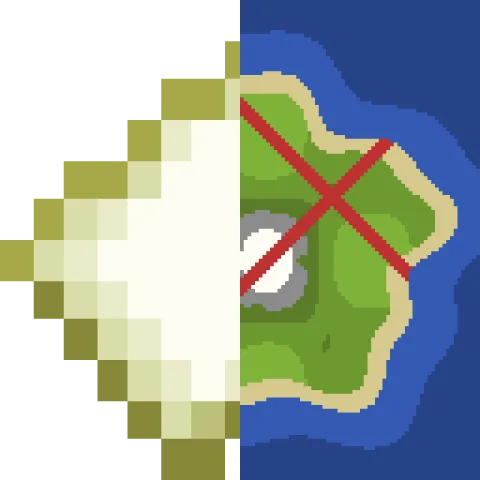
无需手持即可预览地图的内容。
原版游戏仅在手持地图时才会渲染其图像。在其他任何地方,它都只是一张空白的羊皮纸卷轴:在背包中、在箱子内、在拍卖行界面里,或是掉落在地上。本模组则直接渲染出地图的真实画面。
功能介绍
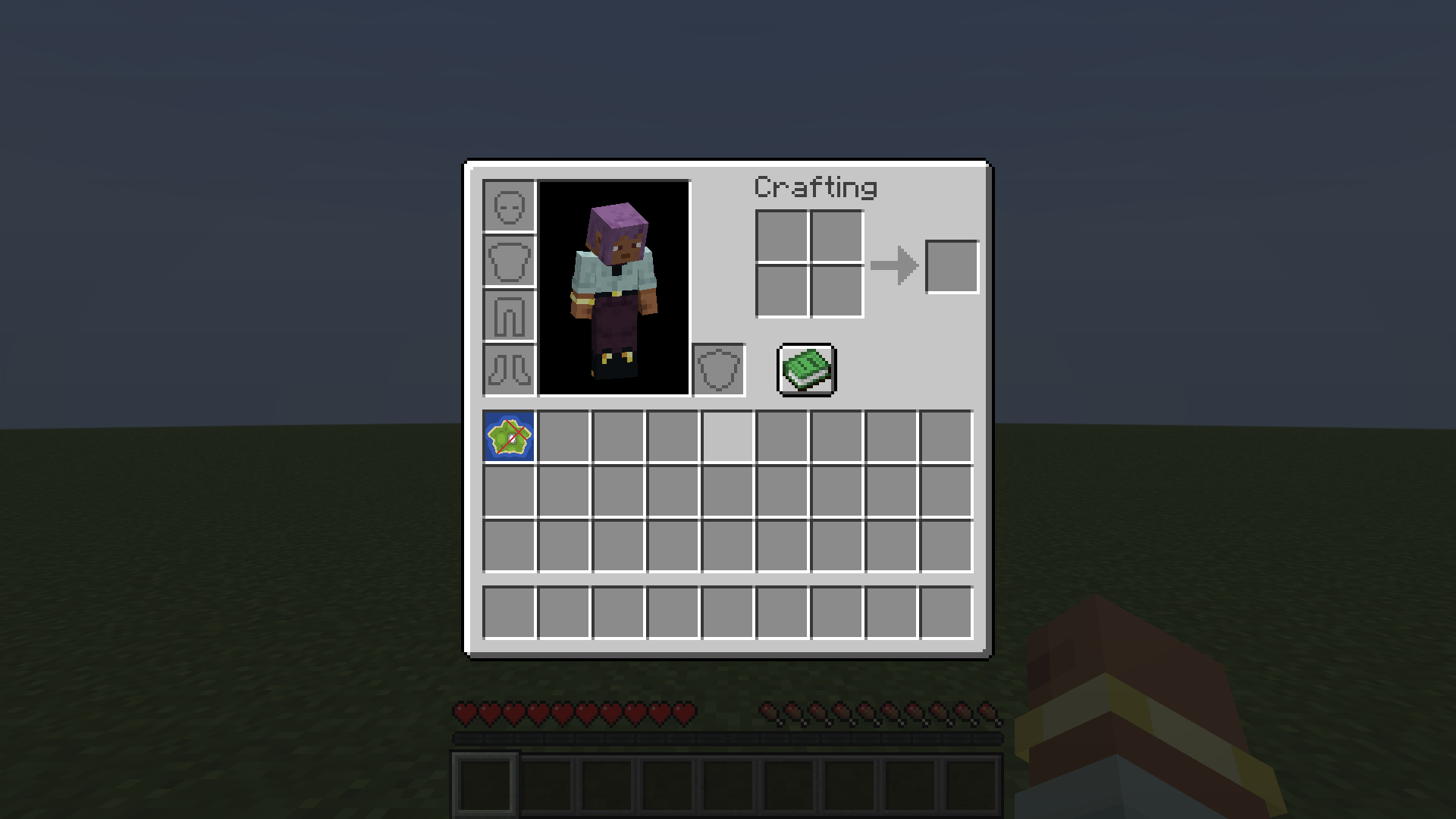
- 地图图标 — 物品栏槽位会用地图艺术替换原本的羊皮纸图标,因此整页的地图艺术可以一目了然地展示,无需悬停查看。
- 工具提示预览 — 在任何显示工具提示的位置(如背包、箱子、漏斗、创造模式菜单、商店界面)悬停一张地图,图片会在常规文本行下方渲染出来。
- 未曾携带的地图 — 装满地图艺术的箱子会显示为艺术图案,而不再是一排相同的羊皮纸卷轴。
- 掉落的地图 — 会以地图艺术本身的样式旋转,而不是卷起的羊皮纸。
- 潜影盒工具提示 — 悬停在潜影盒上时,其内容会以物品栏网格的形式显示,包括地图,从而取代原版的游戏名称列表。如果你安装了 Shulker Box Tooltip,此功能会自动退让。
上方画廊中有更多截图。
设置
通过 Mod Menu 打开设置界面;配置文件位于 config/show_my_maps.json。仅使用原版小部件,因此该模组不依赖任何配置库。尺寸和所有功能均可单独关闭。
核心机制说明
地图像素数据存储在服务器端,客户端只是被 接收 这些数据。原版游戏仅在两种情况下发送这些像素:地图 在你的背包中,或者它悬挂在你附近的 物品展示框 中。
这就是全部情况。存放在箱子中、拍卖页面内、潜影盒里或掉在地上的地图永远不会发送给任何人,且没有任何客户端模组能够绘制它从未接收到的像素——因为协议本身没有请求地图数据的途径。
因此,该模组包含服务端部分,而“为什么这个列表仍然是空白”的答案始终取决于缺少哪一部分。
| 你所在的位置 | 可预览的内容 |
|---|---|
| 单人游戏或局域网 | 所有内容 —— 你同时运行着两端 |
| 运行了服务端部分的服务器 | 所有内容 |
| 其他任何服务器 | 你曾携带过的地图,以及曾在附近物品展示框中见过的地图,加上从这些来源缓存的数据 |
服务端部分
Fabric 服务器 只需将相同的 jar 文件放入 mods/ 目录即可。背包中的地图即使未被手持也会进行渲染,开放容器中的地图也会被发送出去。
Paper、Spigot 及其分支 根本无法加载 Fabric 模组,这也是大多数公共服务器的情况。请从版本选项卡下载 Paper 文件并将其放入 plugins/ 目录中 —— 它会为玩家当前打开的任何背包、箱子和拍卖页面中的地图发送颜色数据,还包括潜影盒内容和附近掉落的地图。一个 jar 文件覆盖 1.21.1 至 26.2 版本。请保留客户端的 Fabric 模组。
管理员决定谁可以获得预览权限:默认情况下所有人持有 showmymaps.see 权限,除非你移除它;而 disabled-worlds 可以通过名称完全禁用某些世界。没有该权限的玩家永远不会 接收 到颜色数据,因此他们的客户端也就没有什么可以显示的。
两端都会在加入时广播自身及其版本号,以便模组能够区分“此服务器未发送任何数据”和“此服务器版本过旧”,并给出相应提示。请同步更新两端。
地图缓存
你接收到的每张地图都会按服务器分别保存到磁盘,因此你曾经看过的地图艺术会在后续会话中继续预览 —— 包括重新登录、维度切换以及连接到同一网络的其它地址。它无法生成你从未接收过的地图。任何人都做不到这一点。
要求
该模组需要 Fabric Loader 和 Fabric API,并且是纯客户端模组;仅安装客户端即可工作,但受上述限制影响。Paper 插件不需要任何依赖,可独立安装在服务器上。
源代码、发行版和问题追踪请访问 GitHub。
See what a filled map shows without putting it in your hand.
Vanilla only draws a map's picture while you hold it. Everywhere else it is a blank roll of parchment: in your inventory, in a chest, in an auction GUI, lying on the ground. This draws the real thing instead.
What it does
- Map icons — the slot shows the art in place of the parchment sprite, so a page full of map art reads at a glance, with no hovering.
- Tooltip preview — hover a map anywhere a tooltip appears — inventory, chest, hopper, creative menu, a shop GUI — and the picture renders under the normal lines.
- Maps you never carried — a chest full of art reads as art, not as a row of identical parchment.
- Dropped maps spin as the art itself instead of a rolled parchment.
- Shulker box tooltip — hover a box and its contents appear as a slot grid, maps included, replacing vanilla's list of item names. Steps aside automatically if you have Shulker Box Tooltip installed.
More screenshots in the gallery above.
Settings
Mod Menu opens the screen; the file is config/show_my_maps.json. Vanilla widgets only, so the mod carries no config library. Sizes, and every feature, can be turned off.
The one thing to understand
Map pixels live on the server, and the client is only ever given them. Vanilla gives them in exactly two cases: the map is in your own inventory, or it hangs in an item frame near you.
That is the whole list. A map in a chest, in an auction page, inside a shulker box or on the ground is never sent to anybody, and no client mod can draw pixels it was never given — the protocol has no way to ask for a map.
So the mod has a server half, and the answer to "why is this listing still blank" is always which half is missing.
| Where you are | What previews |
|---|---|
| Singleplayer or LAN | everything — you are running both halves |
| A server running a server half | everything |
| Any other server | maps you have carried or walked past in a frame, plus anything cached from those |
The server half
Fabric servers take the same jar in mods/. Maps in an inventory get painted without being held, and maps in an open container get sent.
Paper, Spigot and their forks cannot load a Fabric mod at all, which is most public servers. Download the Paper file from the Versions tab and drop it in plugins/ instead — it sends map colours for maps in whatever inventory a player has open, chests and auction pages included, plus shulker box contents and maps lying nearby. One jar covers 1.21.1 through 26.2. Keep the Fabric mod on your client.
Owners decide who gets previews: everyone holds showmymaps.see unless you take it away, and disabled-worlds turns whole worlds off by name. A player without it is never sent the colours, so there is nothing on their client to reveal.
Either half announces itself and its version on joining, so the mod can tell "this server sends nothing" apart from "this server is behind", and say which. Update both halves together.
Map cache
Every map you receive is saved to disk per server, so art you have seen once keeps previewing later — across relogs, dimension changes, and the other addresses the same network answers to. It cannot conjure maps you have never been sent. Nothing can.
Requirements
The mod needs Fabric Loader and Fabric API, and is client side; a client-only install works, with the limits above. The Paper plugin needs neither and goes on the server on its own.
Source, releases and issues on GitHub.
下载 Show My Maps
下载 Show My Maps
下载 Show My Maps
需要联机服务器吗?
稳定流畅、一键部署,几分钟即可和朋友联机开服
最低仅需 8 元/月 即可畅快联机
下载 Show My Maps
需要联机服务器吗?
稳定流畅、一键部署,几分钟即可和朋友联机开服
最低仅需 8 元/月 即可畅快联机
下载 Show My Maps
需要联机服务器吗?
稳定流畅、一键部署,几分钟即可和朋友联机开服
最低仅需 8 元/月 即可畅快联机
下载 Show My Maps
下载 Show My Maps
下载 Show My Maps
需要联机服务器吗?
稳定流畅、一键部署,几分钟即可和朋友联机开服
最低仅需 8 元/月 即可畅快联机
下载 Show My Maps
下载 Show My Maps
需要联机服务器吗?
稳定流畅、一键部署,几分钟即可和朋友联机开服
最低仅需 8 元/月 即可畅快联机
修复:代理网络下的错误地图
每个后端服务器都使用自己的计数器分配地图 ID,因此一台服务器上的地图 42 与另一台服务器上的地图 42 显示的是不同的图片。缓存是基于你输入的地址进行索引的,而代理对整个网络只有一个地址,因此在第二个后端进行的查找会返回第一个后端的图片。严格预览(Strict previews)是唯一的防御手段,但它会清空所有内容,无论是否存在冲突。
客户端无法得知自己连接的是哪个后端。它能察觉到的矛盾是:服务器发送了地图 42,但磁盘上该 ID 对应的副本不可能是同一张地图。地图的比例和尺寸在生成时即已固定,锁定地图的颜色也永远不会再发生变化,因此任何这些属性的差异都是确凿证据而非猜测。未锁定地图的颜色则无法证明任何东西,因为玩家仍在填充它。
发生冲突的 ID 会被标记在地图旁边,并且缓存将停止为该 ID 提供服务,包括当前会话及之后的所有会话。从未发生过冲突的 ID 则不受影响。对于少数发生冲突的情况,返回空白比返回错误内容要好得多。
移除:世界导出器
发布一个包含地图文件的文件夹要求服务器管理员访问网络上每个后端的 world 文件夹,而大多数管理员无法做到这一点。负责读取该文件夹的艺术资源源代码仍然存在,因此那些确实发布了其地图的主机仍可正常工作。
如果你的拍卖行仍然显示空白
这是服务器端的问题,而非本模组的问题,有必要明确说明原因。地图的颜色仅在两种情况下发送:地图位于你自己的物品栏中,或者地图悬挂在你附近的物品展示框中。拍卖或商店 GUI 中的地图从未发送给任何人,也不存在允许客户端请求此类地图的数据包。
从“版本”选项卡安装 Paper 插件即可解决此问题。在一台真实服务器上使用替代拍卖行进行测试的结果表明:未安装时,零张地图被发送,所有槽位均为空白;安装后,两页共 108 个拍卖条目全部成功送达。
关于这个资源的讨论、问题反馈与使用心得
还没有讨论,来发第一帖吧
你是这个资源的作者?登录后可认领此资源。
相似资源
 模组

可定制的鞘翅模组,支持装饰纹饰、旗帜图案等更多功能!
 模组

显示你正在注视的方块的信息。(适用于 Minecraft 1.16+ 的 Hwyla/Waila 分支)
 模组
在游戏画面角落显示附近世界地形、玩家、生物和实体的地图。可创建路径点,帮助你找到标记过的位置。
 模组

查看物品与配方
 模组
使用 JavaScript 编辑配方、添加自定义物品、编写世界事件!
 模组
AE2:一款流行的自动化与存储模组
评论 0
登录后参与评分
还没有评论,来抢沙发吧