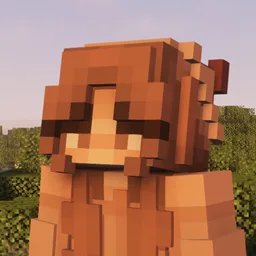




将玩家皮肤通常扁平的第二层替换为完全 3D 建模的版本。
当玩家距离超过 12 格时,模组会自动切换回原版风格的 2D 渲染,有助于保持高帧率。它还支持透明元素——非常适合眼镜、面罩或其他装饰细节!
由于此模组纯视觉且完全在客户端运行,无需安装在服务器上,在任何环境中均可无缝工作。


赋予你的玩家皮肤应有的深度——兼顾风格与性能。
3D 挤出皮肤层
- 用完整的 3D 模型替换扁平的皮肤第二层
- 为夹克、袖子或帽子等装饰细节增加视觉深度
- 完全支持眼镜、面罩等的透明效果
- 同样适用于玩家头颅物品
性能感知的渲染
- 在超过 12 格距离时自动切换至原版 2D 渲染
- 即使在多人游戏或拥挤区域也能维持帧率
- 完全客户端运行,无需安装服务器端




| Minecraft |
Loader |
Status |
Version |
Note |
| 1.16.5+ |
Fabric/Forge*/NeoForge |
✅ Supported |
Latest |
|
| *1.16.5 |
Forge |
⚠️ Unsupported |
Outdated |
Unsupported, until it gets support for JarInJar mods |
| 1.12.2/1.8.9 |
Forge |
❌ Not supported |
Outdated |
Might get new updates at some point |
| Mod |
Status |
Note |
| Essential |
✅ Supported |
|
| Shoulder Surfing Reloaded |
✅ Supported |
|
| Player Animator |
✅ Supported |
This means mods that use it like Better Combat and Emotecraft |
| CustomSkinLoader |
⚠️ Partial support |
Requires this helper mod |
| Lunar Client |
❌ Not supported |
Will never get support! |



- 由于外层比玩家模型稍大,某些皮肤在 3D 下可能无法完美对齐。
- 角落周围的 ZigZag 图案会连接在一起。这是由于将其变为 3D 的数学原理所致,但可以通过在孔洞中放置略微透明的像素来部分避免。
- 使用光影时,某些身体部位层的侧面会出现奇怪的阴影。我正在尝试解决此问题。


这需要在服务器上安装吗?
不需要。这是一个完全客户端模组,无需安装在服务器上。
这与高清皮肤兼容吗?
不兼容。由于像素形状不正确,因此无法实现。
图层穿透了模组护甲
某些模组护甲比原版更贴近身体。请在模组设置中调小 3D 尺寸直到合适为止。
图层偏离身体飞行
你可能正在使用 ETF/EMF 资源包。请确保根据 Minecraft 版本更新它。
帮助:图层消失了!/ 模组不生效!
在寻求帮助之前,请检查以下几项:
- 在“选项 > 皮肤自定义”中,确认你没有意外禁用皮肤图层。
- 在模组设置中,确认相关功能已开启。
- 该模组是否出现在模组列表中?
- 皮肤应通过 Mojang 加载,其他皮肤加载器可能不受支持。
- 确保你的皮肤确实在第二层上有内容。模组无法凭空生成图层。
我在非正版 Minecraft 上遇到问题
请购买游戏,我们不支持非法复制品。


? 感谢 Github 上出色的翻译者和贡献者!
? 许可证:tr7zw 保护性许可证
你可以自由地在由 Modrinth/Curseforge 托管的整合包中使用此模组,无需事先征得许可。请勿将 jar 文件重新分发到其他任何地方!


Replaces the normally flat second layer of player skins with a fully 3D-modeled version.
The mod automatically switches back to vanilla-style 2D rendering when players are more than 12 blocks away, helping maintain high framerates. It also supports transparent elements - perfect for glasses, visors, or other cosmetic details!
Since this mod is purely visual and entirely client-side, it doesn't need to be installed on servers and works seamlessly in any environment.


Give your player skin the depth it deserves—with style and performance in mind.
3D Extruded Skin Layer
- Replaces the flat second skin layer with a full 3D model
- Adds visual depth to cosmetic details like jackets, sleeves, or hats
- Fully supports transparency for glasses, visors, etc.
- Also applies to player head items
Performance-Aware Rendering
- Automatically switches to vanilla 2D rendering beyond 12 blocks
- Maintains FPS even in multiplayer or crowded areas
- Fully client-side and requires no server installation


| Minecraft |
Loader |
Status |
Version |
Note |
| 1.16.5+ |
Fabric/Forge*/NeoForge |
✅ Supported |
Latest |
|
| *1.16.5 |
Forge |
⚠️ Unsupported |
Outdated |
Unsupported, until it gets support for JarInJar mods |
| 1.12.2/1.8.9 |
Forge |
❌ Not supported |
Outdated |
Might get new updates at some point |
| Mod |
Status |
Note |
| Essential |
✅ Supported |
|
| Shoulder Surfing Reloaded |
✅ Supported |
|
| Player Animator |
✅ Supported |
This means mods that use it like Better Combat and Emotecraft |
| CustomSkinLoader |
⚠️ Partial support |
Requires this helper mod |
| Lunar Client |
❌ Not supported |
Will never get support! |
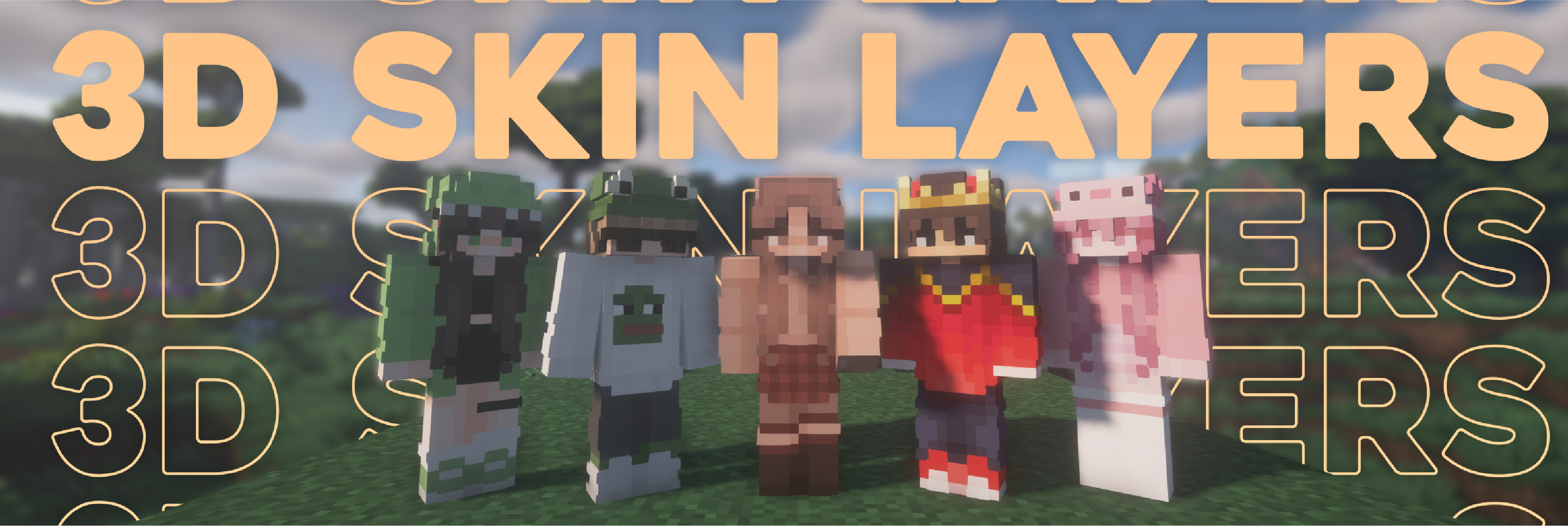


- Because the outer layer is slightly larger than the player model, some skins may not align perfectly in 3D.
- ZigZag patterns around corners will join up. This down to the math of making it 3d, but it can be somewhat prevented by placing slightly transparent pixels into the holes.
- With shaders, some body part layer sides have weird shadows. I am trying to get this resolved.


Does this need to be installed on the server?
No. This is a fully client-side mod and does not need to be installed on the server.
Does this work with HD Skins?
No. Since the pixels wouldn't have the correct shape, this is not possible.
The layers stick through the modded armor
Some modded armor is closer to the body than vanilla. Turn down the 3d size in the mod settings till it fits.
The layers are flying offset to the body
You are probably using a ETF/EMF resourcepack. Make sure you update it, fitting to the Minecraft version.
Help the layers are gone! / The mod doesn't work!
A few things to check before asking for help:
- Check under Options > Skin Customization that you didn't accidentally disable your skin layers.
- Check in the mod settings, that the features are turned on.
- Does the mod show up in the modlist at all?
- The skin should be loaded via Mojang, other skin loaders might not be supported.
- Make sure your skin actually has things on the second layer. The mod can't magically invent layers.
I'm having issues with my cracked version of Minecraft
Please buy the game, illegal copies of the game are not supported.


? Thanks to the awesome translators and contributors on Github!
? License: tr7zw Protective License
Feel free to use this mod in your Modrinth/Curseforge hosted modpacks without asking for permission. Do not redistribute the jar files anywhere else!
评论 0
登录后参与评分
还没有评论,来抢沙发吧