适用于 1.19+ 的下载:


? 简介:
Stylish Effects 彻底重做了状态效果的显示方式。提供多种模式供你选择,拥有海量的配置选项,助你打造梦寐以求的效果显示界面。
? 内容:
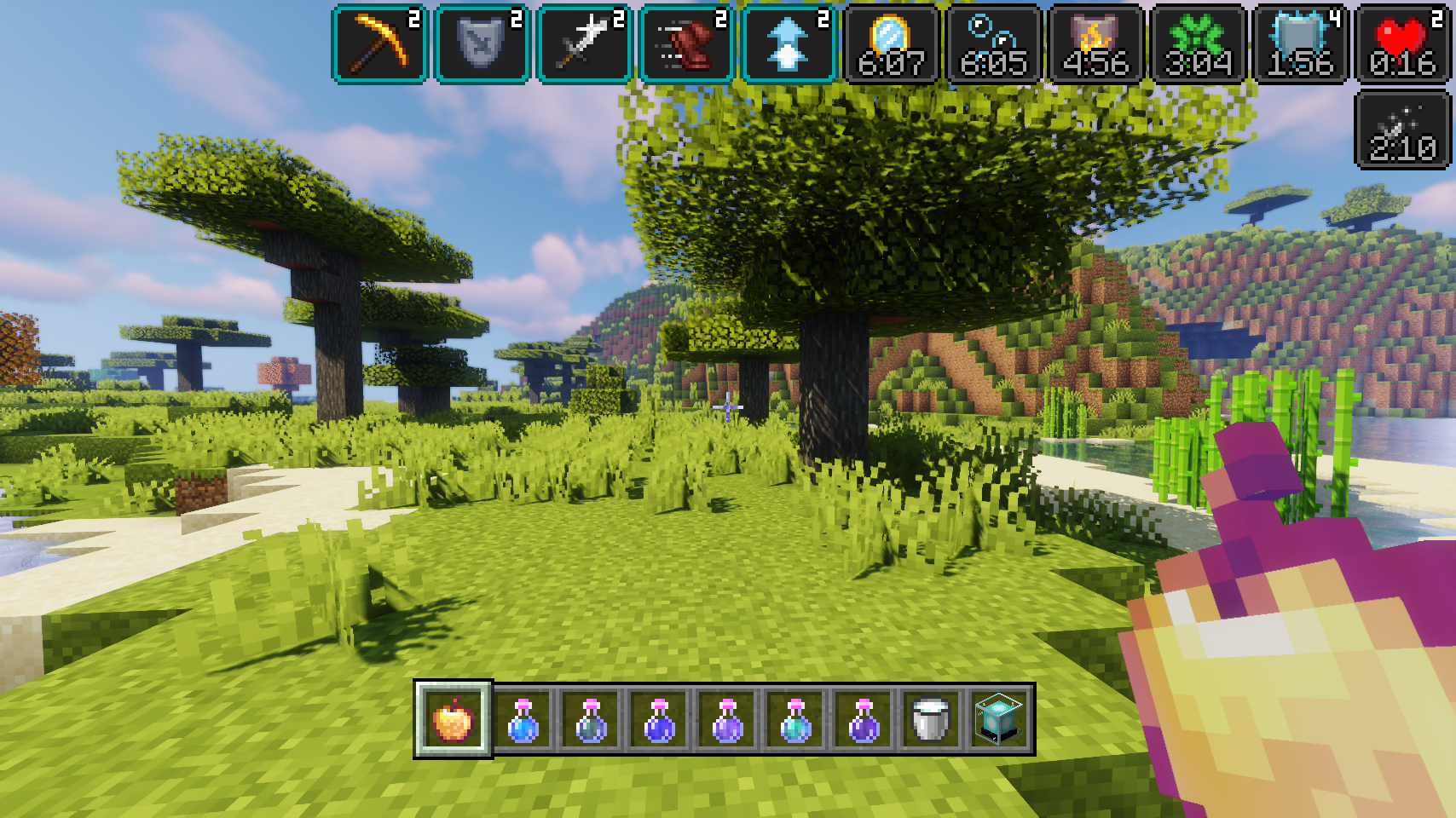
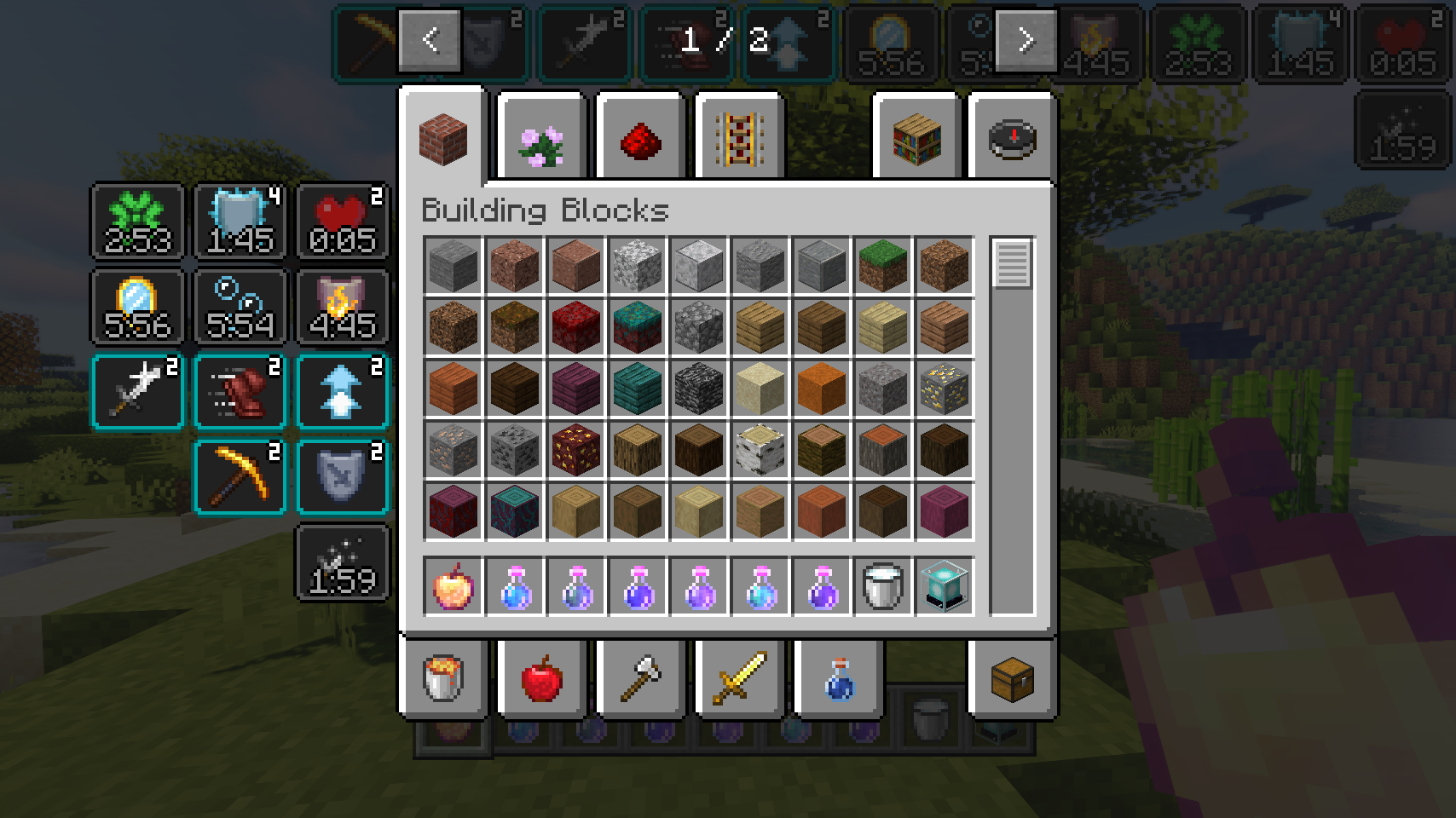
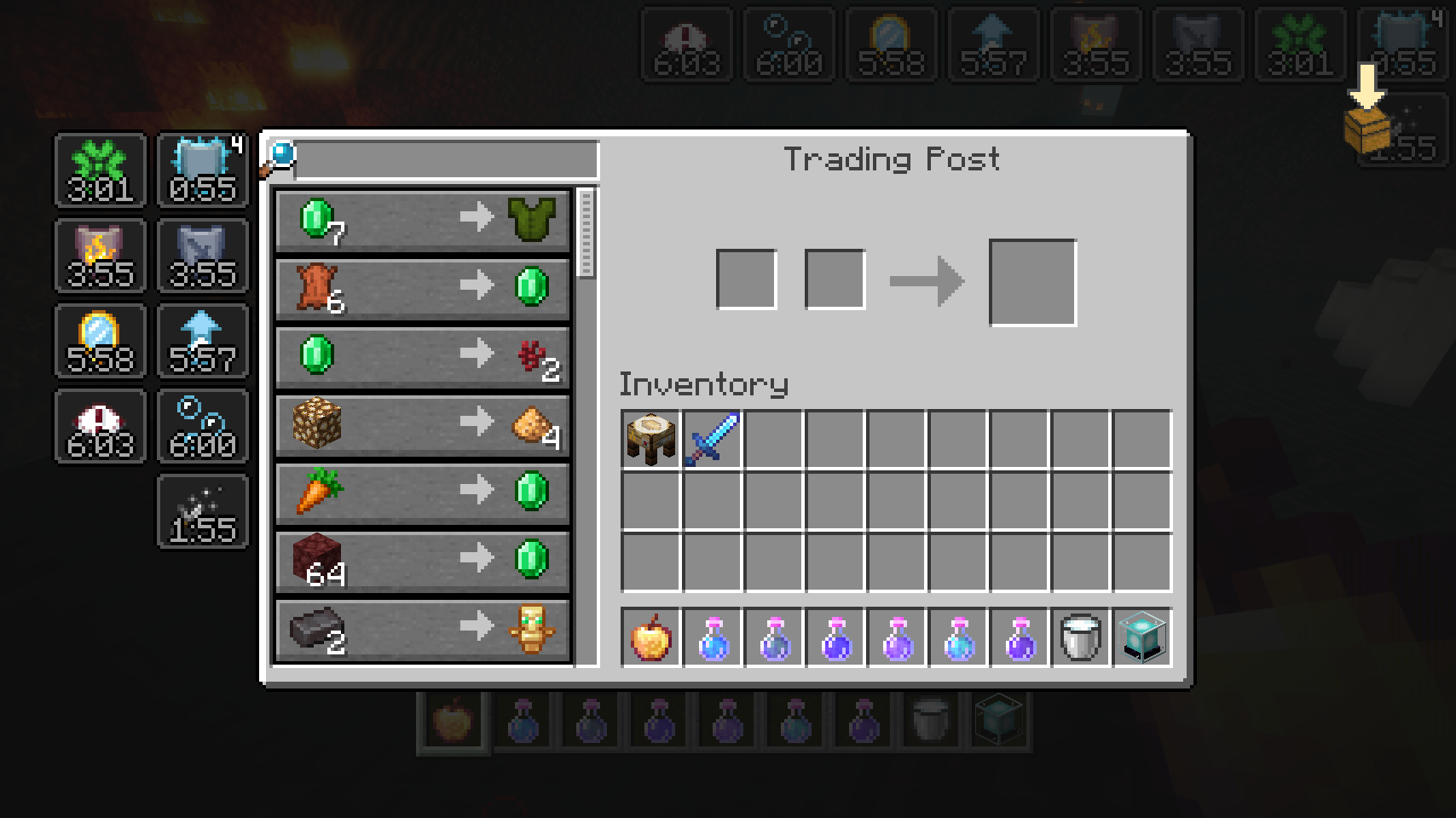
首先,原本简陋的原版 HUD 效果显示被更华丽的版本取代,新版本包含了效果持续时间和当前效果等级。此显示方式也应用于物品栏中,因为它更加紧凑,可以在效果开始重叠之前展示更多的效果。而且新的物品栏显示不再局限于玩家背包,现在你可以在任何容器中查看你的激活效果!
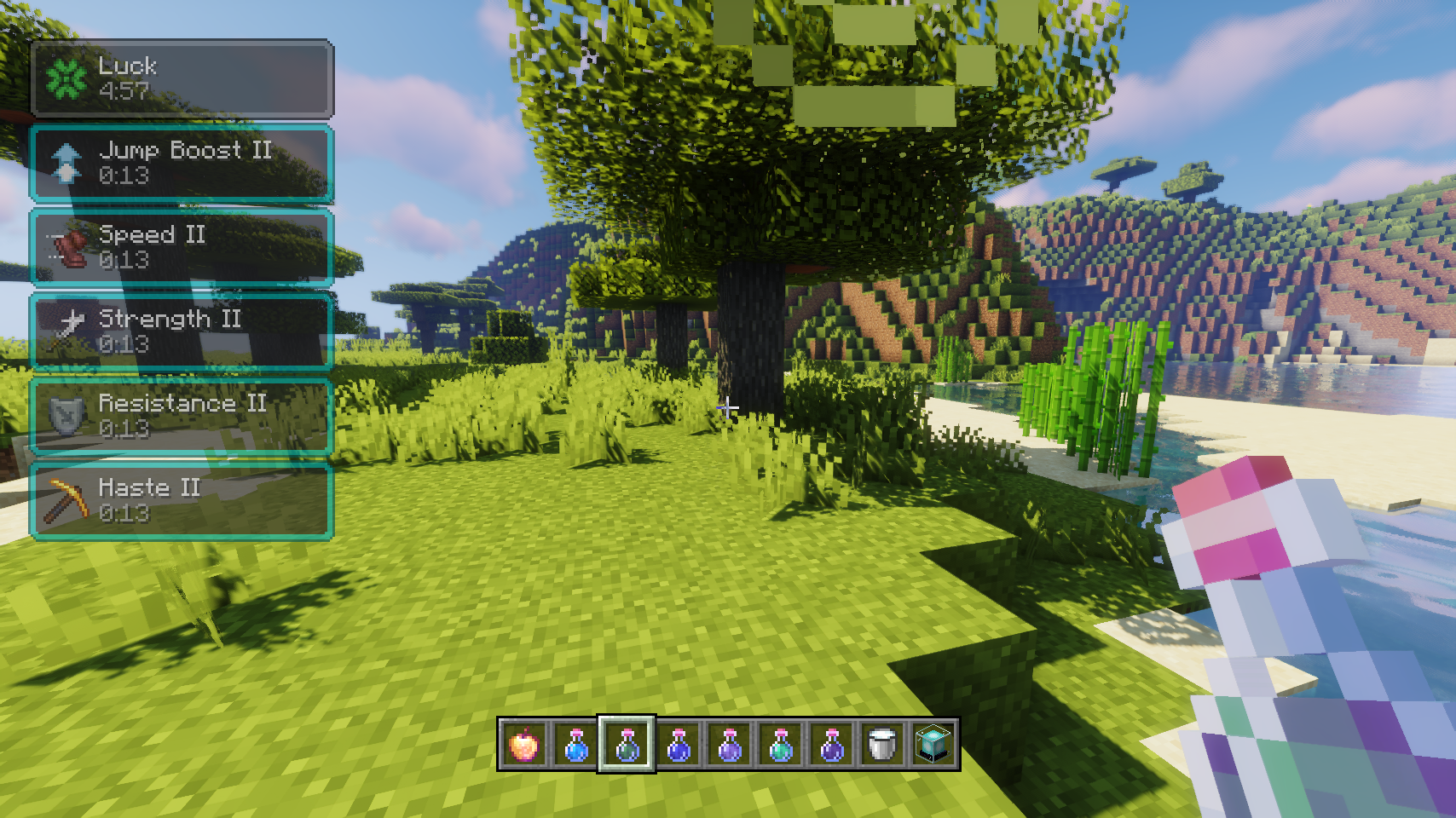
但是等等,既然状态效果以小巧紧凑的图标形式显示,你如何得知当前激活效果的名称?别担心,为此添加了便捷的提示框(Tooltip)。当安装了 Potion Descriptions by Azmalent 时,提示框将更加实用。
你喜欢原版的物品栏状态效果显示,并希望保留它,甚至将其用于 HUD?没问题!你可以选择任意小部件模式,甚至可以不显示。此外,还有大量可配置的设置,例如效果屏幕侧边、行数和列数、自定义透明度值、文本颜色、自定义屏幕位置等等。
? 截图:
 |
|
 |
| Stylish effects 正在发挥其应有的时尚作用 |
|
可以选择并配置多种效果渲染类型 |
| |
 |
|
 |
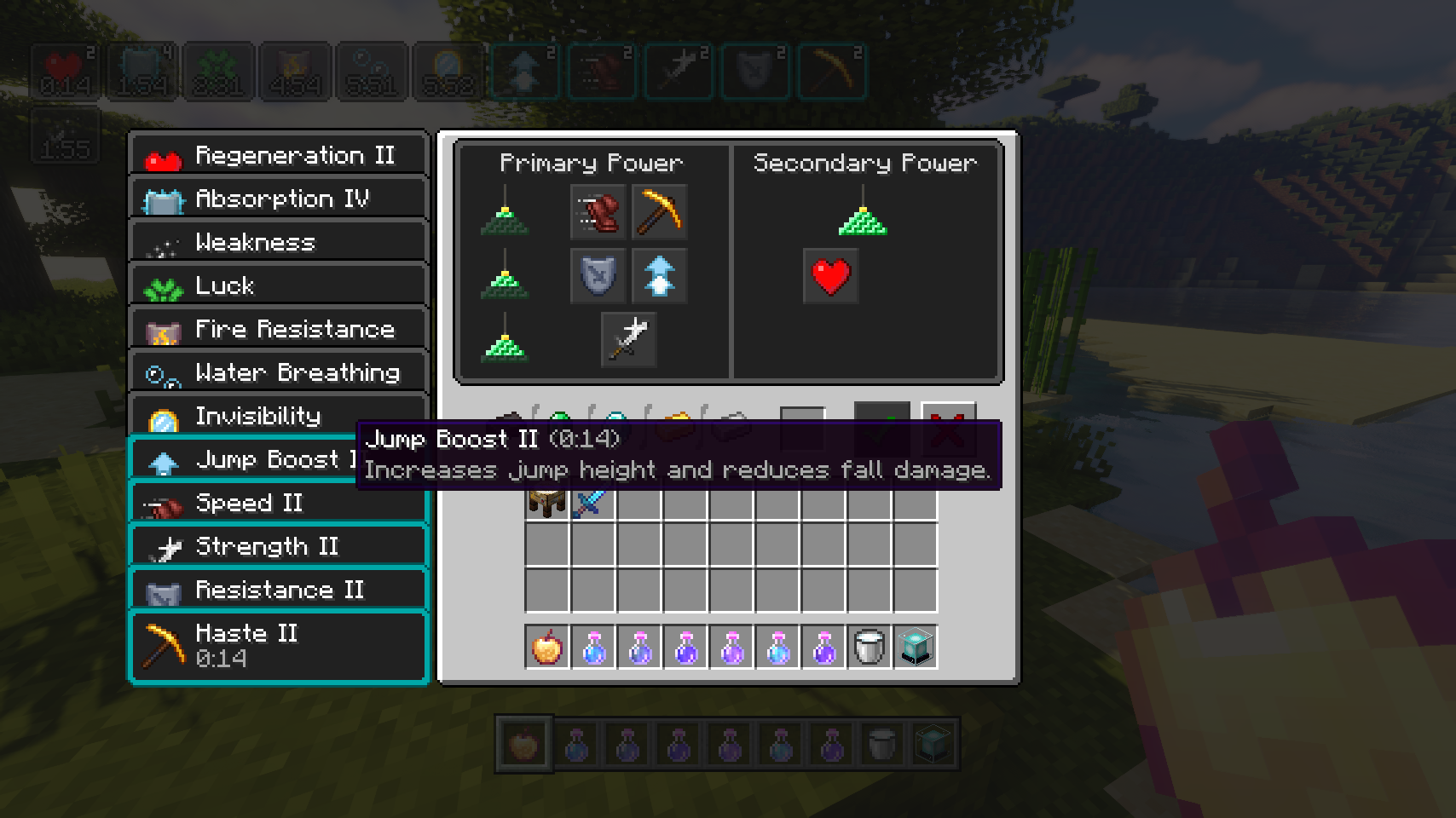
| 紧凑的效果显示取代了原版物品栏内的显示方式 |
|
效果显示不仅限于物品栏,所有容器内均会显示 |
| |
 |
|
 |
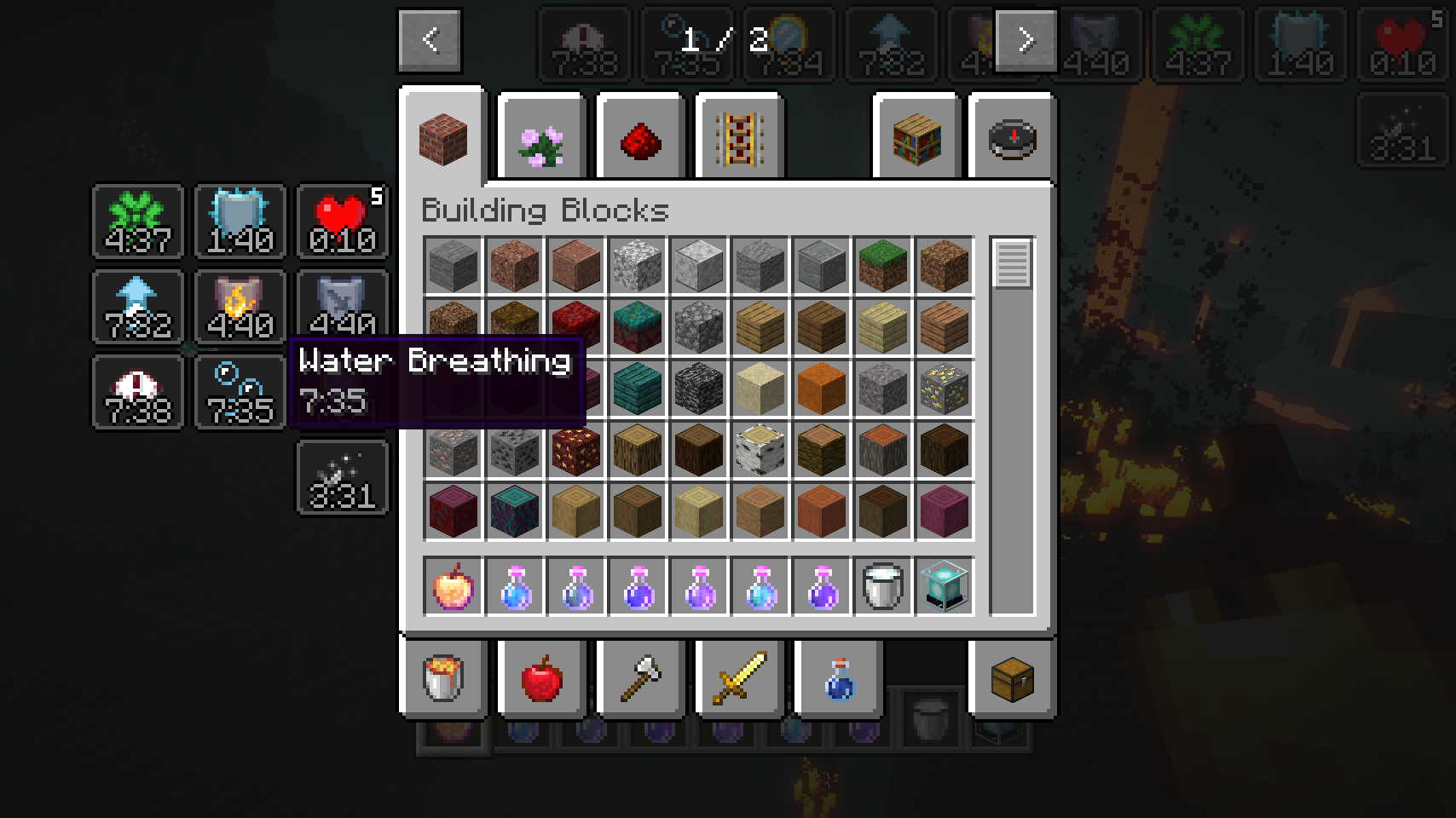
| 鼠标悬停在效果小部件上时会显示有用的提示框 |
|
提示框有助于在添加更多信息的同时保留关键信息 |
| |
 |
|
|
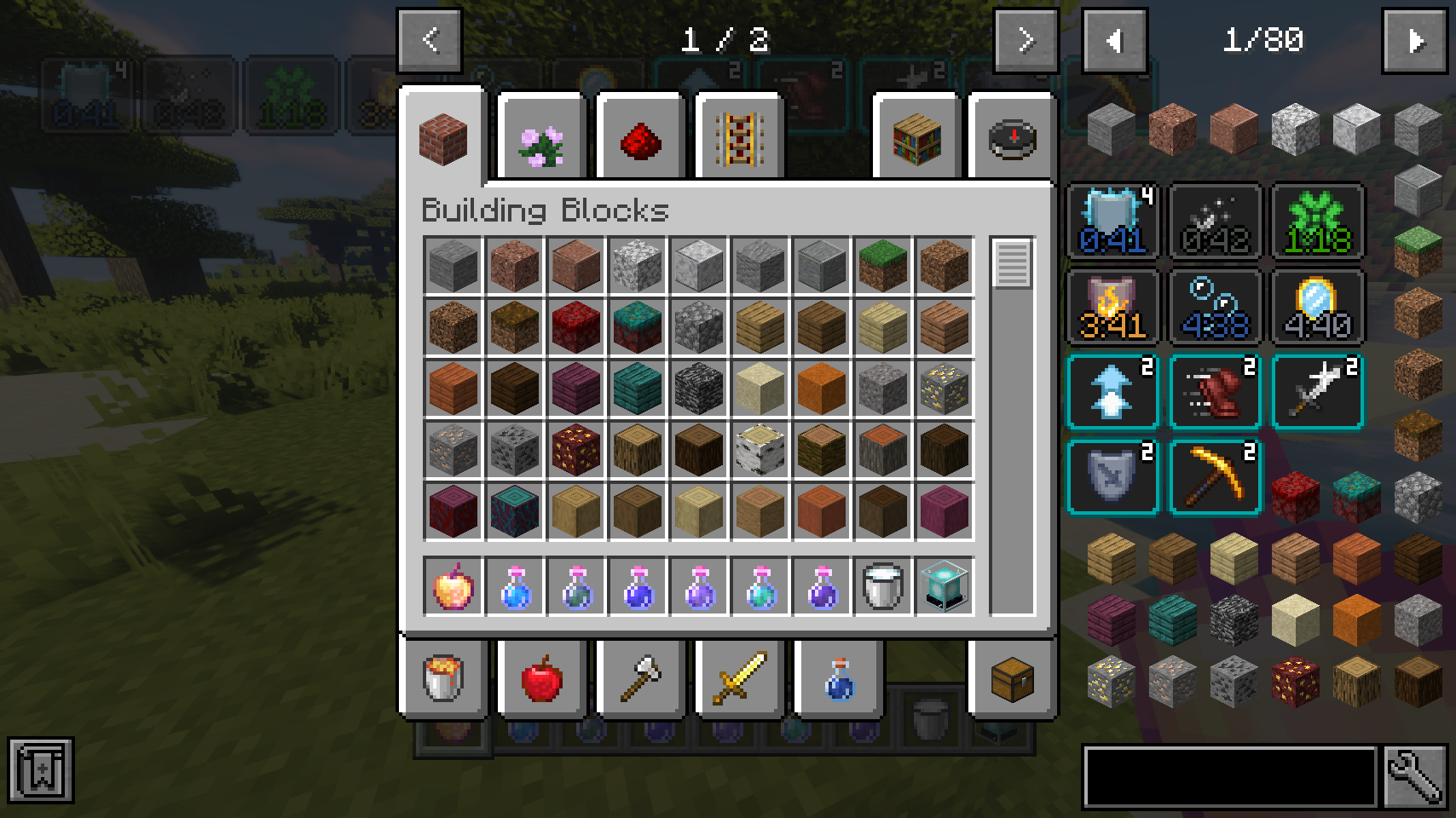
| 提供了众多可能的设置项,并且与 REI 完美兼容 |
|
|
| |
? 常见问题解答:
问:如何配置此模组?
答:目前尚不支持在游戏内直接编辑配置文件。相反,当身处某个世界时,请根据该模组的性质选择 CLIENT(客户端)或 SERVER(服务器),然后运行命令 /config showfile <modid>。接着点击聊天栏中出现的文件名(以 .toml 结尾),即可在外部编辑器中手动编辑配置文件。保存文件后,配置文件将在几秒后自动在游戏内重新加载,无需重启游戏。
问:如何在工具提示中启用效果描述?
答:描述信息由一个单独的模组提供:Potion Descriptions by Azmalent.
? 鸣谢:
Stylish Effects 的开发得到了以下模组的启发和帮助:
- Deadzoke 通过其 Ignite HUD 模组启发了效果计时器的显示方式
- Dmitrylovin 通过其 Inventory HUD+ 模组启发了紧凑的效果增幅器显示方式
- Snownee 提供了来自其 Mini Effects 模组的一个小型补丁,用于禁用默认的 JEI 库存状态效果处理
Download for 1.19+:
? About:
Stylish Effects completely overhauls how status effects are displayed. There are multiple modes to choose and countless configuration options available to create the effects display of your dreams.
? Contents:
First of all, the crummy little vanilla hud effects display is replaced with a fancier version which includes an effect timer as well as the current effect amplifier. This display is also now used in the inventory, as it's way more compact and allows for many more effects to be shown before they start to overlap. And this new inventory display is no longer limited to the player inventory, now you can see your active effects in every container!
But wait, now that status effects are shown small and compact with just an icon, how will you find out how your active effects are called? Don't worry, a handy tooltip is added for that. The tooltip will be even more useful when Potion Descriptions by Azmalent is installed.
You like the vanilla inventory status effect display and want to keep it or even use it on the hud as well? No problem! You can choose any widget mode you want, or even none. Alongside that there are many configurable settings, such as the screen side for effects, amount of rows and columns, a custom alpha value, text colors, custom screen positions, and much, much more.
? Media:
|
|
|
| Stylish effects in action being very stylish |
|
Various effect render types can be chosen and configured |
| |
|
|
|
| Compact effects replace the vanilla display inside of the inventory |
|
The effects display is shown in every container, not just the inventory |
| |
|
|
|
| Useful tooltips will appear when effect widgets are hovered |
|
Tooltips are great for retaining information while also adding even more |
| |
|
|
|
| So many possible settings, and great REI compatibility |
|
|
| |
? FAQ:
Q: How do I configure this mod?
A: Editing configs directly in-game has not yet been implemented. Instead when in a world run the /config showfile <modid> command by choosing either CLIENT or SERVER (depending on the mod), then click the file name (ending with .toml) that appears in chat to be able to manually edit the config file in a separate editor. After saving the file, the config will automatically reload in-game after a couple of seconds, so no game restart required.
Q: How do I enable effect descriptions on the tooltips?
A: The descriptions are provided by a separate mod: Potion Descriptions by Azmalent.
? Credits:
Developing Stylish Effects was helped and inspired by:
- Deadzoke for inspiring the effect timer display from their Ignite HUD mod
- Dmitrylovin for inspiring the compact effect amplifier display from their Inventory HUD+ mod
- Snownee for a small hack for disabling the default JEI inventory status effect handling from their Mini Effects mod


 模组

 模组

 模组
 模组

 模组
 模组
评论 0
登录后参与评分
还没有评论,来抢沙发吧