


自 1.20.1 起,还有 Fabric 版本!
使用简单的配置文件控制 Minecraft 的昼夜循环,可选择:
- 设置白天和黑夜的长度(分钟)(可独立配置)
- 或将游戏内时间与系统时钟同步
不修改基础类,不进行 ASM/mixin 转换(Forge 版本),也不触碰刻长。
多年来我玩游戏时一直无法忍受原版昼夜时长。
其他尝试实现类似功能的模组要么会破坏其他模组,要么包含不必要的功能,都不令我满意。
这是一个简单、非侵入式的实现,依赖于关闭原版的 doDaylightCycle 游戏规则。
模组会在世界启动时自动将其设置为 false。
/time 命令可用,睡觉也有效(睡眠应由原版主要处理)
此外,还支持 Comforts 和 Vampirism 的日间睡眠兼容。
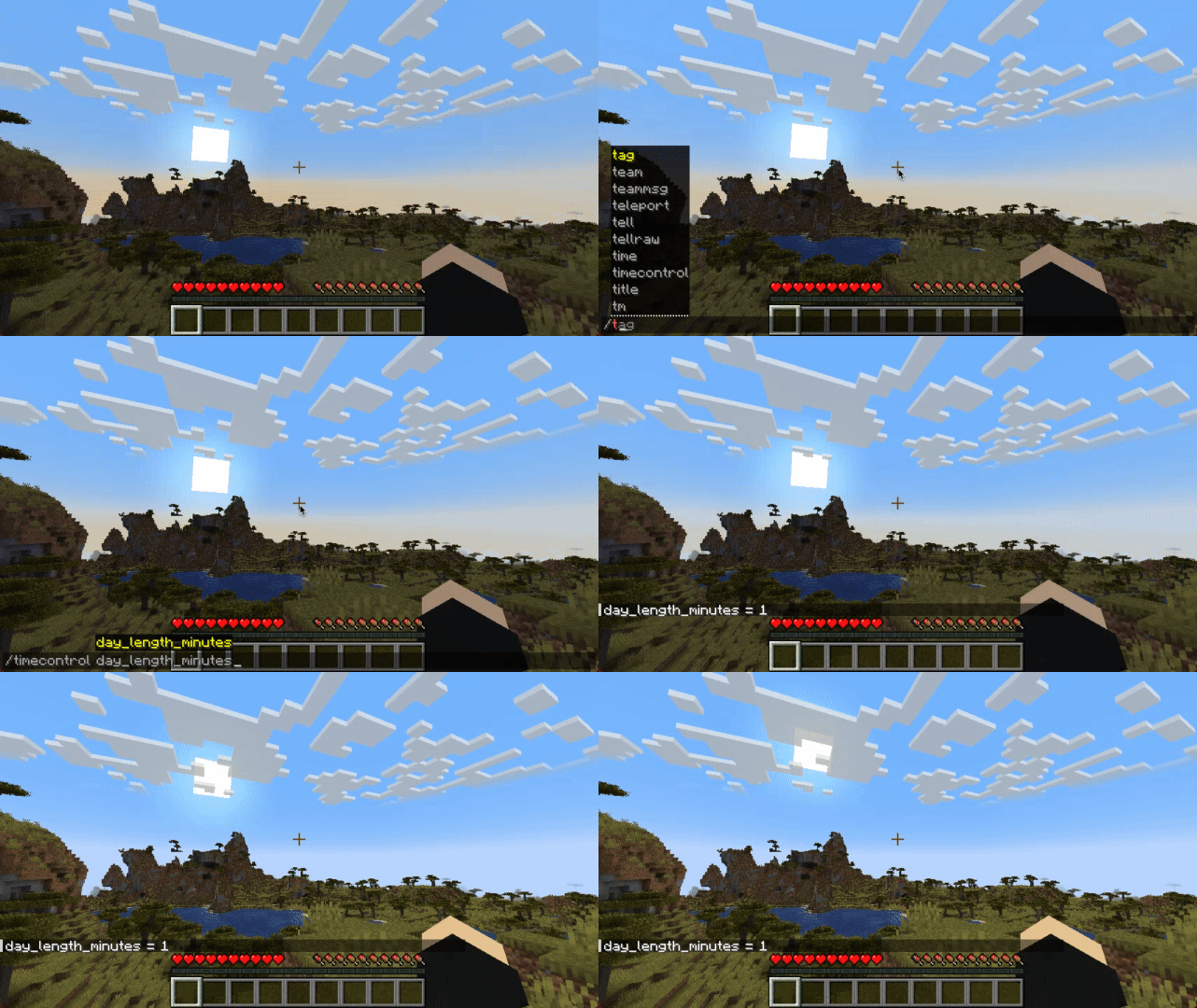
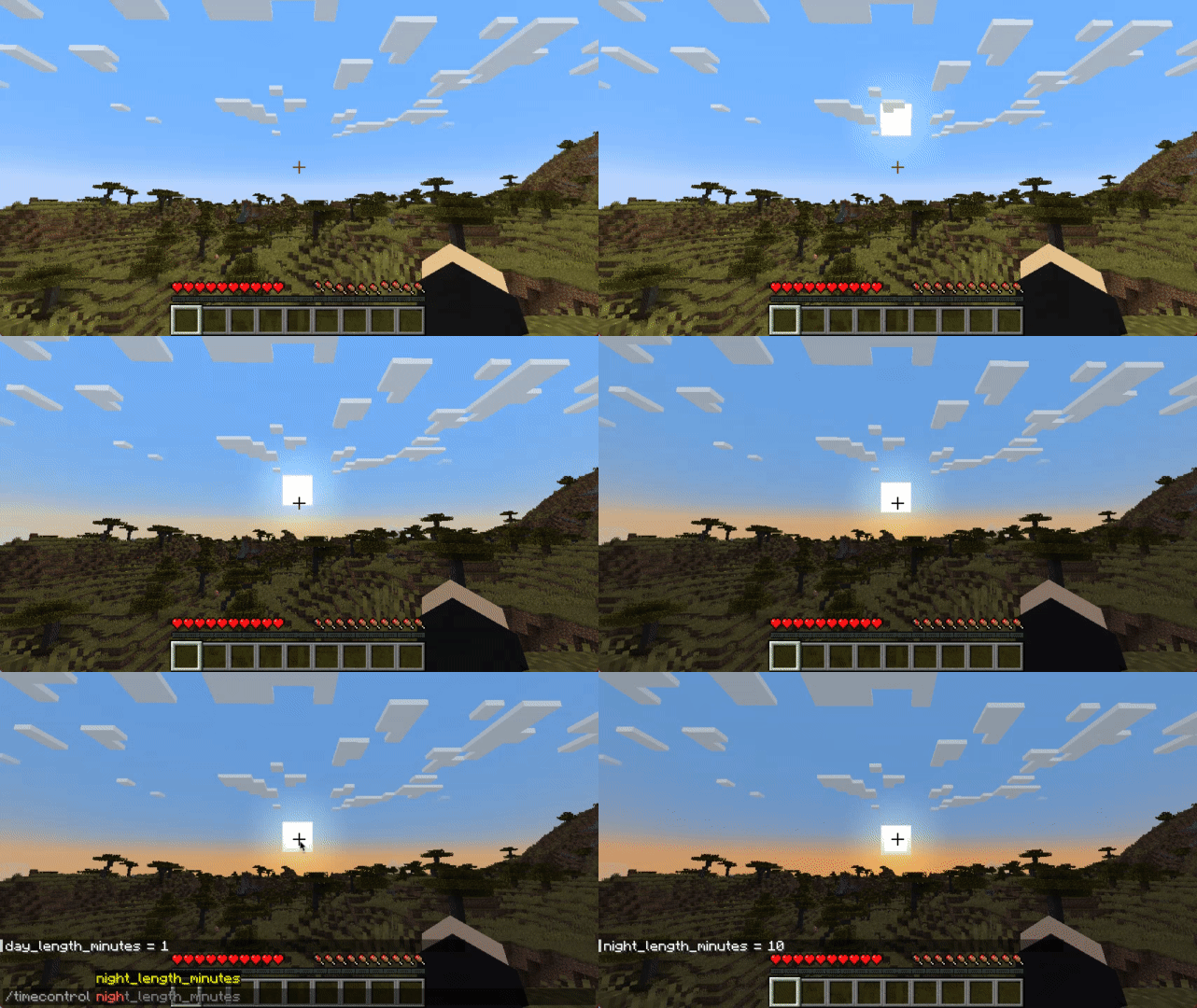
配置
文件:
从 1.20.1 开始,在 Forge 上配置是保存于每个世界的(服务端配置):
.minecraft/saves/{world}/serverconfig/timecontrol-server.toml
在 Fabric 1.20.1+ 上:
.minecraft/config/timecontrol.json
如果你使用的是 Forge,在 Minecraft 版本最高至 1.19.4 的情况下,你可以在以下位置找到它:
.minecraft/config/timecontrol-common.toml
[system_time]
	#将游戏世界时间与系统时间同步
	sync_to_system_time = true
	#每 n 刻同步一次时间
	#范围:1 ~ 864000
	sync_to_system_time_rate = 20

[arbitrary_time]
	#白天的持续时间(0 - 12000)
	#范围:1 ~ 178956
	day_length_minutes = 30
	#夜晚的持续时间(12000 - 24000)
	#范围:1 ~ 178956
	night_length_minutes = 25

[miscellaneous]
	debug = true
Fabric 版本的 json 没有注释,你可以参考上面的示例。
命令:
还有一个游戏内命令:
在 1.20+ 中
/timecontrol day_length_minutes [<value>]
/timecontrol night_length_minutes [<value>]
/timecontrol sync_to_system_time_rate [<value>]
/timecontrol sync_to_system_time [<value>]
最高至 1.19.4:
/timecontrol get < sync_to_system_time | night_length_minutes | day_length_minutes >
/timecontrol set < night_length_minutes | day_length_minutes > <value>
目前它在多人游戏和单人游戏中都能工作(两端都必须安装),但在专用服务器上,由于可能的延迟和每秒刻数差异,可能会注意到轻微的天空盒抖动。
常见问题
问:Forge?
答:Forge,以及自 1.20.1 起 - Fabric。
问:我可以把你的模组收录到视频中吗?
答:只要你附上模组/整合包(如果它恰好在一个整合包里)的链接,当然可以。
问:我可以把你的模组添加到一个整合包中吗?
答:CurseForge/Modrinth 整合包很棒。
附言
如果你觉得我的模组不够可靠,并且可能对之前所有试图控制昼夜循环长度的模组都产生了不信任感:
我自己从 1.12.2 就开始使用它了,始终在重度模组整合包(200+ 模组)中,(通常)是在多人游戏服务器上。在我看来这应该是一个原版特性。
该模组对游戏或存档没有任何永久性影响,因此你可以放心地安装/卸载它。
Since 1.20.1 there is also a version for Fabric!
Control Minecraft’s day-night cycle using a simple config file, choosing either:
- Set length for day and night in minutes (can be configured independently)
- Or sync in-game time with system clock
No base classes are modified, no ASM/mixin transformations (on the Forge version) and no touching tick lengths.
For years when playing the game I couldn't stand vanilla day length.
No other mod that tried to implement a similar feature satisfied me, either due to breaking other mods or having unnecessary features.
This is my simplistic, non-invasive implementation that relies on the vanilla "doDaylightCycle" gamerule being off. The mod will set it to false on it's own during world startup.
/time command works, sleeping works (sleep should be mostly handled by vanilla)
There is also compatibility with Comforts and Vampirism's day sleeping
Configuration
File:
Starting with 1.20.1 on Forge configuration is saved per-world (serverside config):
.minecraft/saves/{world}/serverconfig/timecontrol-server.toml
On Fabric 1.20.1+:
.minecraft/config/timecontrol.json
If you're using Forge, on Minecraft versions up to and including 1.19.4 you can find it at:
.minecraft/config/timecontrol-common.toml
[system_time]
	#Synchronize game world time with system time
	sync_to_system_time = true
	#Sync time every n ticks
	#Range: 1 ~ 864000
	sync_to_system_time_rate = 20

[arbitrary_time]
	#How long daytime lasts (0 - 12000)
	#Range: 1 ~ 178956
	day_length_minutes = 30
	#How long nighttime lasts (12000 - 24000)
	#Range: 1 ~ 178956
	night_length_minutes = 25

[miscellaneous]
	debug = true
The Fabric version json does not have comments, so you can refer to the above example.
Commands:
There is also an in-game command:
In 1.20+
/timecontrol day_length_minutes [<value>]
/timecontrol night_length_minutes [<value>]
/timecontrol sync_to_system_time_rate [<value>]
/timecontrol sync_to_system_time [<value>]
Up to 1.19.4:
/timecontrol get < sync_to_system_time | night_length_minutes | day_length_minutes >
/timecontrol set < night_length_minutes | day_length_minutes > <value>
At this time it works with both multiplayer and singleplayer (must be installed on both), but on Dedicated Servers due to possible ping and ticks per second discrepancies slight skybox jitter may be noticeable.
FAQ
Q: Forge?
A: Forge, and since 1.20.1 - Fabric.
Q: Can I include your mod in a video?
A: As long as you include a link to the mod/modpack (if it happens to be in one), absolutely
Q: Can I add your mod to a modpack?
A: CurseForge/Modrinth modpacks are cool.
P.S.
If you don't feel confident enough about my mod and may have also become distrustful of all the previously existing mods attempting to give control to daylight cycle length:
I've been using it myself since 1.12.2, always in heavily modded packs (200+ mods), (usually) on a multiplayer server. This should be a vanilla feature in my opinion.
The mod also doesn't have any permanent effects on the game or save, so if you install/remove it without worry.

下载 Time Control
下载 Time Control
下载 Time Control
下载 Time Control
下载 Time Control
下载 Time Control
下载 Time Control
下载 Time Control
下载 Time Control
下载 Time Control
- 添加选项以设置系统同步时的小时偏移量
关于这个资源的讨论、问题反馈与使用心得
还没有讨论,来发第一帖吧
你是这个资源的作者?登录后可认领此资源。
相似资源
 模组

显示你正在注视的方块的信息。(适用于 Minecraft 1.16+ 的 Hwyla/Waila 分支)
 模组

查看物品与配方
 模组
在游戏画面角落显示附近世界地形、玩家、生物和实体的地图。可创建路径点,帮助你找到标记过的位置。
 模组
使用 JavaScript 编辑配方、添加自定义物品、编写世界事件!
 模组
添加区块认领和玩家组队功能,并与 Xaero's Minimap 和 World Map 集成
 模组
添加全屏世界地图,显示你在世界中已探索的区域。与 Xaero's Minimap 搭配使用效果极佳。
评论 0
登录后参与评分
还没有评论,来抢沙发吧