



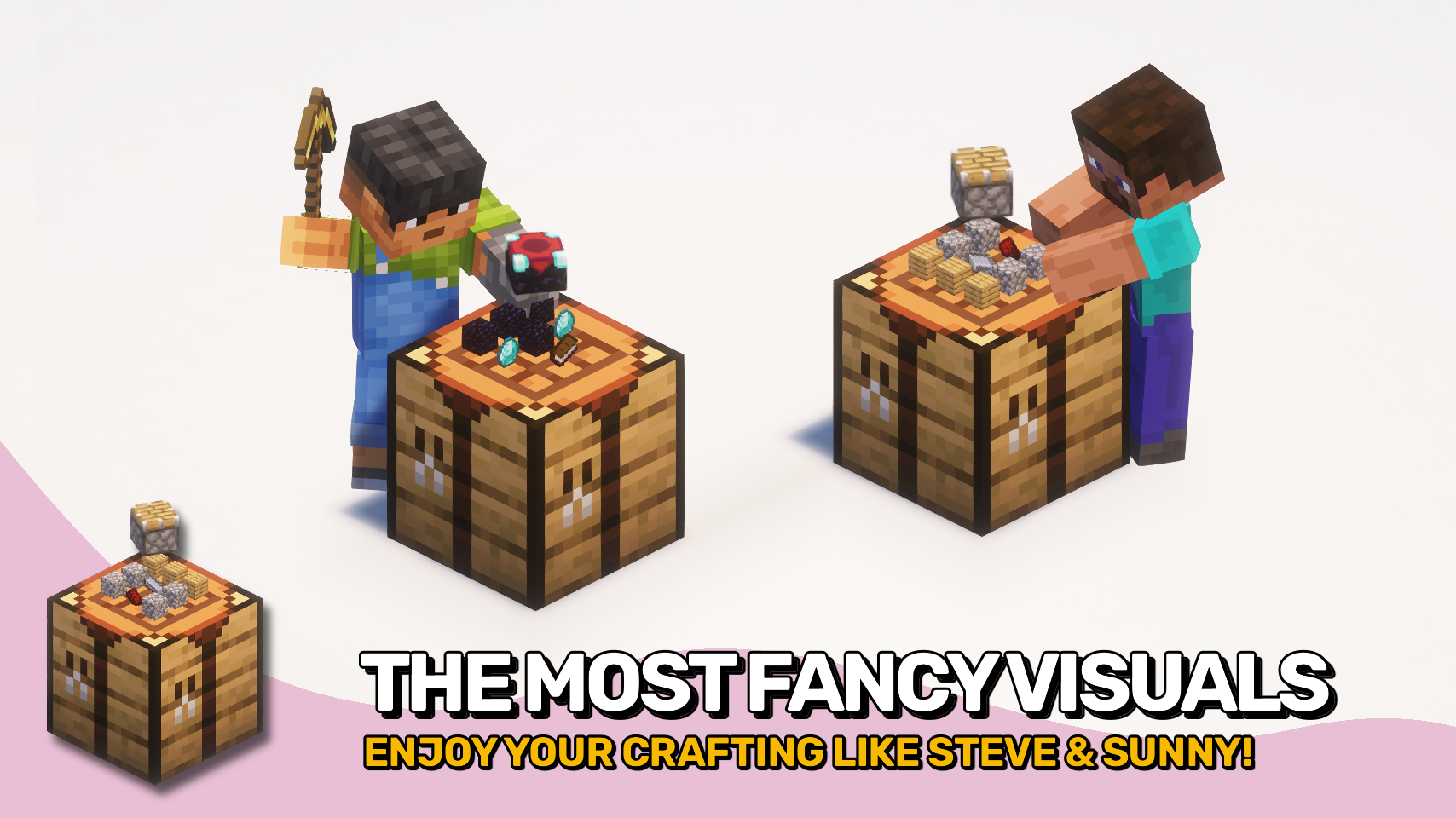
Visual Workbench 让合成台更具生机:在工作时,物品会保留在合成网格中。? 再也不用担心材料消失。所有物品保持可见且井然有序。
如果你破坏该方块,所有内容物会像预期那样掉落至地面。? 合成材料与成品也会直接渲染在方块上方,为合成台带来整洁而令人满意的视觉效果。
简单直观,是对熟悉方块的出色视觉升级。✨


⏩ 客户端必须安装 & 服务端必需
⏩ 需要安装 PUZZLES LIB(Fabric 与 NeoForge 版本)
⏩ 需要安装 FABRIC API(Fabric 版本)
⏩ 需要安装 FORGE CONFIG API PORT(Fabric 版本)

如果模组支持配置,可以通过游戏内模组菜单直接进行配置(Fabric 版本需安装由 Prospector 开发的 Mod Menu)。
如需使用外部文本编辑器手动配置,所有文件均位于 .minecraft/config 目录下,根据配置类型命名为 MOD_ID-client.toml、MOD_ID-common.toml 或 MOD_ID-server.toml。并非所有类型的配置文件都会存在,具体取决于模组。

? 感谢 Prototik 提供了原始创意以及其 RealBench 模组中的大部分渲染代码。
? 感谢 Tfarecnim 提供了其 Crafting Station 模组中 Just Enough Items 插件的代码。
? 感谢 Fabric Discord 中的 Daomephsta 指引我找到在 Fabric 上支持自定义合成台的正确方向。
 |
 |
|
 |
 |
|
 |
 |
|
 |
 |
|
 |
 |

© 2026 @heyitsfuzs. 保留所有权利。本页面最后编辑时间为 2026 年 9 月 11 日 06:44 (UTC)。
Visual Workbench makes crafting tables feel more alive by keeping items inside the grid while you work. ? No more disappearing ingredients. Everything stays visible and organized as you craft.
If you break the block, all contents drop on the ground just as you would expect. ? Crafting ingredients and the resulting item are also rendered directly on top, giving the table a clean and satisfying visual touch.
Simple, intuitive, and a nice visual upgrade to a familiar block. ✨
⏩ INSTALLATION REQUIRED ON CLIENT & REQUIRED ON SERVER
⏩ REQUIRES PUZZLES LIB TO BE INSTALLED (FABRIC & NEOFORGE)
⏩ REQUIRES FABRIC API TO BE INSTALLED (FABRIC)
⏩ REQUIRES FORGE CONFIG API PORT TO BE INSTALLED (FABRIC)
If available for a mod, configuration is possible directly from in-game using the mod menu (requires Mod Menu by Prospector to be installed on Fabric).
For manual configuration using an external text editor all files are found at .minecraft/config, named as MOD_ID-client.toml, MOD_ID-common.toml, or MOD_ID-server.toml, depending on the type of config. Not all types might exist for a mod, if any at all.
? Thanks to Prototik for the original idea and most of the rendering code from their RealBench mod.
? Thanks to Tfarecnim for the Just Enough Items plugin code from their Crafting Station mod.
? Thanks to Daomephsta from the Fabric Discord for pointing me into the right direction for supporting modded crafting tables on Fabric.
|
|
|
|
|
|
|
|
|
|
|
|
|
|
© 2026 @heyitsfuzs. All rights reserved. This page was last edited on 11 September 2026, at 06:44 (UTC).

下载 Visual Workbench
下载 Visual Workbench
下载 Visual Workbench
下载 Visual Workbench
下载 Visual Workbench
下载 Visual Workbench
下载 Visual Workbench
下载 Visual Workbench
下载 Visual Workbench
下载 Visual Workbench
需要联机服务器吗?
稳定流畅、一键部署,几分钟即可和朋友联机开服
最低仅需 8 元/月 即可畅快联机
更新日志
本项目的所有重要更改都将记录在此文件中。
格式遵循 Keep a Changelog, 并且本项目遵守 语义化版本控制。
[v26.3.0-mc26.3.x] - 2026-09-23
已更改
- 更新至 Minecraft 26.3.x
关于这个资源的讨论、问题反馈与使用心得
还没有讨论,来发第一帖吧
你是这个资源的作者?登录后可认领此资源。
相似资源
 模组

显示你正在注视的方块的信息。(适用于 Minecraft 1.16+ 的 Hwyla/Waila 分支)
 模组
在游戏画面角落显示附近世界地形、玩家、生物和实体的地图。可创建路径点,帮助你找到标记过的位置。
 模组

查看物品与配方
 模组
使用 JavaScript 编辑配方、添加自定义物品、编写世界事件!
 模组
AE2:一款流行的自动化与存储模组
 模组
那是什么?一个 Waila/Hwyla 的分支。
评论 0
登录后参与评分
还没有评论,来抢沙发吧